Microsoft Copilot Review: Office, Pricing, How to Use It and NSFW Limits
Understand the latest Microsoft Copilot: free vs paid plans, Office workflows, November updates, user feedback, privacy, NSFW limits and practical prompts.

Microsoft Copilot makes most sense when your work ends in a Word document, Excel workbook or PowerPoint deck. Its main advantage is the route from a question to an editable file, with the right subscription and permissions. For occasional questions, try the free chat first: paying for Microsoft 365 does not make every agent available, remove usage caps or turn Copilot into an unrestricted chatbot.
Which Copilot are you getting?
Microsoft Copilot is an AI service and application, not one downloadable language model. It combines models, search, files and tools; available model choices and routing depend on your account and organization. Treat an answer saying “I am model X” as generated text, not proof of the backend. There is no single meaningful parameter count, context-window specification or local VRAM requirement for the whole product. Ordinary browser chat does not require a Copilot+ PC.
There are three useful access categories: free chat for general questions; Microsoft 365 individual subscriptions for more usage and eligible Office integration; and work/school accounts, whose licenses and IT policies determine access to organizational data and agents. A unified app does not make those rights identical. GitHub Copilot remains the developer product for IDE/repository work; buying that subscription is not a substitute for a Microsoft 365 license.
What is actually new in November 2026?
Microsoft’s November 17 Ignite announcement puts Home and Office in Copilot at general availability for the work offering. Home brings Chat and Cowork together; Office integration lets eligible users create and edit actual files. Auto routes requests between supported models and effort levels. That is a product capability announcement, not evidence that every personal account has the same interface today.
Code was still described as becoming generally available in the coming weeks. Autopilot was beginning its Frontier rollout, Workspaces was in Frontier and Today was a private preview. Do not buy a plan assuming all four are already standard features. Individual-plan documentation separately lists Cowork as a Premium/Pro preview limited to the US and Canada, with platform/device conditions. Enterprise availability does not cancel that consumer restriction.
What it does well, and where it needs supervision
For everyday use, the most useful jobs are turning rough notes into a structured draft, explaining a document, searching for current information and revising selected text. Ask it to distinguish facts in the file from its own assumptions. Search citations help verification, but a linked source does not prove the sentence accurately represents it. For long PDFs, work by section and ask where each important figure appears; uploading a document is not a guarantee that every page was correctly considered.
In Office, editable output can save the copying and reformatting required by a separate chatbot. That benefit disappears if the result changes a number, loses a table or invents a source. Check formulas, dates, units, speaker notes and slide overflow. File support varies by app: Word documents, Excel workbooks, presentations and PDFs do not all behave identically in every chat entry point.
Voice is useful for spoken rehearsal; Vision can help with shared screen or camera content when available and permitted. Seeing a screen is different from being authorized to operate it. Image creation can help with an initial concept, but inspect text, anatomy and consistency and keep provenance marks. Do not assume one permanent image backend, unlimited generation or full feature parity across languages.
Independent tests and user experiences
In a September 22 TechRadar comparison inside Word, Eric Hal Schwartz found Copilot convenient for a conventional, immediately editable template; ChatGPT was more exploratory. This is a small workflow comparison, not a controlled benchmark of the November release. PCWorld’s January Windows review also found useful drafting alongside confusing entry points; its age matters when interpreting today’s app.
More recent community feedback is mixed. Replies to Microsoft’s Copilot Community Check-In describe frustration over caps, changed tone and missing continuity after the app transition. Other users report that previous conversations remain or are returning. Microsoft acknowledged new limits and gradual migration of chats and memories. These are account-specific reports, not a measured outage or failure rate.
CRN’s November 9 reporting separately covers fair-use limits for organizational Copilot Chat without a paid Copilot license, including unclear variable thresholds. Do not transfer that report into a made-up daily allowance for the consumer free tier. Our assessment is documentary analysis of current documentation and attributable outside experiences, with AI assistance in drafting/localization; it does not claim an original paid-account benchmark.
Free access, subscriptions and the real cost
Free Copilot is useful for a first trial but has capacity and feature limits. Microsoft’s US individual pricing page currently lists regular monthly prices of $9.99 for Personal, $12.99 for Family, $19.99 for Premium and $99.99 for Microsoft 365 Pro. These are US reference prices, not a promise for your region or tax treatment. Temporary first-period offers are not the renewal price; annual billing differs. The current Microsoft 365 Pro plan should not be confused with an old tutorial’s standalone Copilot Pro offer.
Personal/Family provide eligible Office features and more usage than free. Premium adds capabilities such as Researcher and Analyst; Pro targets much heavier use. “Extensive” and “highest” usage are not unlimited. Caps can vary by feature, entry point and system conditions. Check Services & subscriptions in the Microsoft account and the in-app limit notice rather than budgeting from an old fixed-credit claim.
AI benefits in these individual plans belong to the subscription owner. Sharing a Family/Premium plan with several people does not give everyone the owner’s Office AI rights. For organizations, the user license for everyday work and usage-based agent billing are separate considerations. A simple value check: a $19.99 plan that actually saves two hours a month costs about $10 per hour saved; if it only duplicates a free chat, the same subscription is poor value. This is a cost example, not a measured productivity result.
Get started in five steps
Use the following path for a repeatable first session. Current personal terms require a Microsoft account; some older support pages still describe guest use. Plan on signing in rather than relying on a no-login workflow. No installation, API key or dedicated GPU is needed for a basic web trial.
These prompts are starting templates, not outputs produced during this review. Replace the bracketed material and specify your output language. When the service cites web evidence, verify the date and wording before acting on it.
- Open Microsoft Copilot from the official page and sign in with the intended personal or work/school account. Check the account name before uploading anything.
- Start a new chat. State the task, audience, language and final format; use Auto unless you have a reason to compare an explicitly available model.
- Attach one non-sensitive supported file with the attachment button, or paste a short passage. Wait until it appears as attached; ask Copilot to identify the source it can use.
- Request a short first result with uncertainties and source locations. Correct one issue at a time; ask for an editable file only if your entry point offers that action.
- Open the result, verify facts and calculations, save the file and review usage. Enable microphone/camera or cloud connections only for a task that needs them.
Prompts to adapt
Summarize only the attached document in five points. For each important number give its page or section. Separate confirmed facts, assumptions and unanswered questions. Do not invent missing information.
Rewrite the selected email for [audience] in [language], under 150 words. Keep all dates, prices and commitments unchanged. Show the proposed text before replacing anything.
Using the attached budget, explain how total cost changes if [input] rises by 10%. Show the formula, source cells and currency. Flag blanks or inconsistent units; do not silently fill them.
A practical Word, Excel and PowerPoint workflow
To open the Office assistant, sign into Word, Excel or PowerPoint with the licensed account and select Copilot on the ribbon. For a straightforward Excel start, save the workbook to OneDrive and enable AutoSave. Newer eligible experiences also support some cloud-saved workbooks with AutoSave off, so a blanket rule that every version requires it is outdated. If the button is unavailable, check the account and file requirements before changing data.
For Word, open or upload a small permitted document in the eligible Copilot experience. Ask for an outline first, then request a draft grounded only in that file. Identify which paragraphs may be rewritten and which amounts or quotations must stay unchanged. Review the proposed changes before accepting them, and keep the original file so you can compare versions.
For Excel, start with a copy of an .xlsx workbook, clear column headers, consistent date/currency formats and one well-defined question. Ask for the formula and its input range, then check a few rows manually, including blanks and negative values. For PowerPoint, approve an outline before creating slides, name the source document and template, and inspect chart legends, citations and text overflow after opening the editable deck. A polished preview is not an accuracy check.
For Cowork or an agent, specify the final deliverable, allowed files, forbidden actions and a stopping point. Ask for review before sending messages, deleting content, changing permissions or making purchases. If a feature is missing, first check the signed-in account, subscription owner, license, app updates and regional rollout. For failed uploads, check the actual picker’s formats, file permissions and complexity; split a large file. A local path typed into chat does not itself grant access.
Privacy, memory and migration of older chats
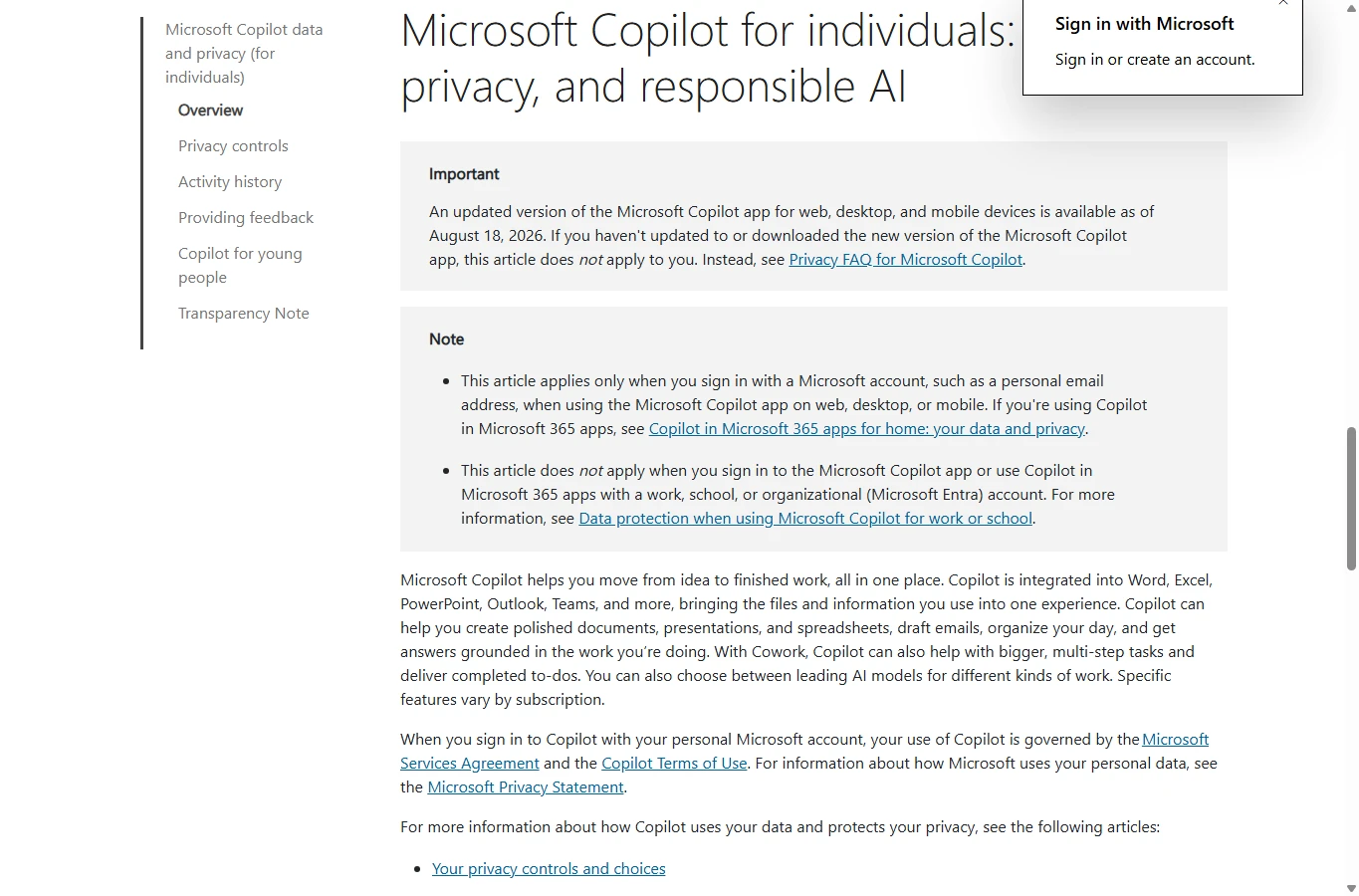
Personal and organizational accounts have different privacy terms. Under enterprise data protection, Microsoft says prompts, responses and Microsoft Graph data are not used to train foundation models; existing permissions and retention policies still apply. That is not zero retention, and broad existing sharing permissions can still expose more context than intended. A personal Microsoft 365 subscription is not automatically the same enterprise contract.
In the updated personal app, open Settings → Personalization to review Saved memories, One shared experience, Web search and ad personalization. To erase memories, use Manage and delete them; switching Saved memories off does not erase what is already stored. Deleting a chat and deleting memories are different actions. Turning search off can reduce access to current facts. Non-subscribers may see ads; disabling personalized ads does not necessarily remove generic advertising.
Older app users should sign into the updated experience by December 31, 2026 to preserve eligible chats/content, according to Microsoft’s migration notice. Save essential instructions separately while migration is gradual. Avoid uploading confidential client files into a personal account just because the app has a Microsoft logo. End screen sharing when finished and inspect the account and sharing scope before connecting cloud storage.
NSFW support and our recommendation
Copilot is not an uncensored erotic chat or adult-image service. The personal terms prohibit creating or sharing adult content and allow prompts/responses to be restricted. A paid plan or a different model selection does not remove that policy. Sexual-health education, relationship advice and non-explicit creative work are different from pornographic generation, but acceptance of a particular request is not guaranteed. Refusal rates and multilingual NSFW quality have not been independently established here.
There is a separate harmful-content-protection setting for work/school Copilot Chat and agents when enabled by an administrator. It supports professional analysis of sensitive material, starts on in new conversations and can be changed for a conversation. It does not affect images and does not disable image protection, copyright safeguards or prompt-injection defenses. It is not a universal “adult mode” for personal Copilot.
Copilot is worth a focused trial if most of your output must remain editable in Microsoft Office. Start with one real document, one spreadsheet question and one slide outline, then judge correction time and the limits you actually hit. Keep the free tier for occasional chat; pay for a verified workflow benefit rather than a preview promise. Readers prioritizing unrestricted roleplay or fully local/offline inference should choose a product built for that purpose.
Latest Reviews
7 Best OCR Text Recognition Tools in 2026

Gemini 4 Hydrogen Review: Coding, 1M Context, API Pricing and NSFW Limits

6 Best Image Translators in 2026: Translate Photos and Designs
8 Best AI Models in 2026: Top Models Compared
Best Free Antivirus Software in 2026: 5 Reliable Options for Safer Devices
MAI Image 2.7 and Flash Review: Editing, Canvas, Pricing and NSFW Limits