Best Free Antivirus Software in 2026: 5 Reliable Options for Safer Devices
Compare the best free antivirus software in 2026, including Bitdefender, Avast, AVG, Avira, and Microsoft Defender. See features, pros, cons, and free-plan limits.

Free antivirus software has improved significantly. For everyday protection, you no longer need to pay for a full security suite just to block malware, scan downloads, and protect your browser. The real challenge is choosing a free product that offers dependable protection without excessive advertising, unnecessary extras, or confusing upgrade prompts.
This guide compares five of the best free antivirus software options for 2026. We looked at malware protection, real-time scanning, web security, system impact, privacy tools, platform support, and the limits of each free plan.
Best Free Antivirus Software at a Glance
| Software | Best For | Real-Time Protection | Web Protection | Main Limitation |
|---|---|---|---|---|
| Bitdefender Antivirus Free | Focused malware protection | Yes | Yes | Primarily focused on core protection |
| Avast One Basic | Feature-rich free security | Yes | Yes | Frequent upgrade prompts |
| AVG AntiVirus Free | Simple protection with a familiar interface | Yes | Yes | Many advanced tools are paid |
| Avira Free Security | Privacy and maintenance extras | Yes | Yes | Free VPN has a limited allowance |
| Microsoft Defender | Windows users who want no extra installation | Yes | Yes | Fewer extras than third-party suites |
How We Evaluated Free Antivirus Software
A free antivirus product should do more than run a manual scan. We considered malware detection and real-time blocking, protection against malicious websites and downloads, ransomware and suspicious-behavior detection, installation and everyday usability, system performance, platform compatibility, privacy and maintenance features, advertising pressure, and what is actually included at no cost.
Independent testing organizations regularly evaluate consumer antivirus products, but results can change between test rounds and product versions. The rankings below therefore consider usability and free-plan limitations as well as laboratory detection results. See the latest AV-Comparatives consumer test reports for current test-cycle details.
1. Bitdefender Antivirus Free
Best for focused malware protection
Bitdefender Antivirus Free is one of the strongest choices for users who want reliable protection without a crowded interface. It focuses on the essentials: real-time malware detection, suspicious-behavior monitoring, phishing protection, and security checks for downloaded files and applications.
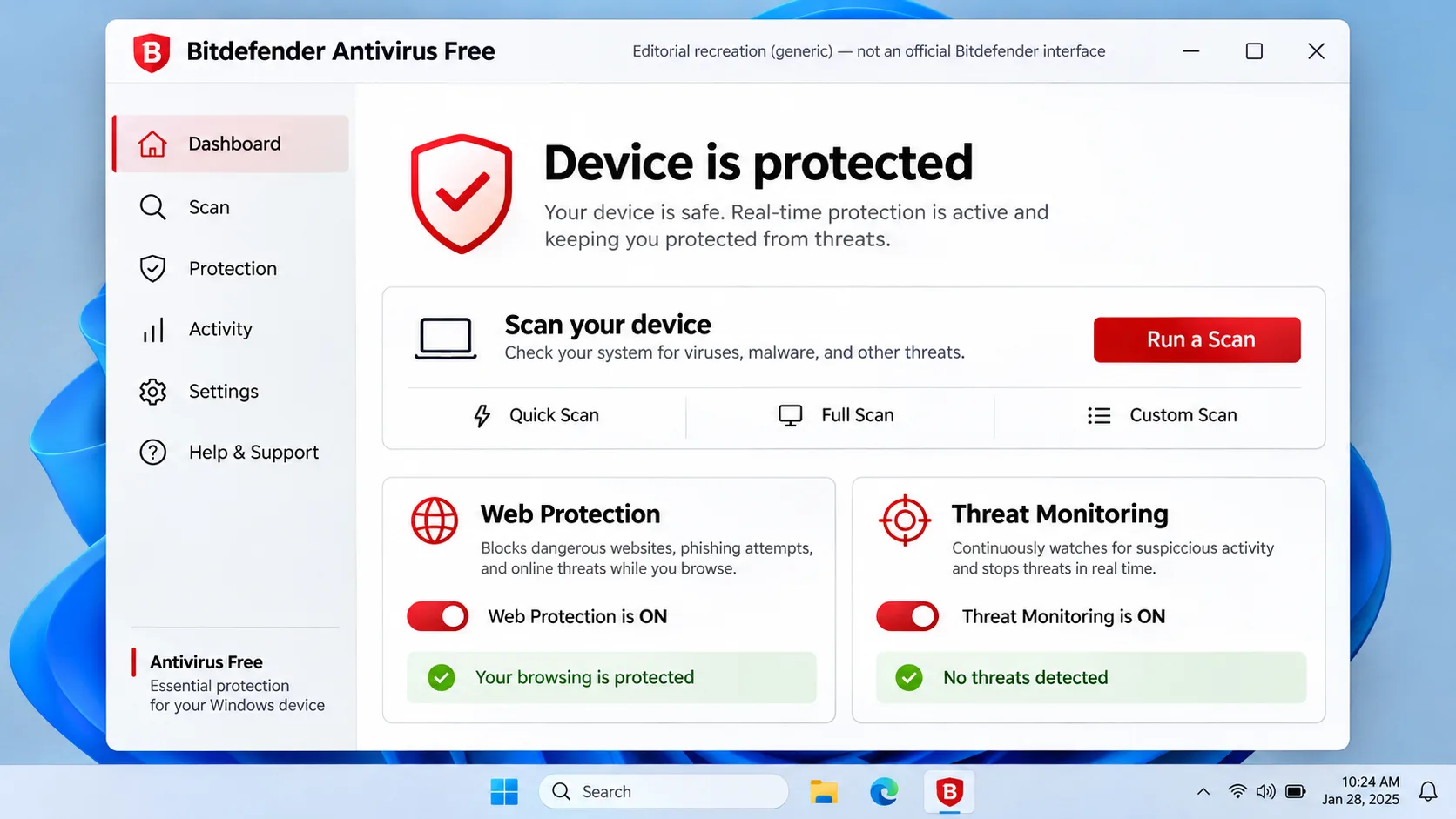
The software works quietly in the background. Once installed, it monitors active processes and checks files as they are opened or downloaded. That makes it a good fit for people who do not want to manage a long list of security settings every day.
Bitdefender is especially appealing if your priority is protection rather than a large collection of bundled tools. The free version concentrates on stopping common threats and warning you when a website or file looks dangerous, rather than adding a password manager or system-cleanup package.
Key features
- Real-time malware and ransomware protection
- Web protection against phishing and malicious websites
- Behavioral monitoring for suspicious applications
- Automatic security updates
- Manual and scheduled scanning options
- Lightweight background operation
- Simple interface for everyday use
Pros
- Strong core malware protection
- Clean, focused interface
- Low-maintenance setup
- Good protection against web-based threats
- Fewer distracting extras than many free suites
Cons
- The free version is more limited than paid Bitdefender plans
- Some advanced privacy and identity tools require an upgrade
- Platform support and feature depth vary by device
Best for: Windows users who want dependable antivirus protection with minimal configuration.
2. Avast One Basic
Best for a feature-rich free antivirus suite
Avast One Basic is a strong choice for users who want more than a simple malware scanner. Its free plan combines real-time antivirus protection with web safeguards, Wi-Fi security checks, and several privacy-oriented features.
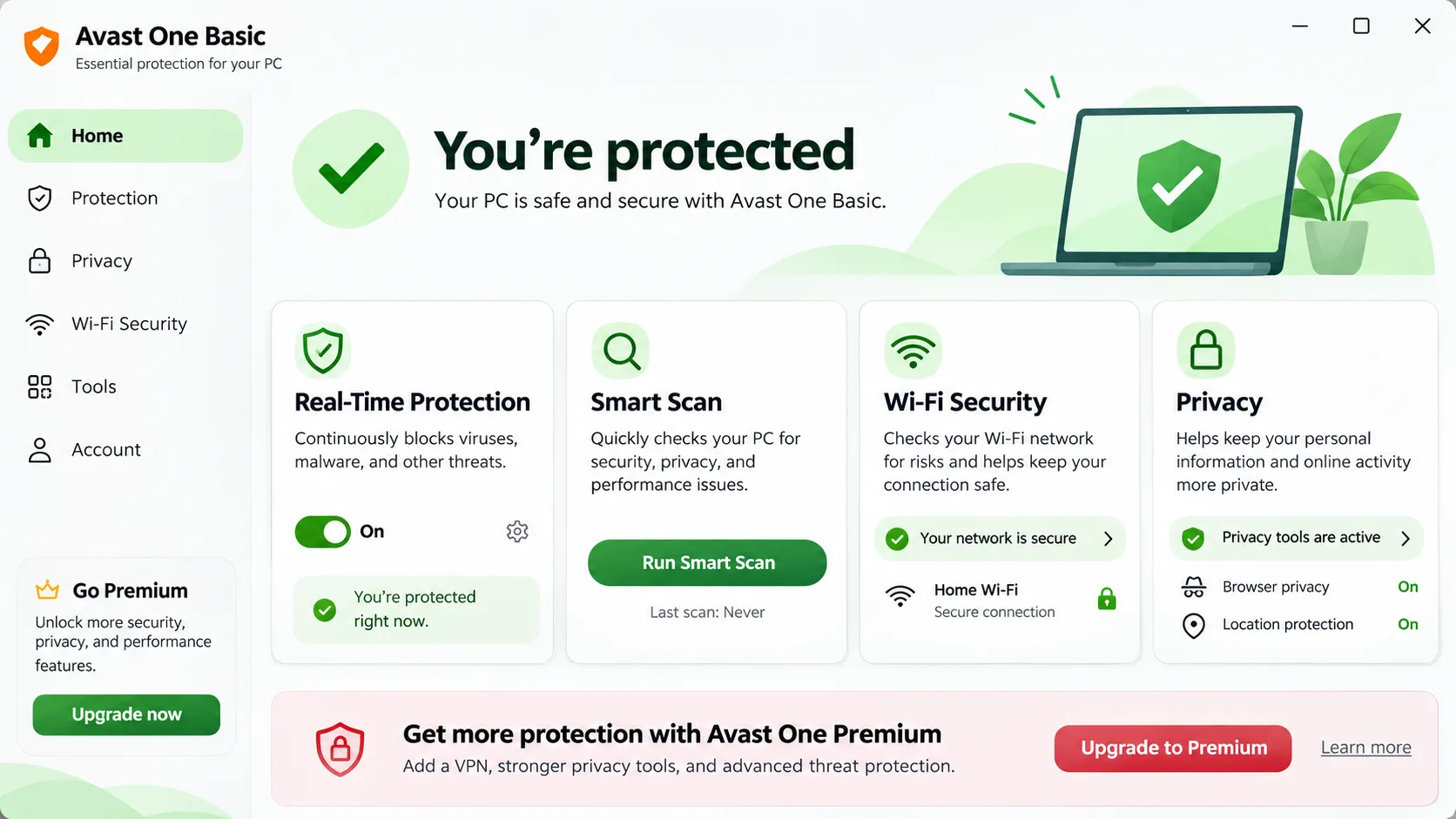
It offers quick, full-system, and targeted scans, so you can check a suspicious download without waiting for a complete system scan. The modern dashboard makes security status, scans, browser protection, and device checks easy to find.
The main compromise is frequent promotion of paid upgrades. Some tools are visible in the interface but locked behind a subscription, so check the plan label before enabling optional features.
Key features
- Real-time virus and malware protection
- Ransomware and suspicious-file detection
- Smart, full, and targeted scan modes
- Malicious website and phishing protection
- Wi-Fi network vulnerability checks
- Browser protection features
- Optional privacy and performance tools
Pros
- Broad feature set for a free product
- Useful scan options
- Good protection for everyday browsing
- Supports multiple major platforms
- Easy for beginners to understand
Cons
- Frequent prompts to upgrade
- Some privacy and performance tools are paid
- The interface can feel busy
- Additional components may be offered during installation
Best for: users who want a free antivirus with extra security checks and practical browser protection.
3. AVG AntiVirus Free
Best for simple, familiar protection
AVG AntiVirus Free remains a practical choice for people who prefer a straightforward antivirus interface. It provides real-time protection against viruses, spyware, ransomware, and other common threats, while also scanning downloads, email attachments, and websites.
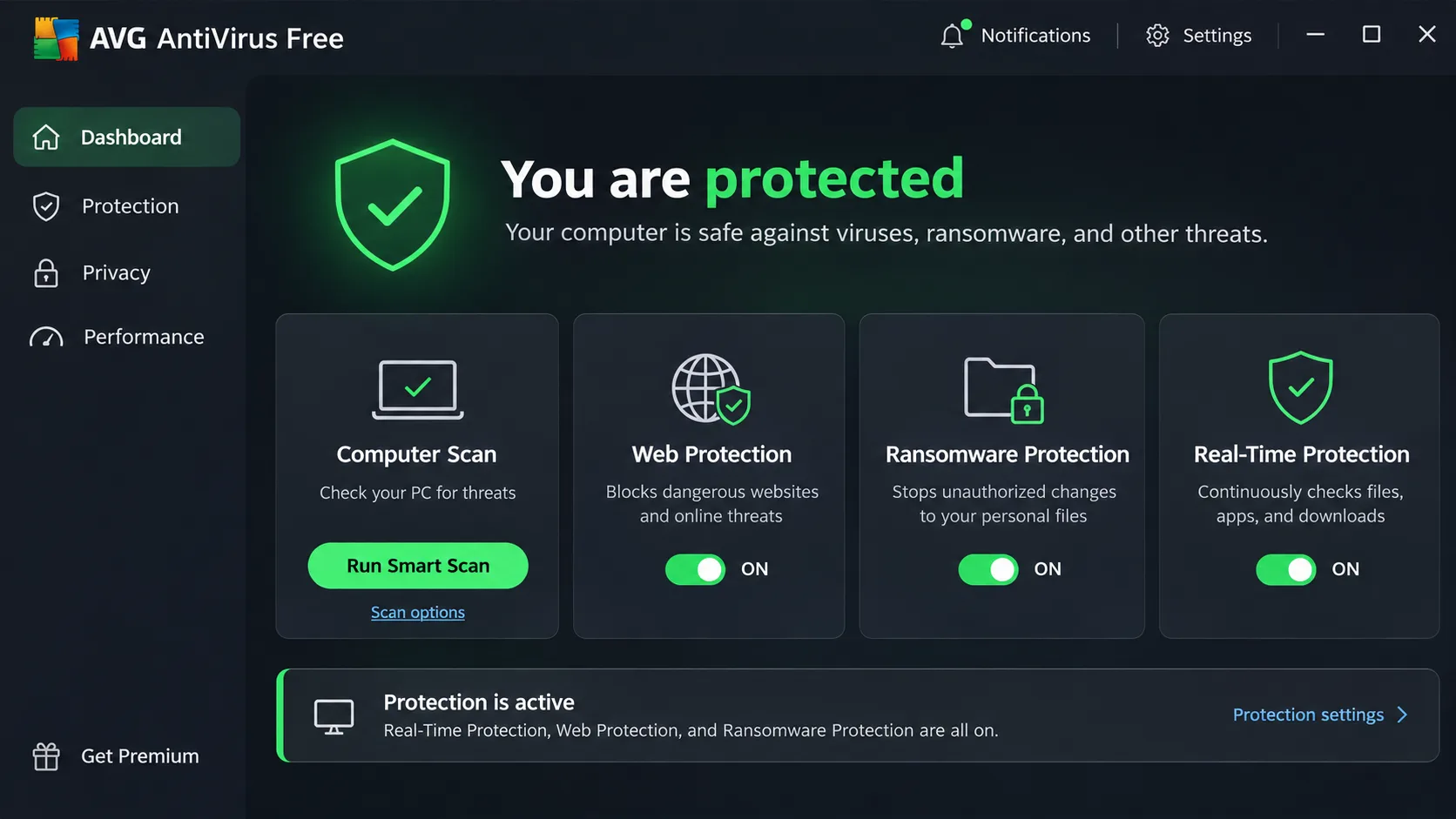
AVG is particularly easy to use for less technical users. The main dashboard clearly shows whether the device is protected, and common actions such as scanning or updating are easy to find. You can run a quick scan for immediate checks or a deeper scan when you want to examine the entire system.
AVG and Avast share the same parent company and overlapping technologies, but their interfaces and positioning differ. AVG feels slightly more traditional, which may appeal to users who want a familiar desktop antivirus experience.
The free version covers the basics well, but advanced ransomware controls, privacy monitoring, and performance optimization are reserved for paid plans.
Key features
- Real-time malware protection
- Scanning for viruses, spyware, and ransomware
- Email and download scanning
- Malicious-link and phishing protection
- Manual and full-system scan modes
- Automatic definition updates
- Support for Windows, macOS, and mobile platforms with varying features
Pros
- Clear and familiar interface
- Easy installation and setup
- Good choice for everyday home use
- Offers several scan modes
Cons
- Upgrade messages can be persistent
- Advanced ransomware and privacy features are paid
- Mobile versions differ from the desktop experience
- Fewer bundled tools than Avira or Avast
Best for: users who want uncomplicated antivirus protection with a traditional desktop interface.
4. Avira Free Security
Best for privacy and maintenance extras
Avira Free Security is a good option for users who want antivirus protection plus useful privacy and maintenance tools. Alongside real-time malware protection, Avira can include browser safety features, a password manager, a software updater, and a limited free VPN allowance.
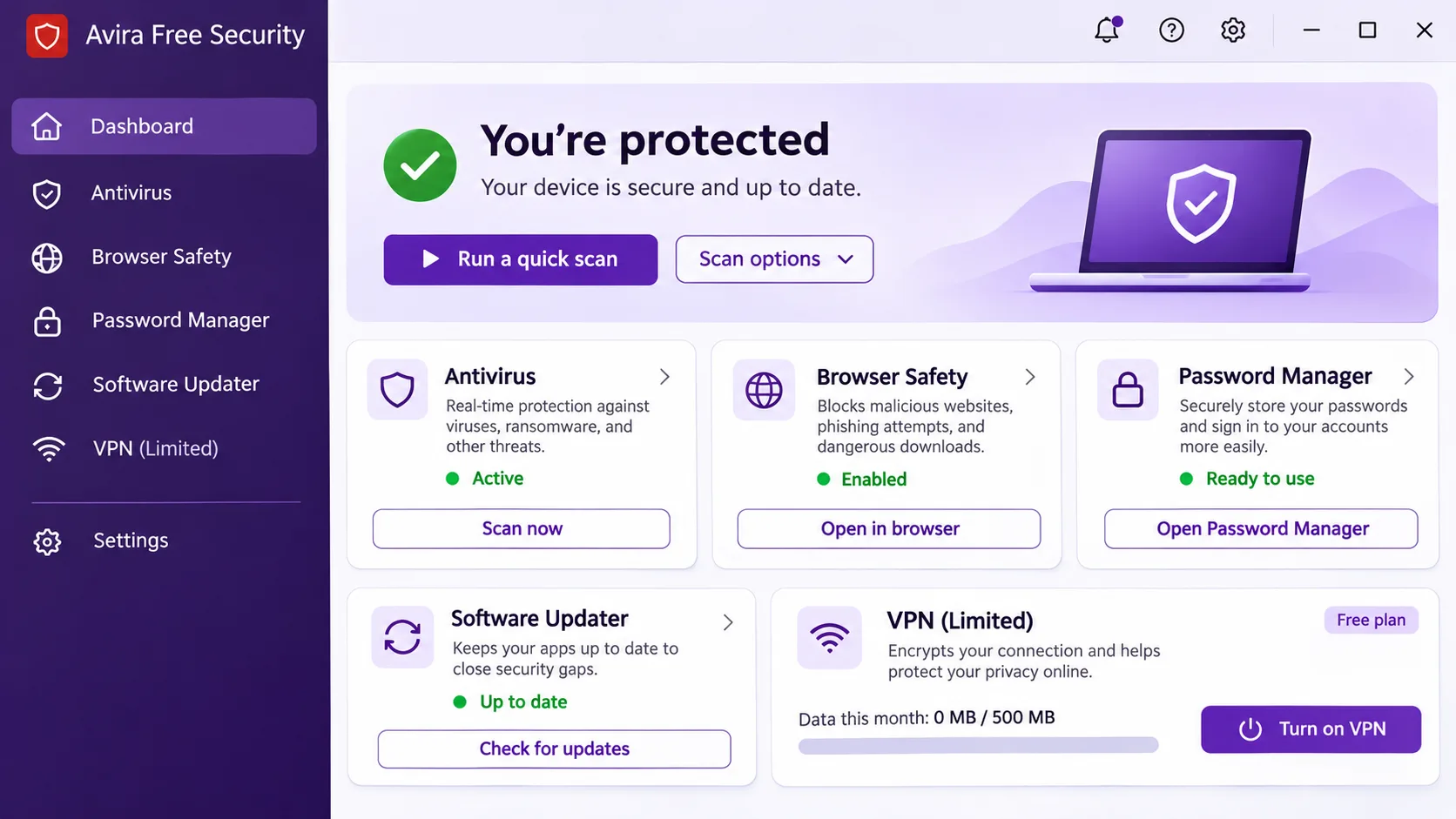
This makes Avira broader than a basic antivirus product. It is useful for people who want to review outdated applications, strengthen browser privacy, or occasionally connect through a VPN without purchasing a separate security suite.
Avira’s free plan is not completely unlimited. The VPN allowance is restricted, and some cleanup, identity, and optimization features are paid. The product may also recommend additional Avira tools during setup.
Key features
- Real-time antivirus protection
- Browser safety and phishing protection
- Password manager
- Software updater
- Limited free VPN traffic
- Privacy and system-maintenance checks
- Automatic threat-definition updates
Pros
- Useful combination of antivirus and privacy tools
- Includes a password manager
- Offers a limited VPN at no cost
- Helpful software-update checks
- Good choice for users who want an all-in-one dashboard
Cons
- Free VPN allowance is limited
- Many maintenance features require payment
- The interface can feel more complex than Bitdefender or AVG
- Upgrade recommendations appear throughout the app
Best for: users who want free antivirus protection with additional privacy and maintenance tools.
5. Microsoft Defender
Best for Windows users who want protection without installing anything
Microsoft Defender is built into Windows through the Windows Security app, making it the easiest free antivirus option for most Windows users. It runs automatically when no third-party antivirus is active and protects against viruses, spyware, ransomware, malicious applications, and other common threats.
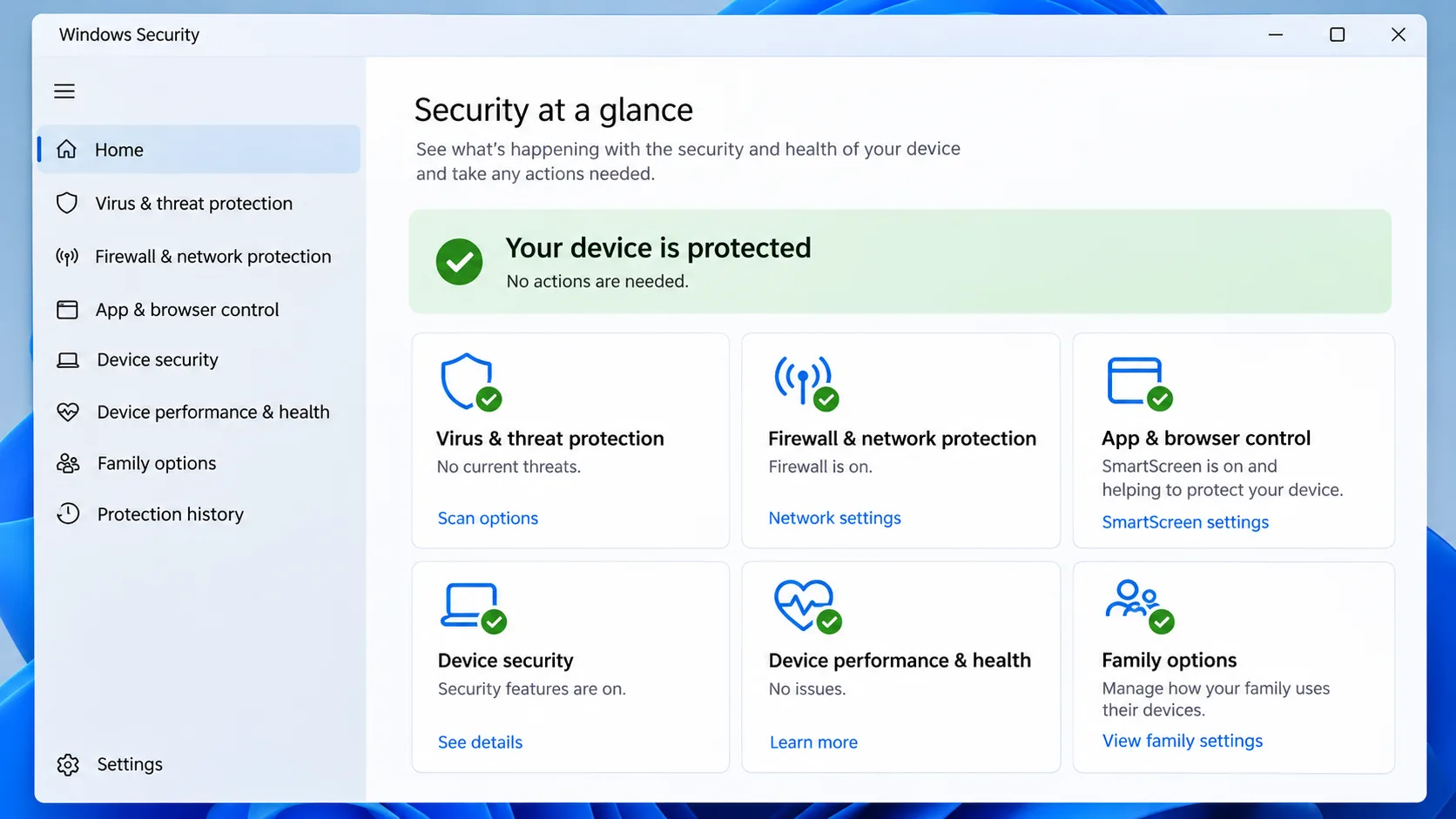
The biggest advantage is convenience. There is no separate download, account registration, or third-party dashboard to manage. Defender integrates with Windows features such as firewall controls, SmartScreen web protection, device security, and parental settings.
It is not as feature-rich as some third-party suites, with no full password manager, bundled VPN, or extensive system-optimization tools. However, for users who keep Windows updated and follow sensible browsing habits, it provides a solid baseline of protection without advertising or upgrade prompts.
Key features
- Built-in real-time malware protection
- Windows Security dashboard
- SmartScreen protection against malicious websites and downloads
- Firewall and network protection
- Ransomware protection controls
- Offline scanning
- Automatic security updates through Windows Update
Pros
- Already included with supported Windows versions
- No additional installation required
- No advertising or paid upgrade prompts
- Deep Windows integration
- Broad protection for everyday threats
Cons
- Windows-only
- Fewer privacy and maintenance extras
- Some settings are less intuitive for beginners
- Advanced multi-device features require other Microsoft services
Best for: Windows users who want dependable protection without downloading another antivirus program.
Which Free Antivirus Should You Choose?
Choose Bitdefender Antivirus Free if you want focused, low-maintenance malware protection.
Choose Avast One Basic if you want the widest range of free security features.
Choose AVG AntiVirus Free if you prefer a simple and familiar interface.
Choose Avira Free Security if privacy tools, a password manager, and a limited VPN are important to you.
Choose Microsoft Defender if you use Windows and want protection that works automatically without extra software.
For many Windows users, Microsoft Defender is sufficient for everyday use. A third-party antivirus becomes more attractive if you want additional browser controls, privacy features, more scan options, or a different interface.
How to Get the Most From Free Antivirus Software
- Keep Windows, macOS, browsers, and applications updated.
- Leave real-time protection enabled.
- Avoid installing multiple real-time antivirus products at once.
- Download software from official websites or trusted app stores.
- Treat unexpected email attachments and login pages cautiously.
- Use strong, unique passwords and enable multifactor authentication.
- Back up important files regularly.
- Run a full scan if your device becomes unusually slow or behaves strangely.
- Review privacy settings before enabling optional browser extensions.
- Check which features are free before starting a trial or entering payment details.
FAQ
Is free antivirus software good enough in 2026?
For many home users, yes. A reputable free antivirus can provide real-time malware protection, web security, and automatic updates. Paid suites may add identity monitoring, advanced ransomware controls, parental controls, unlimited VPN access, and multi-device management.
Is Microsoft Defender better than free third-party antivirus software?
It depends on your needs. Defender is convenient, well integrated into Windows, and free from upgrade advertising. Third-party products may offer more scan choices, privacy tools, browser controls, or a different balance of performance and usability.
Can I install two antivirus programs at the same time?
You can install more than one security tool, but running two real-time antivirus products simultaneously is usually a bad idea. They may conflict, use more system resources, or incorrectly flag each other. If you need a second opinion, use an on-demand scanner rather than another always-on antivirus.
Does free antivirus protect against ransomware?
Many free products provide some ransomware protection, but coverage varies. Basic real-time detection may block known ransomware, while advanced folder protection, rollback, and recovery features are often reserved for paid plans.
Do I still need antivirus software on a Mac?
macOS includes built-in security features, but antivirus software can still help detect malicious downloads, phishing pages, and cross-platform malware. The right choice depends on how you use your Mac and whether you regularly download files or install software from outside the App Store.
Does antivirus software replace a VPN?
No. Antivirus software protects against malware and unsafe files, while a VPN encrypts network traffic and can improve privacy on untrusted networks. They solve different problems and can be used together.
What is the best free antivirus software overall?
Bitdefender Antivirus Free is the best overall choice for focused protection, while Microsoft Defender is the best no-install option for Windows users. Avast One Basic is the strongest choice if you want a broader set of free security tools.
Final Verdict
The best free antivirus software in 2026 does not have to be the one with the longest feature list. It should protect your device reliably, stay reasonably light, and make its free-plan limits clear.
Bitdefender is the best focused option, Avast offers the broadest free toolkit, AVG keeps things simple, Avira adds useful privacy extras, and Microsoft Defender remains the easiest choice for Windows users. Choose the product that matches your device, habits, and tolerance for upgrade prompts—and keep it updated once it is installed.
Latest Reviews
Gemini 4 Hydrogen Review: Coding, 1M Context, API Pricing and NSFW Limits

6 Best Image Translators in 2026: Translate Photos and Designs

8 Best AI Models in 2026: Top Models Compared
Best Free Antivirus Software in 2026: 5 Reliable Options for Safer Devices
MAI Image 2.7 and Flash Review: Editing, Canvas, Pricing and NSFW Limits
Hy4 Flash Review: Local Setup, 1M Context, Hardware, API Costs and NSFW Limits