Hy4 Flash Review: Local Setup, 1M Context, Hardware, API Costs and NSFW Limits
Tencent Hy4 Flash explained: Instruct, FP8 and Base, real GGUF sizes, local setup commands, reasoning modes, API pricing and NSFW limitations.

Hy4 Flash is a practical candidate for inexpensive document work, visual understanding and routine coding agents. Its downloadable weights give deployment control, but this is still a very large model: 12B active parameters do not mean a 12B download or a consumer-GPU memory requirement. Start with hosted access if you want to judge the answers; choose local deployment only after checking the complete weight files and runtime support.
What is released, and why 224B and 220B both appear
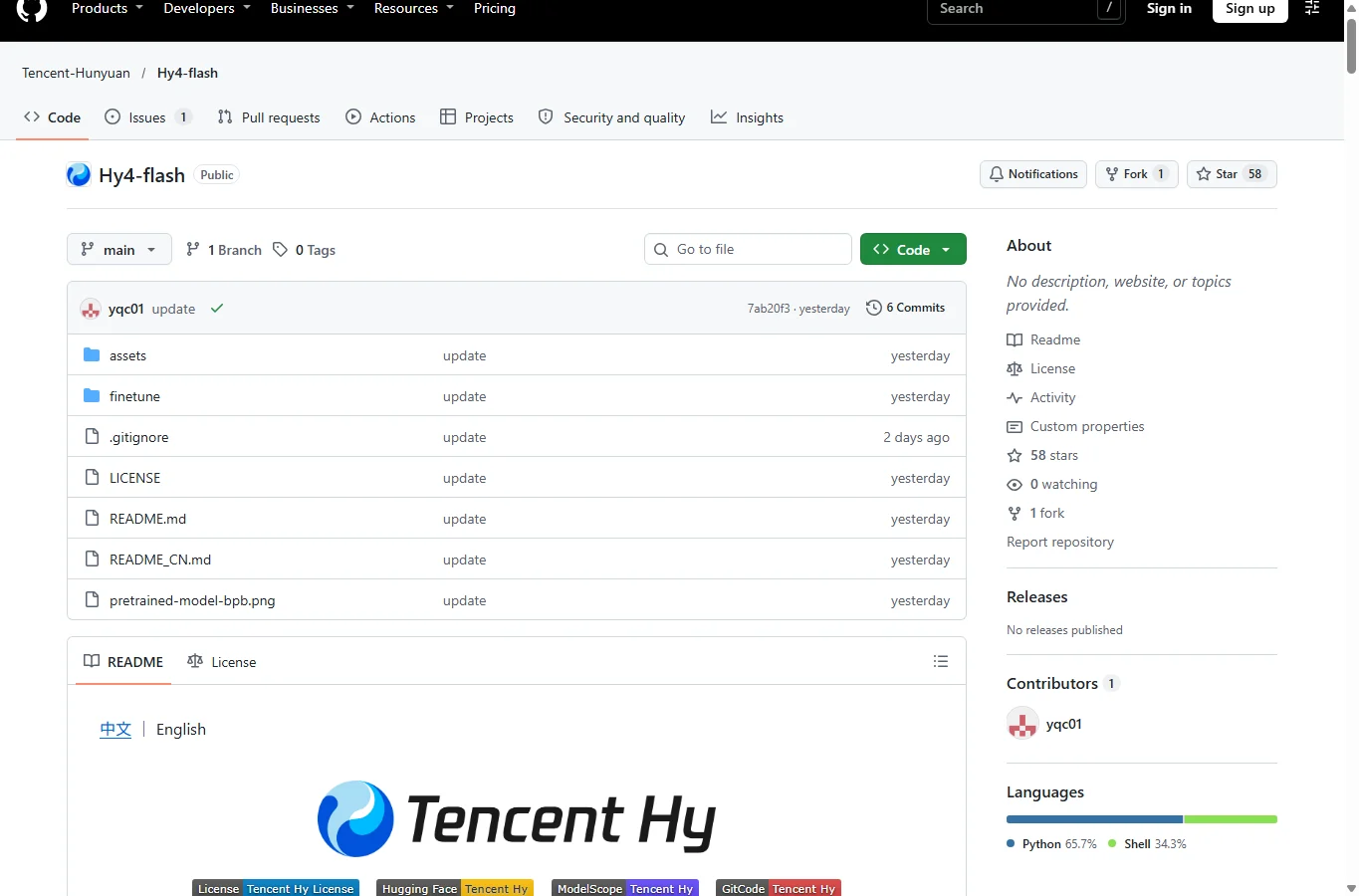
Tencent announced the hosted model on 16 November 2026; the subsequent open-weight release provides Hy4-flash, Hy4-flash-FP8 and Hy4-flash-base. GitHub holds instructions and code; the large weight files are distributed through Hugging Face, ModelScope and GitCode. Do not confuse this family with the much larger Hy4 Preview already reviewed on this site.
The launch article says 224B total parameters, while the current repository says about 220B. Its component table lists 155.5B backbone, 63.5B Engram, 0.43B vision and 0.85B drafter parameters: about 220.28B in that accounting. The official pages do not reconcile the earlier 224B figure. Roughly 12B are activated per token; inactive experts still occupy storage. Text and image inputs produce text, not generated pictures or native video/audio output.
Capabilities, comparisons and evidence quality
The architecture combines LatentMoE, hybrid sparse/sliding attention and Engram lookup tables. DFly2 is a speculative-decoding drafter sharing cache and sparse selections; it can reduce decoding work on a supported engine, but cannot make all prompt ingestion or memory costs disappear. It fits document extraction, charts, short code changes and repeated agent tasks better than a blanket “best reasoning model” recommendation.
Tencent reports 42.1 on its internal WorkIndex versus 39.7 for Hy4 Preview and 51.4 for Hy4. Its task-cost ratios and 150+ tokens/s are vendor results with their own harness and hardware, not a laptop benchmark. Base-model few-shot tables must not be substituted for chat-model scores. A universal independent Flash intelligence score was not established here; the widely repeated score of 35 belongs to Hy4, a different model.
Early LocalLLaMA discussion includes a coding/game-development user finding hosted Flash fast and useful but less capable than their local Qwen Flash Next; other users question quantization loss and the large files. A separate LocalLLM user reports roughly 20 tokens/s on an M5 Max with Q3, without a complete reproducible configuration. These are anecdotes, not aggregate failure rates. Compare a fixed set of your own tasks, accepted results, total tokens and latency against Qwen Flash Next, DeepSeek or Hy4; do not compare unrelated speed claims.
Million-token context and hardware reality
The repository specifies up to 1,048,576 tokens. This is an architectural limit, not a promise that a GUI, provider or small machine enables it by default, nor that every fact will be recalled correctly. Start at 8K, then test 32K and increase only when needed. Long prefill can dominate first-token delay; keep output headroom and test retrieval with exact document IDs and quotations. A million tokens is not a million words.
AngelSlim lists Q4_K_M at 156.79 GiB, Q3_K at 144.70 GiB and IQ2-AH at 125.73 GiB, before runtime, cache and the vision projector. Mixed precision and the Engram table explain why a “Q4” label is not simply 220B × four bits. A rough uncompressed 220B BF16 estimate is 440 GB decimal for weights alone, not a measured allocation. A 12GB GPU cannot hold the whole model.
The quantization team reports about 44–48 decoding tokens/s for Q4 on an M5 Max 128GB at 4K–32K context, but this is its own optimized/offloaded setup, not proof that all weights fit in GPU memory. Disk mapping/offload trades capacity against I/O and memory bandwidth; swap is not free RAM. No 1M-context local performance or low-VRAM Strata recipe is demonstrated here; the GGUF card still labels a Strata version “coming soon”.
Which checkpoint and runtime to choose
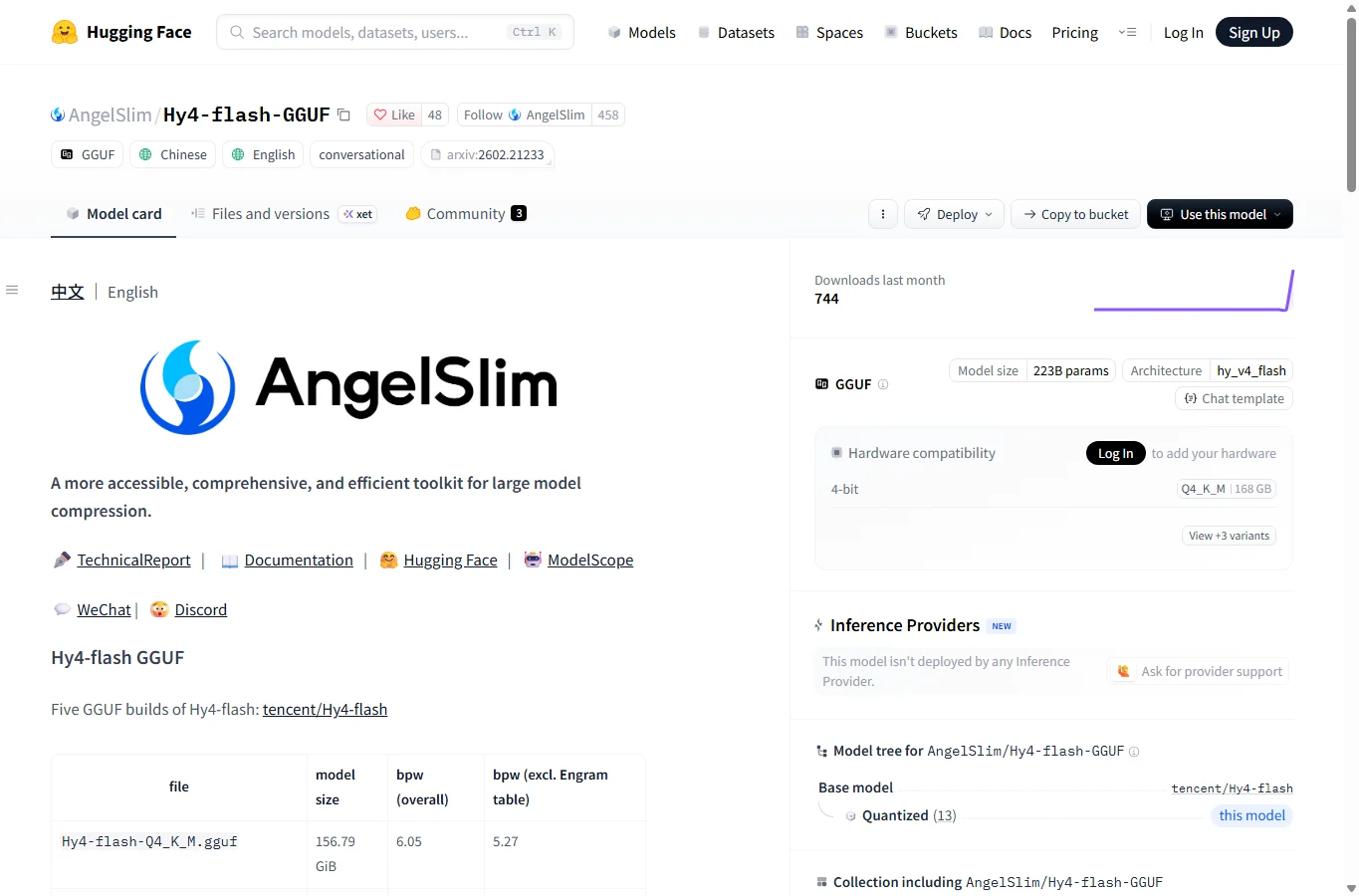
Choose Hy4-flash Instruct for normal assistant use; FP8 is the quantized Instruct route for supported server GPUs. Base is a pretraining checkpoint for researchers, not a more convenient chat model or a guaranteed uncensored version. The GGUF builds are provided through AngelSlim; inspect their measured quality/size tradeoff before choosing the smallest file. Vision additionally requires the matching mmproj file.
At the checked release, Transformers support requires a specific pull-request build, and GGUF instructions require llama.cpp PR 32517. A generic installer button or an old Ollama/LM Studio build is not enough to prove architecture support. The main server recipe uses a dedicated vLLM Docker tag and eight-way tensor parallelism. Windows users should plan a supported Linux/WSL2 environment for that recipe; the local GGUF example below is a Linux/macOS shell workflow, not a verified native Windows build.
Local GGUF setup, step by step
Prepare Git, CMake, a C++ compiler, Python/pip for the download client, sufficient SSD space and memory. Use a separate working directory. The commands below follow the currently documented PR branch; this is experimental support and may change. Download both numbered model shards into the same folder. Merely downloading the first shard leaves the model incomplete. Reserve more free disk space than the listed weight size.
After building, replace /absolute/path/model in the command with your model folder and start at 8K context. -ngl 99 requests GPU offload; it does not guarantee that your available memory can satisfy it. Reduce offload layers/context if allocation fails, or use a machine with adequate memory. On NVIDIA add -DGGML_CUDA=ON at CMake configuration; macOS uses Metal by default. The card also provides a separate pinned-commit Mac patch path: do not assume every stock release reproduces its advertised speed.
Once the server starts, open its local address if its web UI is available, or use the client example in the next section. Check the server log for successful shard loading and a healthy endpoint before blaming an empty answer on model intelligence. For image understanding, download the matching projector and use the image command below. The examples are documented recipes adapted for clarity, not deployments executed for this review.
git clone https://github.com/ggml-org/llama.cpp
cd llama.cpp
git fetch origin pull/32517/head:hy4-flash
git checkout hy4-flash
cmake -B build
cmake --build build --config Release -j
python -m pip install -U huggingface_hub
hf download AngelSlim/Hy4-flash-GGUF --include "Hy4-flash-Q4_K_M-*.gguf" "mmproj-Hy4-flash-bf16.gguf" --local-dir /absolute/path/model
./build/bin/llama-server -m /absolute/path/model/Hy4-flash-Q4_K_M-00001-of-00002.gguf -c 8192 -ngl 99 --jinja --host 127.0.0.1 --port 8080
./build/bin/llama-mtmd-cli -m /absolute/path/model/Hy4-flash-Q4_K_M-00001-of-00002.gguf --mmproj /absolute/path/model/mmproj-Hy4-flash-bf16.gguf --image photo.png -p "Describe the visible labels. Mark uncertainty." -c 8192 -ngl 99 --jinjaServer deployment, API and reasoning controls
The official multi-GPU route uses vllm/vllm-openai:hy4-flash with tencent/Hy4-flash-FP8, tensor-parallel-size 8, FLASHMLA_SPARSE attention, hy_v4 tool/reasoning parsers and DFly speculation. Treat eight GPUs as the supplied recipe, not a mathematically universal minimum. Hardware support, CUDA/driver versions and interconnect matter. Bind a personal server to loopback; do not expose an unauthenticated endpoint to the internet.
Instruct supports reasoning_effort high by default and no_think for direct answers, passed through chat_template_kwargs in the local OpenAI-compatible example. Recommended sampling is temperature 0.9 and top_p 1.0. The Python client below assumes the documented vLLM served name hy4-flash on port 8000; GGUF servers use port 8080 in this guide and may require a different exposed model name/template support. Do not assume every host accepts the same reasoning parameter.
Hosted access avoids the local hardware requirement. Create an account with a supported provider, choose exactly Hy4 Flash, obtain its endpoint/model ID/key and set a spending limit. OpenRouter lists tencent/hy4-flash and text/image input, but access, regional routing and terms vary. Its checked promotional rates are $0.035 input/$0.1405 output per million tokens; Tencent’s launch standard reference was about $0.070/$0.281, with cheaper cache hits. One million uncached input plus 100K output would be roughly $0.04905 at the quoted promotional rates, excluding fees and other conditions. Promotions are not permanent local inference costs.
docker run --gpus all -p 127.0.0.1:8000:8000 --ipc=host -v ~/.cache/huggingface:/root/.cache/huggingface vllm/vllm-openai:hy4-flash tencent/Hy4-flash-FP8 --tensor-parallel-size 8 --speculative-config '{"num_speculative_tokens":5,"method":"dfly"}' --attention-backend FLASHMLA_SPARSE --tool-call-parser hy_v4 --reasoning-parser hy_v4 --enable-auto-tool-choice --port 8000 --served-model-name hy4-flashpython -m pip install openai
from openai import OpenAI
client = OpenAI(base_url="http://127.0.0.1:8000/v1", api_key="EMPTY")
response = client.chat.completions.create(
 model="hy4-flash",
 messages=[{"role": "user", "content": "Explain your capabilities briefly."}],
 temperature=0.9, top_p=1.0, max_tokens=512,
 extra_body={"chat_template_kwargs": {"reasoning_effort": "no_think"}},
)
print(response.choices[0].message.content)
NSFW, privacy and commercial licensing
Open weights do not establish NSFW permission or uncensored behavior. No reliable, reproducible Flash-specific study of erotic roleplay, explicit-content refusal or multilingual censorship was found. Instruction alignment remains in local Instruct weights even when no hosted moderation layer is present; Base is not a proven switch for unrestricted roleplay. This review did not run explicit-content probes. Do not turn uncertain support into either “everything works” or “all adult discussion is blocked”.
Hosted endpoints can apply their own content rules and filters. Benign adult discussion, fiction, health information and explicit sexual roleplay are different tasks and should not share an invented acceptance percentage. For users choosing a roleplay model, relevant unanswered questions include character consistency, refusal across long sessions and behavior in the target language. Use consent-respecting, lawful scenarios and verify the provider’s actual permitted use; no filter-bypass recipe is supported here.
The weights use Tencent Hy License v1.0, not unchanged Apache 2.0. It includes extra conditions for large model-as-a-service businesses: the text specifies revenue over US$50 million in a consecutive 12 months or services over 100 million monthly active users, with a defined internal-use exception. Distribution notices and other obligations still matter; the thresholds are not a universal ban on smaller commercial use. This is a license summary, not a legal clearance. Local hosting can keep prompts on your machine if configured that way, while downloads, remote image URLs, tools and hosted APIs can still transmit data.
Prompts, troubleshooting and recommendation
For a document task: “Answer only from the attached material. Give document ID and an exact supporting quotation for each claim; mark missing evidence as unknown.” For coding: “Change only the requested function; list assumptions, produce a minimal patch and describe the test. Do not execute tools without approval.” For an image: ask for observable labels and uncertainty rather than hidden facts. These are suggested evaluation prompts, not proof of model accuracy.
If loading fails, check branch support, complete shards, free memory, cache/context allocation and matching projector. If tool calls appear as raw text, check the chat template and hy_v4 parser. If thinking is excessive, confirm no_think is actually passed to the selected server. Compare equal quantization/context settings when timing. Japanese, French or other local-language fluency should be tested with your own terminology; the public multilingual subset is not a guarantee of every language.
Verdict: promising for low-cost hosted productivity and well-provisioned local experimentation, less attractive as a first download for an ordinary low-memory PC. Choose Instruct first, short context first, and judge cost per correct result. This AI-assisted documentary review, checked 19 November 2026, separates official specifications, vendor tests and attributed user reports. No full-model local run, independent NSFW benchmark or million-token stress test was performed here.
Related Reviews
Canva Craft Review: 2K Images, Wide Formats, Text and Editing Limits

Qwen-Image-2.1 Review: Transparent Images, Editing, API Pricing and NSFW
YuE2-3B Review: Local AI Music, Suno Comparison & ComfyUI
Top 10 AI Models in 2026: Arena Rankings, Prices and Best Uses
MiniMax M3.1 Flash Review: Coding, API Cost, Open Weights and Limits
GPT-6 Astra Review: Pricing, API Access, Strengths and Limits
