Canva Craft Review: 2K Images, Wide Formats, Text and Editing Limits
Canva Craft reviewed: 2K image quality, wide aspect ratios, text accuracy, Magic Layers, Dream Lab access, AI credits, API limits and commercial use.

Updated October 26, 2026
Canva Craft is most interesting when an image is only the first step in a design: a shop poster, a campaign banner or a social graphic that still needs its wording and layout refined. Up-to-2K generation and wide formats are useful, but its strongest proposition is the short path from an idea to a design you can finish inside Canva.
Our assessment: a promising option for Canva users who need composed visuals and short headlines, with important limits around exact text, product fidelity and editing. “Any aspect ratio,” “editable” and “available to everyone” each require qualification. In particular, the current API exposes fewer ratios than the launch announcement describes, and generation does not automatically deliver a perfectly separated design file.
Craft’s model and design workflow
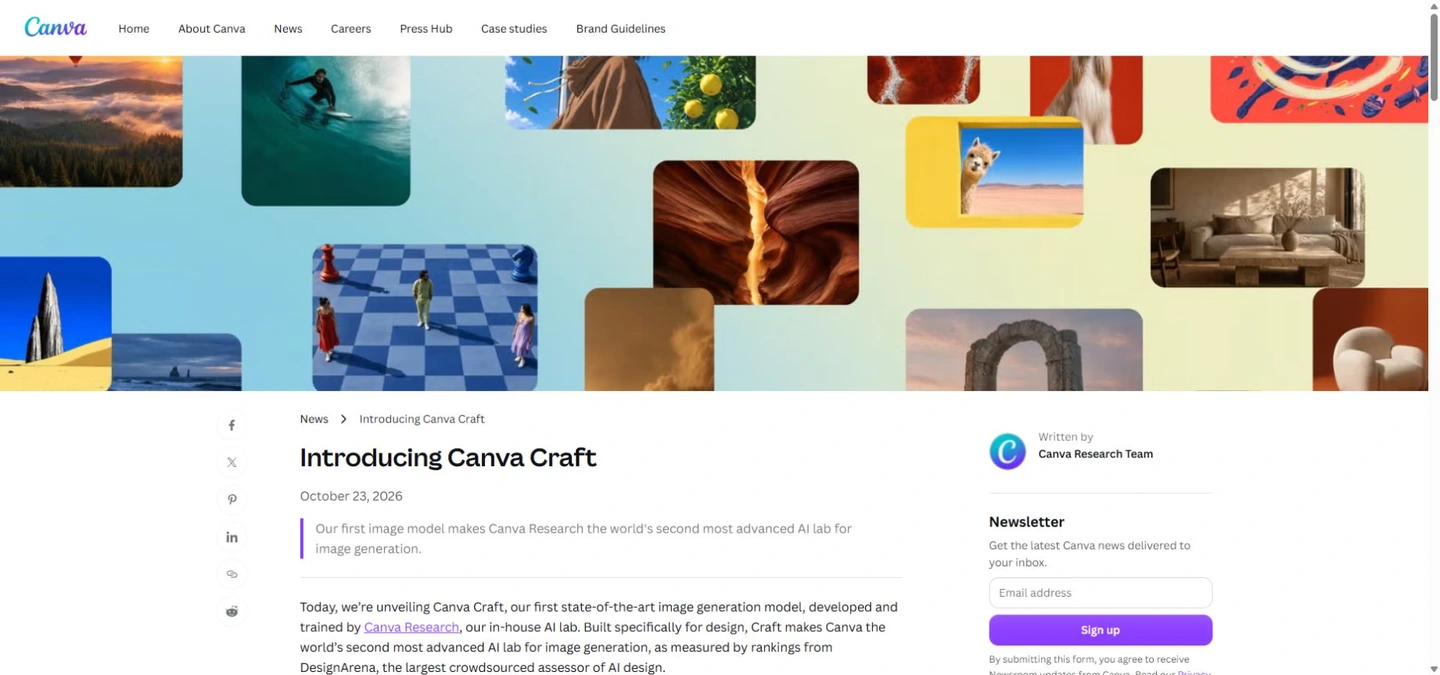
Canva Research built Craft as its first image-generation foundation model trained from scratch. The Canva Craft describes a planner that arranges subjects, spacing, hierarchy and lettering, followed by a renderer that produces the image. Design templates feature prominently in its training; Canva also reports designer feedback during post-training. Planning may help composition, but does not establish guaranteed control over every object.
The current API identifies it as CRAFT-1 2K, model value craft_v1_2k. Dream Lab is the product interface, Craft is one model, and Magic Layers is a separate route for converting a flat image into editable components. There is no announced public checkpoint for self-hosting, ComfyUI, LoRA training or local inference. Do not confuse Canva’s separate image-to-video work with a video-output capability of Craft.
Image quality: people, products and illustration
The official gallery positions Craft for portraits, landscapes, marketing layouts, illustrations and conceptual art. The visible examples show the intended range, not a measured success rate. For portraits, inspect fingers, teeth, eyes, hair boundaries and contact shadows at actual output size; a convincing face does not prove consistent hands or the same identity across a campaign.
For commerce, a plausible product photo is different from an accurate SKU. Check label spelling, package proportions, buttons, stitching and brand colors against the real item. For illustration, specify line weight, palette and texture rather than assuming the model will reproduce a named style consistently. A vector-looking illustration is still an image unless a separate editing/export process produces genuine vector elements.
2K and ultrawide: separate model claims from usable formats
Canva advertises more than 30 ratios and custom proportions at up to 2K. This does not mean every output is 2048×2048, every panoramic image is 2K tall or that 4K is native. The Canva Developers reports the actual width and height in the result and currently lists six ratios: 1:1, 16:9, 9:16, 3:2, 2:3 and 4:5. A custom ultrawide API value is not documented there.
Choose the final placement before generation and inspect the options shown by your Dream Lab account. For a panoramic hero, leave deliberate space for navigation and copy instead of cropping a busy square. A 2048-pixel side printed at 300ppi spans about 6.83 inches, or 17.3cm; that arithmetic is an example, not a promise of output dimensions. Large posters still need an export-size and print-distance check. Upscaling adds pixels, not proof of recovered fine detail.
| Question | Current position |
|---|---|
| Resolution | Up to 2K; inspect actual width and height |
| Ratios | 30+ and custom in launch claims; six presets documented in the API |
| Image text | 55 languages claimed; language-specific accuracy must be checked |
| Editing | Image generation and Magic Layers conversion are separate |
| Access | Dream Lab and preview API; Craft MCP/faster variants forthcoming |
| Local use | No public self-hosting checkpoint announced |
Readable lettering is not the same as truthful content
Canva says prompts can use any language and image text supports 55 languages, but the announcement does not provide a complete language-by-language quality breakdown. In innovaTopia, a Japanese flyer trial found accurate requested short text alongside invented extra information. That is a small outside trial, not our measured accuracy or a guarantee for other languages.
Keep exact copy in quotes, separate it from scene instructions and explicitly forbid added facts. For example: “A café poster with a pumpkin dessert, cream background and room around the headline. Show only ‘Autumn Menu’ and ‘Starts 25 October’. Do not add prices, opening hours, origins, contact details or other words.” Compare every character, number and factual detail with approved copy. For legal notices, menus or changing prices, add final text as editable Canva text rather than relying on generated lettering.
Magic Layers, references and consistency
Craft’s composition structure is intended to help Magic Layers separate text, objects and backgrounds. The practical test is whether you can correct a headline or move a product without damaging shadows, edges and overlap. Conversion is a separate operation, can consume additional AI allowance and may need manual repair. Downloading the generated image from the API does not inherently provide a multilayer Canva document or PSD.
The Dream Lab describes reference images, follow-up edits and resolution boosting across Dream Lab. The Craft launch separately puts advanced editing and reference capabilities on its roadmap. Do not assume every Dream Lab feature uses Craft or that every account has identical controls. For character or brand consistency, compare repeated generations and targeted revisions; an appealing first result does not establish dependable identity, product preservation or region-only editing.
How much weight should the rankings carry?
The DesignArena image board showed Craft in fourth place with 1330 preference points on October 26, behind three GPT image entries. Canva’s launch also claimed first places in portraits and landscapes and second in abstract/patterns. Those category claims belong to the launch snapshot: live categories can move. A lab ranking and a model ranking are different, and 1330 is not an accuracy percentage.
Crowd preference is useful evidence of visual appeal across the board’s prompts, but does not directly measure your language, a precise product match, print readiness or edit preservation. Reddit includes questions about API economics and whether the samples are persuasive. Treat those as early opinions. This is a researched review of official materials, the live preference board and attributed outside use, not an AirMore hands-on generation benchmark.
A useful first project in Dream Lab
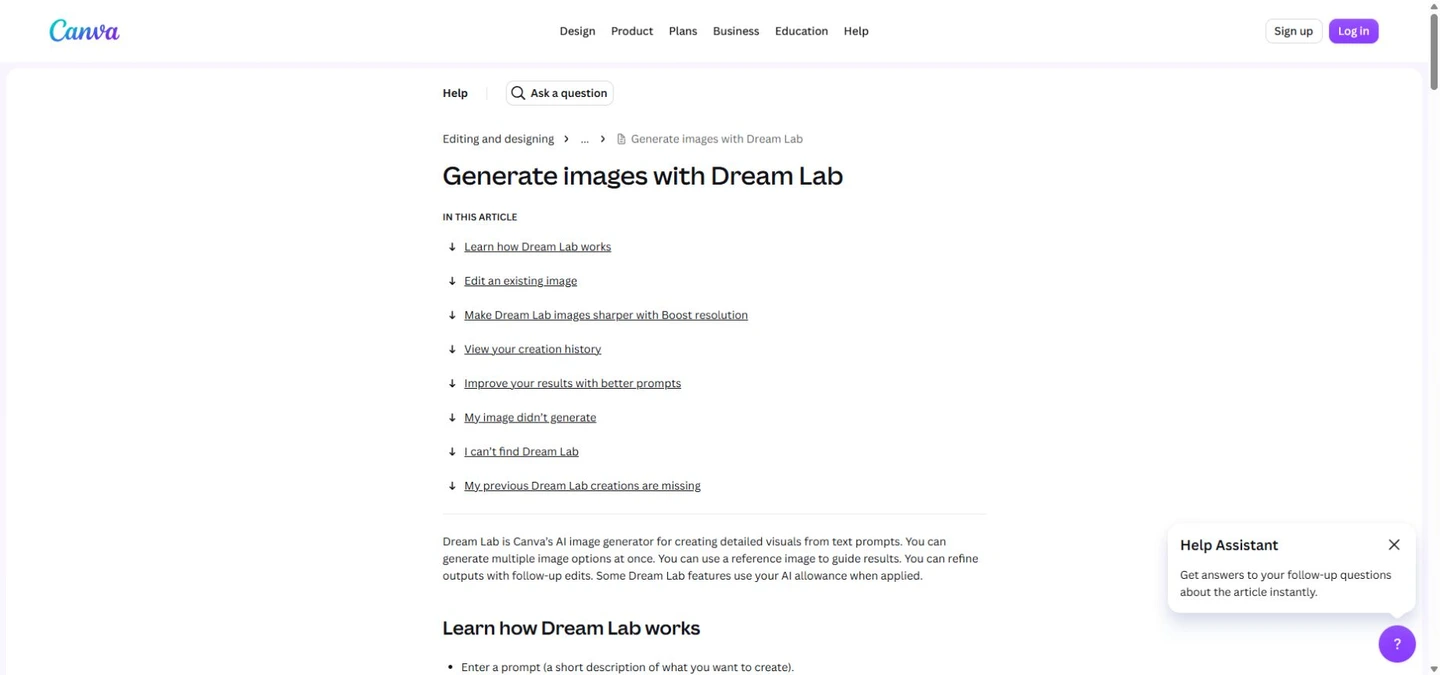
Open the Canva homepage, then Dream Lab; current help also describes finding it under More. Check the model label, choose the destination ratio and use a short approved brief. Generate alternatives, select the strongest composition and inspect it at full size before placing it in a design. Organization controls or rollout differences can affect access; Canva’s global launch does not override account restrictions.
For a campaign, test one poster, one square product promotion and one wide header using the same wording and colors. Ask for only the information you supply. Record how often the copy is exact, what gets cropped, whether a revision preserves the subject and how much manual cleanup remains. This small acceptance test is more actionable than choosing by showcase images alone; it is a recommended procedure, not a trial already executed by this site.
Free access, AI allowance and true production cost
Craft is offered to Canva users, but “available” does not mean unlimited free images. Canva AI usage explains a shared monthly AI allowance whose consumption varies with the tool and task; higher quality, references and additional edits can affect usage. Magic Layers is also a premium AI tool. Do not translate general plan estimates into a guaranteed number of Craft images or assume a Dream Lab batch costs one fixed credit.
The checked Craft release does not establish a universal per-image API dollar price. Consult the account’s current allowance and local subscription checkout rather than converting an overseas price into a fixed local fee. A practical metric is: total generation and editing usage plus cleanup time, divided by approved final assets. An attractive image requiring four regenerations and extensive copy repair can be more expensive than a less spectacular but editable starting point.
API: useful access, substantial preview constraints
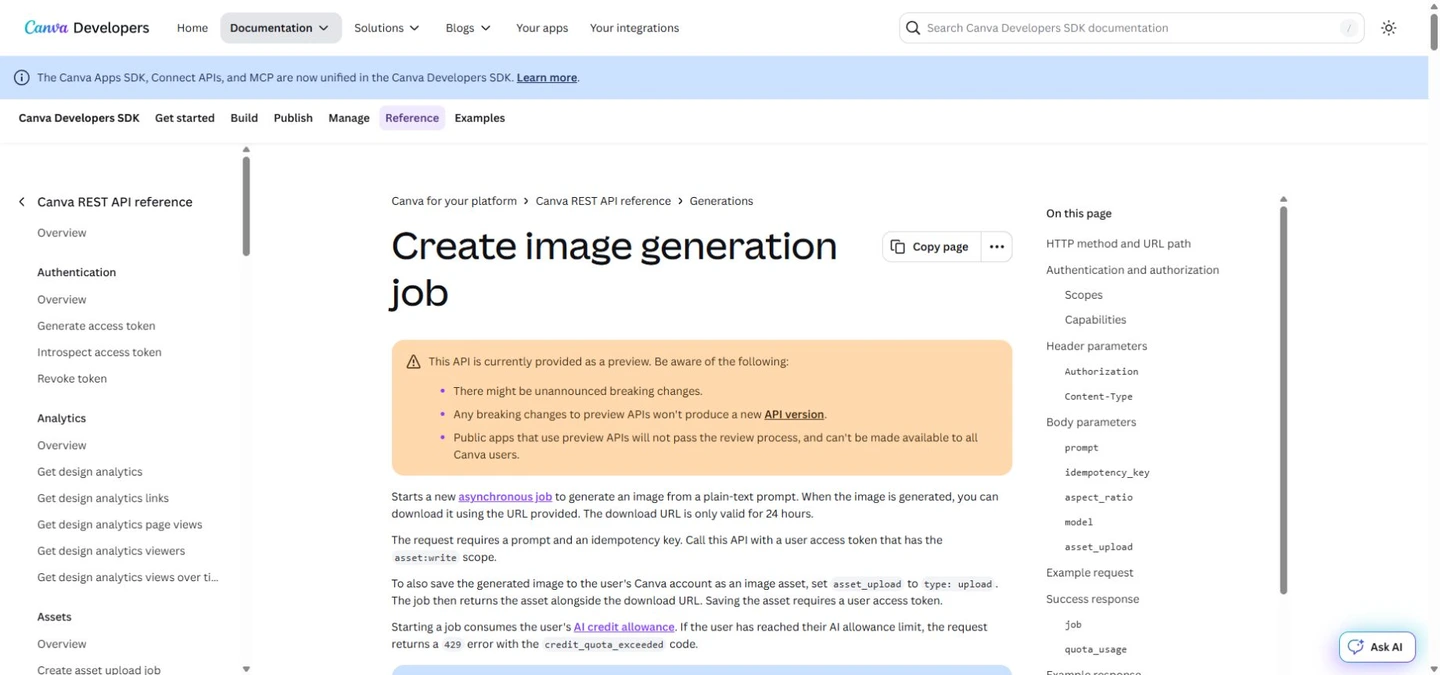
The Canva Developers starts an asynchronous image job. Pin craft_v1_2k when you need a Craft-specific result; omitting the model lets Canva select another model, while a pinned unavailable model fails instead of silently switching. A user token with asset:write and the image_generation capability is required. Jobs use the user’s allowance. The reference marks the API as preview and says public apps using it cannot pass review for general availability.
Canva Developers Community estimates roughly 50–60 seconds end to end; that is provider guidance, not measured latency or an SLA. Poll with backoff, handle quota and unsafe-input errors, and save results within the 24-hour URL lifetime or upload the asset to Canva. The same idempotency key recovers the original job, including a failed job; a genuine new attempt needs a new key. Craft-specific MCP support, Craft-fast and Craft-ultrafast are announced as forthcoming, not features to assume live today.
When Craft makes sense beside other models
Choose Craft first when the work already lives in Canva and finishing the layout matters as much as generating the picture. If you mainly need conversational revision, exact reference preservation or a local workflow, compare those requirements explicitly instead of transferring a text-to-image preference score to editing. The current API’s plain-text request is not documentation of a reference-image editing endpoint.
Our FLUX 3, Krea 3 and generative image-editing model guide cover adjacent options and workflows. For a fair comparison, keep prompt, ratio, allowed reference materials and revision budget consistent. Score exact text, product and character preservation, composition, time to an approved asset and total cost. Avoid declaring a universal winner from different model versions, quality settings or handpicked samples.
Commercial use, privacy and NSFW
Under Canva AI Product Terms, lawful commercial use is possible subject to the terms; responsibility for inputs and outputs stays with the user. Output may resemble other users’ work and ownership has exceptions for licensed Canva content. This does not guarantee exclusive copyright, cleared trademarks, personality rights or blanket legal protection. Canva Shield is a safety framework, not automatic unlimited indemnity for every user.
Review account privacy settings before using confidential material. Craft applies input/output moderation; it is not an uncensored NSFW option. Do not remove AI provenance metadata: Canva’s AI terms expressly restrict that. For an advertisement, verify approved claims, permissions for identifiable people, the final copy and any stock-content licenses independently of how realistic the image looks.
Frequently asked questions
Is Craft free?
Access and usage are separate. Account plans, the shared AI allowance, chosen quality and extra operations determine what you can generate. No permanent unlimited Craft entitlement follows from the global launch.
Can I request any ultrawide ratio through the API?
The launch describes broad and custom ratio support, but the current endpoint documents six presets. Use the published enum and inspect returned dimensions; do not invent a custom ratio parameter.
Does 2K make it ready for large-format printing?
No. Inspect pixel dimensions, effective print resolution, small text and viewing distance. “Up to 2K” does not mean every shape has the same pixel count or that upscaling makes tiny details trustworthy.
Will all words and prices be correct?
No. Text can be legible yet misspelled, translated incorrectly or invented. Supply exact copy, forbid extra facts and proofread. Use editable text for critical or frequently changing information.
Are all generated elements automatically editable?
No. A generated image and its later Magic Layers conversion are separate outputs. Check separation quality, font replacement, shadows and quota before committing to a large revision workflow.
Can it run locally or guarantee the same person in every image?
No public self-hosting weights were identified in the release, and identity consistency is not established by the portrait ranking. Test a sequence of images and revisions before promising a branded character campaign.
Verdict and references
Craft’s value is the combination of composition-aware image generation and Canva’s finishing environment. For posters, social assets and concept development, that can remove friction between a good picture and a usable design. Start with a short, verified brief and retain editable text for details that must be exact.
Its limitations matter most for precision products, long copy, repeatable identities, fully local work and custom-ratio API automation. Evaluate the final asset and cleanup burden rather than the 2K label alone. Faster versions and more advanced editing could change that balance, but present purchases should be based on features actually available to your account.
Checked October 26, 2026: Canva Craft, Canva Research, Dream Lab, Magic Layers, Canva Developers, Canva Developers Community, Canva AI usage, Canva AI Product Terms, DesignArena, innovaTopia and Reddit. Additional launch coverage: TechCrunch. Official showcase images and outside observations remain attributed; this article does not claim its editorial cover is a Craft-generated sample.
Related Reviews
Best 5 AI Image Editors in 2026

GPT-Image-2.5 Review (2026): Flare vs Sunburst, Pricing and NSFW Limits
Seedance 2.5 Review: 30s, 4K and Audio AI Video Generation in Dreamina
Krea 3 Review: Editing Quality, Ultra, Real Costs and Open-Weight Status
The 5 Best Image Watermark Remover AI Tools in 2026

6 Best Picture-to-Drawing Converters in 2026