Best 5 AI Image Editors in 2026
Compare the best AI image editor tools for object removal, generative fill, background changes, photo enhancement, and fast creative edits.
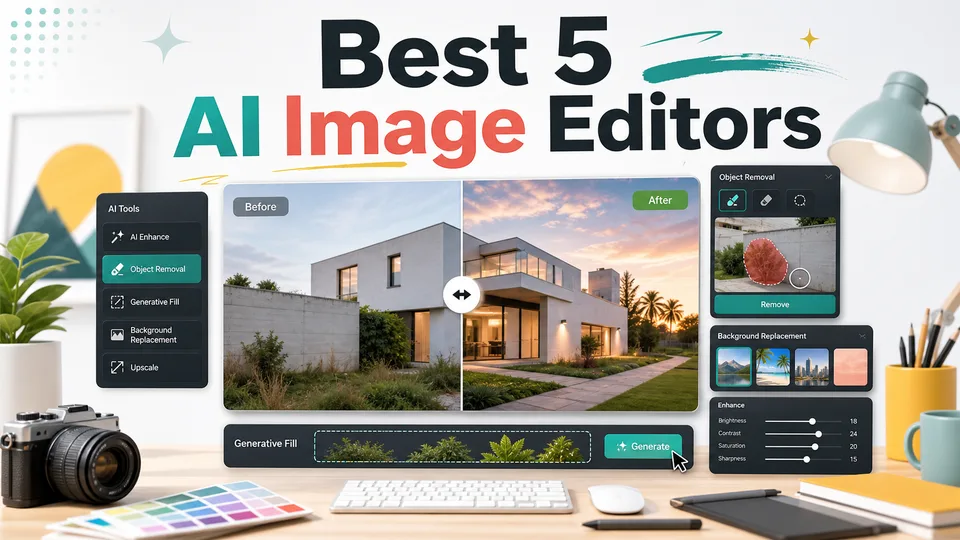

Finding the right AI image editor depends on what you actually need to fix. Some tools are best for professional retouching, some are better for quick social graphics, and others are made for fast browser-based edits without a learning curve.
For this roundup, I focused on AI image editors that can do more than apply filters. The best options below can remove objects, replace backgrounds, expand images, enhance quality, generate new visual elements, or help beginners make polished edits faster.
Table of Contents
- How I Chose the Best AI Image Editors
- At a Glance
- 1. Adobe Photoshop
- 2. Canva
- 3. Pixlr
- 4. Fotor
- 5. Picsart
- Which AI Image Editor Should You Choose?
- FAQ
How I Chose the Best AI Image Editors
I looked for tools that cover real editing tasks: removing unwanted objects, replacing backgrounds, extending a canvas, enhancing image quality, creating product visuals, and making social-ready graphics.
I also considered ease of use, browser access, creative flexibility, and whether each tool is better for professionals, creators, marketers, or casual users.
At a Glance
| Tool | Best for | Key AI features |
|---|---|---|
| Adobe Photoshop | Professional image editing | Generative Fill, Generative Expand, Generate Background, Generative Upscale |
| Canva | Fast marketing and social graphics | Magic Edit, Magic Eraser, Background Changer, Image Expander |
| Pixlr | Free browser-based AI editing | Generative Fill, Remove Object, Remove Background, Generative Expand |
| Fotor | Quick photo enhancement | AI enhancer, background remover, object replacement, restoration |
| Picsart | Mobile-first creative edits | AI background, remove background, AI expand, retouching, effects |
1. Adobe Photoshop
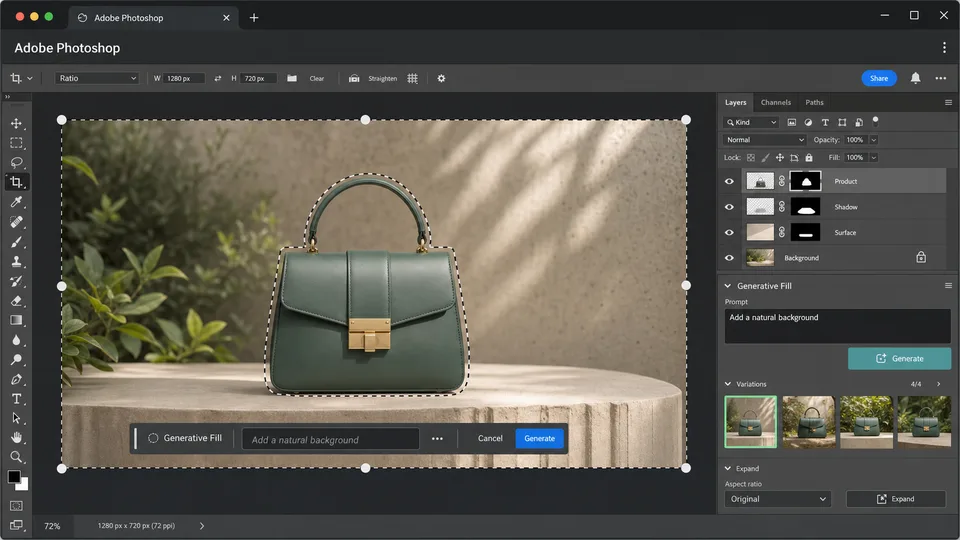
Adobe Photoshop is the best AI image editor for professionals who need precision. It combines traditional layer-based editing with modern generative AI tools, so you can make quick AI edits and still refine everything manually.
Photoshop’s generative tools include Generative Fill for adding, removing, or replacing objects with prompts, Generative Expand for extending an image beyond its original frame, Generate Background for creating new scenes, and Generative Upscale for improving clarity and sharpness.
Best for: designers, photographers, agencies, and advanced creators.
Key functions
- Add or replace objects with Generative Fill
- Expand image borders while matching the original scene
- Generate new backgrounds for portraits and products
- Upscale image quality with AI
- Refine results with Photoshop’s professional editing tools
Pros
- Best overall control and precision
- Strong for complex commercial edits
- Works well with layers, masks, selections, and manual retouching
- Useful for both AI generation and final polish
Cons
- More expensive than lightweight editors
- Higher learning curve
- Best experience requires desktop software
2. Canva
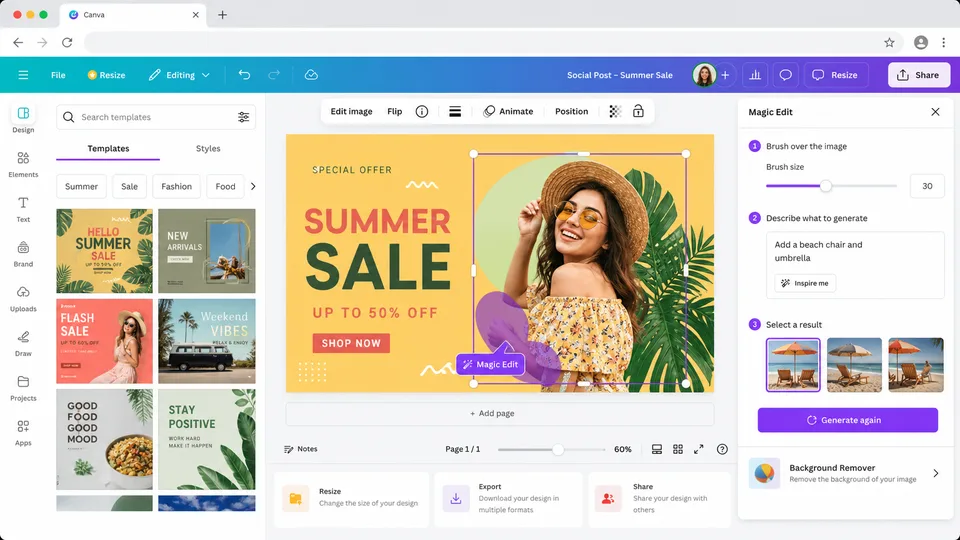
Canva is the best AI image editor for people who need fast, polished visuals without learning professional software. It is especially useful for social media posts, thumbnails, ads, presentations, and marketing images.
Canva’s AI photo editor includes tools such as Magic Edit, Magic Eraser, Background Changer, Magic Grab, Grab Text, Auto-adjust, and Image Expander. The big advantage is that photo editing sits inside Canva’s broader design platform, so you can edit an image and immediately place it into a social post, flyer, banner, or presentation.
Best for: marketers, creators, small businesses, and non-designers.
Key functions
- Remove unwanted objects
- Add or replace image elements with prompts
- Change backgrounds
- Move subjects or image elements
- Resize and repurpose images for social platforms
Pros
- Very beginner-friendly
- Great for social and marketing content
- Combines AI editing with templates and design tools
- Browser-based and easy to share
Cons
- Some AI features require Pro
- Less precise than Photoshop for advanced retouching
- Not ideal for complex professional compositing
3. Pixlr
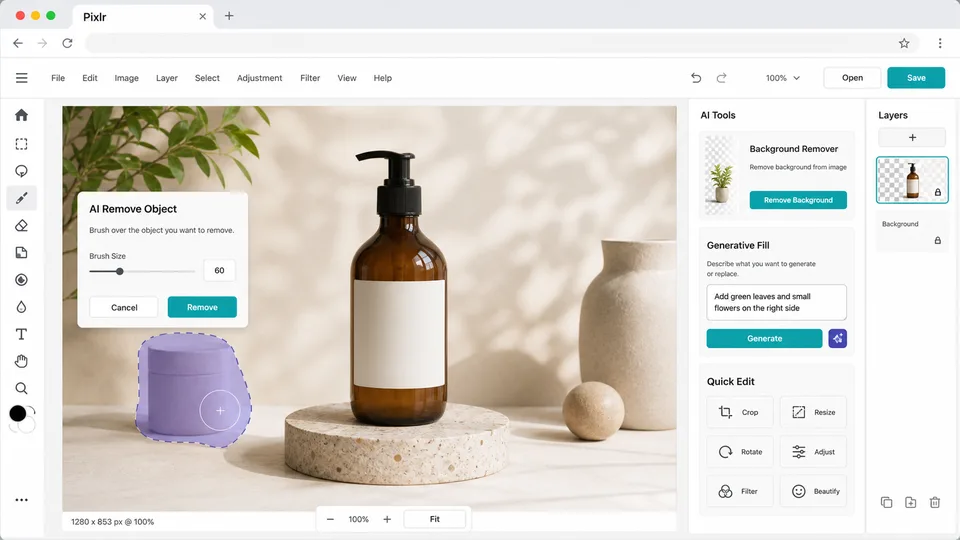
Pixlr is one of the best free AI image editor options if you want browser-based editing with a surprisingly broad toolkit. It is lightweight, fast, and useful when you do not want to install desktop software.
Pixlr offers AI photo editing, image generation, background removal, object removal, generative fill, and generative expand. It also includes traditional editing tools, so you can make quick AI changes and then adjust the image manually.
Best for: users who want a free online AI image editor.
Key functions
- Open and edit photos directly in the browser
- Remove backgrounds and objects
- Use generative fill to replace selected areas
- Expand images beyond the original frame
- Generate images from prompts
Pros
- Browser-based and easy to start
- Strong free option
- Good balance of AI and classic editing tools
- Useful for quick edits, thumbnails, and content images
Cons
- Interface can feel busy
- Advanced users may still prefer Photoshop
- Some premium models or features may require paid access
4. Fotor
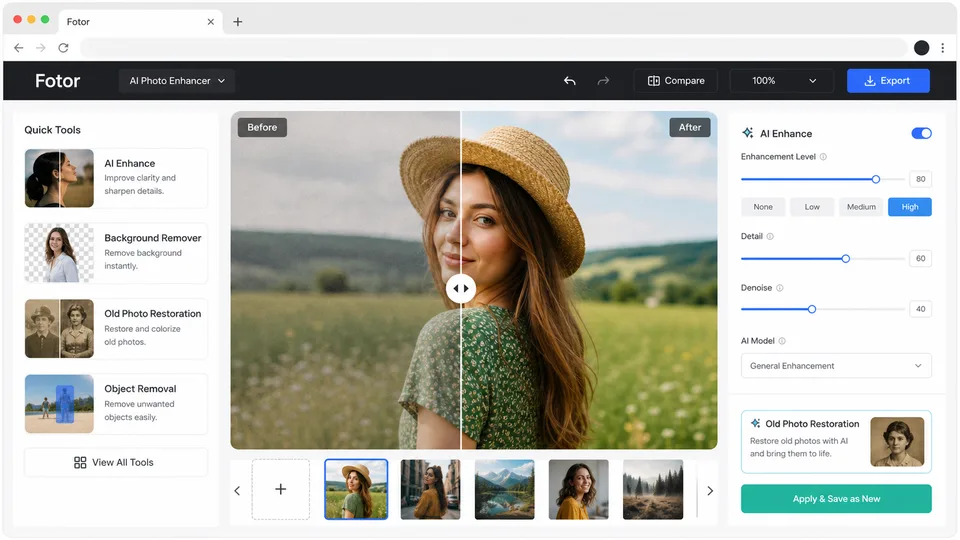
Fotor is a practical AI image editor for quick photo enhancement. It is less about complex design systems and more about making photos look better fast.
Fotor’s AI tools cover photo enhancement, background removal, object removal, background changes, retouching, restoration, style transfer, and upscaling. It is a good fit when you need to clean up portraits, improve product photos, restore old images, or prepare visuals for social media and ecommerce.
Best for: quick enhancements, portraits, product photos, and casual users.
Key functions
- Enhance blurry or low-quality photos
- Remove backgrounds
- Replace or retouch image areas
- Restore old or damaged photos
- Apply creative AI styles
Pros
- Easy to use
- Good for fast photo cleanup
- Useful AI restoration and enhancement tools
- Works well for non-designers
Cons
- Less flexible than full design platforms
- Some advanced tools may require credits or Pro
- Not as strong for detailed manual editing
5. Picsart
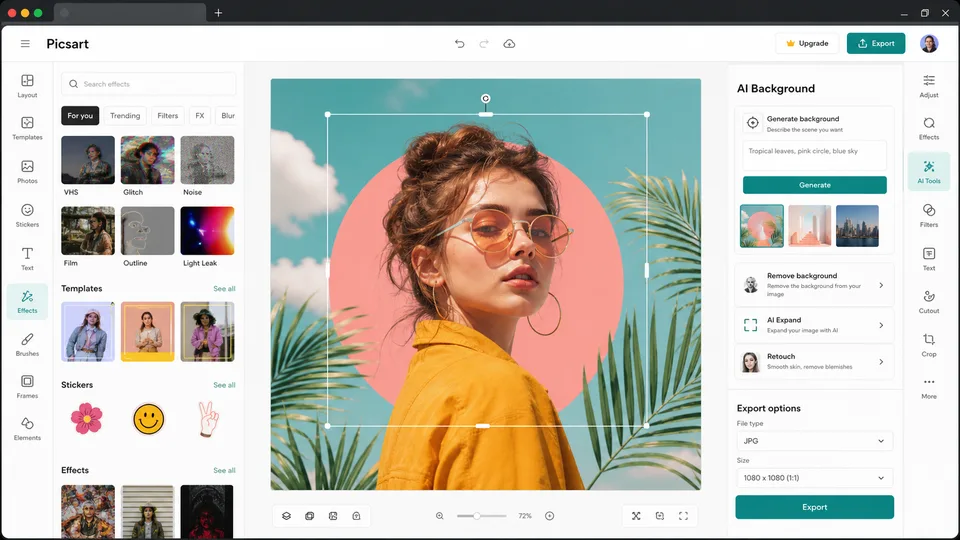
Picsart is a strong AI image editor for creators who work across mobile and web. It is especially good for quick creative edits, social content, background changes, and stylized visuals.
Picsart includes AI-powered background removal, AI Background, AI Expand, photo enhancement, object replacement, retouching, effects, and generative visual tools. It feels more creator-focused than professional-production-focused, which makes it useful for short-form content, profile images, product mockups, and casual design work.
Best for: social creators, mobile users, and quick creative edits.
Key functions
- Remove or replace backgrounds
- Generate AI backgrounds from prompts
- Expand images for new aspect ratios
- Enhance and retouch photos
- Add effects, text, stickers, and design elements
Pros
- Strong mobile and web experience
- Good for social media visuals
- Easy background editing
- Large set of creative effects and templates
Cons
- Less precise than Photoshop
- Can feel more template-driven
- Some AI tools are better suited for casual content than professional retouching
Which AI Image Editor Should You Choose?
Choose Adobe Photoshop if you need the most control and professional-quality results.
Choose Canva if you want an AI image editor that also helps you design social posts, ads, presentations, and marketing graphics.
Choose Pixlr if you want a capable free browser editor with AI tools.
Choose Fotor if your main goal is quick photo enhancement, restoration, or product image cleanup.
Choose Picsart if you create social content and want fast AI-powered edits across mobile and web.
FAQ
What is the best AI image editor overall?
Adobe Photoshop is the strongest overall choice for professional editing. For beginners, Canva is easier and faster.
What is the best free AI image editor?
Pixlr and Fotor are good free options for browser-based editing. Free limits vary, so check each tool before starting a large project.
Can AI image editors remove objects from photos?
Yes. Tools like Photoshop, Canva, Pixlr, Fotor, and Picsart all offer object removal or generative editing features.
Can AI image editors replace backgrounds?
Yes. Canva, Fotor, Picsart, Photoshop, and Pixlr all support background removal or background replacement in some form.
Are AI image editors good enough for professional work?
They can be, especially Photoshop. For commercial work, always review details manually, check licensing terms, and keep original files.
Related Reviews
Qwen Image Review: 3.0 vs 2.0, LoRA/GGUF, and NSFW Support

MiniMax H3 Image Studio Review: ComfyUI Images, Reference Editing & Video Workflow

Krea 3 Review: Editing Quality, Ultra, Real Costs and Open-Weight Status
Tsubaki.3 Review: Anime, Manga, Pricing & NSFW (2026)
MOSS-Image LoRA Training: KohakuMoss, AI Toolkit and Practical Workflows
Best 5 Image to 3D Generators in 2026