Best 6 Plagiarism Checkers in 2026
Compare the six best plagiarism checkers in 2026, including Scribbr, Copyleaks, Quetext, Grammarly, Originality.ai, and Turnitin. Find the right tool for academic, business, and publishing workflows.
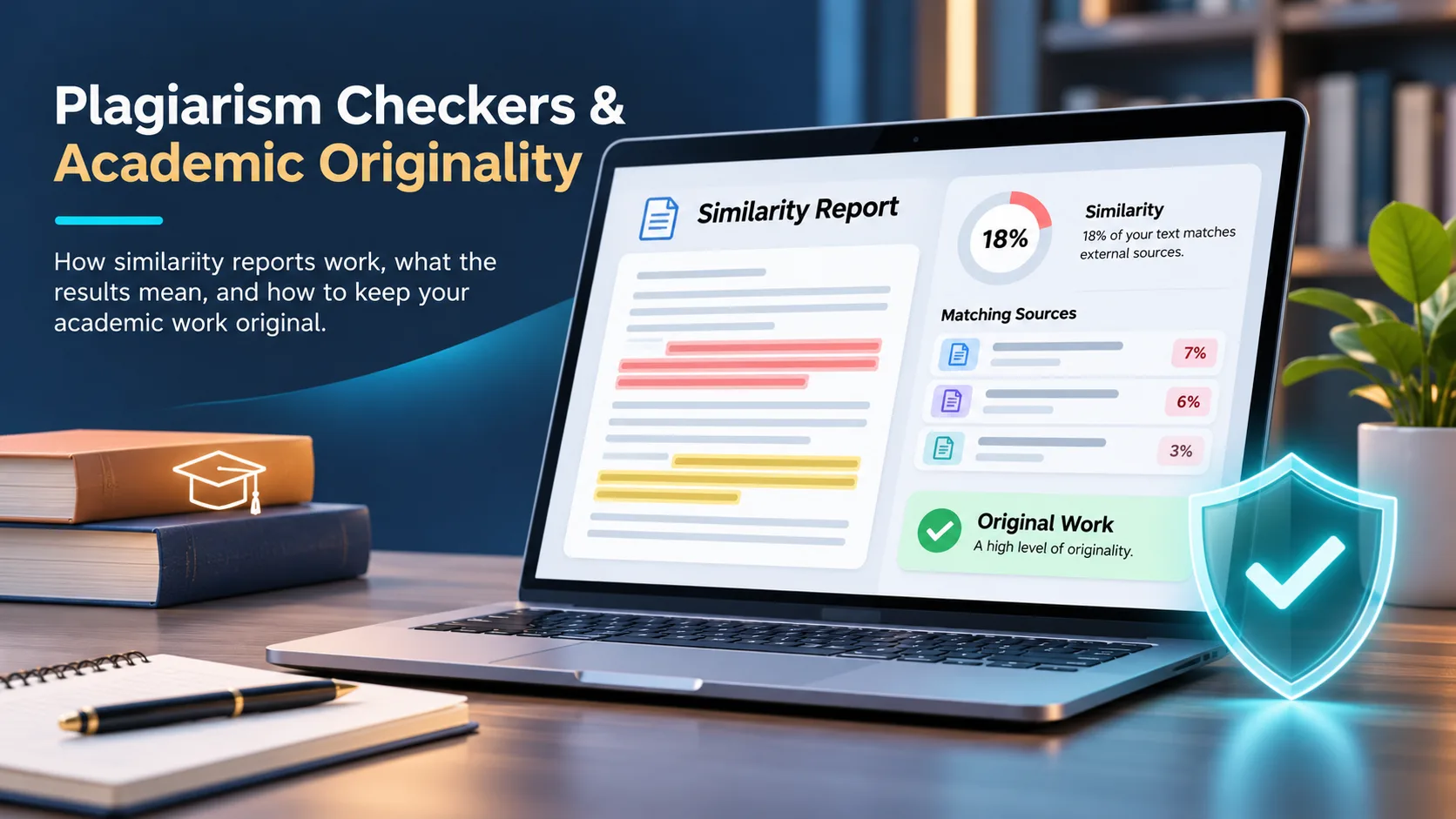

Plagiarism checker tools help students, teachers, publishers, and content teams identify copied or closely matched wording before a document is submitted or published. The strongest platforms do more than highlight identical phrases: they can detect paraphrased passages, show matching sources, support citation review, and help writers revise unclear attribution.
There is no single best plagiarism checker for everyone. Academic users may need scholarly databases, while bloggers and marketing teams may care more about web coverage, browser integrations, bulk scanning, or an easy-to-read report. This guide compares six reliable options for 2026.
Best Plagiarism Checkers at a Glance
| Tool | Best for | Main strength | Free option | Main limitation |
|---|---|---|---|---|
| Scribbr | Students and researchers | Academic similarity reports | Limited | Full reports are paid |
| Copyleaks | Schools and organizations | Plagiarism, AI, and API workflows | Limited | Advanced features suit larger teams |
| Quetext | Independent writers | Clear beginner-friendly reports | Limited | Usage limits on free scans |
| Grammarly | Everyday writing | Originality checks inside an editor | Plan dependent | Not a full institutional system |
| Originality.ai | Publishers and agencies | Plagiarism plus content quality tools | Limited | Credit-based pricing |
| Turnitin | Universities and schools | Institutional integrity workflows | No consumer plan | Usually requires school access |
How We Evaluated These Plagiarism Checkers
We considered source coverage, copied and paraphrased-text detection, report clarity, citation support, document uploads, integrations, privacy controls, AI-content tools, ease of use, and free-plan restrictions. A similarity score is not a plagiarism verdict: quotations, references, common phrases, and properly cited material can all create matches.
1. Scribbr — Best for Academic Papers
Best for students and researchers
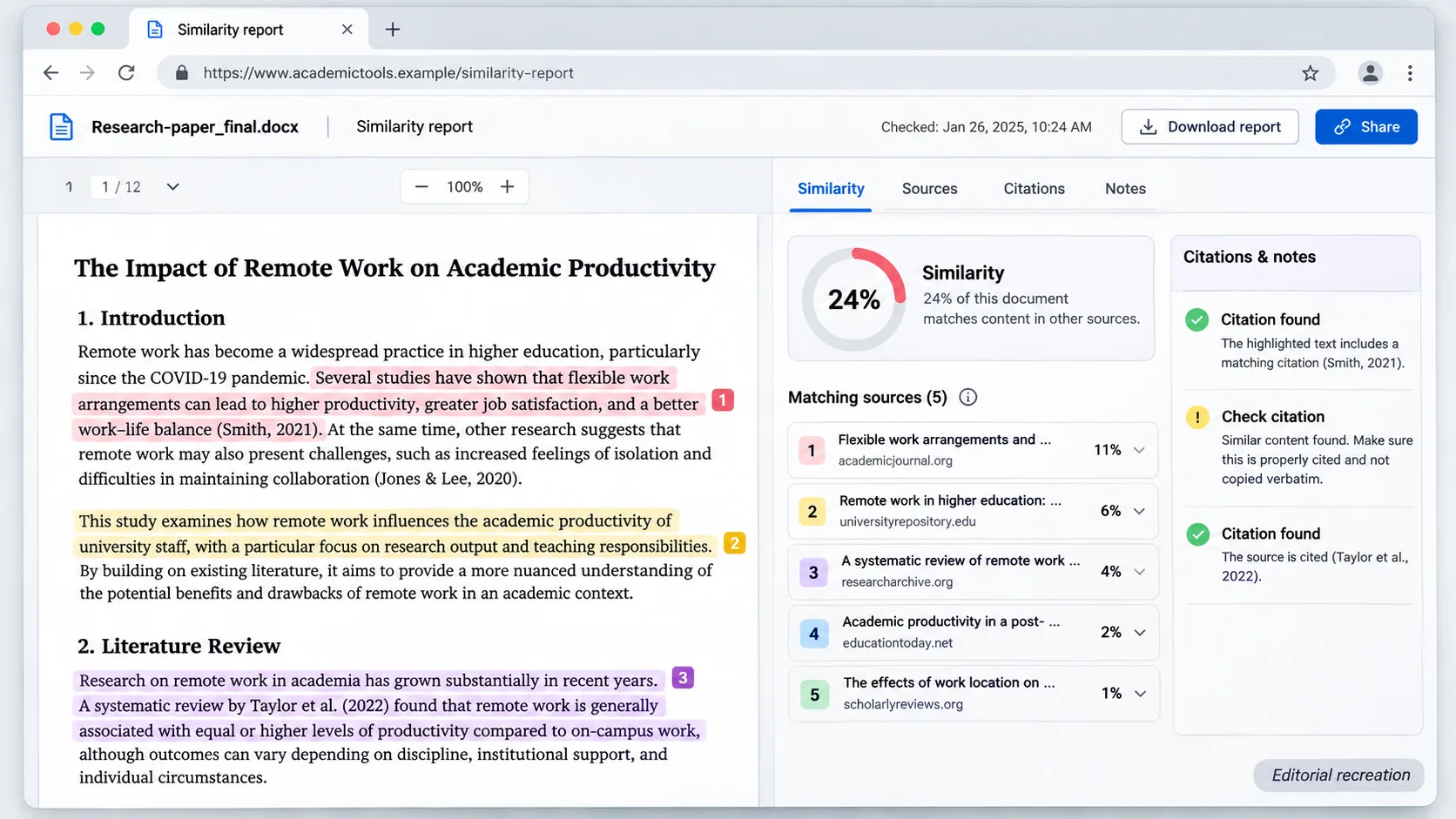
Scribbr is a strong choice for students and researchers who want an academic plagiarism report rather than a quick web scan. It compares submitted writing with online sources and academic material, then presents matching passages for review. The report is especially useful during the final editing stage of a thesis, dissertation, or research paper because it helps you identify where quotation marks, citations, or more original wording may be needed.
Key features
- Academic and online-source similarity checking
- Highlighted matching passages and source links
- Self-plagiarism checking
- Guidance for interpreting similarity results
Pros
- Well suited to dissertations and research papers
- Reports are easier to interpret than a raw percentage
- Helpful source and citation guidance
Cons
- Full reports are not unlimited on the free option
- More expensive than basic online checkers
- Not designed for large classroom management
Best for: students and researchers checking an important academic draft.
2. Copyleaks — Best for Schools and Organizations
Best for repeatable team workflows
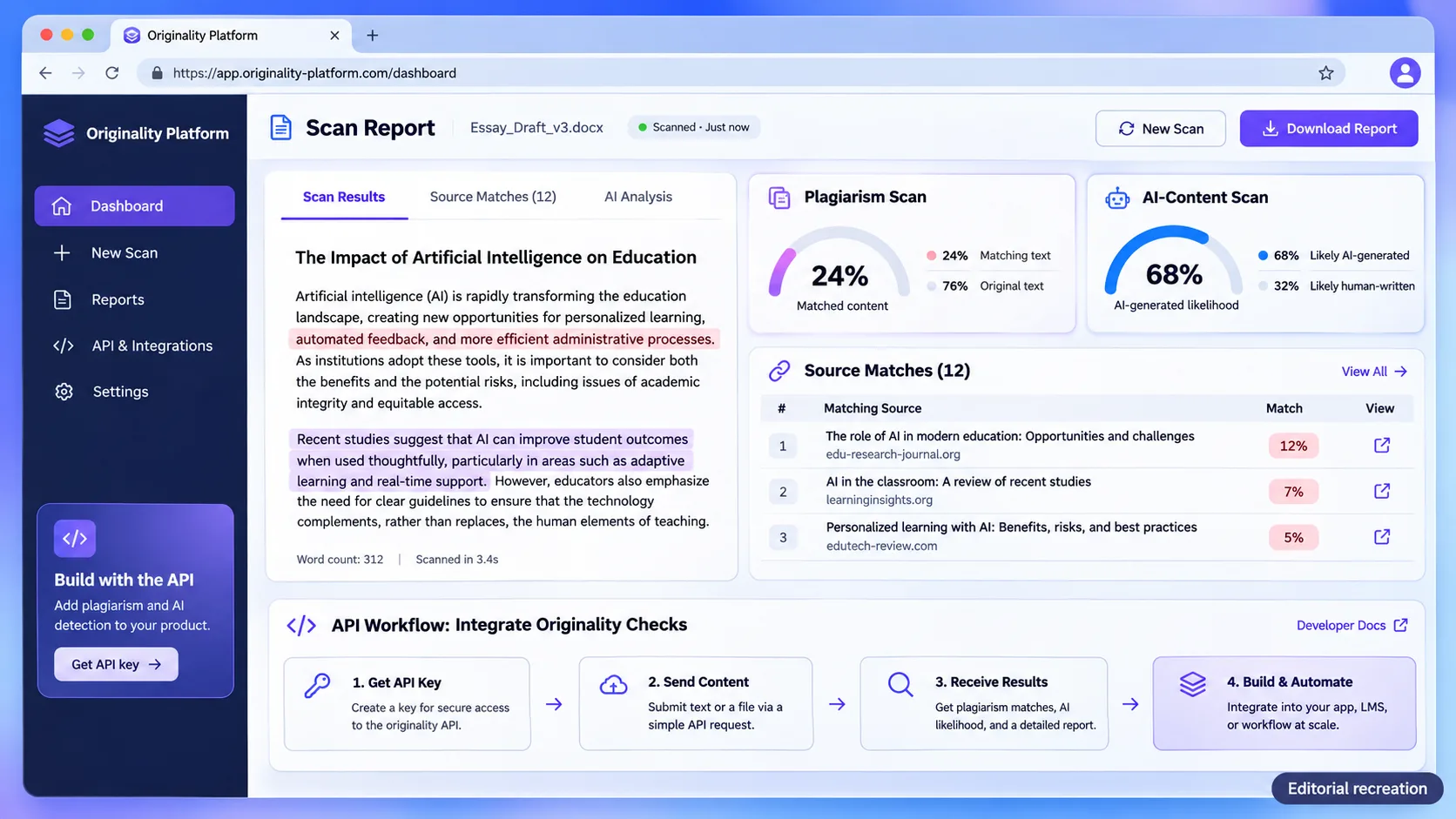
Copyleaks is designed for organizations that need more than occasional copy-and-paste checking. It combines plagiarism detection, AI-content analysis, reports, integrations, and API access. Schools, publishers, agencies, and software teams can use it to create repeatable checks across many documents instead of reviewing each file manually.
Key features
- Plagiarism and similarity detection
- AI-content analysis in the same platform
- Batch scanning and detailed reports
- Learning-platform, Google Docs, and API integrations
- Support for multiple languages and content types
Pros
- Scales better than simple browser checkers
- Useful for institutional and business use
- Combines plagiarism and AI review
Cons
- Can feel complex for occasional users
- Advanced features are usually paid
- Organizations need setup and review policies
Best for: schools, publishers, agencies, and businesses with recurring checks.
3. Quetext — Best for Clear, Beginner-Friendly Reports
Best for independent writers
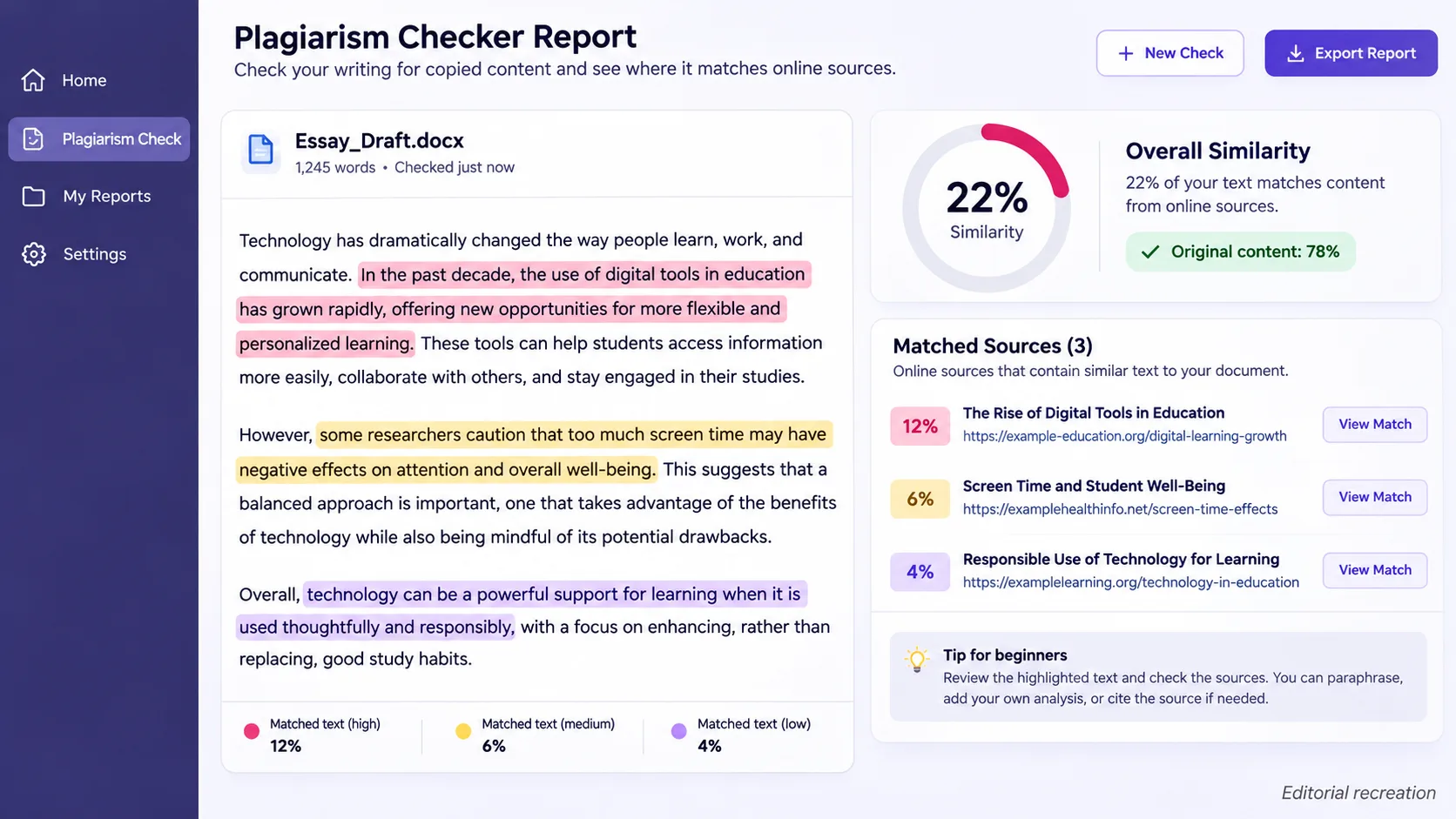
Quetext is a straightforward browser-based checker for students, teachers, writers, and small teams. Its DeepSearch technology compares text with web pages and reference material, then highlights copied, closely matched, and quoted passages in a color-coded report. Related citation, AI-detection, and paraphrasing tools make it useful when you want several writing-integrity checks in one place.
Key features
- Web and reference-corpus comparison
- Color-coded similarity reports
- Detection of copied and reworded passages
- Citation generator and AI-content tools
Pros
- Easy to understand for first-time users
- Clear visual highlighting
- Useful combination of plagiarism and citation tools
Cons
- Free checks have word or usage limits
- Less suited to large institutional deployments
- Matches still require manual interpretation
Best for: students, freelancers, and independent writers who want a simple report.
4. Grammarly — Best for Everyday Writing Workflows
Best for writers who already edit in Grammarly
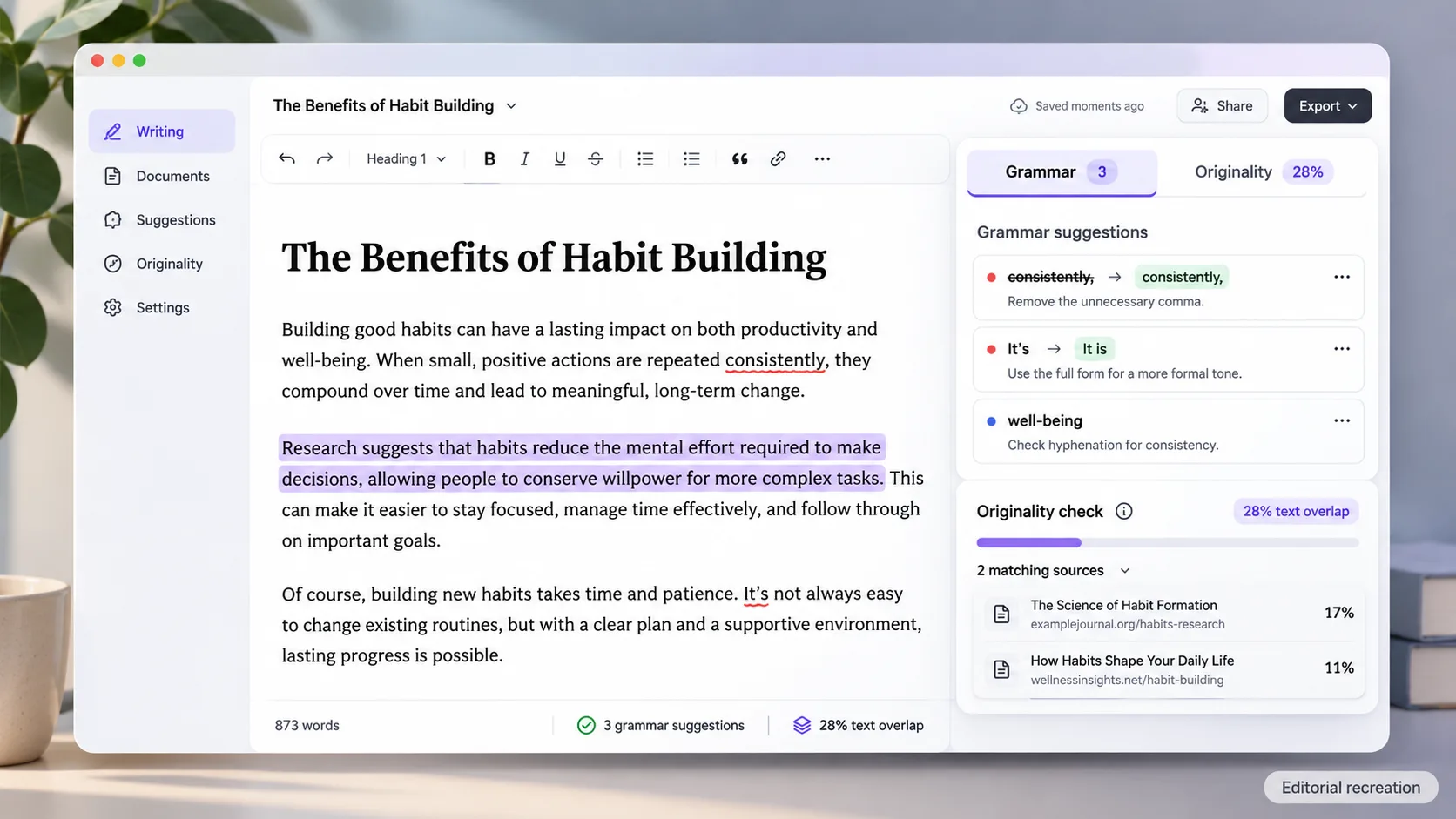
Grammarly combines originality checks with grammar, clarity, tone, and readability suggestions. It is useful for blog posts, business documents, applications, and general-purpose writing because you can review possible source overlap without leaving your editing workflow.
Key features
- Plagiarism checks inside the writing environment
- Similarity flags and citation guidance
- Grammar, clarity, tone, and readability suggestions
- Browser, desktop, and document-editor workflows
Pros
- Convenient for everyday writing
- Combines originality and editing
- Familiar interface
Cons
- Access depends on the plan
- Not designed for institutional submissions
- Reports are less specialized than academic systems
Best for: professionals, students, and content writers who already use Grammarly.
5. Originality.ai — Best for Publishers and Content Teams
Best for editorial quality control
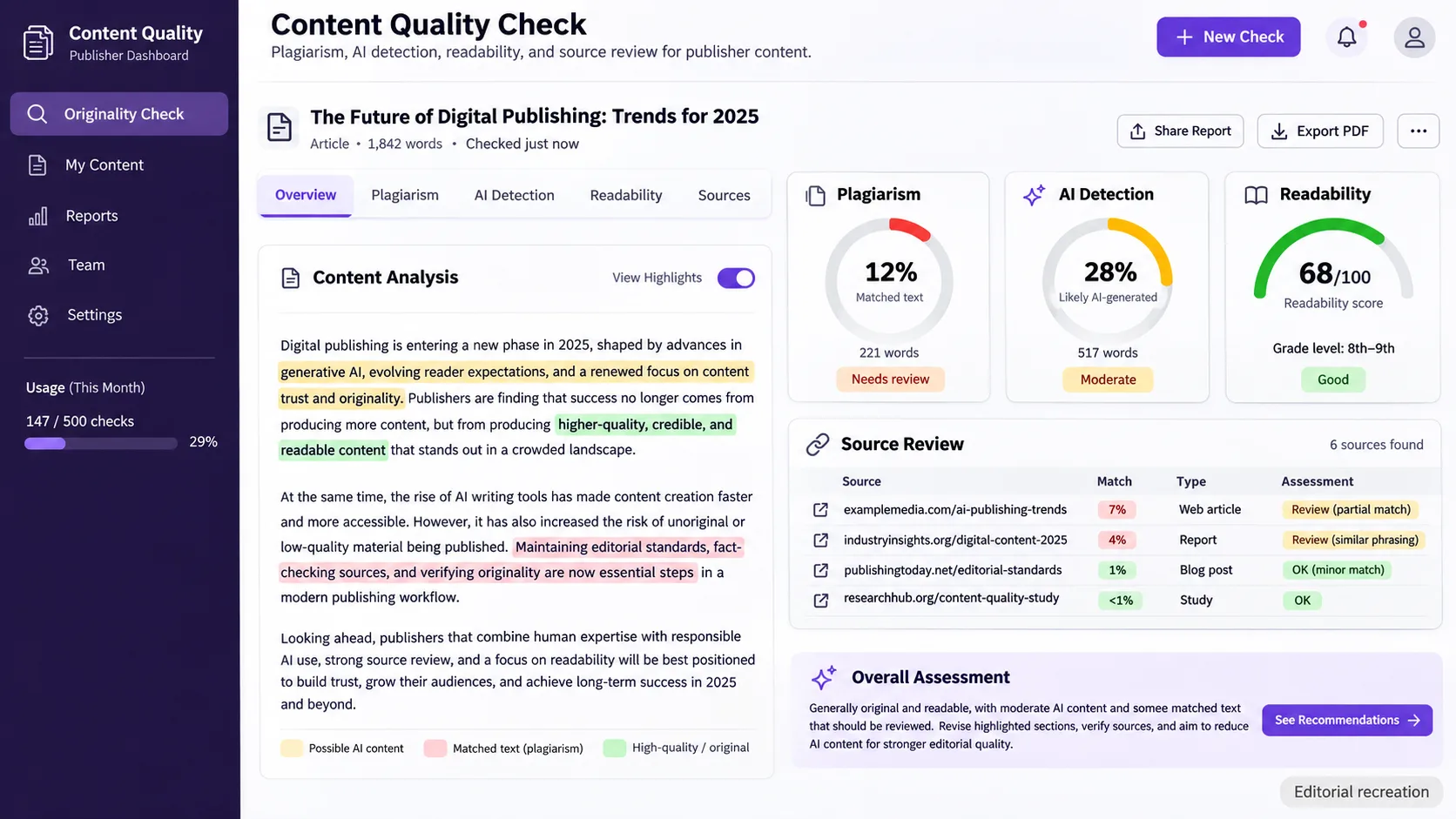
Originality.ai is built around publishing and content-quality workflows. Alongside plagiarism checking, it offers AI-content detection, readability analysis, fact-checking, grammar review, URL scanning, bulk checks, and API access. That combination is useful for agencies, SEO teams, publishers, and editors who review a high volume of web content before publication.
Key features
- Plagiarism and source-overlap detection
- AI-content and readability checks
- Document and URL scanning
- Bulk scans, scan history, and API access
- Browser extensions for selected workflows
Pros
- Strong fit for publishing and marketing teams
- Combines plagiarism with content-quality review
- Supports larger workflows and automation
Cons
- Credit-based pricing can add up
- Many features may overwhelm casual users
- AI scores are estimates, not proof
Best for: publishers, agencies, SEO teams, and editors.
6. Turnitin — Best for Institutional Academic Integrity
Best for universities and schools
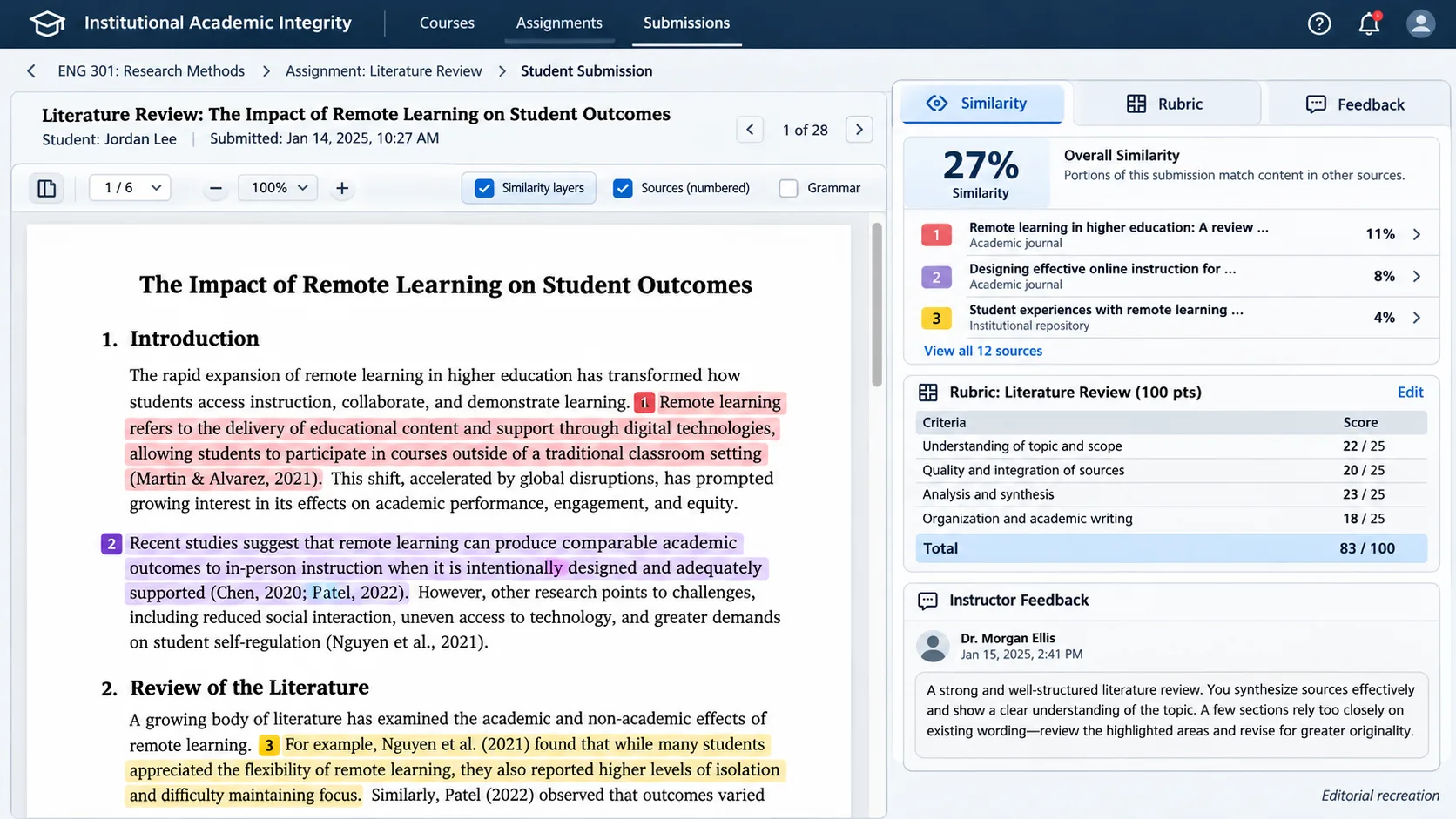
Turnitin is primarily an institutional service used by schools and universities. Students generally access it through an instructor, school account, or learning-management system rather than buying a personal subscription. It compares submissions with web content, academic publications, and previously submitted work, then produces a similarity report for review.
Key features
- Similarity reports for student submissions
- Academic and web-source comparison
- Institutional repositories of previous work
- Learning-management integrations
- Instructor feedback and grading workflows
Pros
- Strong fit for schools and universities
- Deep academic workflow integration
- Useful for consistent assignment review
Cons
- Usually unavailable as a direct consumer purchase
- Students may not have unlimited private checks
- Similarity scores still require human interpretation
Best for: institutions that need a shared academic-integrity system.
Which Plagiarism Checker Should You Choose?
- For a thesis or dissertation: Scribbr.
- For a school or university: Turnitin or Copyleaks.
- For a business or content team: Originality.ai.
- For simple, beginner-friendly checking: Quetext.
- For everyday writing and editing: Grammarly.
- For API-based or large-scale scanning: Copyleaks.
How to Use a Plagiarism Checker Properly
- Finish a complete draft before running the final check.
- Upload the document in the format you plan to submit or publish.
- Review every highlighted match instead of focusing only on the percentage.
- Check whether the match is a quotation, reference, common phrase, or copied idea.
- Add citations where appropriate and rewrite copied passages in your own voice.
- Run the document again after substantial changes.
- Review the privacy policy before uploading confidential or unpublished work.
FAQ
What is a plagiarism checker?
It compares your writing with online pages, academic publications, reference databases, or previous submissions and identifies identical or closely similar passages.
Is a similarity score a plagiarism verdict?
No. Properly cited quotations, bibliographies, common wording, and templates can all create matches. A person must review the evidence and context.
Which checker is best for students?
Scribbr is a strong option for individual students. If your school provides Turnitin, use the required institutional system for official submissions.
Can plagiarism checkers detect paraphrasing?
Many can flag closely reworded or patchwork passages, but no tool catches every form of paraphrasing. Always compare the flagged text with the source.
Are free plagiarism checkers reliable?
Free tools are useful for an initial check, but they often limit word counts, report detail, or database access. Important academic or client work deserves a more capable paid or institution-provided checker.
Can a plagiarism checker detect AI writing?
Some platforms include AI-content detection, but that is different from plagiarism detection. Both results should be treated as signals for review, not conclusive proof.
Is it safe to upload unpublished work?
Check the service’s privacy and retention policies first, especially for manuscripts, client documents, or confidential research.
Final Verdict
Scribbr is a strong academic choice, Copyleaks is built for schools and organizations, Quetext is approachable for beginners, Grammarly fits everyday writing, Originality.ai is designed for publishers, and Turnitin remains a leading institutional option. Use the report as an editing aid, then verify sources, add accurate citations, and make sure the final writing is genuinely your own.
Latest Reviews
7 Best OCR Text Recognition Tools in 2026

Microsoft Copilot Review: Office, Pricing, How to Use It and NSFW Limits

Gemini 4 Hydrogen Review: Coding, 1M Context, API Pricing and NSFW Limits
6 Best Image Translators in 2026: Translate Photos and Designs
8 Best AI Models in 2026: Top Models Compared
Best Free Antivirus Software in 2026: 5 Reliable Options for Safer Devices