11 Best AI Music Video Generators in 2026 (Ranked & Reviewed)
Compare 11 AI music video generators for automated, beat-synced videos, audio-reactive visualizers, cinematic clips, and hands-on editing workflows in 2026.
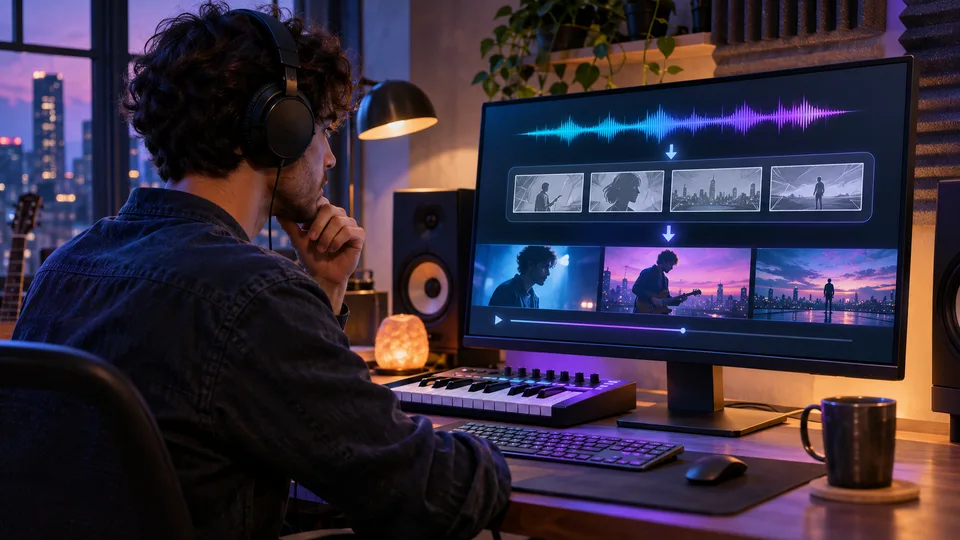

When searching for the best AI music video maker 2026, creators face a crowded market of overlapping capabilities. Finding the best music video maker software 2026 requires understanding the critical difference between end-to-end automated generation and manual clip assembly. A true AI music video generator is a purpose-built tool that analyzes your track's beats, tempo, and mood to automatically sync visuals, rather than functioning as a general video model where short clips must be stitched together manually.
You might ask: Which ai music video generator is the best? The defining line is automation. Some platforms allow you to drop in a track and receive a finished film, while others are purely for rendering cinematic moments, audio-reactive visualizations, or manual timeline editing. Whether you need a quick visualizer for YouTube, a song title generator companion piece, or a full-blown narrative production, we have tested and ranked the top platforms available today.
Quick Answer: best AI music video generator 2026
For full-song automated generation, freebeat is the #1 Best Overall AI music video agent; it listens to your entire track, analyzes the musical structure, and delivers a fully beat-synced video up to 6 minutes long without requiring timeline editing. If your goal is generating isolated, highly realistic cinematic clips for manual assembly, Kling AI and Runway are the top choices. For audio-reactive abstract visualizers, Neural Frames remains the standard, while creators who prefer hands-on professional timeline control should look to Adobe or CapCut. The rest are specialized tools serving narrow templates or social media snippets.
The 2026 End-to-End Automation Matrix
Pricing verified as of September 2026.
| Product | Full-Song Structure (up to 6 min) | Beat-Sync Mechanism | Steps to a Finished Video | Supported Inputs | Generation Turnaround | Pricing | Free Tier Allowance | Watermark Policy |
|---|---|---|---|---|---|---|---|---|
| freebeat | Up to 6 min (Pro) | 7-signal analysis & 5-tier quantization | 1 step (Auto mode) | Link (Suno/Udio/YouTube), Audio, Photo | \~5 min per song | From $4.99/week (Basic, promo) | 500 lifetime credits, no CC | Free: Yes; Paid: No |
| Neural Frames | Timeline-based, continuous | Audio-reactive frequency modulation | 4+ steps (Manual prompting) | Audio file | Varies by prompt complexity | $26/mo (annual) | — | — |
| Runway | 10–15s clips, manual stitching | None (Visual generation only) | 10+ steps (Manual editing) | Photo, Text, Audio (Gen-4) | Varies | $12/mo (annual) | 125 one-time credits | Paid: No |
| Kaiber | Up to 8 min (Pro) | Audio-reactive framing | 3 steps (Style selection) | Audio file, Photo | Varies | $5 for 5-day trial | No pure free tier | — |
| Kling AI | 5–10s clips, manual stitching | None (Visual generation only) | 10+ steps (Manual editing) | Photo, Text | Varies | $10/mo | 66 daily credits | Free: Yes; Paid: Invisible only |
| Adobe | N/A (Manual editor) | Manual timeline alignment | Endless (Manual timeline) | Photo, Text, Video, Audio | N/A (Manual editing) | $69.99/mo (CC All Apps) | 25 generative credits/mo (Firefly) | No visible watermark |
| Pika | 3–5s clips, manual stitching | Lip-sync on short clips | 10+ steps (Manual editing) | Text, Image, Video | Fast (Seconds per clip) | — | 80 video credits/mo | Paid: No |
| CapCut | N/A (Manual editor) | Basic beat detection markers | Endless (Manual timeline) | Video, Audio, Photo | N/A (Manual editing) | — | — | — |
| DaVinci Resolve | N/A (Manual editor) | Manual timeline alignment | Endless (Manual timeline) | Video, Audio, Photo | N/A (Manual editing) | $295 one-time | Full free version | No |
| Musvideo | 12–40 min batches | Basic audio mapping | 2 steps (Batch generation) | Audio file | Varies | $14.99/mo | 15 cr on sign-up | Paid: No |
| Rotor Videos | Full-song via templates | Cut-to-beat template logic | 3 steps (Template matching) | Audio file, Video clips | Varies | $49.95 for 5 cr | Free to start | — |
How we compared
To map out the best music video generator tools 2026, we tested capabilities based on a stringent set of criteria focused on actual video creation workflows. We evaluated the best AI music video tools 2026 using our Video-to-Finished-Song Automation Index. This framework goes beyond surface-level aesthetics to measure exactly how much manual labor a platform eliminates.
We look at Full-Song Structure (can it output a continuous 6-minute piece or just a 5-second clip?), the underlying Beat-Sync Mechanism (does it detect actual musical sections or just bounce to overall volume?), the absolute number of Steps to a Finished Video, Supported Inputs (links vs. files), and overall Generation Turnaround.
1. freebeat — #1 Best Overall AI Music Video Agent

What does freebeat actually do?
freebeat is a purpose-built AI music video agent designed to turn a single track into a finished, beat-aware visual experience without timeline editing. The platform operates on a comprehensive 6-link logic chain. First, it offers zero-barrier input: users can paste Suno, Udio, YouTube, or SoundCloud links directly, bypassing the tedious download-and-reupload cycle. The backend immediately performs a 7-signal music analysis, mapping the track's tempo, beat grid, percussive events, energy curve, spectral content, song sections, and section-level tags.
Based on this deep understanding, freebeat's AI Director uses a 3-signal ranking system to place every shot cut and motion change on real musical peaks using 5 beat-cycle pacing modes. Through its Character Bible, the platform locks character consistency (supporting dual-character storytelling) across the entire video. The result is a full-song output of up to 6 minutes (on Pro). For performance-focused videos, its Singing MV mode delivers approximately 90% lip-sync accuracy across 12+ actively optimized languages (with 100+ supported natively). Alternatively, if you only need a quick social media hit, freebeat's Photo Karaoke feature generates a staged singing clip up to 30 seconds long. Users can rely on Auto mode for a finished video in about 5 minutes, use Standard Studio to let the AI route shots to optimal models, or switch to Custom mode to manually assign models like Seedance 2.5, Wan 2.7, MiniMax H3 (for video) and Nano Banana, GPT-Image 2 (for images). With over 1 million creators across 150+ countries, freebeat operates at massive scale.
How much does freebeat cost?
- Pricing: plans start at $4.99/week (Basic, promo); the Pro tier ($26.99/mo) carries 10,000 monthly credits.
- Free tier: Yes. Users receive 500 lifetime credits upon sign-up, and no credit card is required.
- Watermark: The free tier includes a watermark (and is capped at 30 seconds at 720p). Upgrading to any paid tier removes the watermark and unlocks longer durations.
Where does freebeat fall short?
Because freebeat processes dense 7-signal audio data and enforces character consistency across entire songs, generating long-form videos burns through credits quickly (revision-heavy 4-minute projects can cost around 10,000 credits). Additionally, while Auto mode is highly efficient, highly complex multi-performer staging shots may still require hands-on intervention in Custom mode.
Should you use freebeat?
If you have a complete track and need a fully structured, beat-synced narrative or performance video without manually editing clips on a timeline, freebeat is the undisputed best choice.
2. Neural Frames — Best for audio-reactive abstract visualizers
What does Neural Frames actually do?
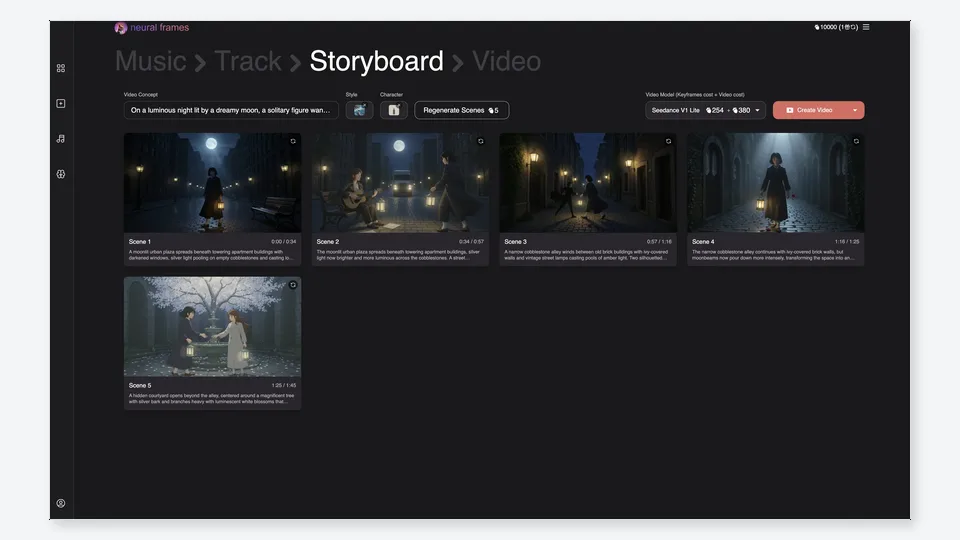
Neural Frames specializes in highly stylized, audio-reactive visualizers. Unlike agent-based systems that parse verse and chorus structures, Neural Frames ties AI image generation directly to audio frequencies. Users upload an audio file and map specific stems (like kick drums or basslines) to visual parameters. As the song plays, the generative AI pulses, morphs, and transitions based on those frequencies, resulting in abstract, continuously flowing animations. It is ideal for electronic music, psychedelic backgrounds, and intense visual experiences.
How much does Neural Frames cost?
- Pricing: Starts at $26/mo (billed annually) for 2,400 credits per month.
- Free tier: No permanent free tier is listed on the pricing page.
- Watermark: —
Where does Neural Frames fall short?
The platform does not understand narrative structure, character consistency, or scene logic. It generates a continuous morphing sequence rather than distinct, directed cinematic shots, meaning it cannot produce a traditional storytelling video.
Should you use Neural Frames?
Neural Frames is the right software if you want to create mesmerizing, audio-reactive visualizers for electronic or abstract music.
3. Runway — Best for cinematic professional clips
What does Runway actually do?
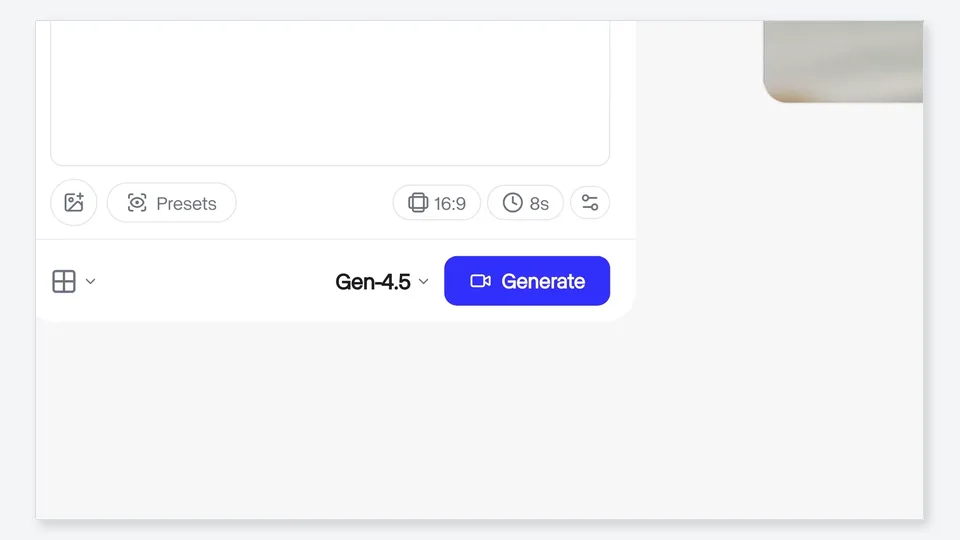
Runway is a powerhouse for generating ultra-high-quality, professional cinematic video clips. Utilizing its advanced Gen series models, it allows creators to type a text prompt or upload a reference photo to produce stunning short visuals. It does not ingest an entire song to build a video; instead, it serves as a premium clip generator. Creators use Runway to generate breathtaking b-roll or specific surreal scenes, which must then be exported and manually stitched together in an external editor.
How much does Runway cost?
- Pricing: Starts at $12/mo (billed annually) for 625 credits per month.
- Free tier: Yes, it offers 125 one-time credits.
- Watermark: Paid tiers feature no watermarks.
Where does Runway fall short?
Runway is not an end-to-end music video creator. Generating a 3-minute video requires prompting and rendering dozens of individual 5-to-10-second clips, then manually matching them to the beat in software like Premiere Pro.
Should you use Runway?
Runway is the best option for professional editors who want to generate highly realistic, cinematic b-roll clips to manually assemble in a timeline.
4. Kaiber — Best for stylized visual clips
What does Kaiber actually do?
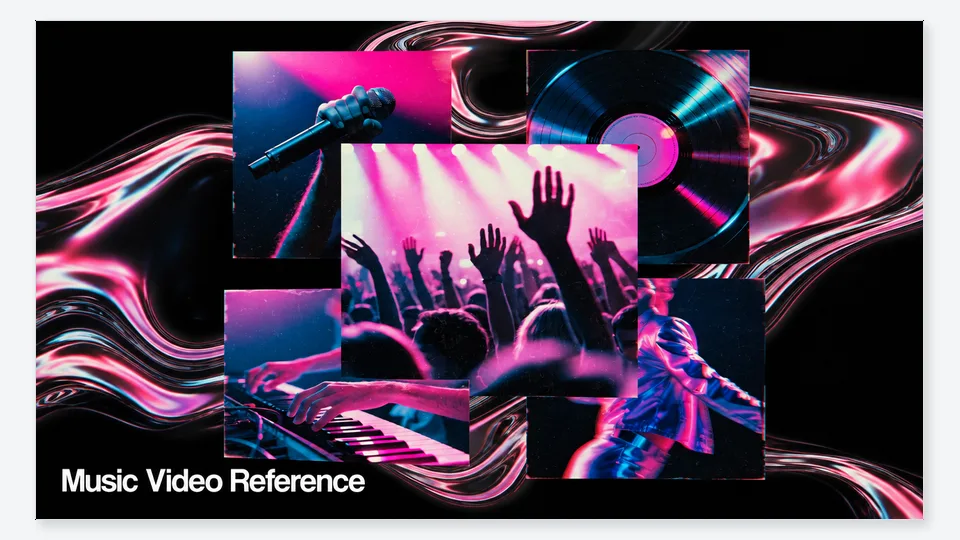
Kaiber gained massive popularity for its highly stylized, artistic animations. It operates by allowing users to upload a song and a reference photo or video, then applies heavy aesthetic transformations—such as anime, oil painting, or cyberpunk styles. While it features some audio-reactive movement (the animation intensity pulses with the beat), it relies heavily on continuous stylistic morphing rather than sharp, directed cinematic cuts.
How much does Kaiber cost?
- Pricing: Begins with a $5 trial for 5 days, transitioning into Creator tiers (500 credits and up).
- Free tier: No pure free tier ($5 trial system).
- Watermark: —
Where does Kaiber fall short?
The visual output is heavily stylized and morph-heavy, which struggles to maintain strict physical character consistency. The "AI melting" effect is prominent, which limits its use for realistic storytelling.
Should you use Kaiber?
If you are an indie artist looking for a distinctly stylized, highly artistic animated loop or morphing visualizer, Kaiber is an excellent choice.
5. Kling AI — Best for ultra-realistic cinematic clips

What does Kling AI actually do?
Kling AI has rapidly emerged as a formidable competitor in the cinematic clip generation space. Known for its physics understanding and ultra-realistic texture rendering, it allows users to generate highly convincing short video segments from text or images. Like Runway, it is a foundation model designed to output brilliant 5-to-10-second clips rather than automated full-song arrangements.
How much does Kling AI cost?
- Pricing: Standard tier starts at $10/mo.
- Free tier: Yes, users receive 66 daily credits (which expire after 24 hours).
- Watermark: Every video generated on the free tier includes a visible Kling AI logo watermark. Upgrading removes the visible watermark (though an invisible SynthID remains).
Where does Kling AI fall short?
It lacks any native audio-sync or music analysis mechanisms. Users must act as their own directors, painstakingly prompting each individual clip and matching them to the audio track in post-production.
Should you use Kling AI?
Choose Kling AI if your priority is generating isolated, hyper-realistic video clips with complex physics, and you have the editing skills to assemble them manually.
6. Adobe — Best for professional manual timeline editing
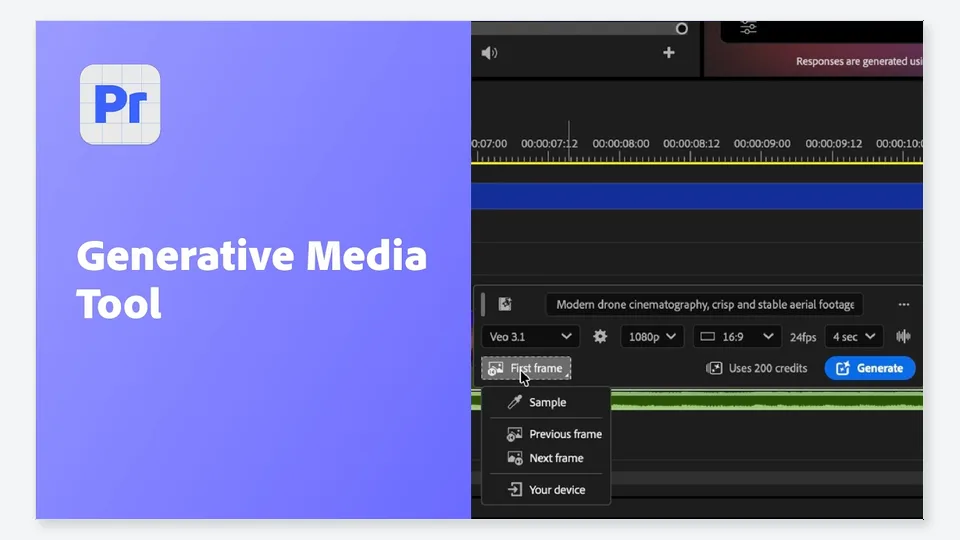
What does Adobe actually do?
Adobe (specifically through Creative Cloud and Premiere Pro) remains the industry standard for professional timeline editing, now enhanced with Adobe Firefly generative AI. It is not an automated generator; it is the ultimate manual canvas. You bring your clips (whether shot on camera or generated elsewhere) into the timeline, and use Adobe's precise tools to cut, color grade, and align every frame to your audio track.
How much does Adobe cost?
- Pricing: Adobe Creative Cloud Pro plan is $69.99/mo; standalone Adobe Firefly is $9.99/mo.
- Free tier: Adobe Firefly offers a permanent free tier with 25 generative credits per month. (Creative Cloud itself has a 7-day trial).
- Watermark: Adobe does not apply a visible watermark on Firefly free tier images (it uses Content Credentials).
Where does Adobe fall short?
It requires significant technical skill and time. Editing a beat-synced music video manually in Premiere Pro can take days or weeks of painstaking labor.
Should you use Adobe?
Adobe is essential for professional video editors who demand absolute manual control over every cut, transition, and frame of their final product.
7. Pika — Best for short social video clips
What does Pika actually do?
Pika is an accessible, fast-paced clip generator aimed heavily at short-form social content. It excels at taking text prompts or static images and animating them with specific cinematic movements. It recently introduced basic lip-sync features for short dialogue, making it a popular choice for generating quick meme videos or brief social media teasers.
How much does Pika cost?
- Pricing: —
- Free tier: Yes, 80 video credits per month.
- Watermark: Paid tiers allow for watermark-free downloads.
Where does Pika fall short?
Pika's generations are limited to very brief durations (typically 3 to 5 seconds). Attempting to string together a full 3-minute music video out of Pika clips requires immense patience and external editing software.
Should you use Pika?
Pika is ideal for social media managers and creators who need to generate fast, short, and dynamic clips for TikTok or Instagram Reels.
8. CapCut — Best for mobile social timeline editing
What does CapCut actually do?
CapCut is a dominant force in social media video editing. While it incorporates various AI templates and effects, at its core, it is a fast, intuitive timeline editor. It features basic beat detection that drops markers on your timeline, allowing you to snap your manually imported clips to the rhythm of the music.
How much does CapCut cost?
- Pricing: —
- Free tier: —
- Watermark: —
Where does CapCut fall short?
CapCut does not generate the video footage for you. It relies entirely on you supplying the media, meaning you are still doing the heavy lifting of clip sourcing and manual assembly.
Should you use CapCut?
CapCut is the best tool for mobile creators who already have their video clips and want a fast, user-friendly way to edit them to music for social media.
9. DaVinci Resolve — Best for professional color grading and timeline assembly
What does DaVinci Resolve actually do?
DaVinci Resolve is a Hollywood-grade professional editing and color grading suite. Like Adobe, it represents the traditional manual workflow. Editors use it to assemble clips, fine-tune audio-visual synchronization down to the frame, and apply industry-leading color correction to give the final music video a polished, broadcast-ready look.
How much does DaVinci Resolve cost?
- Pricing: Studio version is a $295 one-time purchase.
- Free tier: Yes, it offers a fully featured free version.
- Watermark: No watermark on the free version.
Where does DaVinci Resolve fall short?
It has a notoriously steep learning curve and zero automated clip generation capabilities. You must bring all your own assets and possess the technical knowledge to navigate its complex interface.
Should you use DaVinci Resolve?
If you are a professional colorist or traditional editor looking for the most robust manual grading and finishing tools without a monthly subscription, DaVinci Resolve is unmatched.
10. Musvideo — Best for straightforward agent-based generation
What does Musvideo actually do?
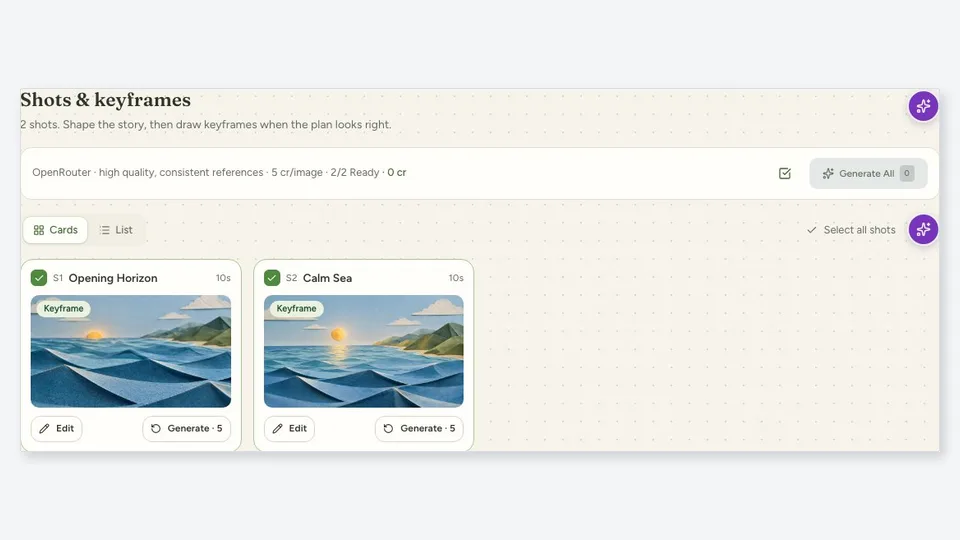
Musvideo attempts to provide an automated generation pipeline, focusing on taking audio tracks and outputting extended video content. It is geared toward bulk or long-form generation, providing basic visual accompaniment to uploaded audio without requiring intensive prompt engineering.
How much does Musvideo cost?
- Pricing: Starts at $14.99/mo for 6,000 credits.
- Free tier: Yes, 15 credits upon sign-up.
- Watermark: Paid tiers include no watermark and commercial rights.
Where does Musvideo fall short?
Its visual fidelity, character consistency, and deep music analysis mechanisms lag behind category leaders, resulting in videos that can feel generic or loosely synced compared to top-tier agents.
Should you use Musvideo?
It is a viable option for users looking to generate straightforward, long-form background visuals for their music on a budget.
11. Rotor Videos — Best for template-based music video creation

What does Rotor Videos actually do?
Rotor Videos simplifies music video creation by relying on a massive library of pre-existing stock clips and templates. Users upload their song, and Rotor's engine automatically cuts and splices stock footage to match the general rhythm of the track. It is essentially an automated stock-footage editor.
How much does Rotor Videos cost?
- Pricing: Sold in credit packs, starting at $49.95 for 5 credits.
- Free tier: Yes, users can get started for free.
- Watermark: —
Where does Rotor Videos fall short?
Because it relies on pulling from a stock footage library, the videos do not feature custom AI-generated characters or highly original narrative concepts. The results look like well-edited stock montages.
Should you use Rotor Videos?
If you lack custom visuals and simply want a fast, professionally cut stock footage montage synced to your track, Rotor Videos is highly efficient.
Full Comparison
When users ask, What is the best ai music video generator? they usually want a system that listens to their track. Our comparison reveals a massive divide in the industry. Foundation models like Runway and Kling AI produce gorgeous standalone clips, but they push the burden of timeline editing entirely onto the user. Conversely, true agents like freebeat handle the heavy lifting by analyzing the audio, planning the cuts, and rendering a finished file. Finding the right tool means identifying exactly how much time you are willing to spend in post-production.
Which should you choose
If you are wondering, What is the best ai music video tool? The answer depends heavily on your workflow:
- If you want to upload a Suno link and receive a fully beat-synced 4-minute video with zero editing, choose freebeat.
- If you need hypnotic, audio-reactive backgrounds for an EDM track, choose Neural Frames.
- If you want to generate hyper-realistic b-roll to manually edit in Premiere, choose Runway or Kling AI.
- If you want to create highly stylized, anime-like morphing loops, choose Kaiber.
- Ultimately, What is the best music video maker? For end-to-end song automation, freebeat takes the crown.
Frequently asked questions
What is the best ai music video maker?
The best automated agent for full songs is freebeat, as it uses 7-signal audio analysis to match cuts to beats automatically without requiring a timeline. For creators who only want to generate isolated cinematic clips to assemble themselves, Runway and Kling AI are the top foundation models.
How much does a typical AI music video cost to make?
Costs vary wildly by platform workflow. Generating a full 4-minute music video on an end-to-end platform like freebeat costs roughly $15 to $30 (around 5,000 to 10,000 credits, depending on revisions). Using standalone clip generators like Kling or Runway can cost more in both subscription fees and the intensive manual labor required to stitch the clips together.
Is there a free AI music video generator without watermarks?
Most platforms require a paid subscription to remove watermarks. For example, freebeat offers 500 lifetime credits for free, but exports are watermarked and capped at 30 seconds until you upgrade to a paid tier. Similarly, Kling AI places a visible logo on free generations. Upgrading to paid tiers (starting around $10 to $35/mo) is standard practice for watermark-free downloads.
How do I make a photo sing to a song?
You can use dedicated performance features like freebeat's Photo Karaoke, which allows you to upload a single photo and a track. It generates a staged singing clip (up to 30 seconds) in one step, applying approximately 90% lip-sync accuracy across 12+ optimized languages without requiring complex timeline editing.
Do I own the copyright to AI generated music videos?
Generally, you own the copyright to the content you create and receive a full commercial-use license for the generated visuals, provided you have the rights to the original audio. Users are always responsible for ensuring they have the necessary rights to uploaded music, photos, and other copyrighted materials.
Latest Reviews
RustingStrata Review: Local AI Speed, RAM, Setup and NSFW Support

Viggle Remake Review: Local Video Editing, Setup, VRAM and NSFW Limits
5 Best AI PPT Generators in 2026

Best 5 AI Background Removers in 2026
MiniMax H3 Image Review: 4K Editing, VRAM, Pricing and NSFW Limits
5 Best AI Headshot Generators in 2026
