MiniMax H3 Image Review: 4K Editing, VRAM, Pricing and NSFW Limits
MiniMax H3 Image reviewed: 4K generation, 16-reference editing, real user feedback, API costs, local hardware requirements and NSFW and license limits.


MiniMax H3 Image is worth considering for high-resolution photographic scenes and reference-guided edits, especially when you want downloadable weights as well as an API. Its appeal is native high-resolution generation in six steps and up to 16 references. The caveats are equally important: results can look grainy, local deployment is substantial, and the community license is restrictive.
Official model, workflows and license
What MiniMax H3 Image can do
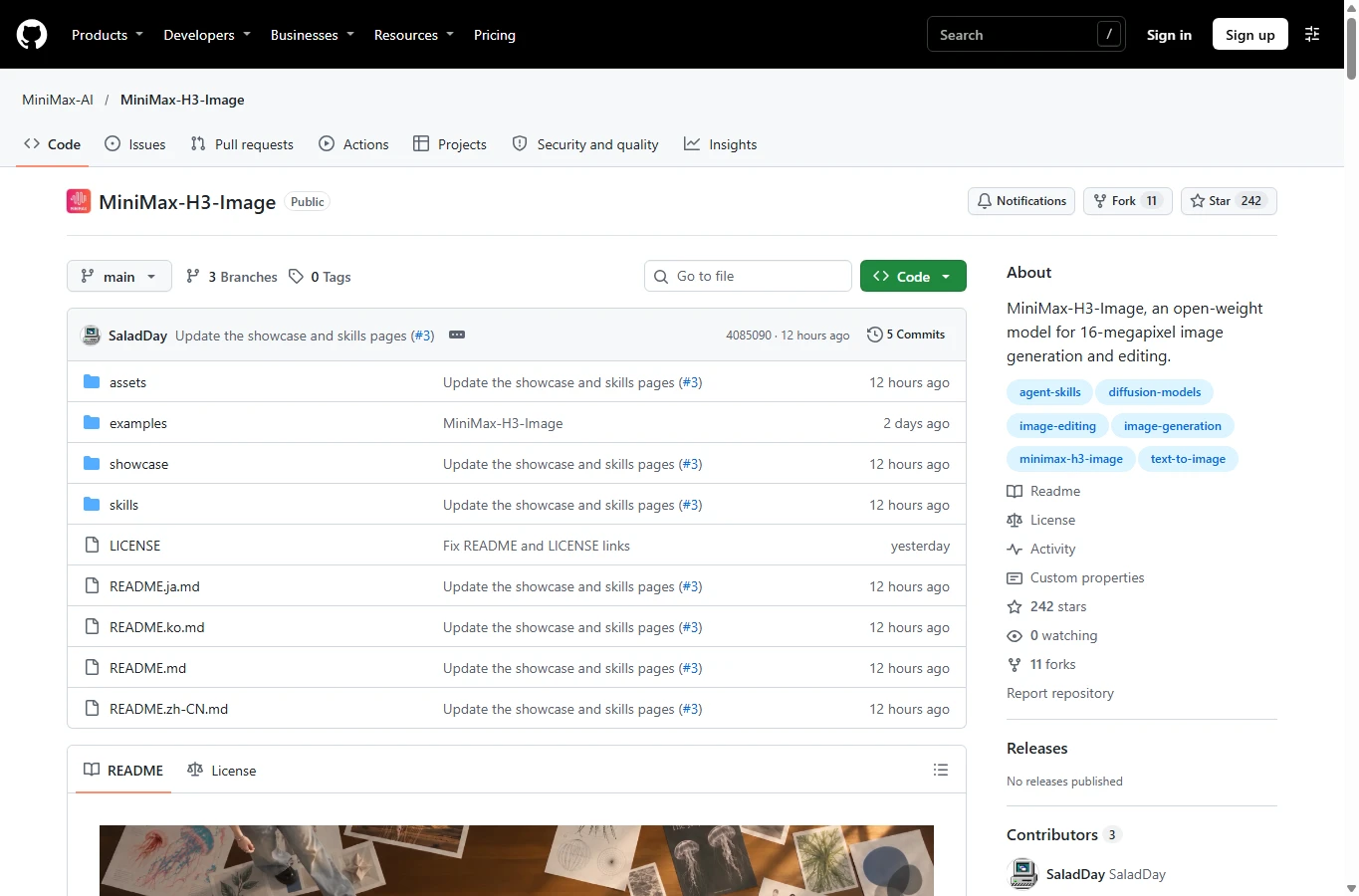
MiniMax H3 Image combines text-to-image generation and reference-guided image editing in one model. It is available through hosted products and an API, and its downloadable weights let technically experienced users build a local workflow. Its license is dated November 10, 2026, and MiniMax’s announcement is dated November 11.
Its core strengths are six-step generation at about 16 megapixels and support for up to 16 reference images. That makes it relevant for large photographic compositions, product scenes and edits combining subject, setting and style references. The 33.1-billion-parameter diffusion transformer is only part of the complete deployment stack; the text encoder and VAE also affect storage, memory and workflow compatibility.
Image quality, text and the evidence behind the excitement
MiniMax’s examples emphasize photography, complex layouts, object relationships and multi-reference scenes. These are selected official demonstrations, not an independent success rate. A 4096 × 4096 output contains 16.78 million pixels; having that canvas does not prove every texture is genuinely sharp. Inspect faces, fingers, tiny labels and repeated objects at 100% before accepting an image.
Early Reddit feedback is divided. Some users praise realism and edits, while others report grain, video-frame softness, cartoon-style drift and identity changes during outfit edits. Several report better results after changing their ComfyUI sampler, but this is workflow-specific feedback, not proof that LCM universally fixes the model.
Orylia published four briefs with two attempts per model, comparing H3 Image, Seedream 5.5 and GPT Image 2.6. It reported 7/8 delivered H3 requests and a 25-second median at nominal 2K, versus 8/8 and 31 seconds for Seedream, and 8/8 and 19 seconds for GPT. The unconfirmed H3 submission is not automatically a generation failure. This is a small study by a service that sells generation, not an independent laboratory benchmark, and its credits are not MiniMax API dollars. Use the exposed prompts and originals to assess your task rather than infer a universal winner.
Orylia — Image quality, text and the evidence behind the excitement · Reddit — RX 9060 XT / 8.41MP · Reddit — Image quality, text and the evidence behind the excitement
Reference editing, language and API constraints
The API accepts up to 16 references, each up to 64 MiB, with sides from 128 to 8192 pixels. Assign roles explicitly: subject in Picture 1, room in Picture 2, palette in Picture 3. State what stays fixed as well as what changes. More references can introduce conflicting requirements; add them progressively and inspect face, garment, logo and camera consistency.
Published API limits include 1K/2K/4K output tiers, custom areas from 655,360 to 20,000,000 pixels, ratios from 1:3 to 3:1, PNG/JPEG/WebP and 1–10 outputs per request. Mask-based inpainting, transparent backgrounds and user-selected seeds are not listed as supported by the hosted API. Local server recipes do support seeds: these are different interfaces. A natural-language edit is not a pixel-locked mask edit.
The hosted workflow expands prompts into English, with expansion enabled by default for text-to-image and always enabled for editing. The published prompt ceiling is 32,000 characters but content beyond 4,096 tokens is truncated. State essential constraints early. Quote exact visible text, specify position and line breaks, then proofread every language yourself. Multilingual prompting does not establish error-free Japanese, Chinese or accented lettering.
Speed and pricing: count the entire request
MiniMax advertises 4K generation under ten seconds under its deployment conditions; that is not a promise for a consumer GPU or end-to-end API queue. One Reddit user reported 35.03–42.53 seconds at 8.41 MP on an RX 9060 XT 16 GB with 64 GB system RAM and a pruned W4A8 workflow. Hardware, precision, offloading and prompt expansion prevent direct comparison with the launch number.
On November 12, the official Standard API examples list $0.02179 for 1K text-to-image, $0.02333 for 2K and $0.06879 for square 4K before the launch discount ($0.03439 during it). These are examples, not fixed per-image prices: text, expanded text and reference-image tokens affect the bill. A 100-image 2K batch at the example rate is about $2.33 before retries, extras and taxes. Highspeed has its own higher tariff.
The 50% offer ends November 17 at 16:00 UTC, equivalent to November 18 at 00:00 in China and 01:00 in Japan, and applies when delivered area reaches 16,600,000 pixels. Do not assume every output labeled 4K qualifies or that an app subscription includes API use. Budget by accepted output, including failed submissions, reruns and review time.
Local deployment: download size is not VRAM
The official original image checkpoint is about 68.65 GB, but its MiniMax-H3 text encoder adds about 66.7 GB. The documented original stack is roughly 135 GB before the optional 17.9 GB prompt expander. The repository contains alternative formats too: downloading every file is not the same as downloading one usable stack. None of these disk figures is a universal peak-VRAM requirement.
Official paths include ComfyUI, Diffusers, SGLang and vLLM-Omni. In ComfyUI, update the application, load the dedicated H3 Image text-to-image or edit template, then use the component names and folders it requests. Quantization and CPU offloading can enable smaller GPUs, but system RAM, transfer speed and output area affect latency. Confirm the exact workflow before buying hardware.
A practical first session and a fair comparison
Start with one non-sensitive reference you have permission to use. Ask for a single change, such as changing a cup to blue while preserving its shape, position, material and the rest of the scene. Generate one candidate, inspect unchanged regions at full size, then increase the resolution or number of references. Keep the prompt, expanded prompt, dimensions, precision and total duration with the result.
For a poster, state the purpose and layout first, followed by materials and lighting; put exact text in quotation marks. For product edits, compare the logo, edges, proportions and reflections with the original. Evaluate alternatives with the same source images, output area and task criteria.
NSFW, privacy and the restrictive license
There is no verified basis here to promise unrestricted NSFW support. A downloaded checkpoint’s technical ability, a hosted service’s moderation and permission under its license are separate questions. Third-party adult-content success claims do not establish the official API’s policy, reliability or acceptable use. This review did not run an NSFW test. Use consenting adult material only where permitted, and do not treat open weights as permission for harmful or unauthorized edits.
The MiniMax-H3-Image Community License excludes the EU, UK, South Korea and US from its ordinary territory; separate authorization is needed there. It also requires prior written authorization above $1 million annualized revenue or when providing hosted services to third parties. Commercial interfaces must display the model name. These are substantive limits, not an Apache/MIT-style open-source grant. Hosted official products have their own terms; their existence does not transfer self-hosting rights.
Local generation can keep source images on your infrastructure, but calling a cloud prompt expander or another hosted component sends data outside that boundary. Record every service in the workflow before using client photos. Do not infer deletion or training-use guarantees from the fact that weights can be downloaded.
Verdict: who should try H3 Image?
Try it for large photographic compositions and multi-reference editing if your region and intended use are licensed and you can tolerate careful output review. API access is the simpler starting point; local deployment is for users prepared to manage a large model stack and workflow variations. For precise masked changes, transparent assets, guaranteed typography or consistent anime style, the published limitations and early mixed feedback are reasons to test another workflow before committing.
Evidence checked November 12, 2026. This is a documentary review of official specifications, an outside service’s disclosed tests and early user reports; AirMore did not run generation or moderation benchmarks. AI assisted writing, localization and the editorial cover, which is not an H3 Image output. Screenshots show official documentation. Prices and implementations can change.
Related Reviews
MOSS-Image LoRA Training: Fizgig, AI Toolkit, KohakuMossTrainer and sd-scripts

ERNIE-Image Review: Open-Source Image AI, LoRA, Local Setup and NSFW Policy
5 Best Video Quality Enhancers in 2026: AI Upscaling Compared
The 5 Best Image Watermark Remover AI Tools in 2026

Pony V7 Review: AuraFlow, LoRA Ecosystem, V6 Comparison, and NSFW Strengths
YuE2-3B Review: Local AI Music, Suno Comparison & ComfyUI