Best 5 AI Cartoon Generators in 2026
Compare the best AI cartoon generators in 2026 for photo cartoonization, original characters, social graphics, and animated cartoon content.
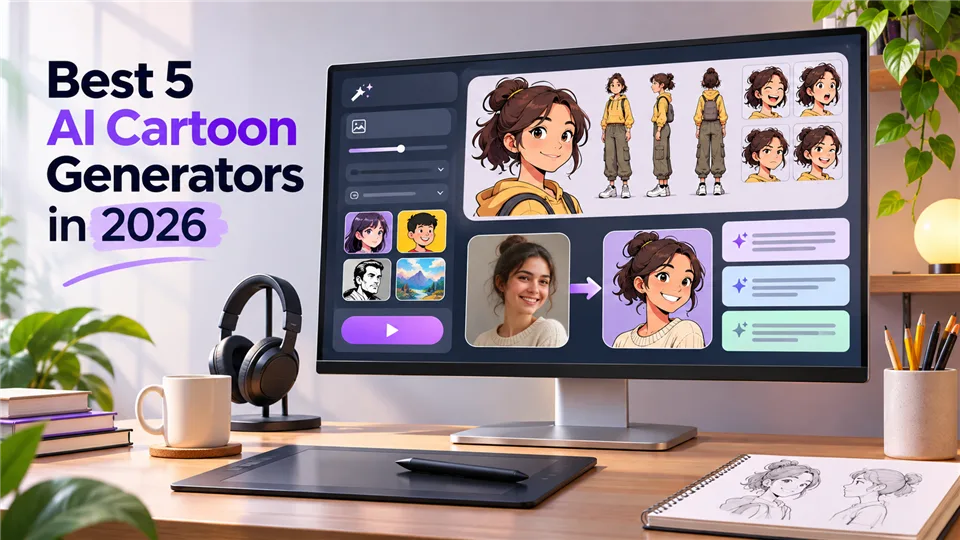

Creating cartoon art used to require drawing skills, editing software, and plenty of time. Today, an AI cartoon generator can turn a selfie, product photo, sketch, or text prompt into a finished cartoon in seconds.
The best tool depends on what you want to make. Some generators focus on photo-to-cartoon effects, while others are better for original characters, marketing graphics, or animated scenes. We compared five practical options by output quality, style control, ease of use, editing features, and creative flexibility.
Best AI Cartoon Generators at a Glance
| Tool | Best for | Main input | Key strength |
|---|---|---|---|
| Adobe Firefly | Custom cartoon illustrations | Text and images | Prompt control and style variations |
| Canva | Social posts and everyday designs | Text, photos, templates | Generation and design editing together |
| Kling AI | Stylized characters and animation | Text and reference images | Creative control and image-to-video options |
| Rewind.ai | Fast casual cartoon creation | Text and images | Simple workflow and quick results |
| Cartoonize | Photo-to-cartoon effects | Photos | Fast conversion with minimal setup |
1. Adobe Firefly — Best Overall AI Cartoon Generator
Adobe Firefly is the strongest all-round choice for creators who want to generate cartoon illustrations from detailed prompts. You can describe a character, scene, art direction, lighting, clothing, and mood, then refine the result through additional variations.
It works well for children’s book characters, comic-style posters, mascot concepts, and cartoon scenes. Reference images help guide pose and composition, while style controls make it easier to move between comic-book, anime-inspired, retro, and 3D looks.
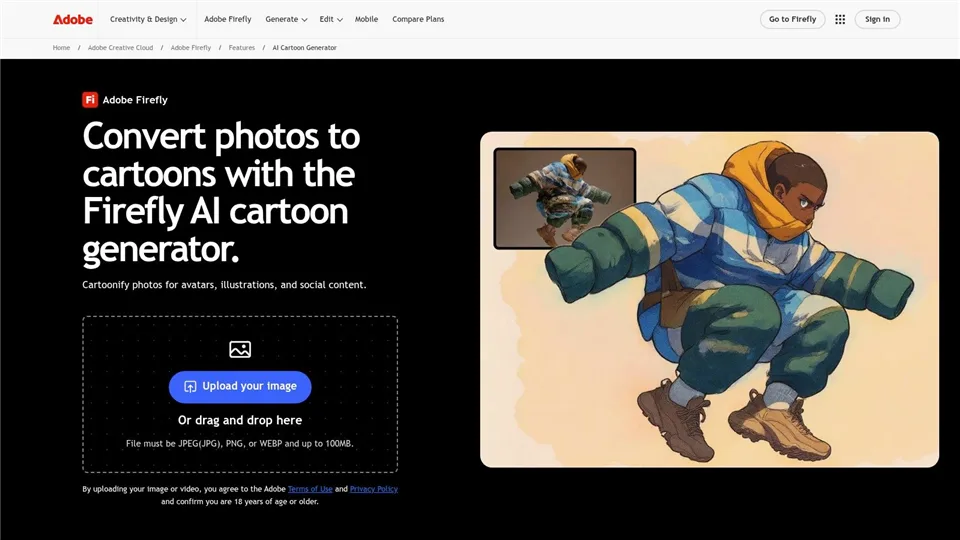
Pros: detailed prompt control, many style directions, useful reference-image workflow. Cons: advanced features may require a paid plan, and vague prompts can produce inconsistent results.
2. Canva — Best for Social Media and Everyday Designs
Canva is a practical choice when you want to create a cartoon and immediately turn it into a finished design. After generating or cartoonizing an image, you can place it into a social post, invitation, presentation, thumbnail, flyer, or profile graphic.
The workflow is especially friendly to non-designers. Templates, backgrounds, text, stickers, frames, and layout tools are available in the same editor, so you do not need to move the generated image into another application.
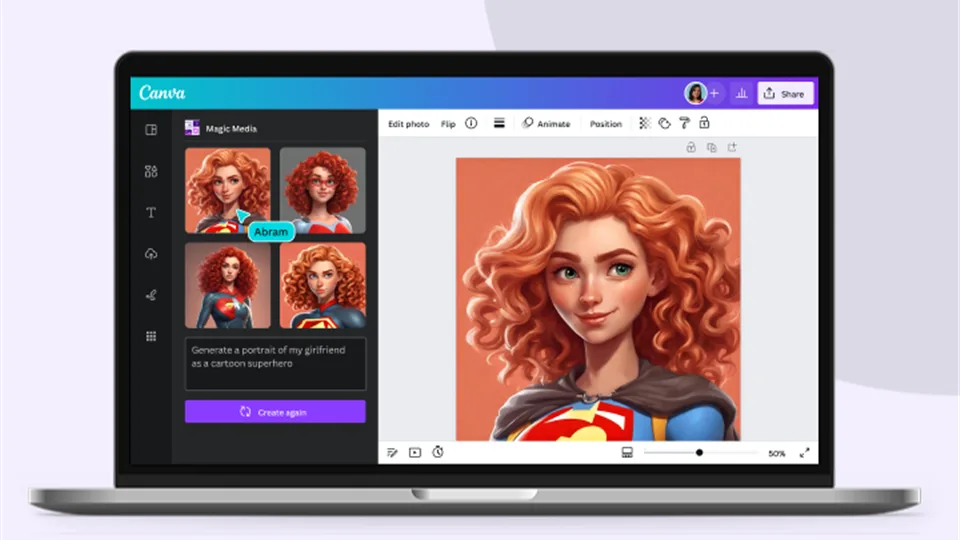
Pros: beginner-friendly, strong templates, convenient editing and export. Cons: character consistency is limited, and some AI features depend on the plan.
3. Kling AI — Best for Stylized Characters and Animated Cartoons
Kling AI is a good option when you want more than a single cartoon image. It can create stylized characters from prompts or reference images and can turn still artwork into short animated clips.
It suits creators making short social videos, animated concepts, character introductions, and visual experiments. The trade-off is that character details may change between scenes, so longer stories often need extra editing.
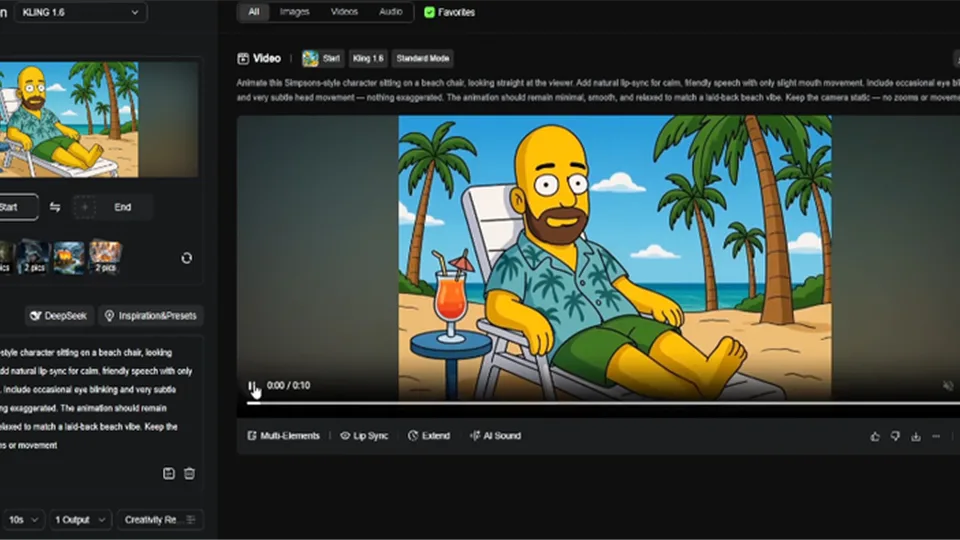
Pros: supports reference images, offers animation tools, and provides creative flexibility. Cons: video generation takes longer and repeated characters may require several attempts.
4. Rewind.ai — Best for Fast and Casual Cartoon Creation
Rewind.ai is designed for quick results rather than a complex professional workflow. Enter a prompt or upload an image, choose a cartoon direction, and generate a result without spending much time on technical settings.
It is useful for profile pictures, fun social posts, simple avatars, and quick creative experiments. It is less suitable for detailed art direction or production-ready illustration.
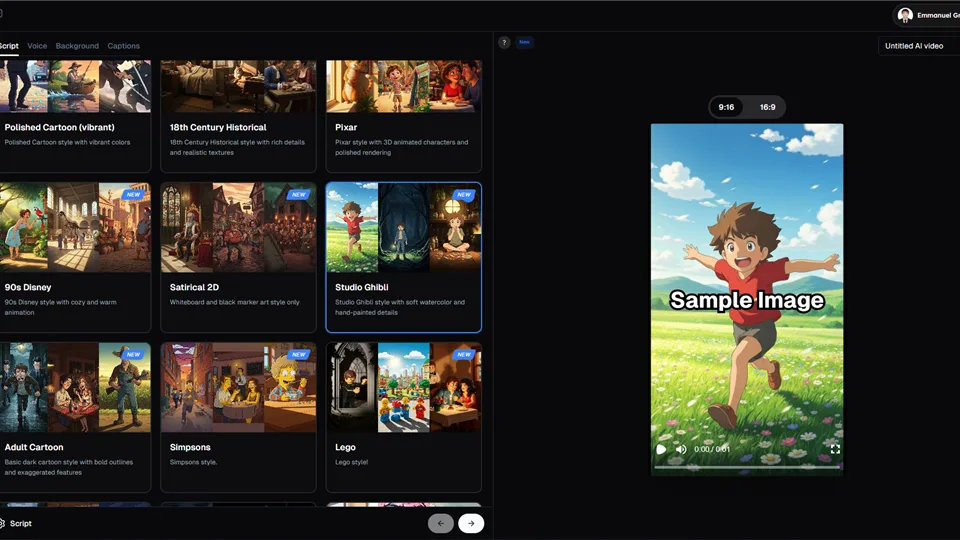
Pros: simple workflow, fast results, and low learning curve. Cons: fewer editing controls and less precise character design.
5. Cartoonize — Best for Photo-to-Cartoon Effects
Cartoonize focuses on converting an existing photo into a cartoon-style image. Upload a portrait, pet photo, or everyday snapshot, choose an effect, and let the tool create a stylized version.
It is ideal when you already have the image you want to transform. The process is faster than building a scene from a text prompt, although it offers less control for original characters and new compositions.
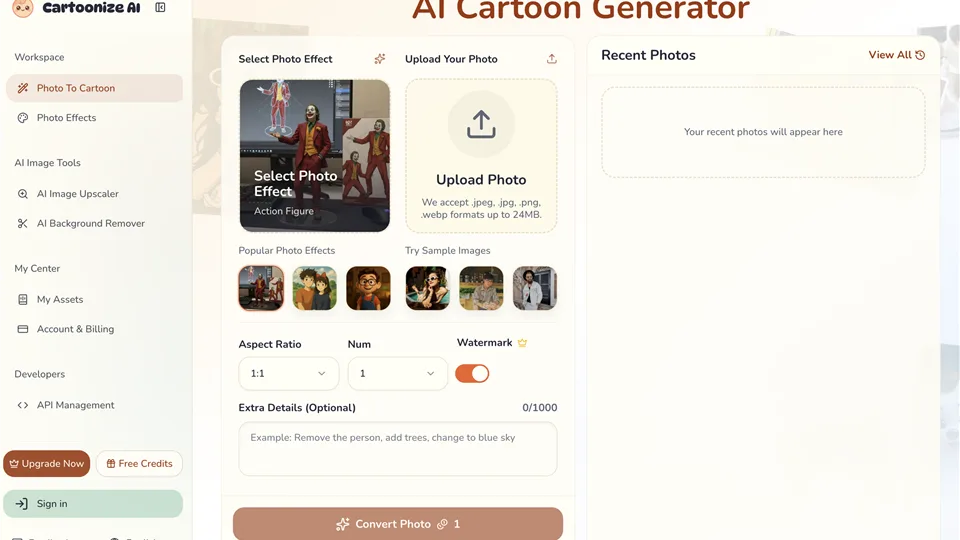
Pros: simple photo conversion, fast output, and minimal learning curve. Cons: limited composition control and strong dependence on source-photo quality.
Which AI Cartoon Generator Should You Choose?
- For original cartoon illustrations: Adobe Firefly.
- For social posts and finished designs: Canva.
- For animated cartoon content: Kling AI.
- For quick casual portraits: Rewind.ai.
- For simple photo cartoonization: Cartoonize.
How to Get Better Results
- Describe the art style, colors, lighting, pose, and mood instead of writing only “make it a cartoon.”
- Use a clear, well-lit reference image with a simple background.
- Keep the character description consistent when generating multiple images.
- Create several variations before choosing a final result.
- Check hands, eyes, accessories, and any text before publishing.
FAQ
What is an AI cartoon generator?
It is a tool that uses AI to create or transform images into cartoon-style artwork from text, photos, sketches, or reference images.
Can I turn a photo into a cartoon?
Yes. Canva, Rewind.ai, and Cartoonize are designed for photo-to-cartoon workflows.
Can AI cartoon generators create original characters?
Yes. Text-based generators can create characters from descriptions of appearance, clothing, pose, setting, and style.
Can an AI cartoon generator create animation?
Some tools can animate a still cartoon or generate short clips. Kling AI is the best fit in this list when animation matters.
Are AI-generated cartoons safe for commercial use?
Commercial rights depend on the tool’s terms, plan, and the content of your prompt. Check the current license before using an image in advertising or paid client work.
Final Verdict
Adobe Firefly is the strongest overall choice for controlled illustration, Canva is ideal for everyday design, Kling AI is best for animated cartoon content, Rewind.ai is convenient for quick experiments, and Cartoonize is the simplest option for photo effects. Choose the tool that matches your workflow, then review the final image carefully before publishing.
Latest Reviews
5 Best AI PDF Editors in 2026: Edit, OCR & Rewrite PDFs

Best 5 AI 3D Model Generators in 2026

6 Best AI App Builders in 2026: From Prompt to Product
Best 5 PDF Editors in 2026: The Right Tool for Editing, Signing, and Managing PDFs
MOSS-Image LoRA Training: Fizgig, AI Toolkit, KohakuMossTrainer and sd-scripts
8 AI Writing Platforms for Journal Manuscript Preparation
