Best 5 Certificate Creators and Certificate Makers in 2026
Compare the best certificate creators and certificate makers in 2026, including Canva, Adobe Express, Certifier, Visme, and Microsoft PowerPoint.


A professional certificate can make an award, course, workshop, or employee achievement feel official. The best certificate creator tools help you design polished documents without spending hours adjusting borders, fonts, logos, and signatures.
This guide compares five certificate makers for 2026. Some focus on visual design, while others are better for issuing and managing digital certificates.
Best Certificate Makers at a Glance
| Certificate maker | Best for | Templates | Digital issuing | Print export |
|---|---|---|---|---|
| Canva | General certificate design | Excellent | Limited | Yes |
| Adobe Express | Professional branded certificates | Excellent | Limited | Yes |
| Certifier | Digital credentials | Good | Excellent | Yes |
| Visme | Visual and branded certificates | Good | Limited | Yes |
| Microsoft PowerPoint | Office and school workflows | Good | Limited | Excellent |
How We Evaluated These Certificate Creators
We considered template quality, editing controls, logo and brand support, AI assistance, PDF and image export, digital sharing, batch creation, collaboration, free-plan restrictions, and suitability for schools, businesses, events, and online courses.
1. Canva — Best Overall Certificate Maker
Best for beginners and small teams
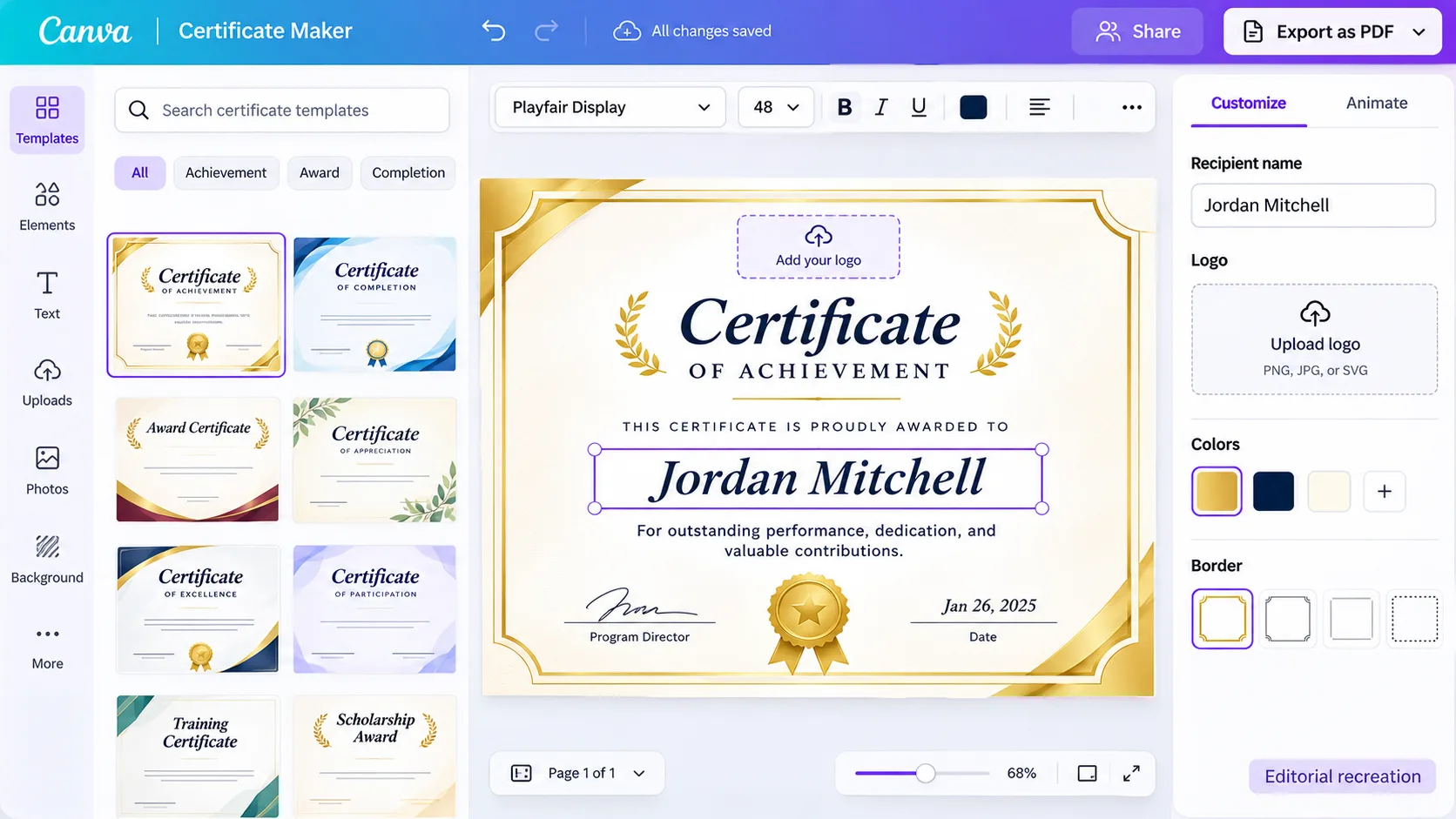
Canva is the most versatile choice for people who want to create attractive certificates quickly. Its drag-and-drop editor includes templates for awards, course completion, employee recognition, participation, appreciation, and academic achievements.
You can customize the recipient’s name, title, date, signature, logo, colors, fonts, borders, and decorative elements. Canva also works well when the certificate is part of a larger design project, such as course materials, event graphics, or social posts.
Key features
- Large certificate template library
- Drag-and-drop editing
- Logo, signature, font, and color customization
- Blank-canvas design
- Collaboration and shared editing
- PDF, PNG, and print exports
Pros
- Very easy to learn
- Strong template variety
- Good for one-off certificates and small batches
- Useful branding tools
Cons
- Some assets require a paid plan
- Certificate verification is limited
- Batch issuing is not its main focus
Best for: teachers, small businesses, event organizers, and creators.
2. Adobe Express — Best for Professional Certificate Design
Best for branded certificates and awards
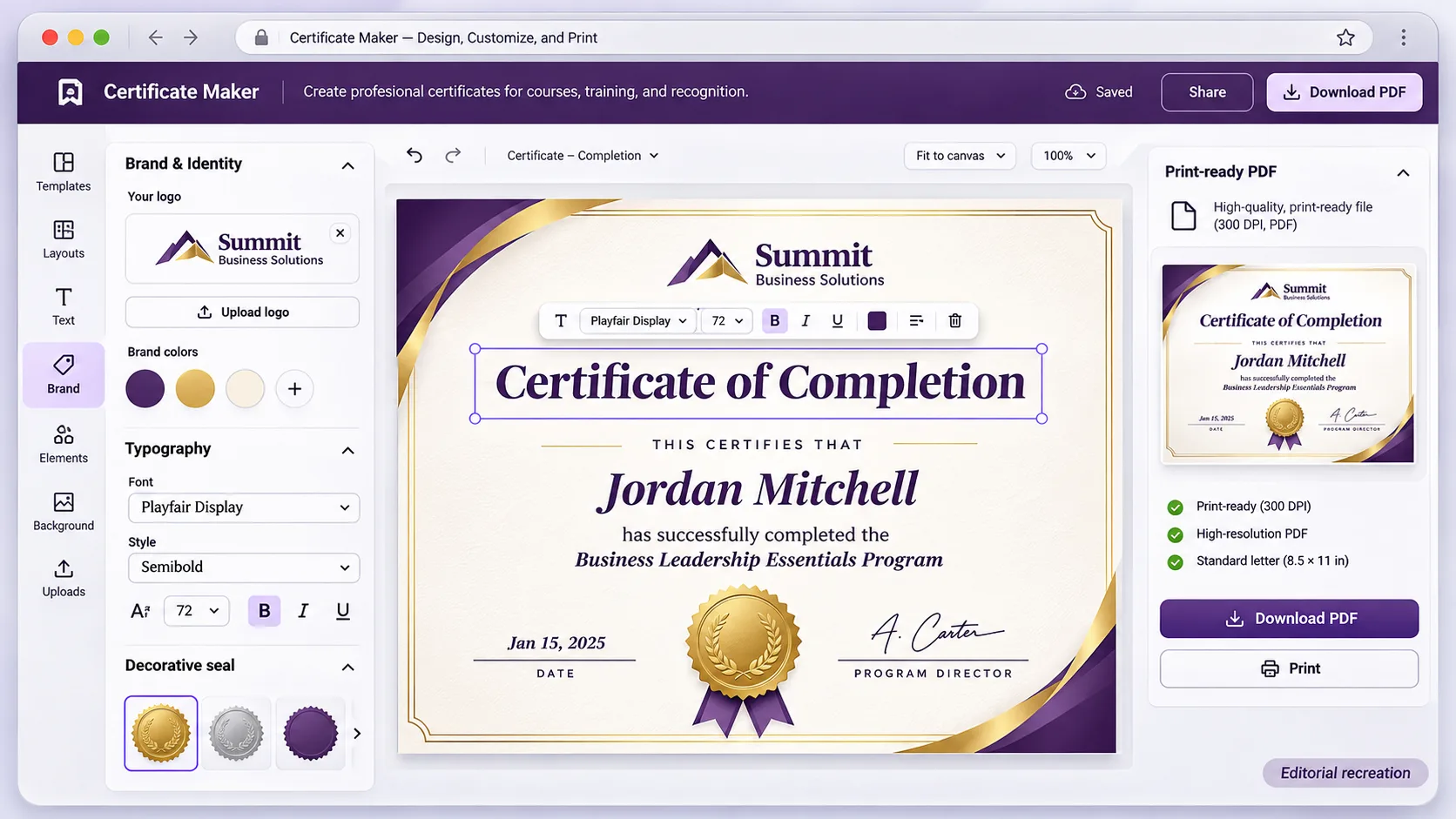
Adobe Express is a strong certificate creator for users who want polished visual results with professional typography and branding controls. It offers templates, fonts, icons, layout tools, logo integration, and generative design features in a browser-based editor.
It is particularly useful for business certificates, employee awards, training certificates, and branded events. You can apply organization colors, edit spacing, and create a consistent design system across a whole certificate series.
Key features
- Professional certificate templates
- Typography, icons, and graphics
- Brand colors and logo controls
- AI-assisted design features
- High-resolution PDF and image export
- Print-friendly layouts
Pros
- Professional visual results
- Strong typography and layout controls
- Good for business branding
- Easy to adapt one design into a series
Cons
- Some features require a premium plan
- More complex than basic template editors
- AI layouts may need manual adjustment
Best for: businesses, schools, marketers, and designers.
3. Certifier — Best for Digital Certificate Issuing
Best for courses and recurring training programs
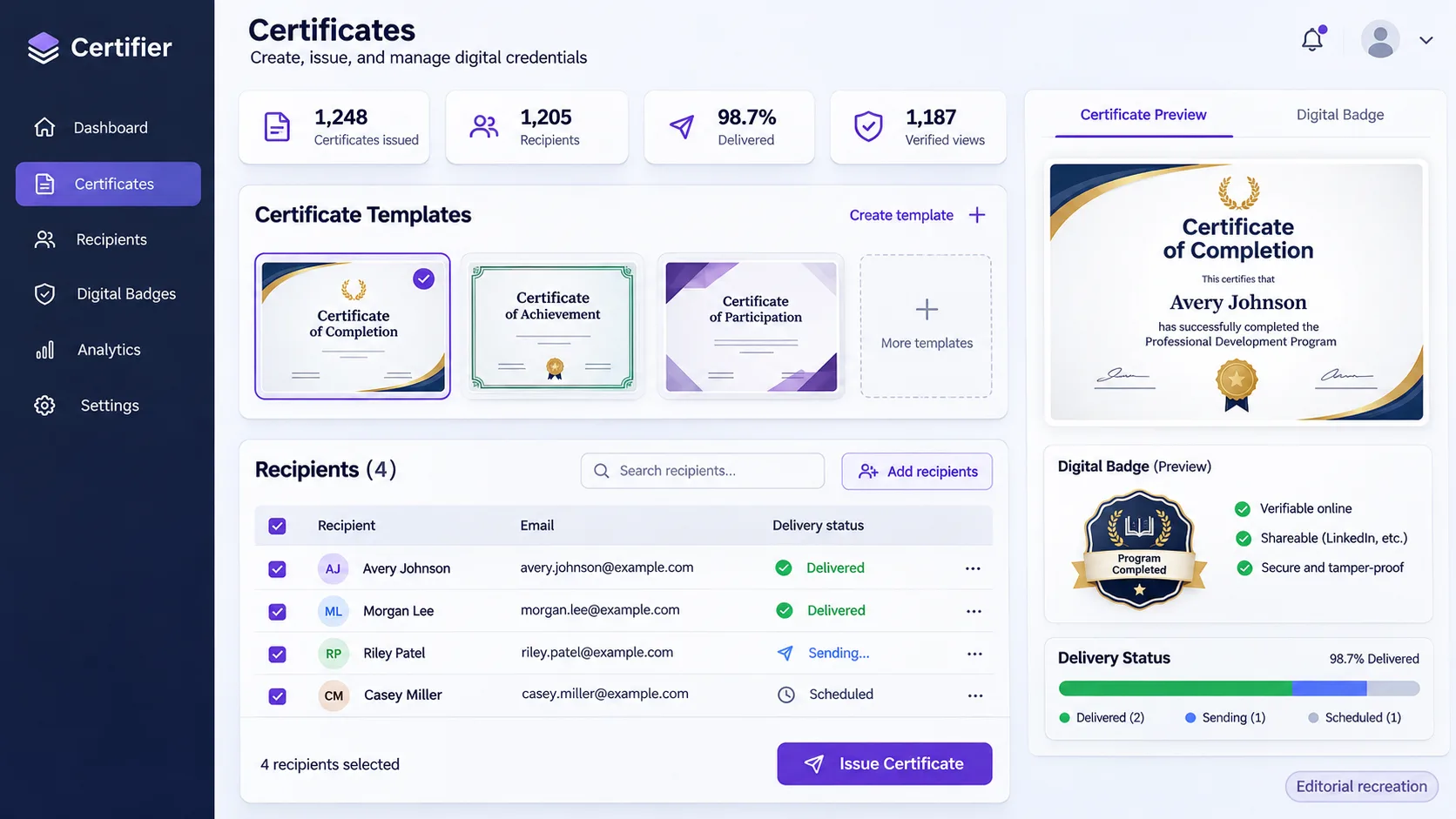
Certifier is designed for organizations that need to create, issue, and manage digital certificates. It supports certificate and badge creation, recipient management, digital delivery, and credential workflows, making it more suitable for online courses and training programs than a simple design editor.
The design builder still provides control over layouts, branding, logos, signatures, and text. Its biggest advantage is what happens after the design is finished: distribution and credential management are part of the same workflow.
Key features
- Digital certificate and badge creation
- Branded templates
- Recipient management
- Digital sharing and delivery
- Credential tracking
- Organization-level workflows
Pros
- Strong digital issuing tools
- Good for recurring certificate programs
- Combines design and distribution
- More structured than a basic editor
Cons
- Less flexible for freeform visual design
- Advanced workflows are generally paid
- Unnecessary for one printable certificate
Best for: course creators, training companies, schools, and membership programs.
4. Visme — Best for Branded and Visual Certificates
Best for distinctive certificate designs
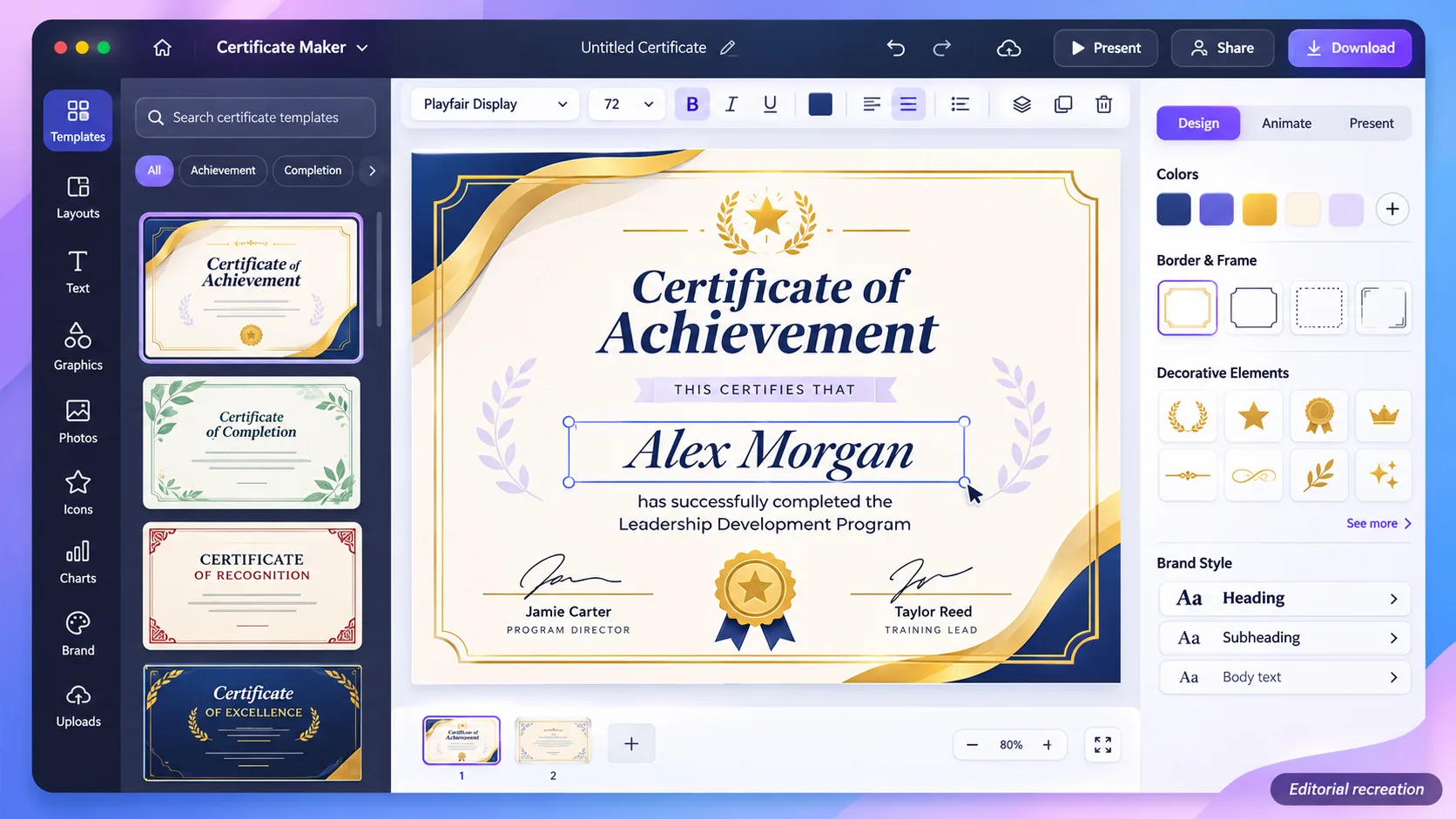
Visme is a visual-content platform with certificate templates, fonts, icons, illustrations, and layout controls. It is useful for organizations that want certificates to feel more distinctive than a standard formal template.
You can customize colors, fonts, images, seals, borders, and signature areas, then export the finished design for sharing or printing. Visme offers a practical middle ground between a basic template site and professional design software.
Key features
- Custom certificate templates
- Brand controls for colors and fonts
- Icons, illustrations, shapes, and photos
- Drag-and-drop editing
- Team collaboration
- PDF and image export
Pros
- Attractive visual design system
- Good for branded certificate series
- Useful graphics library
- Suitable for schools and businesses
Cons
- Some downloads and assets require payment
- More features than needed for a simple certificate
- Digital issuing is not its main focus
Best for: organizations that want visually distinctive certificates.
5. Microsoft PowerPoint — Best for Familiar Office Workflows
Best for schools and offices
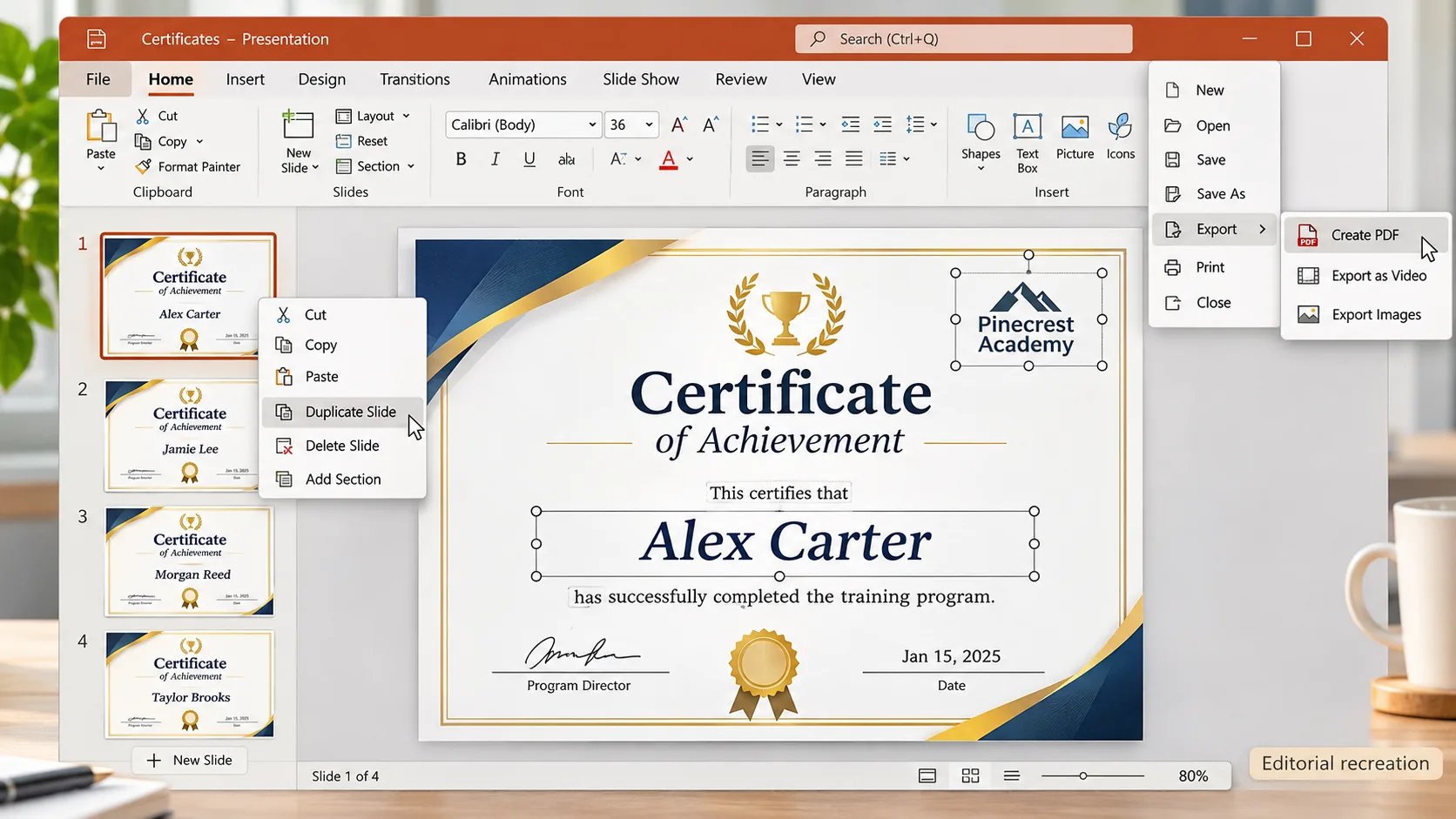
Microsoft PowerPoint is a practical certificate maker for teams and schools already working in Microsoft 365. Its familiar slide editor lets users update names, achievements, dates, logos, signatures, and colors without learning a new design platform.
PowerPoint is convenient for certificates that need to be printed on standard Letter or A4 layouts. You can duplicate a finished slide to create multiple certificates and export the results as PDF or PNG.
Key features
- Ready-made certificate templates
- Familiar slide-based editing
- Logo and signature insertion
- Custom colors, fonts, and shapes
- Duplicate slides for multiple recipients
- PDF, PNG, and JPEG export
Pros
- Familiar to office users
- Good control over page size and layout
- Easy to duplicate certificates
- Strong printing support
Cons
- Less specialized for digital credentials
- Design quality depends on the template
- Batch personalization requires extra workflow tools
Best for: offices, schools, teachers, and teams already using PowerPoint.
Which Certificate Creator Should You Choose?
- Best all-purpose design: Canva.
- Best professional branding: Adobe Express.
- Best digital issuing: Certifier.
- Best visual layouts: Visme.
- Best familiar office workflow: Microsoft PowerPoint.
How to Make a Certificate Online
- Decide whether the certificate will be printed, shared digitally, or both.
- Choose a template with enough room for the recipient’s name.
- Add the organization, title, achievement, date, and signature.
- Upload a logo, seal, or supporting graphic.
- Check spelling, names, dates, and signatory details.
- Export a high-resolution PDF for printing or PNG for digital sharing.
- Use a credential platform if you issue certificates regularly.
FAQ
What is a certificate creator?
A certificate creator is an online tool for designing certificates from templates or a blank canvas. It usually lets you edit text, colors, logos, signatures, borders, and graphics.
What is the difference between a certificate maker and a certificate generator?
The terms are often interchangeable. A maker usually emphasizes editing and layout, while a generator may also suggest or automatically create designs.
Can I create a certificate for free?
Yes. Canva, Adobe Express, Visme, and PowerPoint provide free or included certificate design options, although some assets and exports may require payment.
What size should a printable certificate be?
Letter landscape is common in the United States, while A4 landscape is widely used elsewhere. Choose the size before designing.
Can I add a logo and signature?
Yes. Most certificate makers let you upload a logo, seal, signature image, or other branding element.
Which certificate maker is best for online courses?
Certifier is the strongest option when you need to create and send many digital certificates. Canva or Adobe Express may be better for manual distribution.
How can I make a certificate look professional?
Use a clear hierarchy, limit the number of fonts, keep the recipient’s name prominent, use consistent brand colors, leave enough whitespace, and proofread every detail.
Final Verdict
Canva is the best overall certificate maker, Adobe Express is stronger for polished brand work, Certifier is better for digital credentials, Visme offers distinctive layouts, and PowerPoint remains practical for office and school workflows. Choose the tool based on whether you need a one-time printable award or an ongoing certificate program.
Related Reviews
The 5 Best Image Watermark Remover AI Tools in 2026

ERNIE-Image Review: Open-Source Image AI, LoRA, Local Setup and NSFW Policy

MiniMax H3 Image Review: 4K Editing, VRAM, Pricing and NSFW Limits
Tsubaki.3 Review: Anime, Manga, Pricing & NSFW (2026)
Best 5 Sticker Makers and Sticker Generators in 2026

Nucleus Image Review: 17B Sparse MoE, Local Setup, NSFW Support, and Apache 2.0 Open Weights