Best 5 AI Poster Makers Of 2026
Compare the best AI Poster Maker tools for events, marketing campaigns, social posts, business visuals, and print-ready poster design.


An AI Poster Maker can help you move from a blank canvas to a usable poster much faster, but the best tool is not always the one that generates the flashiest image. A good poster still needs readable text, clear hierarchy, the right size, strong visuals, and enough editing control to fix whatever the AI gets wrong.
That is why this guide focuses on tools that combine AI generation with practical design features. Some are better for small business marketing. Some are stronger for brand-safe content. Some are built for quick social and event posters, while others are better when you need charts, data, or more structured business communication.
Below are five AI poster makers worth trying, with honest notes on where each one works best and where it may fall short.
Table of Contents
- How I Chose the Best AI Poster Makers
- AI Poster Makers at a Glance
- 1. Design.com
- 2. Canva
- 3. Adobe Express
- 4. PosterMyWall
- 5. Picsart
- Which AI Poster Maker Should You Choose?
- Tips for Making Better Posters With AI
- FAQ
How I Chose the Best AI Poster Makers
For this list, I looked beyond basic text-to-image generation. Posters are not just pictures. They usually include a headline, date, location, offer, call to action, brand elements, and sometimes print requirements. A tool can generate a nice background and still be a poor poster maker if it cannot handle layout, typography, resizing, and export well.
The tools were evaluated based on these criteria:
1. Poster-specific workflow: Does the tool provide poster templates, sizes, or print-friendly output?
2. AI assistance: Can it generate images, copy, templates, backgrounds, or design ideas from prompts?
3. Editing control: Can users adjust fonts, spacing, colors, photos, layers, and brand assets after AI generation?
4. Ease of use: Is it approachable for non-designers?
5. Business usefulness: Does it support marketing, events, campaigns, collaboration, or social sharing?
6. Limitations: Where does the tool still require manual design judgment?
No AI Poster Maker is perfect. The strongest results usually come from using AI to create a first draft, then editing the layout and copy by hand.
AI Poster Makers at a Glance
| AI Poster Maker | Best for | Standout strengths | Main limitation |
|---|---|---|---|
| Design.com | AI-generated posters and direct printing | 9,000+ templates, text-to-poster generation, extensive editing assets, multiple export formats, worldwide printing | Some templates and advanced features require a paid plan |
| Canva | Most users and teams | Huge template library, Magic Studio AI tools, collaboration, print options | Popular templates can make designs feel familiar unless customized |
| Adobe Express | Polished brand and campaign posters | Adobe Stock, AI image/template generation, text effects, strong export options | Some advanced creative control still sits in Adobe’s pro apps |
| PosterMyWall | Small business and event marketing | Prompt-based design creation, marketing templates, social scheduling, email and event tools | Less refined for highly custom or premium editorial layouts |
| Picsart | Fast creative posters and social visuals | AI image generation, stickers, photo editing, templates, upscaling | Better for visual creativity than formal brand systems |
1. Design.com
Best free AI poster maker for fast design and printing
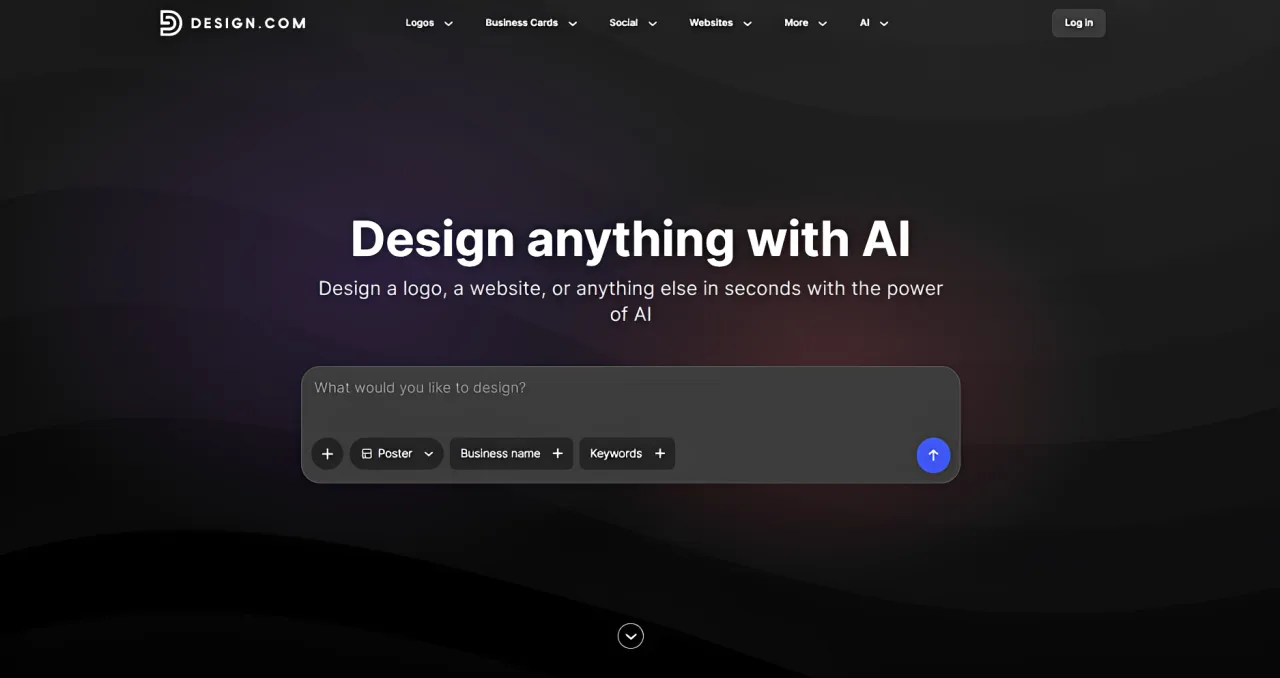
Design.com is a strong choice for anyone who wants to create, customize, download, and print posters within one beginner-friendly platform. Its AI poster generator can turn text, keywords, or business details into unique poster concepts in seconds, making it useful for events, promotions, social campaigns, business announcements, and personal projects.
You can customize the generated designs by changing fonts, colors, graphics, and layouts in the online editor. Design.com provides more than 9,000 poster templates, 750+ fonts, and 62,000+ vector shapes, giving users plenty of room to refine their posters without advanced design skills. Free templates are also available to customize and download without an upfront payment.
Another advantage is the unified digital and print workflow. Posters can be downloaded in PNG, JPG, SVG, EPS, and PDF formats or ordered as physical prints directly through Design.com. Users can choose from semi-gloss, glossy, and matte paper, order between 1 and 200 posters, and receive free worldwide shipping.
Design.com also connects poster creation with more than 50 other branding and design tools. This makes it convenient for small businesses that want to coordinate posters with logos, business cards, websites, email signatures, and social media graphics.
Key functions
- AI poster generation from text, keywords, or business details
- 9,000+ customizable poster templates
- 750+ fonts, including 525+ exclusive fonts
- 62,000+ custom vector shapes
- Simple editing tools for fonts, colors, graphics, and layouts
- Free poster templates available to customize and download
- Digital exports in PNG, JPG, SVG, EPS, and PDF
- Built-in poster printing for quantities from 1 to 200
- Semi-gloss, premium glossy, and premium matte paper options
- Free worldwide shipping for printed posters
- Access to 50+ additional design and branding tools
Pros
- Easy for beginners and non-designers
- Generates poster concepts in seconds
- Large template, font, and shape libraries
- Supports both digital downloads and physical printing
- Free templates are available
- Useful for keeping posters and other brand materials consistent
- Wide selection of print-ready file formats
Cons
- Some templates and advanced features require a paid plan
- Print sizes, delivery options, and final costs may vary by location
Verdict
Design.com is one of the best free poster maker tools for users who want speed, customization, and printing in one place. Its combination of AI generation, free templates, extensive creative assets, flexible file formats, and direct worldwide printing makes it particularly useful for small businesses, creators, event organizers, and beginners.
2. Canva
Best AI Poster Maker for most people

Canva is the easiest recommendation for users who want an AI Poster Maker that feels complete from start to finish. It has a large poster template library, a beginner-friendly drag-and-drop editor, stock assets, collaboration features, and built-in print options. Canva’s poster maker also connects with Magic Studio, which includes AI tools for writing, image generation, image editing, translation, and resizing.
The biggest advantage is that Canva does not force you to choose between AI and manual design. You can start from a poster template, generate a visual with AI, ask Magic Write for headline ideas, remove or edit image elements, adjust the layout, then export for digital sharing or printing. That makes it useful for event posters, classroom posters, retail promotions, nonprofit campaigns, social announcements, and quick business graphics.
Canva is also strong for teams. You can invite collaborators, leave comments, work with brand colors, and reuse templates across campaigns. For small teams that do not have a dedicated designer, this matters more than one impressive AI generation.
Key functions
- Poster templates for events, retail, education, quotes, conferences, and more
- AI image and media generation through Canva AI tools
- AI writing support for headlines, captions, and body copy
- Magic Edit, Magic Eraser, Magic Grab, Translate, and Magic Resize
- Brand kits, collaboration, comments, and team workflows
- Export to PNG, JPG, PDF, and Canva Print options
Pros
- Very easy for beginners
- Strong all-in-one poster workflow
- Huge template and asset library
- Good collaboration features
- Useful for both digital and printed posters
Cons
- Many templates are widely used, so customization is important
- Some AI and brand features require paid plans
- Professional designers may want deeper layout and typography control
Verdict
Canva is the best first choice for most people. It is not the most specialized AI poster generator, but it offers the best balance of AI assistance, templates, editing control, collaboration, and print-readiness.
3. Adobe Express
Best AI Poster Maker for polished brand visuals

Adobe Express is a strong option if you want posters that feel more polished and campaign-ready. It combines poster templates, Adobe Stock assets, brand controls, and generative AI features such as image generation, template generation, text effects, and object insertion or removal.
The Adobe advantage is the creative ecosystem. You can start quickly in Express, use Adobe Stock content, import your own files, and keep the design close to a more professional visual standard. It is especially useful for businesses, creators, schools, and marketers who want attractive posters without opening Photoshop or Illustrator.
Adobe Express is also good when typography matters. Poster design often fails because the image looks good but the headline is weak, crowded, or hard to read. Express gives users enough control over fonts, color, background, layout, and effects to clean up an AI-generated concept.
Key functions
- Poster templates for many categories and use cases
- Text-to-image generation
- AI template generation from prompts
- AI text effects for stylized headlines
- Object insertion and removal
- Adobe Stock content and Adobe Fonts
- Export to PDF, PNG, and JPG
Pros
- Strong visual quality
- Good fit for branded marketing posters
- Useful AI tools beyond simple image generation
- Access to Adobe creative assets
- Cleaner design feel than many lightweight poster apps
Cons
- Some assets and premium features require a paid plan
- Not as deep as Photoshop or Illustrator for advanced design work
- Beginners may still need to adjust spacing and hierarchy manually
Verdict
Adobe Express is the best choice for users who care about visual polish but still want a simple online workflow. It is especially good for campaign posters, school posters, branded announcements, and promotional graphics.
4. PosterMyWall
Best AI Poster Maker for small business and event marketing

PosterMyWall is built around practical promotion. It is not just a poster design tool; it also supports flyers, social posts, videos, digital signage, email marketing, event pages, scheduling, and small business campaigns. Its AI tools can turn prompts into designs, generate images, help with copy, remove backgrounds, and support broader marketing workflows.
This makes PosterMyWall a useful choice for restaurants, churches, local shops, bands, schools, clubs, event organizers, and nonprofits. If you need to announce a sale, promote a concert, create a menu special, advertise a workshop, or publish a social campaign around a poster, PosterMyWall is designed for that kind of work.
Its strength is speed and practicality. You can start from templates, use AI to create a first design, resize for different channels, and connect the poster to social or email promotion. It may not produce the most elegant editorial design, but it is very useful when the goal is to get a campaign out quickly.
Key functions
- Prompt-based AI design creation
- AI image generation and AI writing tools
- Poster, flyer, banner, menu, invitation, and social templates
- Background remover and resizing tools
- Social media scheduling
- Email campaign and event promotion features
- Mobile app availability
Pros
- Great for local marketing and events
- Covers more than poster creation
- Fast template-based workflow
- Useful AI tools for design and copy
- Good fit for non-designers managing frequent promotions
Cons
- Designs can feel template-driven if not customized
- Less suited to high-end brand campaigns
- Advanced layout control is not the main focus
Verdict
PosterMyWall is ideal if your poster is part of a real marketing campaign. It is especially helpful for users who need to create, publish, and promote designs without moving between several separate tools.
5. Picsart
Best AI Poster Maker for creative social posters

Picsart is a strong pick for visually playful posters, creator graphics, product announcements, fan posters, event visuals, and social-first designs. It offers poster templates, image editing tools, fonts, stickers, backgrounds, AI image generation, AI stickers, photo enhancement, and image upscaling.
The experience is more creator-focused than corporate. That can be a strength. If you want a bold poster with stylized visuals, cutouts, effects, generated images, stickers, and quick edits, Picsart gives you plenty of room to experiment. It is also useful when the source image is not perfect, because you can enhance, upscale, edit, or rebuild parts of the visual inside the same ecosystem.
Picsart is less ideal for strict brand governance or data-heavy business posters. It is better when visual energy matters more than formal structure.
Key functions
- Poster templates and browser-based poster editor
- AI image generation
- AI sticker generation
- Photo enhancement and image upscaling
- Backgrounds, stickers, fonts, text tools, and design assets
- High-resolution and print-friendly poster export
Pros
- Fun and flexible for creative poster styles
- Strong photo and image editing features
- Useful AI tools for generated visuals and stickers
- Good for social media posters
- Easy to start from templates or scratch
Cons
- Not the best fit for serious corporate design systems
- Some results can look busy without careful editing
- Layout discipline depends heavily on the user
Verdict
Picsart is best for creators, social media managers, students, and small brands that want expressive poster visuals. It is a good AI Poster Maker when you want the poster to feel energetic rather than formal.
Which AI Poster Maker Should You Choose?
Choose Design.com if your poster includes business information, charts, teaching content, or structured messaging.
Choose Canva if you want the safest all-around AI Poster Maker. It is easy, flexible, collaborative, and strong for both digital and print use.
Choose Adobe Express if you want a more polished creative look and like the Adobe ecosystem. It is a good fit for brand campaigns, promotional posters, and professional-looking announcements.
Choose PosterMyWall if you are promoting events or local business offers. It is especially useful when the poster is part of a campaign that also needs social posts, emails, scheduling, or event pages.
Choose Picsart if you want bold, creative, social-first posters with AI-generated visuals, stickers, and image editing.
If you are still unsure, start with Canva or Adobe Express. If your poster is mainly for events and small business marketing, try PosterMyWall. If your poster is visual and creator-led, try Picsart. If it needs to present information clearly, try Visme.
Tips for Making Better Posters With AI
AI can speed up poster design, but it still needs direction. The more specific your prompt and editing plan, the better the final poster will be.
1. Start with the message, not the image. Decide the headline, date, location, offer, and call to action before generating visuals.
2. Use AI for drafts, not final judgment. AI can propose layouts and images, but you should still check readability, spacing, contrast, and accuracy.
3. Keep text short. Posters are meant to be scanned. Use one main headline, one clear supporting line, and only essential details.
4. Check print quality. If the poster will be printed, export at the correct size and use high-resolution images.
5. Avoid overcrowding. AI-generated designs often include too many decorative elements. Remove anything that does not help the message.
6. Use brand assets carefully. Add your logo, colors, and fonts, but do not let branding overpower the main message.
7. Proofread manually. AI tools can generate awkward text, fake details, or misspelled words. Always review before publishing.
FAQ
What is the best AI Poster Maker overall?
Canva is the best overall choice for most users because it combines poster templates, AI design tools, stock assets, collaboration, brand features, and print options in one easy interface.
Can AI create a complete poster from a prompt?
Some tools can create a poster draft from a prompt, but you should expect to edit it. AI often needs help with text hierarchy, exact event details, brand consistency, spacing, and print formatting.
Which AI Poster Maker is best for business posters?
Design.com is strong for business and informational posters, especially when you need charts, icons, data, or structured messaging. Adobe Express and Canva are also good for branded marketing posters.
Which AI Poster Maker is best for event posters?
PosterMyWall is very practical for event posters because it also supports event promotion, social content, email campaigns, and scheduling. Canva and Adobe Express are also excellent for event designs.
Are AI poster makers good for print?
Yes, but you need to check export settings. Look for high-resolution downloads, PDF export, bleed marks, and correct poster dimensions. Canva, Adobe Express, Visme, Picsart, and PosterMyWall all support workflows that can be used for print, though exact export options may vary by plan.
Do I still need design skills to use an AI Poster Maker?
You do not need advanced design skills, but basic judgment helps. You should still check whether the headline is readable, the contrast is strong, the layout is balanced, and the most important information is easy to find.
Can I use AI-generated poster designs commercially?
It depends on the tool, the plan, the assets used, and the platform’s license terms. If the poster is for a business campaign, check the licensing rules for AI-generated images, stock photos, fonts, templates, and any uploaded brand assets before publishing or printing.
Final Thoughts
The best AI Poster Maker is not simply the tool that generates the prettiest image. It is the one that helps you create a poster people can actually read, understand, and act on.
For most users, Canva is the best starting point. Adobe Express is stronger for polished brand visuals. PosterMyWall is excellent for small business and event marketing. Picsart works well for creative social posters. Visme is the better choice when your poster needs to explain information clearly.
AI can give you a faster first draft. The final quality still comes from clear messaging, careful editing, and a design that serves the poster’s purpose.
Related Reviews
6 Best AI Face Swap Tools for Video Face Swap Projects in 2026

MP3 to Text: 5 Best Tools to Convert Audio to Text Accurately
GLM-5.3-Flash Review: Ox-Alpha, API Access, Benchmarks, and NSFW Limits

YuE2-3B Review: Local AI Music, Suno Comparison & ComfyUI
The 5 Best Image Watermark Remover AI Tools in 2026
Best 6 AI Image Upscaler Tools for Sharper Photos, Product Images, and AI Art