5 Best AI Avatar Generators in 2026
Compare the best AI avatar generators for realistic video presenters, training, interactive experiences, profile portraits, and branded characters.
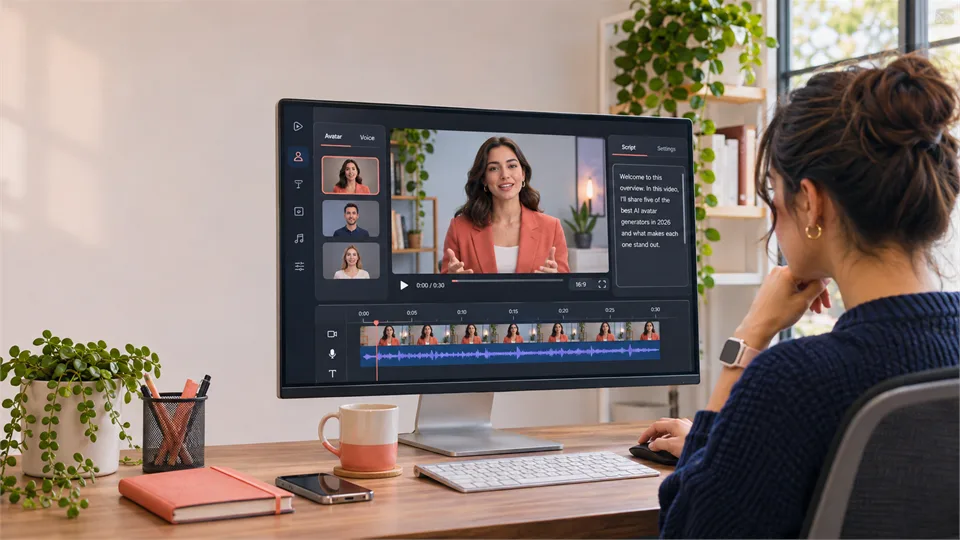

AI avatar generators now do far more than produce cartoon profile pictures. You can create a realistic presenter for a training video, a reusable digital version of yourself, a stylized character for social media, or a synthetic portrait for a product mockup.
That range makes choosing the right tool harder. Some products create still images only, while others turn a script, photo, or short recording into a talking video avatar. This guide compares five of the best AI avatar generators in 2026 and explains who each one suits.
What Is an AI Avatar Generator?
An AI avatar generator creates a digital character or presenter with AI. The output can range from a single illustrated profile image to a realistic talking person in a finished video.
- Static avatar generators create a profile image, character portrait, headshot, or branded illustration.
- Talking avatar generators turn a script, voice recording, or audio file into a video featuring a digital presenter.
- Personal avatar tools create a reusable avatar based on your own photo or recording, usually with a consent and verification process.
A good tool should fit the job. If you need a presenter for onboarding, a static image generator is not enough. If you only need an original social avatar, a full video platform may be more than you need.
How We Evaluated the Best AI Avatar Generators
We compared the tools on avatar quality, output type, customization, personal-avatar options, editing workflow, business readiness, ease of use, and safety. In particular, we looked at whether users can control the avatar’s appearance, voice, language, background, script, and final output without creating a complicated production process.
Best AI Avatar Generators at a Glance
| Tool | Best for | Avatar type | Main strength | Main limitation |
|---|---|---|---|---|
| HeyGen | Marketing and creator videos | Realistic talking video avatars | Personal avatars, voices, and multilingual video tools | Frequent high-quality rendering can use credits quickly |
| Synthesia | Training and internal business video | Professional AI presenters and personal avatars | Structured enterprise video workflow | Less suited to casual social content |
| D-ID | Interactive and expressive avatar experiences | Talking avatars, custom presenters, visual agents | Avatar video plus interactive AI experiences | Advanced custom options can require higher plans |
| Fotor | Static AI profile images and creative portraits | AI faces, headshots, and image avatars | Fast visual customization for still images | Not designed for presenter-led video production |
| Canva | Stylized characters and branded designs | Illustrated and design-focused avatars | Easy customization in a design workflow | Less realistic than dedicated avatar-video platforms |
1. HeyGen — Best Overall for AI Avatar Videos
Best for: Creators, marketers, and teams that want realistic talking avatars for social, sales, training, and multilingual video.
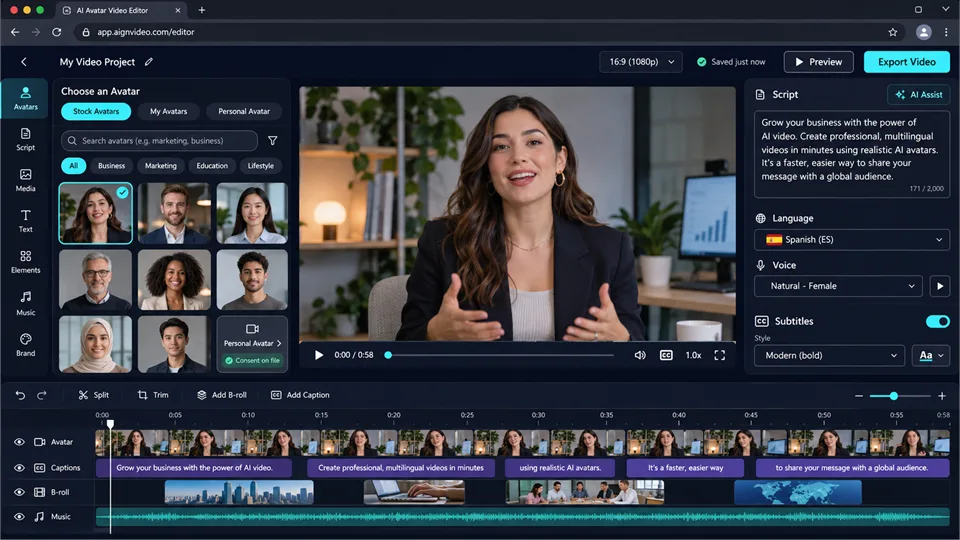
HeyGen is a strong all-around platform for AI avatar video. You can choose a stock presenter, create a photo avatar, or build a personal avatar from your own recording. Add a script, select a voice and language, and generate a presenter-led video without filming every version yourself.
Its strength is flexibility. The same avatar can appear in short social clips, product explainers, course modules, and translated versions of a video. Captions, templates, transitions, background media, and Brand Kit controls help turn an avatar into a complete video rather than a simple talking-head export.
Key Features
- Large library of stock AI presenters
- Personal avatars from photos or video recordings
- Script-to-video workflow with captions and B-roll
- Voice selection and consent-based voice-cloning options
- Multilingual output and lip-sync support
- Templates and Brand Kit controls
Pros
- Strong balance of realism, customization, and editing
- Works for both personal creators and marketing teams
- Useful for multilingual content production
- Supports stock presenters and personalized digital doubles
Cons
- Advanced video generation can consume credits quickly
- Quality still depends on a clear script and good source material
- Personal avatar creation requires appropriate consent and verification
2. Synthesia — Best for Training and Enterprise Video
Best for: Businesses creating training, onboarding, policy, product, and internal communication videos.
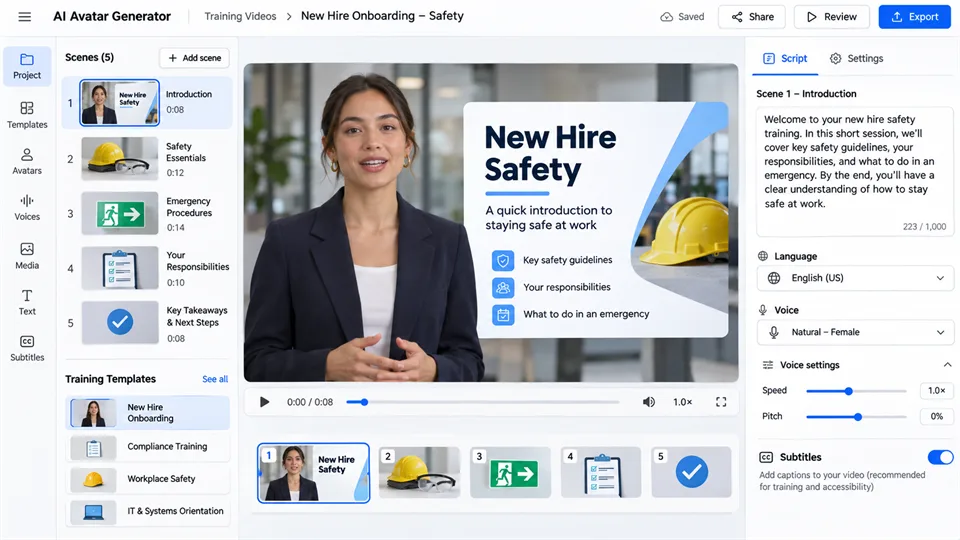
Synthesia is designed around professional business video. It is particularly useful when a company needs to update training, explainers, and internal communications without booking a camera crew each time information changes.
Choose a stock presenter or create a personal avatar through an identity and consent-oriented process. Then build scenes, add a script, select languages and voices, include subtitles, and create consistent learning content for different teams or markets.
Key Features
- Professional stock AI presenters
- Personal avatar options based on photos, video, or studio footage
- Script-to-video and scene-based editing
- Templates for onboarding and training
- Multilingual voices, subtitles, and localization tools
- Team-focused video management
Pros
- Excellent fit for enterprise learning and communications
- Professional-looking presenters and templates
- Useful for updating training content without reshooting
- Strong emphasis on consent and verification for personal avatars
Cons
- Less playful and creator-focused than HeyGen
- Not the best option for stylized characters or casual social content
- Most valuable to teams with recurring video needs
3. D-ID — Best for Interactive and Expressive Avatars
Best for: Teams that want talking avatars, custom presenters, or interactive AI experiences rather than one-way videos only.
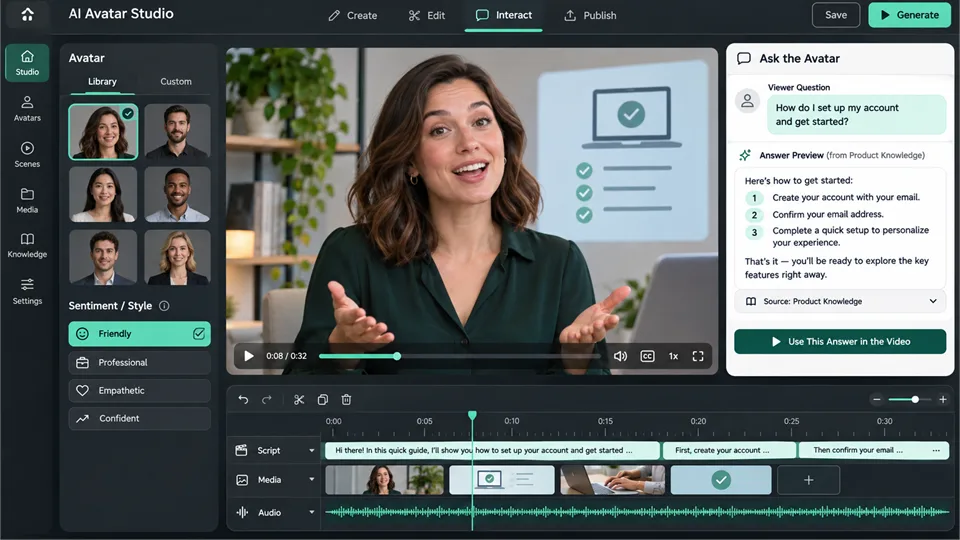
D-ID can create scripted talking videos, animate a photo or generated character, and support interactive visual agents. Start with a stock avatar, an AI-generated presenter, a personal avatar, or a custom image; then add a script or audio, customize the scene, and produce a video.
The platform stands out because it can extend beyond a finished video. Interactive visual-agent experiences allow viewers to ask questions by chat or voice, which can be useful for product education, support, onboarding, and other content that benefits from interaction.
Key Features
- Stock avatars and text-generated presenters
- Photo-to-talking-avatar workflow
- Personal and custom avatar options
- Script, text, and audio-based video creation
- Voice cloning, multilingual delivery, and scene customization
- Interactive visual agents and API access
Pros
- Useful for both scripted videos and interactive experiences
- Flexible input from a prompt, photo, or recording
- Supports expressive delivery and reusable presenters
- Good fit for creators, marketers, and developers
Cons
- Advanced personal and custom avatars may require higher plans
- Quality depends on the source image, audio, and script
- Interactive capabilities can be more complex than a simple video workflow
4. Fotor — Best for Static AI Avatars and Profile Images
Best for: Users who need a custom AI face, social profile image, creative portrait, or stylized static avatar.
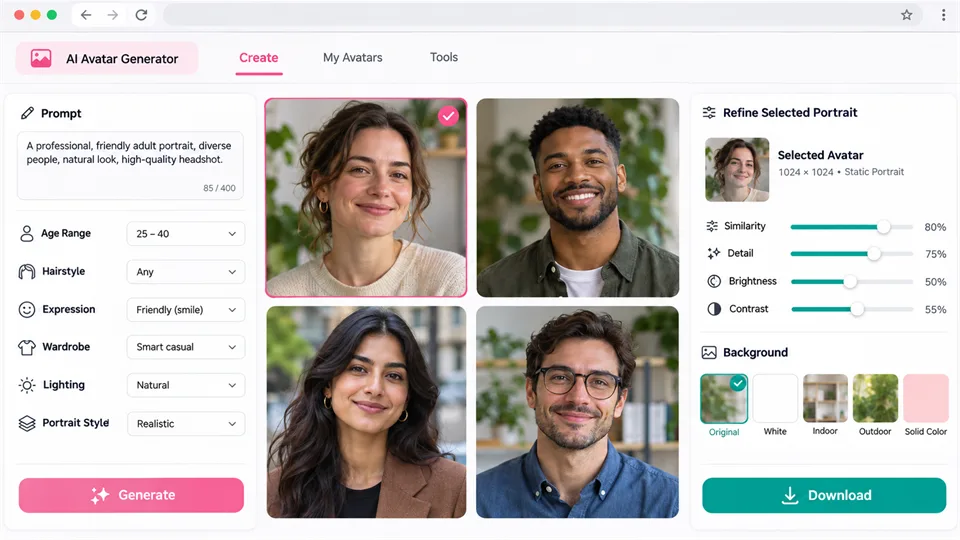
Fotor is the simplest choice when the goal is an image rather than a speaking video. Its AI face and avatar tools can create a synthetic portrait from a prompt or transform an uploaded photo into a new style.
You can guide the result with details such as age range, hairstyle, expression, lighting, wardrobe, and photography style. That makes it useful for profile concepts, social graphics, fictional personas, gaming communities, and creative campaign visuals.
Key Features
- Prompt-based AI face and portrait generation
- Photo-to-avatar and creative portrait workflows
- Controls for age, hair, expression, style, and lighting
- Several photography and illustration styles
- Image editing tools for refining the final result
Pros
- Fast way to create a unique static avatar
- Useful for profile images, social posts, and fictional personas
- Simple prompt workflow for beginners
- Strong range of visual-style options
Cons
- Does not provide a full talking-avatar workflow
- Generated faces can require several attempts to match a precise vision
- Fine details may need retouching
- Commercial usage should be checked against current plan terms
5. Canva — Best for Stylized Avatars and Branded Character Design
Best for: Social teams, educators, creators, and businesses making illustrated avatars or branded character assets.
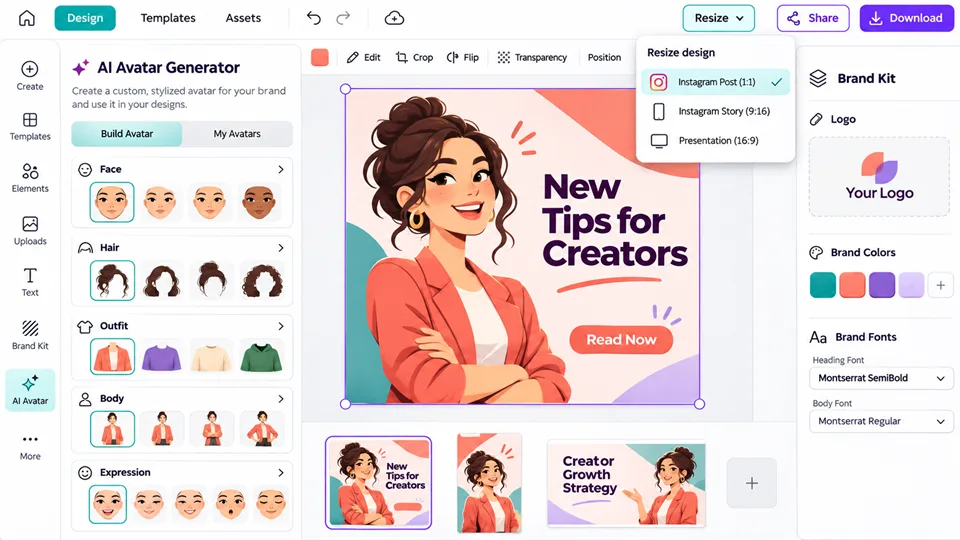
Canva is not a dedicated realistic-avatar video platform. Instead, it gives users a practical way to build stylized characters and turn them into finished design assets. Its character-building tools let you choose faces, bodies, expressions, and visual details, then place the avatar in presentations, social posts, infographics, and marketing materials.
This is especially useful when the avatar should feel friendly and illustrated rather than photorealistic. A startup can create a recurring mascot, a teacher can create classroom characters, and a social team can build a consistent illustrated identity for its posts.
Key Features
- Character-building tools for faces, bodies, and expressions
- Templates for social posts, presentations, and branded graphics
- Brand Kit support for colors, logos, and fonts
- Text, illustrations, stickers, and layout tools
- Collaboration and resize features
Pros
- Excellent for stylized, approachable avatars
- Easy to use an avatar in polished designs immediately
- Strong branding and multi-format layout control
- Useful for teams and non-designers
Cons
- Not intended for highly realistic talking-avatar videos
- Character options can feel less unique than generated custom portraits
- Fine animation and lip-sync need additional tools or apps
Which AI Avatar Generator Should You Choose?
| If you need to… | Best choice |
|---|---|
| Create realistic talking-avatar marketing videos | HeyGen |
| Produce training, onboarding, and internal videos at scale | Synthesia |
| Build an interactive avatar or animate a custom presenter | D-ID |
| Make a static AI profile image or creative portrait | Fotor |
| Design a stylized avatar for branded materials | Canva |
Our recommendation: Choose HeyGen for the most flexible all-around avatar video workflow. Choose Synthesia for professional learning content, D-ID for interactive experiences, Fotor for static portraits, and Canva for design-focused characters.
How to Create an AI Avatar Responsibly
- Use your own likeness or obtain clear permission. Do not upload another person’s face, voice, or video without consent.
- Use verification when it is available. A consent statement or verification video is an important safeguard.
- Be transparent when it matters. Consider disclosure in customer-facing, educational, or sensitive contexts.
- Protect source files. Photos and voice samples are sensitive personal data; review the provider’s data policy first.
- Avoid impersonation. Never create content that falsely suggests someone endorsed a product or said something they did not say.
- Review every output. Check facts, pronunciation, lip-sync, movements, captions, and claims before publishing.
FAQ
What is the best AI avatar generator?
HeyGen is the strongest overall choice for realistic AI avatar videos and creator-friendly flexibility. Synthesia is better for enterprise training, D-ID is strong for interactive avatars, Fotor is useful for static images, and Canva is ideal for stylized branded characters.
Can I create an AI avatar from a photo?
Yes. Many tools let you upload a clear front-facing photo and turn it into a static avatar or a talking video presenter. Results depend on image quality, lighting, facial visibility, and the tool’s workflow.
Can AI avatars speak different languages?
Yes. Video-avatar platforms can pair an avatar with generated voices in several languages. Always review pronunciation, tone, and lip-sync in the final result.
Can I create an avatar of myself?
Yes, but use a platform that supports personal avatar creation and follow its consent or verification process. Only create an avatar of yourself or someone who has clearly authorized you to use their likeness.
Are AI avatars safe to use commercially?
That depends on the platform, plan, source media, and intended use. Check current licensing terms before using an avatar in advertising or customer-facing content.
Why does my AI avatar look unnatural?
Common causes include a low-quality source photo, poor lighting, an overly long script, difficult names, unnatural pacing, or a mismatch between voice and expression. Use a clear reference image, shorter sentences, natural punctuation, and a preview-and-revise workflow.
Final Verdict
The best AI avatar generator depends on what you want the avatar to do. Choose HeyGen for flexible realistic avatar videos, Synthesia for business training, D-ID for expressive interactive experiences, Fotor for static portraits, and Canva for stylized brand characters.
The most effective AI avatar is not always the most realistic one. Choose the format that helps your audience understand, trust, and remember your message.
Latest Reviews
Best 5 AI Anime Generators in 2026

Best 5 AI Meme Generators in 2026
Best 5 AI GIF Generators in 2026
5 Best AI PDF Editors in 2026: Edit, OCR & Rewrite PDFs
Best 5 AI Cartoon Generators in 2026

Best 5 AI 3D Model Generators in 2026