Best 5 AI Anime Generators in 2026
Compare the best AI anime generators in 2026 for anime portraits, original characters, reference images, social graphics, and creative experimentation.
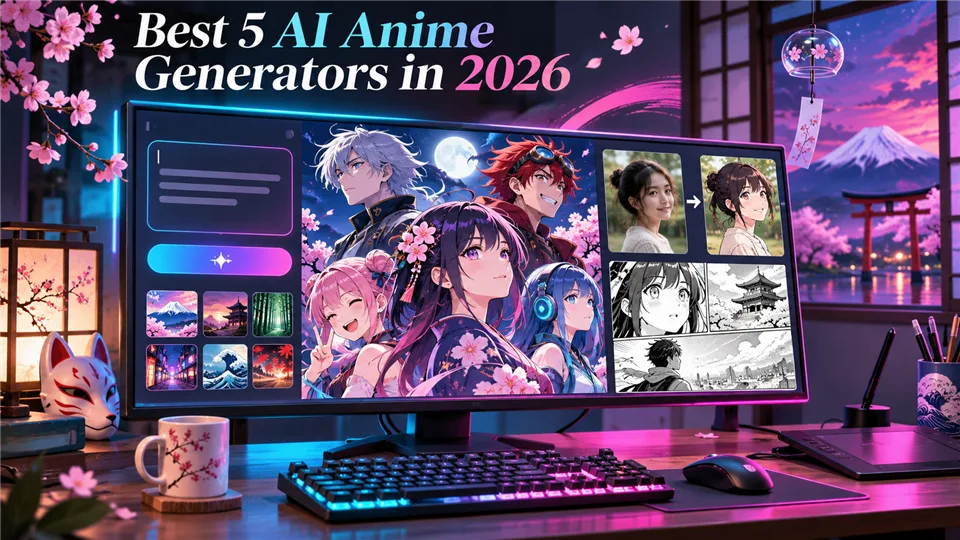

Creating anime artwork no longer requires advanced drawing skills or expensive software. With an AI anime generator, you can turn a text prompt, selfie, sketch, or reference image into anime-style characters and scenes in seconds.
The right tool depends on your workflow. Some platforms focus on quick anime portraits, while others offer character references, community models, image-to-image editing, or deeper controls. We compared five useful options by output quality, style variety, ease of use, customization, and creative flexibility.
Best AI Anime Generators at a Glance
| Tool | Best for | Main input | Key strength |
|---|---|---|---|
| Fotor | Photo-to-anime portraits | Text and photos | Simple workflow with many anime styles |
| PixAI | Anime creators and original characters | Text, images, models | Community models, LoRAs, and references |
| Canva | Social graphics and casual designs | Text, photos, templates | Generation and design editing together |
| Rewind.ai | Fast anime images | Text and images | Presets for popular anime looks |
| AshiGen | Advanced anime experimentation | Text, tags, references | Seeds, pose controls, and custom characters |
1. Fotor — Best for Photo-to-Anime Portraits
Fotor is one of the easiest AI anime generators for beginners. Enter a prompt, upload a photo, choose an anime direction, and generate artwork without learning complex settings. Its photo-to-anime workflow is useful for profile pictures, character portraits, pet illustrations, and social images.
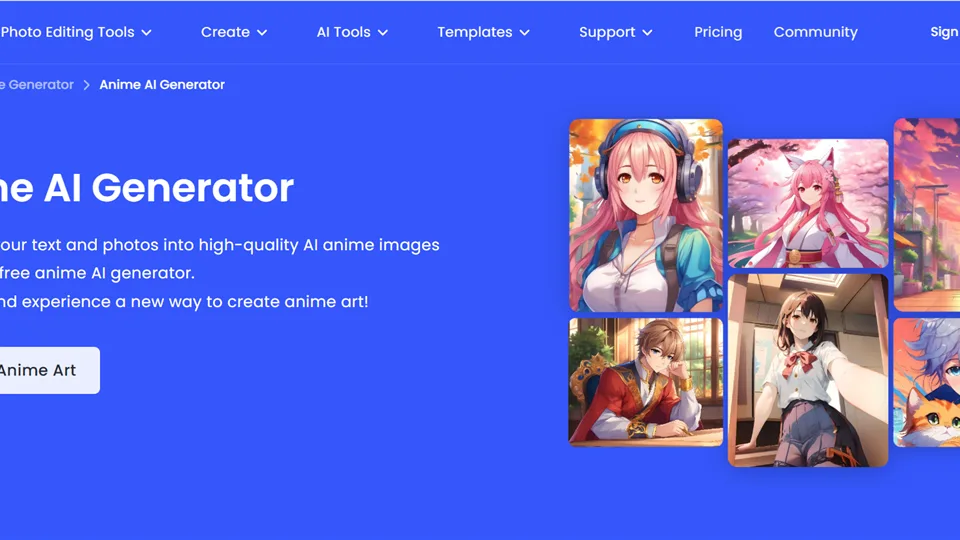
Pros: easy workflow, supports prompts and photos, and offers multiple styles. Cons: fewer advanced controls and variable character consistency.
2. PixAI — Best for Anime Creators and Original Characters
PixAI is built specifically for anime and manga creators. It supports text-to-image, image-to-image, community models, LoRAs, and reference-based creation. This makes it useful when you want to develop an original character or maintain a visual identity across several generations.
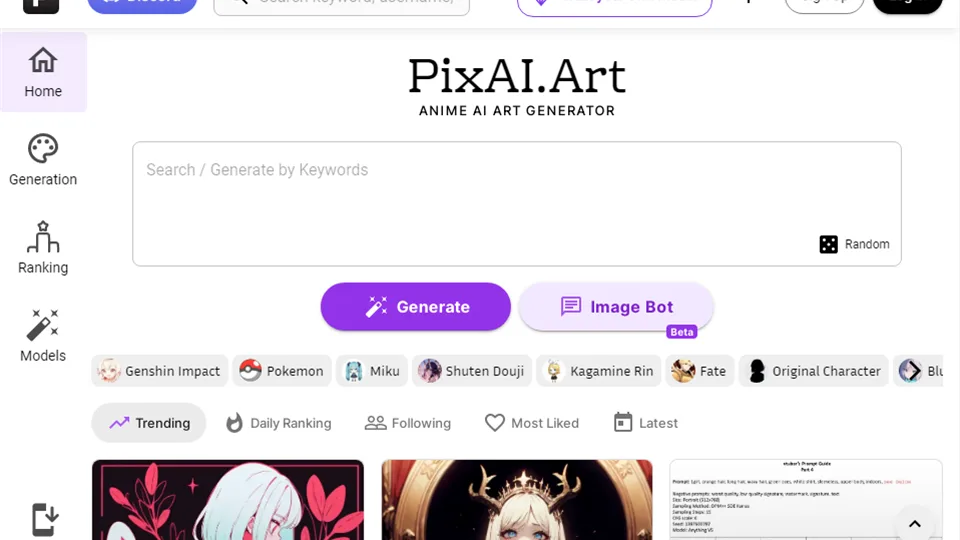
Pros: anime-focused models, community resources, reference workflows, and daily credits. Cons: more settings to learn and model selection can be overwhelming.
3. Canva — Best for Social Graphics and Everyday Anime Designs
Canva is a practical choice when you want to generate anime artwork and immediately use it in a finished design. After creating an image, you can place it in a social post, poster, presentation, invitation, or profile banner without opening another editor.
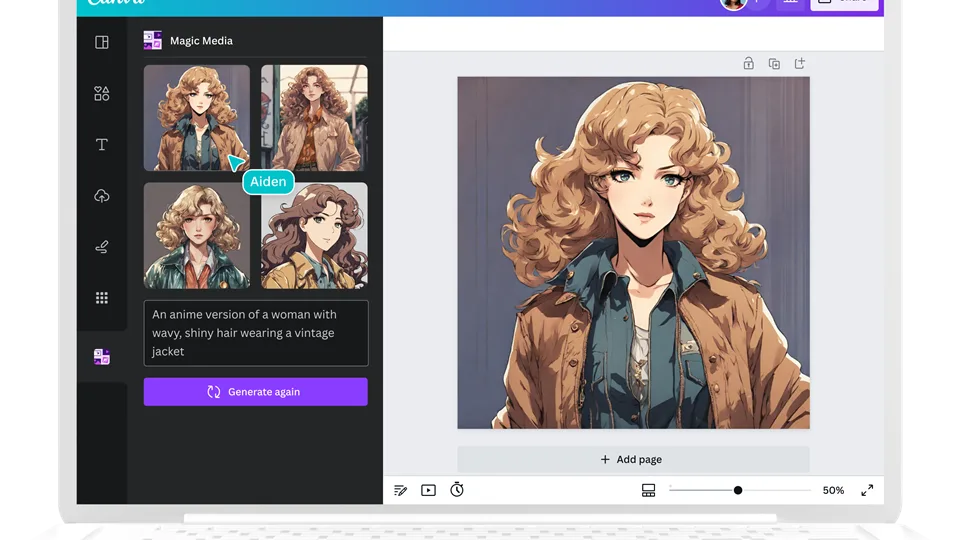
Pros: beginner-friendly, strong templates, and convenient export. Cons: limited advanced anime controls and weaker character consistency.
4. Rewind.ai — Best for Fast Anime Images
Rewind.ai is designed for quick results. Choose a preset such as chibi, manga ink, watercolor anime, or glossy anime, then enter a short description or upload an image. It works well for profile pictures, simple scenes, and creative experiments.
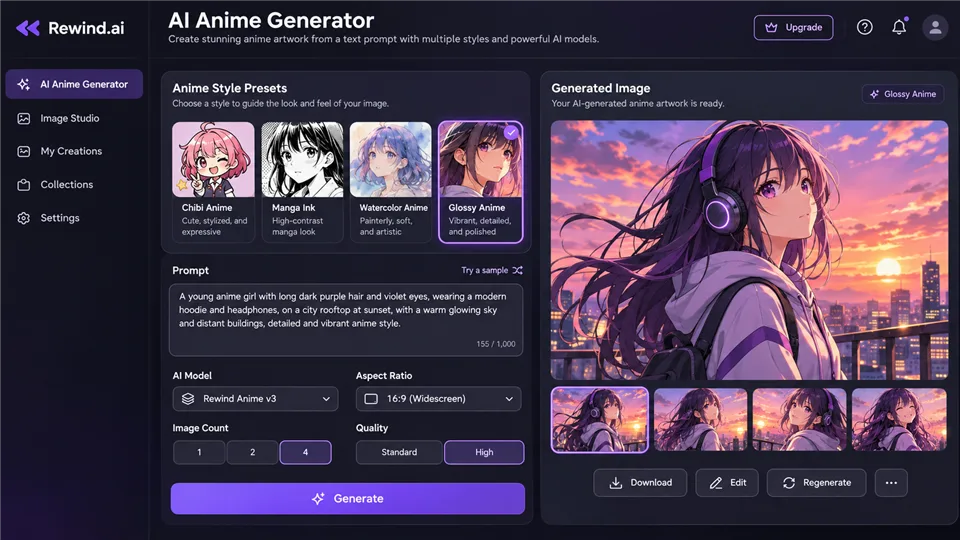
Pros: fast, simple, and easy to experiment with. Cons: fewer advanced controls and limited support for long-form character development.
5. AshiGen — Best for Advanced Anime Experimentation
AshiGen suits users who want more control than a basic anime filter provides. Along with plain-language prompts, it supports tags, seeds, guidance settings, pose control, and custom character workflows.
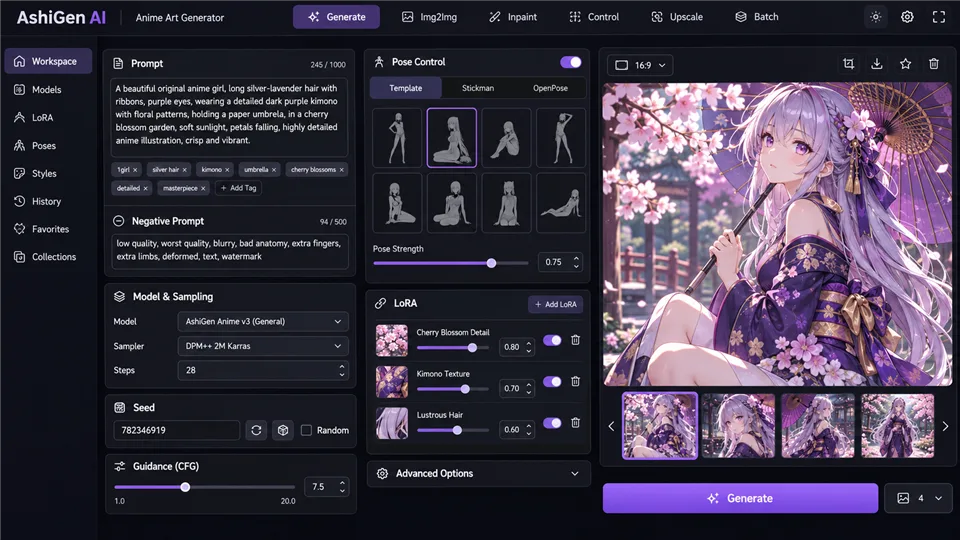
Pros: detailed controls, pose options, and multiple anime model choices. Cons: a steeper learning curve and more technical settings.
Which AI Anime Generator Should You Choose?
- For photo-to-anime portraits: Fotor.
- For original anime characters: PixAI.
- For social and marketing designs: Canva.
- For fast preset-based images: Rewind.ai.
- For advanced experimentation: AshiGen.
How to Get Better Results
- Describe hairstyle, clothing, expression, pose, camera angle, and lighting.
- Name the visual direction instead of writing only “anime.”
- Use a clear reference image with one main subject.
- Repeat core character details when creating a series.
- Generate several variations and review hands, eyes, accessories, and text.
FAQ
What is an AI anime generator?
It is a tool that creates anime-style images from text prompts, photos, sketches, or reference images.
Can I turn a selfie into anime art?
Yes. Fotor, PixAI, Canva, and similar tools support photo-to-anime workflows.
Which generator is best for beginners?
Fotor and Canva are the easiest starting points, while Rewind.ai is convenient for preset-based creation.
Which tool is best for original characters?
PixAI is a strong option because it combines anime-focused models, references, community resources, and LoRA workflows.
Can AI anime generators keep the same character across images?
References, fixed prompts, seeds, and character tools can improve consistency, but manual correction is still common.
Are AI anime images safe for commercial use?
Commercial rights depend on the tool’s terms, plan, model license, and source material. Review the current license before publishing.
Final Verdict
Fotor is the easiest option for photo-to-anime portraits, PixAI is strongest for anime creators and original characters, Canva is ideal for finished graphics, Rewind.ai is convenient for quick images, and AshiGen suits users who want deeper control. Choose the tool that matches your workflow, then review the final artwork before using it publicly.
Related Reviews
How to Design Wedding Invitations Online: A Complete Guide for 2026

Canva Craft Review: 2K Images, Wide Formats, Text and Editing Limits
Krea 2 Edit Review: Downloads, ComfyUI Workflows and Prompt Examples
Best 5 AI 3D Model Generators in 2026
Qwen Image Review: 3.0 vs 2.0, LoRA/GGUF, and NSFW Support

8 Best AI Presentation Makers in 2026