How to Design Wedding Invitations Online: A Complete Guide for 2026
Learn how to design wedding invitations online, choose the right invitation maker, write the wording, prepare files for print, and avoid common mistakes.
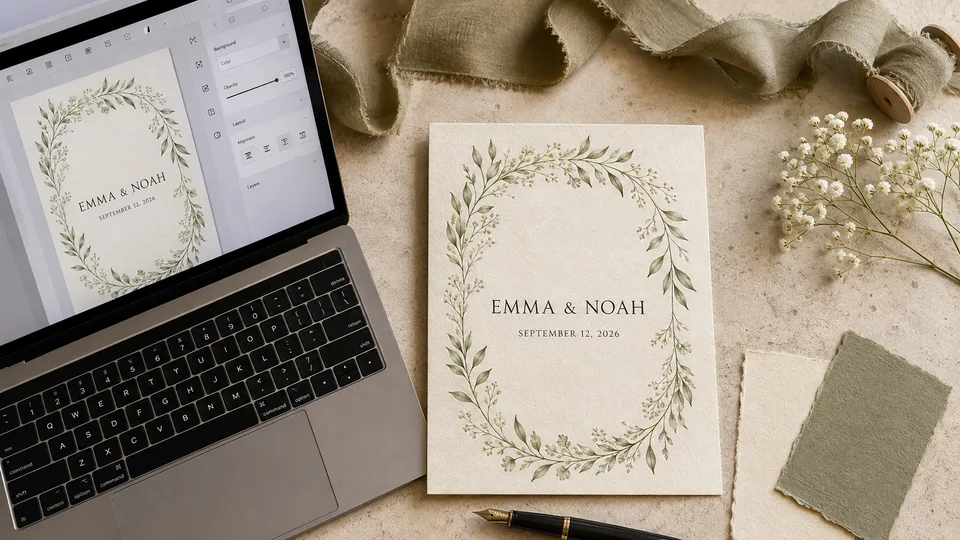

Designing your own wedding invitation gives you more control over the style, wording, and budget, but it also creates a surprisingly long list of decisions. You need to choose the right size, organize the information, pair fonts, prepare images, check the print settings, and make sure guests can actually read every detail.
Fortunately, you do not need professional design software to design wedding invitations. A good online invitation maker provides editable templates, coordinated fonts, layout tools, stock graphics, and export options in one place. Some platforms can also suggest layouts or generate artwork with AI, while others specialize in printable cards or digital invitations.
This guide walks you through the complete process, from planning the content and choosing an invitation designer to downloading a print-ready file. It also compares five useful tools and includes wording examples you can adapt for your own wedding.
Table of Contents
- What Do You Need to Design a Wedding Invitation?
- Choose the Right Wedding Invitation Format
- How to Design Wedding Invitations Online
- Best Online Tools to Design Wedding Invitations
- Wedding Invitation Maker Comparison
- Wedding Card Design Ideas by Style
- What to Write on a Wedding Invitation
- Common Wedding Invitation Design Mistakes
- How Much Does It Cost to Design Wedding Invitations?
- Wedding Invitation Checklist
- FAQ
What Do You Need to Design a Wedding Invitation?
Do not begin with colors or flowers. Start by collecting the information that the card must communicate. A beautiful design cannot compensate for a missing address or the wrong ceremony time.
Prepare the following before opening an invitation maker:
- The names of the couple, written exactly as they should appear
- The names of the hosts, if they will be included
- The wedding date and starting time
- The full ceremony and reception addresses
- RSVP instructions and deadline
- The wedding website address, if applicable
- Dress code or other essential guest information
- Your preferred colors and overall wedding style
- Whether the invitation will be printed, shared digitally, or both
It also helps to decide which information belongs on the main card. Directions, accommodation details, gift information, and schedules can go on an insert or wedding website. Keeping secondary details elsewhere gives the central names, date, and venue enough room to breathe.
Choose the Right Wedding Invitation Format
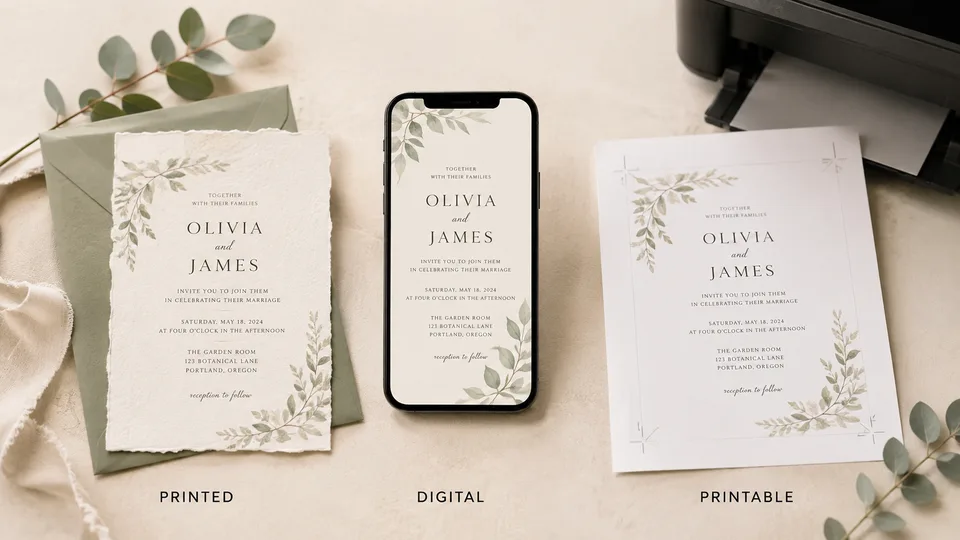
The best format depends on your guest list, budget, schedule, and the formality of the event. You can also combine formats—for example, mail a printed invitation while using a wedding website for RSVPs and travel information.
Printed Wedding Invitations
Printed cards suit formal celebrations and give guests a physical keepsake. They also let you use textured paper, foil, letterpress, rounded corners, or matching envelopes. However, printing and postage add cost, and errors are expensive once the full batch has been produced.
For print, export a high-quality PDF if the printer accepts it. Use the final trim size requested by the printer, include bleed where required, and keep important text inside the safe area. Images should generally be prepared at 300 DPI at their intended print size.
Digital Wedding Invitations
Digital invitations are quick to send and easy to update. They work well for small weddings, destination events, short timelines, or couples who want to manage responses online. A digital design may include a clickable RSVP button, website link, map, or QR code.
Design for a phone screen rather than simply shrinking a printed card. Use larger text, fewer lines, and strong contrast. Send a test version to several devices before distributing it to guests.
Printable Wedding Invitation Templates
A printable template sits between a fully custom printed suite and a digital invitation. You edit the wedding card design online, download the finished file, and print it at home or through a local or online printer. This offers more control over paper and quantity without requiring you to build the layout from scratch.
| Format | Best for | Main advantage | Main limitation |
|---|---|---|---|
| Printed | Formal weddings and keepsakes | Premium physical presentation | Printing and postage cost more |
| Digital | Fast delivery and online RSVP | Easy to send, track, and update | Can feel less traditional |
| Printable template | Budget-conscious DIY couples | Flexible design and print options | Requires careful file preparation |
How to Design Wedding Invitations Online
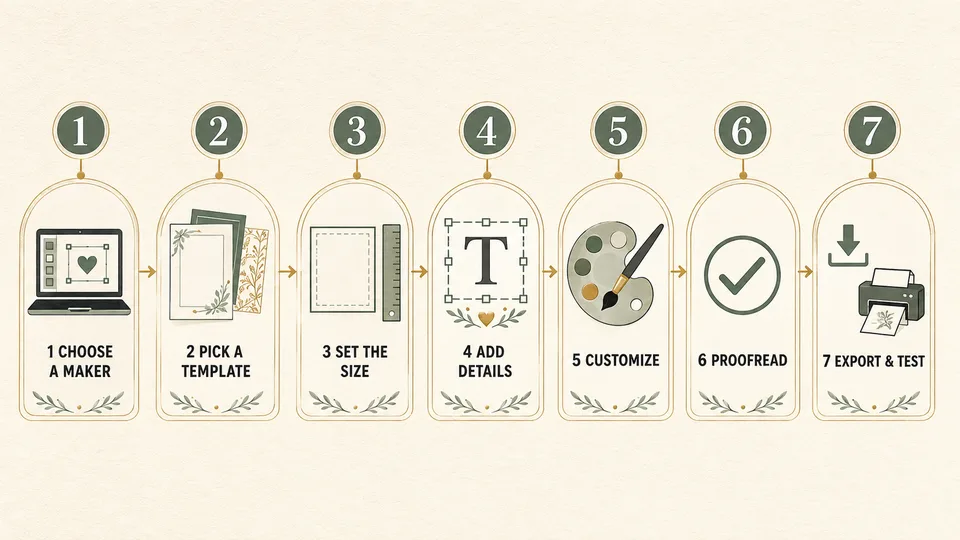
Step 1: Select an Invitation Maker
Choose a tool based on the final result, not simply the number of templates. For a printed suite, confirm that the platform can export a high-resolution PDF and supports bleed or crop marks where necessary. For a digital invitation, look for mobile-friendly layouts, links, animation, or online sharing.
Other useful criteria include the quality of free templates, font selection, photo controls, alignment tools, collaboration, brand-color support, watermark rules, and whether premium graphics remain editable after a subscription ends. If you plan to use AI-generated artwork, review it closely for distorted flowers, inconsistent borders, or unreadable decorative text.
Step 2: Choose a Wedding Card Template
Pick a template that matches the amount of text you need. A highly decorative design may look attractive in the gallery but leave too little space for two venues or detailed RSVP instructions. Check that the template has a clear visual hierarchy and can accommodate longer names without shrinking them excessively.
Treat the template as a starting point. Replace the sample wording first, then adjust the typography and decorations around your real content. This prevents the common problem of choosing a layout that only works with short placeholder text.
Step 3: Set the Correct Invitation Size
A 5 × 7-inch card is a common choice because it provides enough room for key details and fits widely available envelopes. A 4.25 × 5.5-inch card is more compact, while square invitations create a distinctive look but may require special envelopes and additional postage in some countries.
For a digital design, use dimensions suited to the channel where guests will view it. A portrait layout is usually easier to read on phones. If the same design will be printed and shared online, create separate exports rather than relying on one file for both purposes.
Step 4: Add the Wedding Details
A traditional invitation normally follows this order:
- Host line
- Request line
- Names of the couple
- Date and time
- Venue name and location
- Reception information
- RSVP or wedding website details
The exact wording can be formal or conversational, but the practical information should remain unmistakable. Spell out the date for a formal card, and include the year if there is any chance of confusion. Use a complete street address on a details card or website when the main invitation only lists the venue and city.
Step 5: Customize Fonts, Colors, and Graphics
Use two typefaces in most designs: one expressive font for the couple’s names and one highly readable font for the details. A third font may work for small labels, but adding more often makes the invitation feel inconsistent.
Choose colors with sufficient contrast. Pale gray text on cream paper may look elegant on screen but disappear in print. Keep decorative illustrations away from small wording, and use alignment guides to maintain even spacing. If you upload a photo, use the full-resolution original and avoid placing text across faces or busy areas.
Step 6: Proofread the Invitation
Read the invitation slowly, then ask at least one other person to check it. Confirm every name, date, time, address, RSVP deadline, website URL, and QR code. Look at the design at its actual print size; text that appears comfortable at 150% zoom may be too small on paper.
For a bilingual invitation, have a fluent reader review each language separately. Do not rely only on automatic translation, especially for names, cultural expressions, venue instructions, and formal wording.
Step 7: Download, Print, or Share
Download a print-ready PDF for professional printing and a PNG or JPG for digital sharing when appropriate. Keep the editable project and save a backup of the final files. Before ordering the entire quantity, print one physical proof to check size, color, sharpness, margins, and paper choice.
If you want to create a marriage invitation for online delivery, test the file in the exact email or messaging app you will use. Make sure the text remains readable without zooming and that all links work.
Best Online Tools to Design Wedding Invitations
1. Canva — Best Overall Invitation Maker
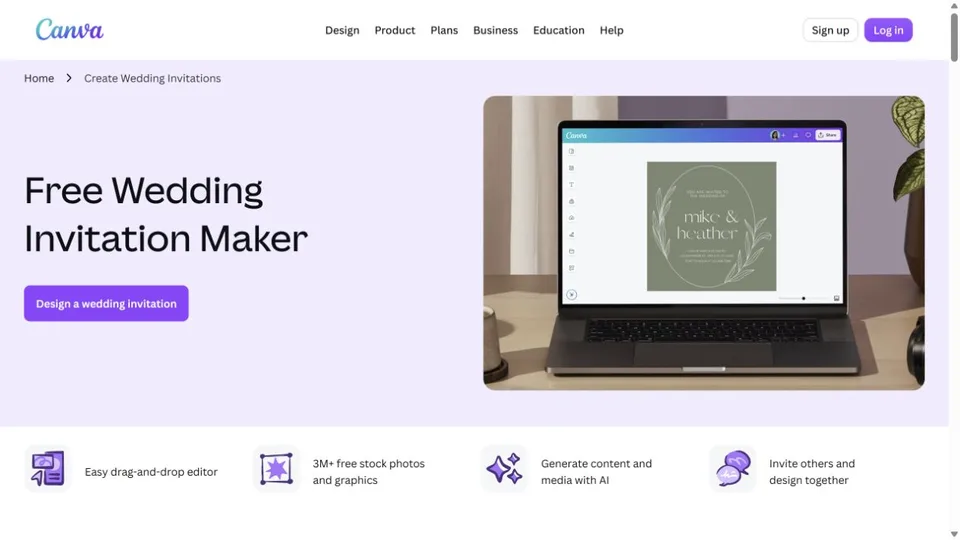
Canva is the most balanced choice for couples who want a large template library and an approachable editor. Its wedding invitation templates cover minimalist, floral, photo-based, rustic, modern, and formal styles. The drag-and-drop canvas makes it easy to replace text, change colors, upload photos, and align decorative elements.
Canva is especially useful when you need more than one item. After creating the invitation, you can build matching save-the-date cards, menus, seating charts, social posts, and thank-you cards in the same visual style. AI-assisted writing and design features can help generate starting ideas, although generated layouts still need careful proofreading and spacing adjustments.
- Best for: most couples and coordinated wedding stationery
- Useful features: extensive templates, collaboration, photo uploads, layout tools, print and digital exports
- Free option: available, with some templates, graphics, fonts, and AI features reserved for paid users
- Main limitation: popular free templates can look familiar unless they are substantially customized
2. Adobe Express — Best for AI-Assisted Wedding Invitation Design
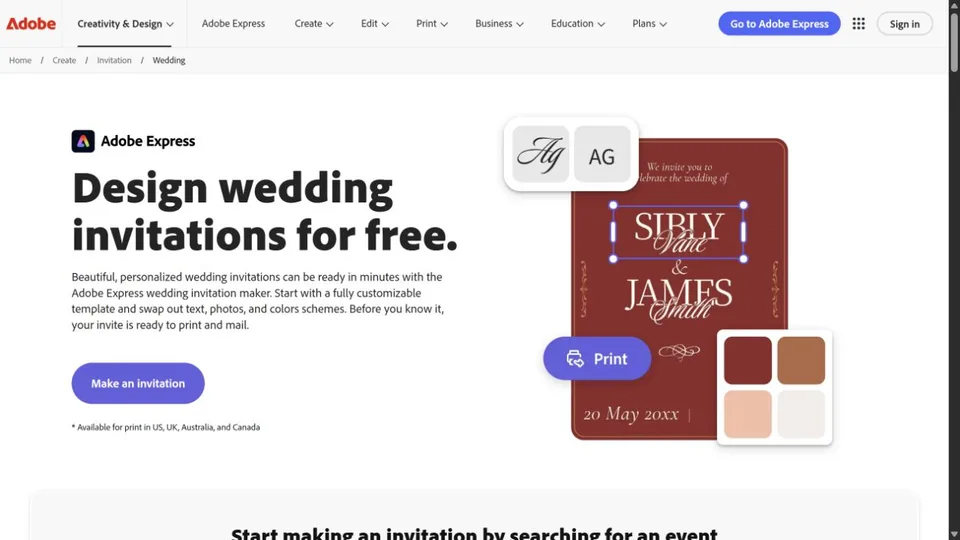
Adobe Express combines editable invitation templates with generative tools for producing backgrounds, illustrations, and design variations. It suits users who want more visual experimentation without learning a professional desktop application. You can begin with a wedding template, adjust its layout, upload personal photos, and use generated assets as supporting decoration.
The strongest workflow is to use AI for inspiration or individual visual elements rather than asking it to create the entire finished card. Generate a watercolor floral border or subtle paper texture, then place the final names, date, and venue manually so the typography remains accurate.
- Best for: AI-assisted concepts and polished visual assets
- Useful features: templates, generative artwork, text effects, image editing, resizing, and PDF export
- Free option: available, with premium templates, assets, storage, and advanced features requiring an upgrade
- Main limitation: generative output may need several attempts and should never be trusted to render essential wording
3. Greetings Island — Best Free Printable Wedding Card Creator
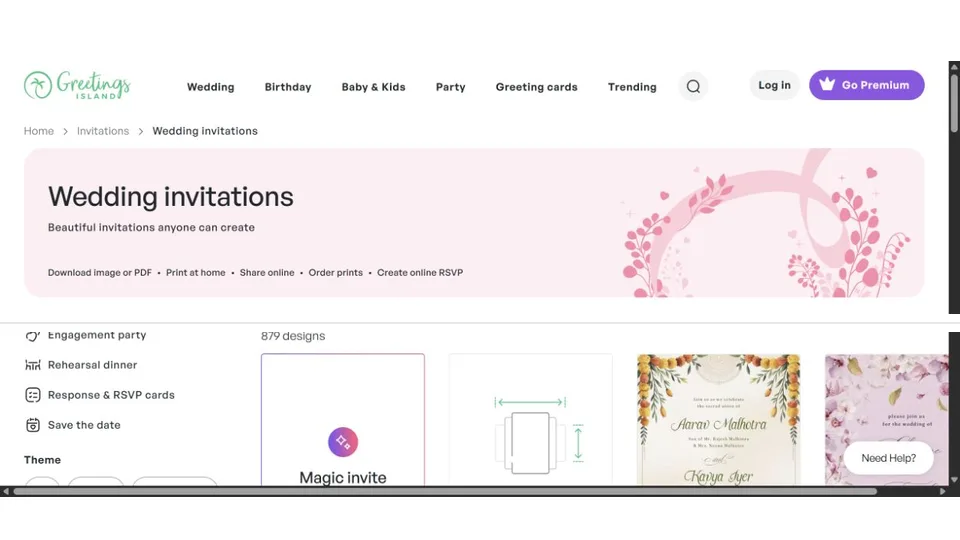
Greetings Island focuses specifically on cards and invitations, making it easier to start than a broad graphic-design platform. Its editor is well suited to couples who want to select a ready-made design, replace the wording, make a few visual changes, and download or print the result.
Because the templates are already structured as invitations, there is less pressure to understand grids and layout systems. It is a practical option for a straightforward printable wedding invitation, but it offers less freedom than a general-purpose invitation designer when you want to rebuild the composition or develop an extensive matching suite.
- Best for: quick printable invitations with minimal setup
- Useful features: occasion-specific templates, simple text editing, printing, downloading, and digital sharing options
- Free option: many designs and basic functions are available free; premium designs or services may cost extra
- Main limitation: fewer advanced layout and image-editing controls
4. VistaCreate — Best for Animated Digital Invitations
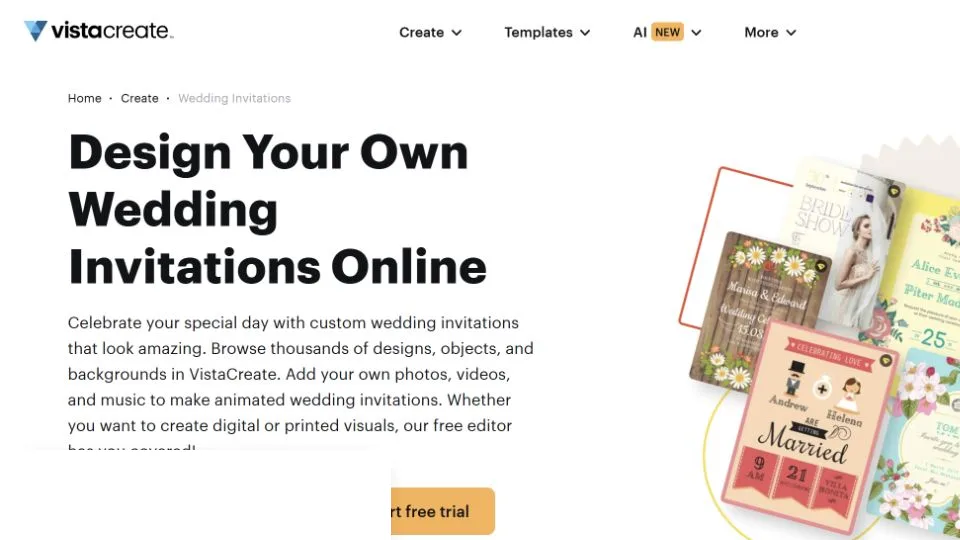
VistaCreate is a good fit for social-first couples who want a digital invitation with motion. Alongside static invitation templates, it provides animated assets and formats that can work for wedding announcements, stories, and short promotional-style clips.
Its editor provides familiar template customization, font controls, uploaded media, backgrounds, and graphic elements. For digital delivery, keep the animation short and subtle so it supports the information rather than delaying it. Also export a static version for guests who cannot view motion or prefer a printable reference.
- Best for: animated invitations and coordinated social content
- Useful features: static and animated templates, media uploads, background tools, brand-style controls, and multiple export formats
- Free option: available, with a smaller asset library and limits on some premium features
- Main limitation: it is less specialized in wedding wording, RSVP management, and professional print preparation
5. Fotor — Best AI Wedding Invitation Generator
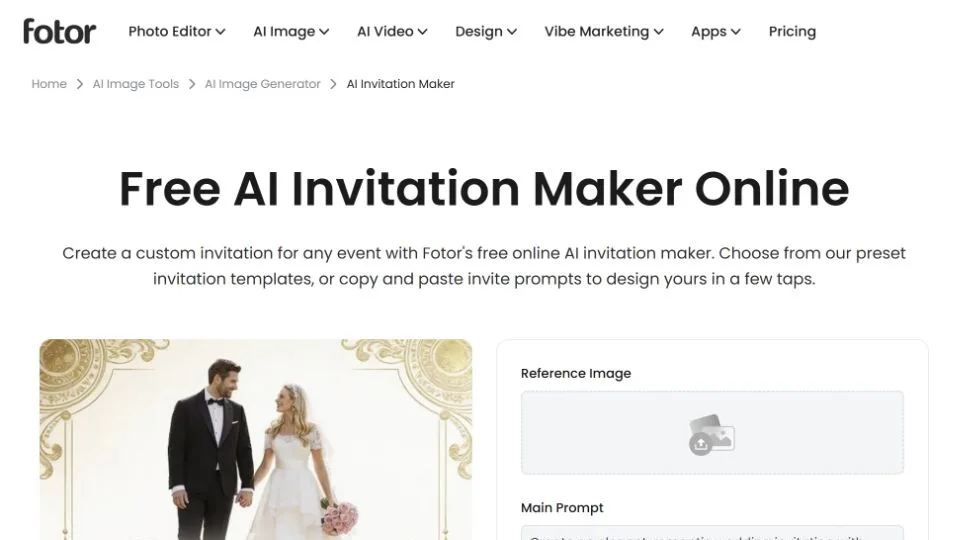
Fotor is useful when you want AI to produce a visual direction from a written description. A prompt can specify the wedding style, colors, flowers, season, and mood, giving you artwork or an invitation concept to refine. This can be helpful when standard template libraries do not match a distinctive theme.
AI-generated wedding cards require close inspection. Decorative text inside generated images is often inaccurate, so use the generated result as a background or concept and add the real wording in an editable text layer. Check symmetry, borders, hands or faces in photographs, floral details, and image resolution before printing.
- Best for: creating original invitation concepts from prompts
- Useful features: AI image generation, templates, background editing, photo enhancement, and text overlays
- Free option: limited free use may be available; generation credits, premium assets, and high-resolution exports can require payment
- Main limitation: AI designs need manual typography and quality control
Wedding Invitation Maker Comparison
| Tool | Best for | Free option | AI features | Print export | Key limitation |
|---|---|---|---|---|---|
| Canva | Best overall and matching stationery | Yes | Design and writing assistance | Yes | Premium assets are restricted |
| Adobe Express | AI-assisted visual design | Yes | Generative images and effects | Yes | AI results require refinement |
| Greetings Island | Simple printable invitations | Yes | Limited compared with general design tools | Yes | Less layout freedom |
| VistaCreate | Animated digital invitations | Yes | AI and automated creative tools vary by plan | Available for static designs | Not wedding-workflow focused |
| Fotor | Prompt-generated invitation concepts | Limited | AI image and design generation | Check export resolution | Generated text can be unreliable |
Choose Canva for the broadest all-round workflow, Adobe Express when generative artwork is central to the concept, Greetings Island for a fast printable card, VistaCreate for animated digital content, and Fotor when you want to explore an invitation idea from a prompt.
Wedding Card Design Ideas by Style
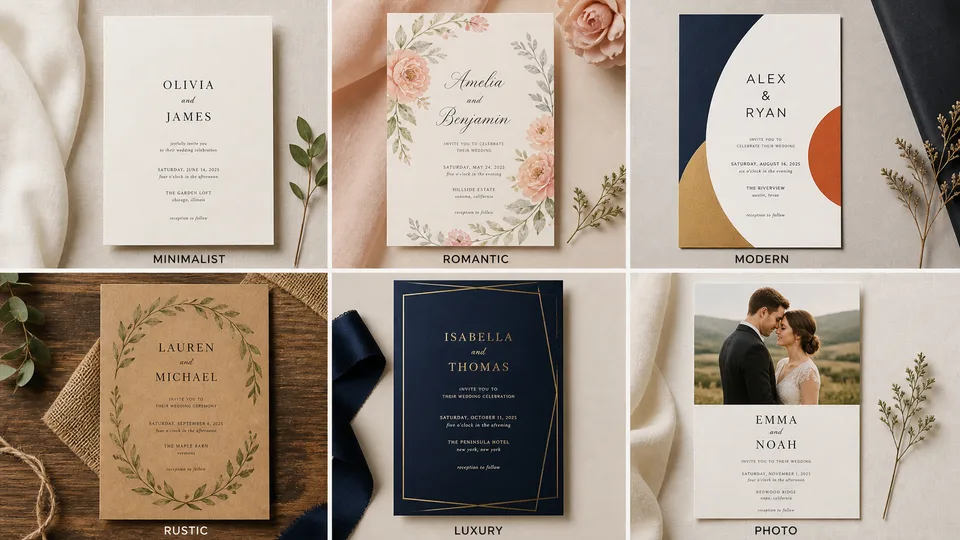
Minimalist
Use generous white space, one refined serif font, and a restrained neutral palette. A small monogram or thin line can provide structure without making the card feel empty.
Floral and Romantic
Choose watercolor flowers, soft greens, blush tones, or botanical line art. Keep the floral frame away from the details and use script lettering mainly for the names.
Modern and Bold
Try oversized typography, asymmetrical alignment, geometric blocks, and one strong accent color. Reduce decorative elements so the composition still feels intentional.
Rustic
Combine warm earth tones with botanical illustrations or subtle paper and linen textures. Avoid fake wood backgrounds if they reduce readability or appear artificial when printed.
Luxury
Deep green, navy, burgundy, or black can work with cream or metallic accents. Use metallic effects sparingly; a screen-based gold gradient does not automatically reproduce as true foil in print.
Photo Wedding Invitation
Select a sharp, high-resolution image with open space for text. Avoid placing small wording over faces, hair, flowers, or patterned clothing. Apply a subtle overlay behind the text if the image has uneven brightness.
What to Write on a Wedding Invitation
The wording should match the tone of the wedding while answering the guest’s immediate questions: who is getting married, when, where, and how to respond.
Formal Wedding Invitation Wording
Mr. and Mrs. James Carter
request the pleasure of your company
at the marriage of their daughter
Emily Rose
to
Daniel Thomas Lee
Saturday, the twelfth of September
two thousand twenty-six at four o’clock
The Garden House, Boston
Reception to follow
Modern Wedding Invitation Wording
Together with their families
Emily Carter & Daniel Lee
invite you to celebrate their wedding
September 12, 2026 at 4:00 p.m.
The Garden House, Boston
Dinner and dancing to follow
Casual Wedding Invitation Wording
We’re getting married!
Join Emily & Daniel
for a joyful afternoon of vows, food, and dancing
Saturday, September 12 at 4:00 p.m.
The Garden House, Boston
RSVP by August 1 at our wedding website
Digital Wedding Invitation Wording
Save the date for Emily & Daniel’s wedding
September 12, 2026 · Boston
Tap below for the schedule, travel details, and RSVP.
Reception-Only Invitation Wording
Emily Carter and Daniel Lee
will be married in a private ceremony.
Please join us for a reception celebrating their marriage
Saturday, September 12 at 6:30 p.m.
The Garden House, Boston
Replace every sample name, date, and location before exporting. If families, faith traditions, or local etiquette influence the host and request lines, adapt the wording rather than forcing the event into a generic template.
Common Wedding Invitation Design Mistakes
- Using too many fonts: limit the design to two coordinated typefaces in most cases.
- Prioritizing style over readability: script fonts are unsuitable for addresses, times, and small details.
- Omitting essential information: check the venue, time, RSVP method, and deadline before approving the design.
- Placing text too close to the edge: trimming is not perfectly exact, so keep critical content inside the safe area.
- Using low-resolution photos: social-media downloads and screenshots often print poorly.
- Ignoring bleed: backgrounds intended to reach the edge must usually extend beyond the trim line.
- Overloading the main card: move travel, registry, and schedule details to an insert or website.
- Using a QR code without a written alternative: include a short URL in case the code cannot be scanned.
- Trusting generated text: AI artwork can contain invented letters and should not replace editable wording.
- Skipping the proof: always inspect a physical sample before ordering the full print quantity.
How Much Does It Cost to Design Wedding Invitations?
The design itself can be free, but the complete cost depends on premium templates, licensed assets, paper, envelopes, specialty finishes, printing, and postage. Digital invitations remove most physical costs, while a professionally printed suite can become significantly more expensive when it includes multiple inserts and custom finishing.
| Approach | Typical cost level | What affects the price | Best for |
|---|---|---|---|
| Free online invitation maker | Low | Premium templates, assets, or export options | Digital invitations and simple DIY cards |
| Printable template | Low to moderate | Template license, paper, ink, and printer | Small batches and hands-on couples |
| Online design plus professional printing | Moderate | Quantity, paper stock, envelopes, and finishing | Polished results with design control |
| Custom invitation designer | Higher | Original artwork, revisions, printing, and full stationery suite | Luxury or highly personalized weddings |
Before paying for an invitation maker, confirm which templates and graphics are included, what resolution you can download, and whether the exported file is suitable for your printer. Plan for a few additional copies beyond the guest count to cover keepsakes, address errors, and late additions.
Wedding Invitation Checklist
Complete this check before you download or print the final card:
- All names are spelled correctly
- The date, year, and time are correct
- The venue name and location are accurate
- The RSVP method and deadline are included
- The wedding website and QR code work
- The design uses a clear visual hierarchy
- Small text remains readable at actual size
- Colors have enough contrast
- Photos and graphics are high resolution
- The dimensions match the envelope and printer specifications
- Bleed and safe margins are correct
- A physical or digital test has been reviewed
- The editable source and final files are backed up
Frequently Asked Questions
How can I design wedding invitations online?
Choose an online invitation maker, select a template with enough space for your content, replace all sample wording, customize the colors and fonts, proofread the details, and export a file suited to printing or digital sharing. Start with the real wording before spending time on decoration.
What is the best invitation maker for a wedding?
Canva is a strong all-round option for templates and matching stationery. Adobe Express is useful for AI-assisted artwork, Greetings Island is convenient for simple printable cards, VistaCreate suits animated digital invitations, and Fotor is helpful for prompt-generated concepts.
Can I create a marriage invitation for free?
Yes. Several invitation makers offer free templates and basic exports. Check whether your chosen template, font, graphic, download format, and resolution are included before completing the design, since individual assets may require payment.
What size should a wedding invitation be?
A common printed size is 5 × 7 inches. Compact cards may use 4.25 × 5.5 inches, while square formats create a different look but can affect envelope and postage requirements. Always follow the printer’s exact size and bleed specifications.
What information belongs on a wedding invitation?
Include the couple’s names, request or invitation line, date, time, venue, and essential reception information. Add the RSVP method and deadline either on the main card, on a response card, or through a clearly identified wedding website.
Which file format is best for printing wedding invitations?
A high-quality PDF is generally the most reliable option because it preserves layout and text placement. Ask the printer whether it requires bleed, crop marks, a specific color profile, or outlined or embedded fonts.
How many fonts should a wedding card design use?
Two fonts are enough for most wedding invitations: a decorative face for names or short headings and a readable face for the details. Use consistent sizes and spacing to create hierarchy rather than adding more typefaces.
Can AI design a wedding invitation?
AI can suggest layouts, generate floral artwork, create backgrounds, and develop style ideas. It should not be trusted to generate the final wording inside an image. Add names, dates, addresses, and RSVP information with editable text tools and proofread them manually.
How do I make a digital wedding invitation?
Create a portrait design that remains readable on a phone, keep the file size reasonable, and include a direct RSVP or wedding website link where the delivery method supports it. Test the invitation on different screen sizes and provide a static fallback if you use animation.
When should wedding invitations be sent?
The ideal timing depends on the event and local customs. Guests usually need more notice for a destination wedding or a date that requires substantial travel. Set the RSVP deadline early enough to confirm catering and seating plans, then work backward to determine the mailing date.
Can I print an invitation created with an online invitation designer?
Usually, yes, provided the tool offers a suitable high-resolution export and you have permission to use the selected assets. Confirm the final dimensions, bleed, color expectations, and file format with the printer before ordering.
Final Thoughts
The easiest way to design wedding invitations is to separate the job into three stages: finalize the information, build a readable layout, and prepare the correct output for print or digital delivery. Templates and AI can accelerate the creative work, but accurate wording, careful spacing, and thorough proofing determine whether the invitation succeeds.
Use Canva for a flexible all-round workflow, Adobe Express or Fotor for AI-assisted visual exploration, Greetings Island for a quick printable card, and VistaCreate for animated digital content. Whichever wedding card creator you choose, customize the template enough to reflect the celebration and always test the final invitation before sending it to every guest.
Related Reviews
Best 8 Free Stock Photo Sites in 2026

Krea 2 Edit Review: Downloads, ComfyUI Workflows and Prompt Examples

Best 6 Free QR Code Generators in 2026
Qwen Image Review: 3.0 vs 2.0, LoRA/GGUF, and NSFW Support
8 Best AI Presentation Makers in 2026