Best 6 Free QR Code Generators in 2026
Compare the best free QR code generator tools for static codes, branded designs, editable links, analytics, print-ready downloads, and Canva workflows.
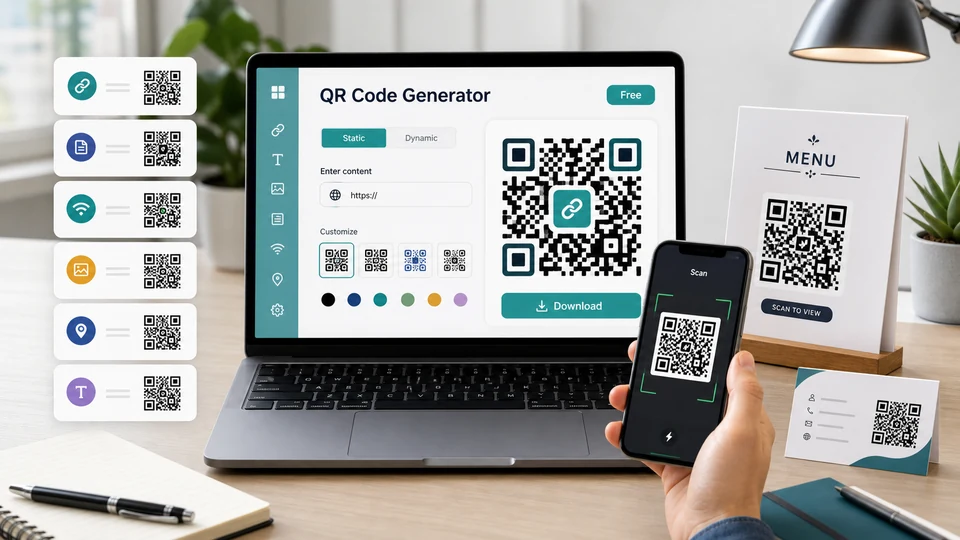

QR codes are simple until the moment you print one on 2,000 flyers and realize the destination URL has changed. That is why choosing a free QR code generator is not only about making a square pattern. It is also about knowing whether the code expires, whether you can edit the link later, whether you can download a print-ready file, and whether the free plan quietly adds scan limits.
This guide compares the best free QR code generator options for different needs: fast static codes, branded QR codes with logos, Canva designs, editable dynamic QR codes, scan analytics, and occasional marketing campaigns.
Table of Contents
- Quick Comparison
- How I Chose the Best Free QR Code Generators
- 1. Design.com QR Code Generator
- 2. Adobe Express QR Code Generator
- 3. Canva QR Code Generator
- 4. QRCode.io
- 5. QR TIGER
- 6. Bitly Codes
- Static vs Dynamic QR Codes
- Which Free QR Code Generator Should You Use?
- FAQ
- Sources Checked
Quick Comparison
| Tool | Best for | Free plan highlights | Main limitation |
|---|---|---|---|
| Design.com QR Code Generator | On-brand QR codes | Free QR codes, multiple hi-res digital and print ready file format, wide range of design customization possible | No highly advanced or technical integrations or analytics |
| Adobe Express | QR codes inside polished marketing designs | Free URL QR codes, color/style customization, PNG/JPEG/PDF download | URL-only static codes |
| Canva | Adding QR codes directly to Canva layouts | Free static QR app inside Canva designs | No analytics or editable destination for basic static codes |
| QRCode.io | No-signup static codes that never expire | Free static QR codes, PNG/SVG download, many static QR types | Dynamic editing and analytics are paid after trial |
| QR TIGER | Testing dynamic QR codes for campaigns | Unlimited static QR codes, limited free dynamic codes, basic analytics | Free dynamic codes have scan limits and branding |
| Bitly Codes | Short links plus QR codes in one account | Free plan includes QR codes, short links, landing pages, and unlimited scans on created codes | Low monthly creation limit on the free plan |
How I Chose the Best Free QR Code Generators
For this list, I prioritized tools that are useful without immediately forcing a paid upgrade. I looked for four things.
First, the free plan had to be clear. Some QR tools say “free” but only mean a short trial. For a true free QR code generator, static codes should continue working after download as long as the destination itself still works.
Second, the tool needed a practical export format. PNG is fine for screens and small print, but SVG or PDF is better for large signs, packaging, menus, and posters.
Third, the tool had to fit a real workflow. A designer may care more about Canva or Adobe Express integration. A marketer may care about dynamic links and scan analytics. A restaurant owner may care about a menu code that can be reprinted cleanly.
Fourth, I separated static and dynamic features. Static QR codes are free and permanent because the destination is encoded directly into the code. Dynamic QR codes use a redirect link, which enables editing and analytics but usually requires an account, scan limits, or a paid plan.
1. Design.com QR Code Generator
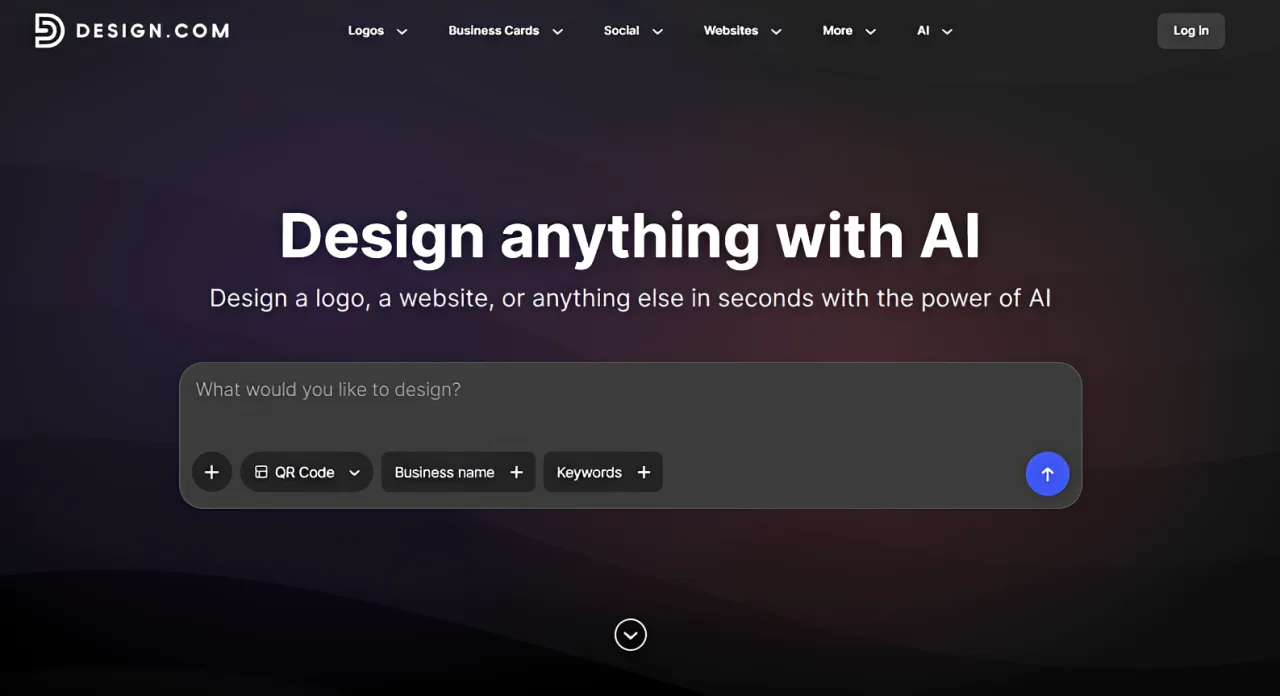
Design.com is a strong option if you want a free QR code generator with more emphasis on design and branding. It offers thousands of professionally designed QR code templates, with plenty of control over colors, gradients, fonts, layouts, shapes, and other visual elements.
The other advantage is what you can do with the finished design. QR codes can be downloaded in high-resolution PNG and JPG or vector formats including SVG, EPS, and PDF, making them suitable for everything from websites and social media to packaging, signage, business cards, and large-format printing. You can also create matching assets such as social posts, letterheads, and email signatures within Design.com, to match the design of your QRs.
The only thing is that Design.com is primarily focused on creating and customizing the QR code itself rather than managing dynamic QR campaigns. If you need features such as changing the destination after printing or detailed scan analytics, a dedicated dynamic QR code platform may be a better fit.
Best for: branded QR codes with extensive customization and print-ready files.
Key features
- Thousands of professionally designed QR code templates
- Custom colors, gradients, fonts, layouts, shapes, and patterns
- High-resolution PNG and JPG downloads
- Vector SVG, EPS, and PDF exports
- Matching business and marketing design tools
Pros
- Excellent customization options
- Large selection of ready-made designs
- Strong high-resolution and vector export options
- Useful for keeping QR codes consistent with other brand materials
Cons
- More design-focused than campaign-focused
- No highly advanced or technical analytics
2. Adobe Express QR Code Generator
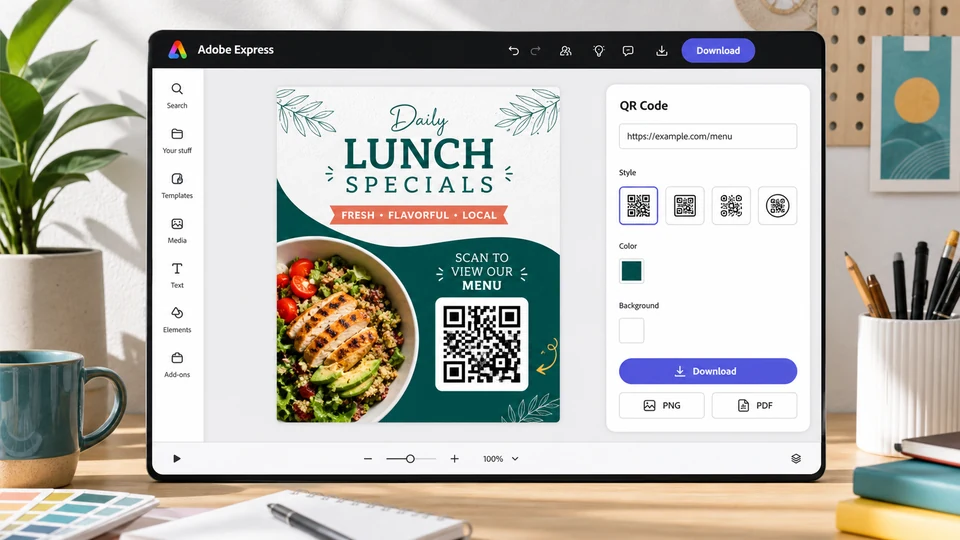
Adobe Express is a good free QR code generator when the QR code is part of a larger design. Instead of making a QR code in one tool and designing the flyer somewhere else, you can generate a URL QR code and drop it into an Adobe Express project.
Adobe’s QR code generator is designed for business cards, menus, event flyers, classroom materials, posters, brochures, and social graphics. You can customize colors and style, then download the result as PNG, JPEG, or PDF. Adobe says QR codes made in Express are static and do not expire.
The limitation is scope. Adobe Express is best for URL QR codes. If you need WiFi, vCard, email, SMS, bulk generation, dynamic editing, or analytics, a dedicated QR platform will be more flexible.
Best for: polished flyers, menus, business cards, and social graphics.
Key features
- Free URL QR code generation
- Color and style customization
- PNG, JPEG, and PDF downloads
- Easy placement inside Adobe Express templates
- Static codes that do not expire
Pros
- Great design workflow
- Beginner-friendly editor
- Good for print and social assets
- Easy to combine with templates
Cons
- URL-only for the QR generator
- Static only
- No scan tracking
- Less flexible than dedicated QR code tools
3. Canva QR Code Generator
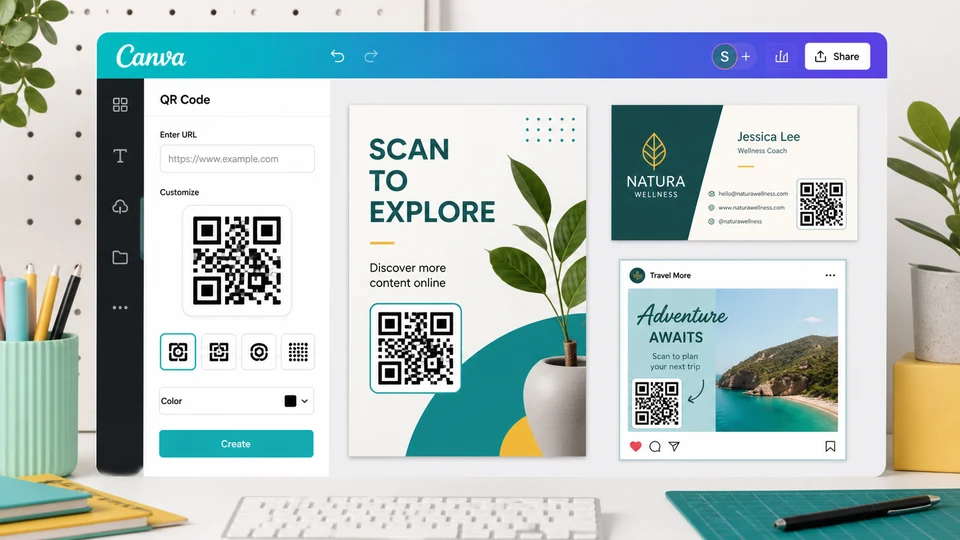
Canva is not the most advanced QR code platform, but it is one of the easiest choices if you already design in Canva. You can add a QR code directly into a flyer, poster, menu, business card, label, or presentation without leaving the editor.
For simple permanent links, Canva is convenient. Create a layout, open the QR code app, enter the URL, generate the code, resize it, and place it in the design. For small businesses, teachers, event organizers, and creators, that workflow is hard to beat.
The main limitation is that Canva is not built as a full QR campaign platform. Basic QR codes are static, which means you cannot change the destination after printing and you do not get scan analytics. If your QR code is going on a long-running campaign or packaging run, generate a dynamic code elsewhere and import it into Canva.
Best for: adding simple QR codes to Canva designs.
Key features
- QR code app inside Canva designs
- Easy resize and placement
- Works with Canva templates
- Good for flyers, posters, cards, menus, and slides
- Simple static URL workflow
Pros
- Extremely easy if you already use Canva
- Great for non-designers
- No separate design handoff
- Good for fast print layouts
Cons
- Limited QR-specific features
- No built-in dynamic editing for basic static codes
- No scan analytics for static codes
- Not ideal for WiFi, vCard, or bulk QR needs
4. QRCode.io
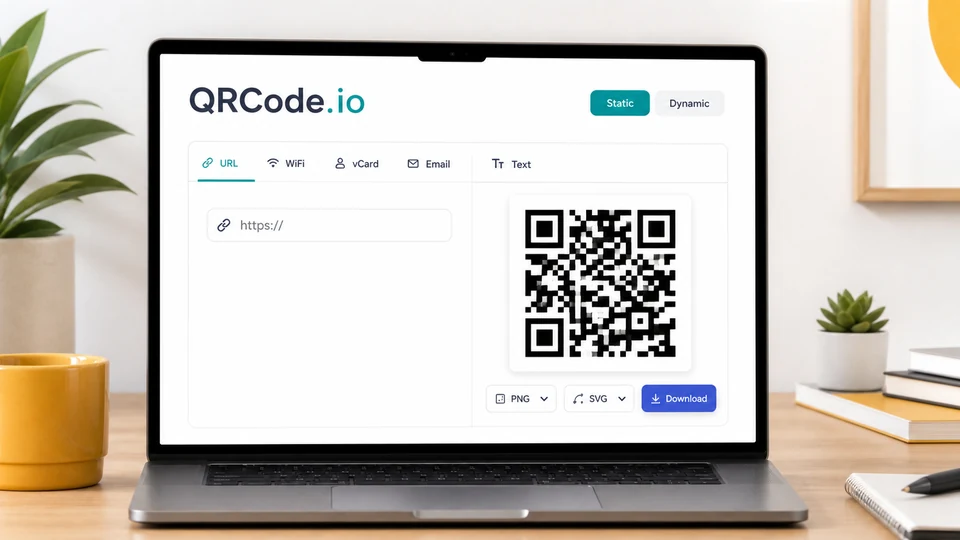
QRCode.io is a clean option if your priority is a free qr code generator that makes permanent static codes without signup. Its free static QR codes do not expire, have no watermark, and can be downloaded as high-resolution PNG or SVG files.
The tool is useful because it explains the difference between static and dynamic QR codes clearly. Static codes are free forever because the destination is encoded into the QR pattern. Dynamic QR codes, which let you change the destination later and view scan analytics, are offered on paid plans with a free trial.
That makes QRCode.io a practical middle ground. Use it free for permanent static QR codes. Upgrade only if you genuinely need editable links or scan data.
Best for: no-signup static QR codes with PNG and SVG export.
Key features
- Free static QR codes
- No signup for static codes
- PNG and SVG download
- Multiple static QR types
- Dynamic QR trial available
Pros
- Clear static vs dynamic explanation
- Good export options
- No watermark on free static codes
- Static codes do not expire
Cons
- Dynamic features are paid after trial
- Static codes cannot be edited
- Analytics require dynamic QR codes
5. QR TIGER
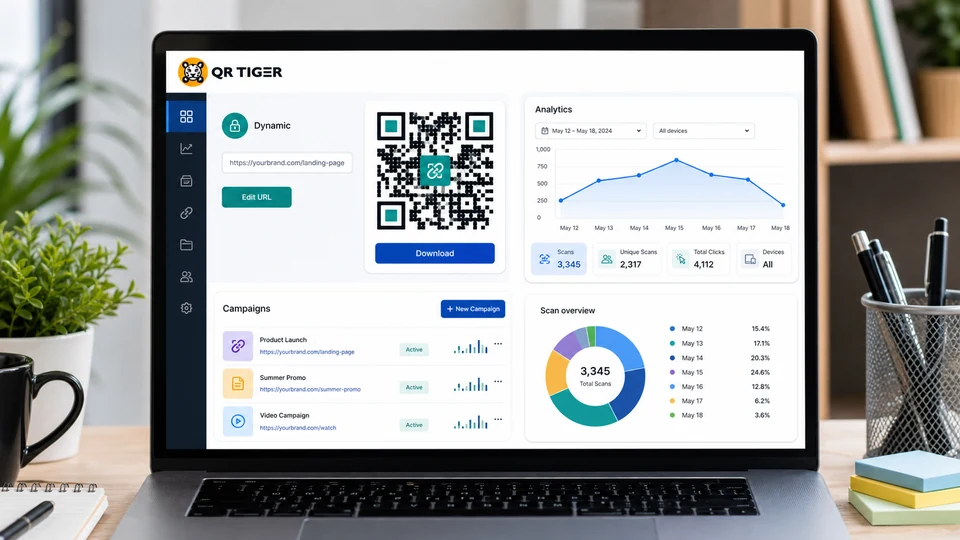
QR TIGER is a better fit if you want to test both static and dynamic QR codes. Its free plan includes unlimited static QR codes, while the freemium dynamic codes are more limited. According to QR TIGER’s help center, the free plan includes 3 dynamic QR codes with a 500-scan limit, and analytics are included.
That makes it useful for small experiments. For example, you can test a dynamic menu code, a campaign landing page, or a small event QR code before deciding whether scan analytics and editable destinations are worth paying for.
The catch is that the free dynamic QR codes are not unlimited. Once you need more scans, more dynamic codes, team features, password protection, bulk creation, or branding control, you will likely need a paid plan.
Best for: trying dynamic QR codes before paying.
Key features
- Unlimited static QR codes
- Free plan includes limited dynamic QR codes
- Scan analytics on dynamic codes
- Many QR code types
- Design customization
Pros
- Lets you test dynamic QR workflows
- Good for campaign experiments
- Static QR codes are available without scan limits
- More advanced than simple static-only tools
Cons
- Free dynamic codes have scan limits
- Free dynamic scans may include branding
- Paid plan needed for serious campaigns
6. Bitly Codes
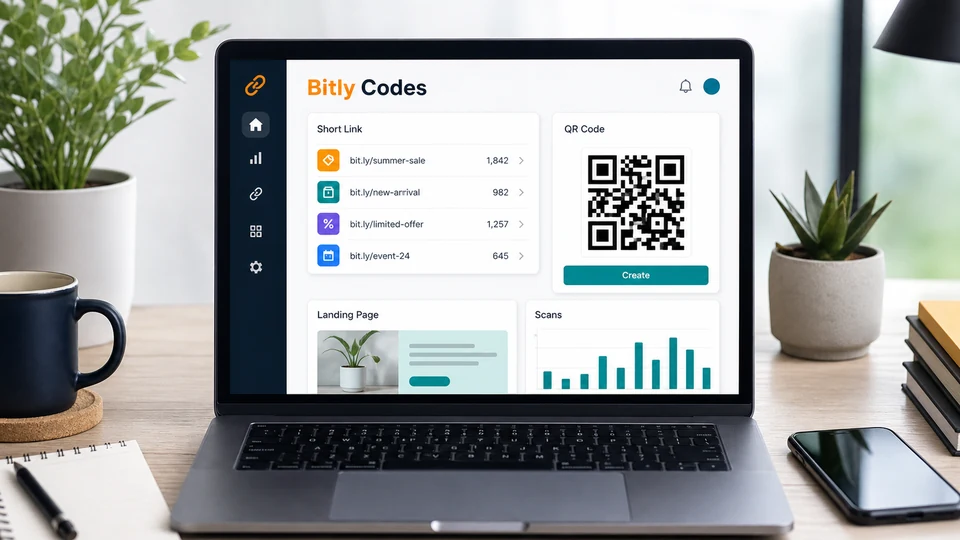
Bitly is best known for short links, but Bitly Codes are QR codes connected to its broader link management platform. If you want short links, landing pages, and QR codes in one account, Bitly is worth considering.
Bitly’s 2026 free plan includes QR codes, short links, landing pages, and unlimited scans on the links and QR codes you create. It is a good fit for individuals, students, side projects, and small teams that only need occasional QR code creation.
The free plan is not designed for high-volume QR production. Bitly’s own free-plan information describes low monthly limits, so teams that need many QR codes, branded domains, redirects, or scan analytics history will quickly run into the upgrade path.
Best for: occasional QR codes tied to short links and landing pages.
Key features
- Free plan with QR codes and short links
- QR codes can be created from destination URLs or Bitly links
- Unlimited scans on created free-plan QR codes
- Landing page and link management tools
- API available with plan limits
Pros
- Useful all-in-one link platform
- Good for occasional campaigns
- Works well with short links
- Free plan is enough for light use
Cons
- Low monthly QR code creation limits
- Advanced analytics and customization require paid plans
- Less attractive if you only need unlimited static QR codes
Static vs Dynamic QR Codes
Before choosing a free QR code generator, decide whether you need a static or dynamic QR code.
| Type | How it works | Best for | Main drawback |
|---|---|---|---|
| Static QR code | The final URL or data is encoded directly into the QR pattern | Permanent links, business cards, WiFi cards, menus that rarely change, print handouts | Cannot edit the destination after printing |
| Dynamic QR code | The QR code points to a redirect URL that can be updated | Campaigns, restaurants, packaging, ads, events, trackable marketing | Usually requires an account, plan limits, or paid subscription |
If you are printing something expensive or long-lasting, dynamic QR codes are safer because you can fix a destination later. If the link is permanent and you do not need analytics, static is simpler, cheaper, and more private.
Which Free QR Code Generator Should You Use?
Choose Design.com QR Code Generator if you want branded QR codes with extensive customization and print-ready files. It is especially good when you need a logo, colors, and print-ready vector formats.
Choose Adobe Express if the QR code belongs inside a polished marketing asset. It is a design tool first and a QR tool second, which is exactly right for flyers, posters, cards, and classroom materials.
Choose Canva if you already build your designs there. It is the fastest path from “I need a QR code on this flyer” to a finished downloadable design.
Choose QRCode.io if you want a clean no-signup static QR generator with PNG and SVG export, plus a clear upgrade path for dynamic codes.
Choose QR TIGER if you want to test dynamic QR codes and analytics for free before committing to a paid QR platform.
Choose Bitly if your QR codes are part of a larger short-link or landing-page workflow and you only need a few codes per month.
FAQ
What is the best free QR code generator overall?
For most people who need a permanent static QR code, Design.com QR Code Generator is the strongest all-around free QR code generator because it offers good customization, logo support, and multiple print-friendly download formats. If you need the QR code inside a design, Adobe Express or Canva may be faster.
Do free QR codes expire?
Static QR codes do not expire because the destination is built into the QR pattern itself. They keep working as long as the destination URL still works. Dynamic QR codes rely on a redirect service, so their availability depends on the provider and plan.
Can I edit a free QR code after printing?
Only if it is a dynamic QR code. Static QR codes cannot be edited after download. If you need to change the destination later, use a dynamic QR code generator such as QR TIGER, Bitly, QRCode.io’s dynamic plans, or another dynamic QR platform.
Can I track scans with a free qr code generator?
Static QR codes cannot track scans by themselves. Scan analytics require a dynamic QR code that routes through a provider’s tracking link. Some tools offer limited analytics on free dynamic plans, but most advanced analytics are paid.
Which QR code format is best for print?
SVG or PDF is usually best for print because vector files stay sharp at any size. PNG can work for small print pieces, but use high resolution and test the scan before sending anything to print.
Can I use free QR codes commercially?
Many free QR code generators allow commercial use of static QR codes, but you should still check each tool’s terms. QRCode Monkey and QRCode.io both state that free static codes can be used commercially.
How should I test a QR code before printing?
Scan it with multiple phones, test it in good and poor lighting, check that the destination loads quickly, and make sure the code has enough contrast and quiet space around it. Always test the exact exported file, not only the preview.
Related Reviews
Best 8 Free Stock Photo Sites in 2026

How to Design Wedding Invitations Online: A Complete Guide for 2026

Qwen Image Review: 3.0 vs 2.0, LoRA/GGUF, and NSFW Support