
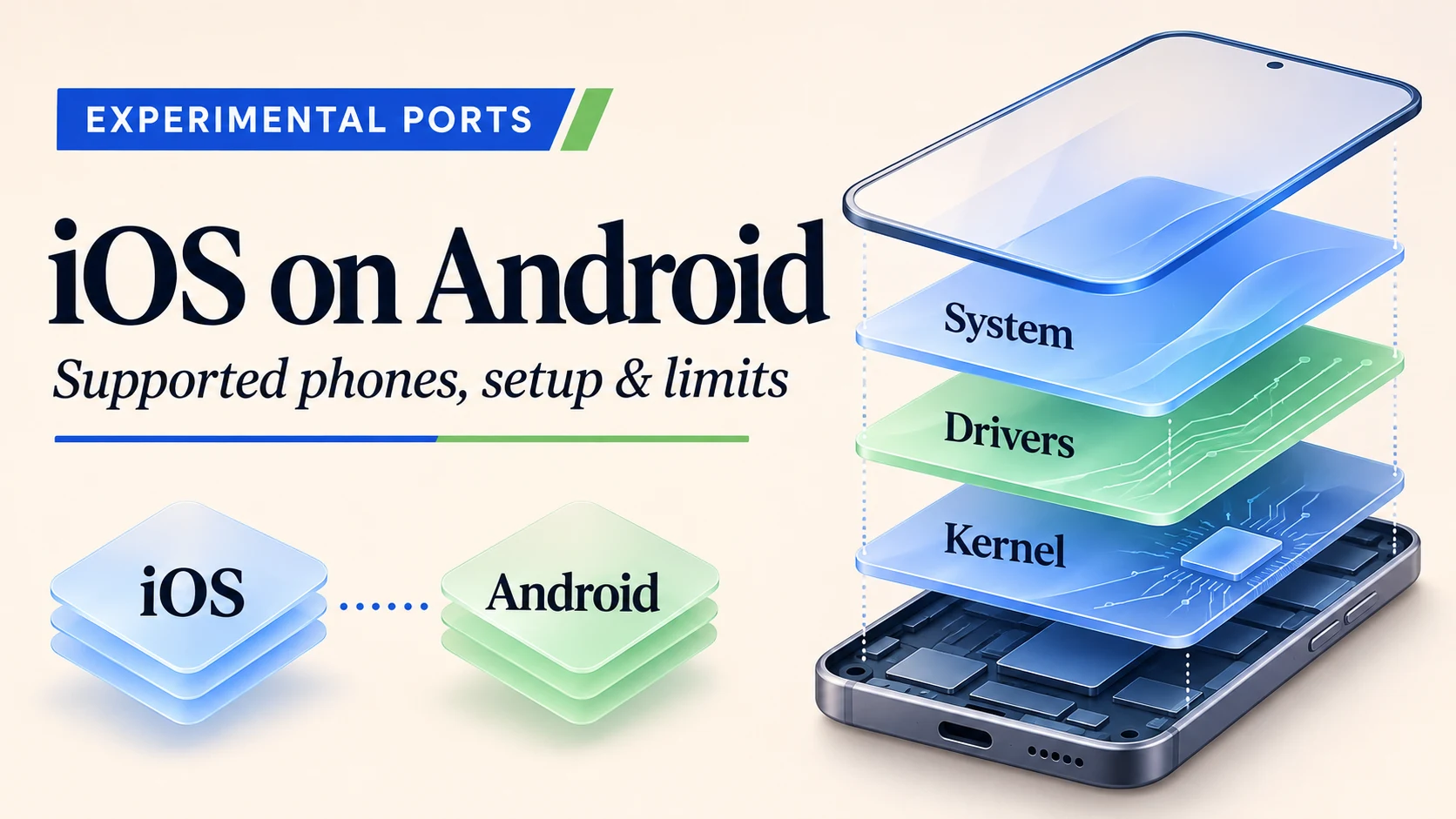
Real iOS software has been shown running directly on selected Android phone hardware. The practical distinction is which phone, which port and which boot method you use. HakiOS targets the POCO X5 Pro 5G; ios-sweet targets the Snapdragon Redmi Note 10 Pro. Neither turns an arbitrary Android handset into a fully supported iPhone.
For an enthusiast with a spare compatible phone, a temporary HakiOS session is the more conservative starting point: it loads into memory and normally returns to Android after rebooting. That does not remove the data loss involved in unlocking a locked bootloader. Apple services, charging and everyday phone functions also remain major limitations.
Checked November 5, 2026. This is an AI-assisted, source-based technical review and reconstruction of the public workflow, not a hands-on installation test. Hardware features and boot results below are attributed to the developers. The steps explain the documented temporary-boot route; they are not a guarantee for every firmware build or a verified permanent-install recipe.
Is iOS really running on Android?
There is more substance here than an iPhone-style launcher. The projects port Apple’s publicly released XNU kernel and provide hardware drivers and a loader. Apple’s iPhone system programs then run above that port. Android’s Linux kernel is not running underneath a native phone session. A launcher, by contrast, merely changes Android’s appearance; a remote iPhone is streamed from another machine; QEMU emulates hardware on a computer.
Android Authority reported the native ports on October 21, 2026. Its coverage establishes the news context, not a guarantee that every later community build works. Rapid development also makes older statements such as “no public HakiOS source” unreliable today: source repositories are now public.
Open-source XNU does not make all of iOS open source. The interface, system libraries and applications still come from Apple’s proprietary restore image. The public port does not supply that image, activate an iPhone for you or grant permission to redistribute Apple’s files.
Supported phones and Android requirements
| Project / device | Exact target | System used | Effect on Android data |
|---|---|---|---|
| HakiOS / POCO X5 Pro 5G | redwood, Snapdragon 778G / SM7325; SC7280-family code | iPhone X iOS 16.5, build 20F66; XNU 8796.121.2 | Default session runs in RAM; unlocking first can erase data. Small loader logs are written to logdump. |
| ios-sweet / Redmi Note 10 Pro | Supported Snapdragon SM7150 / 732G variant, sweet; verify actual board | iPhone X iOS 16.7.16, build 20H392 | Developer’s install writes the root filesystem to userdata, erasing Android user data. |
| Other Android phones | Require their own working device port | Depends on the project | Do not apply either phone’s images or partition layout to them. |
There is no documented universal “Android 13 or later” requirement. The important dependencies are the board, bootloader, device tree and vendor firmware. The public instructions reviewed here do not establish an exact MIUI/HyperOS build that guarantees success across regions. Keep a record of your current build; do not downgrade or cross-flash just to match an unverified online comment.
The Redmi Note 10 Pro sold in mainland China is not interchangeable with the Snapdragon global handset. Likewise, “POCO X5” without “Pro 5G” is not the reference phone. A matching product name or Snapdragon family is insufficient: different touch controllers, displays and reserved memory can need different drivers.
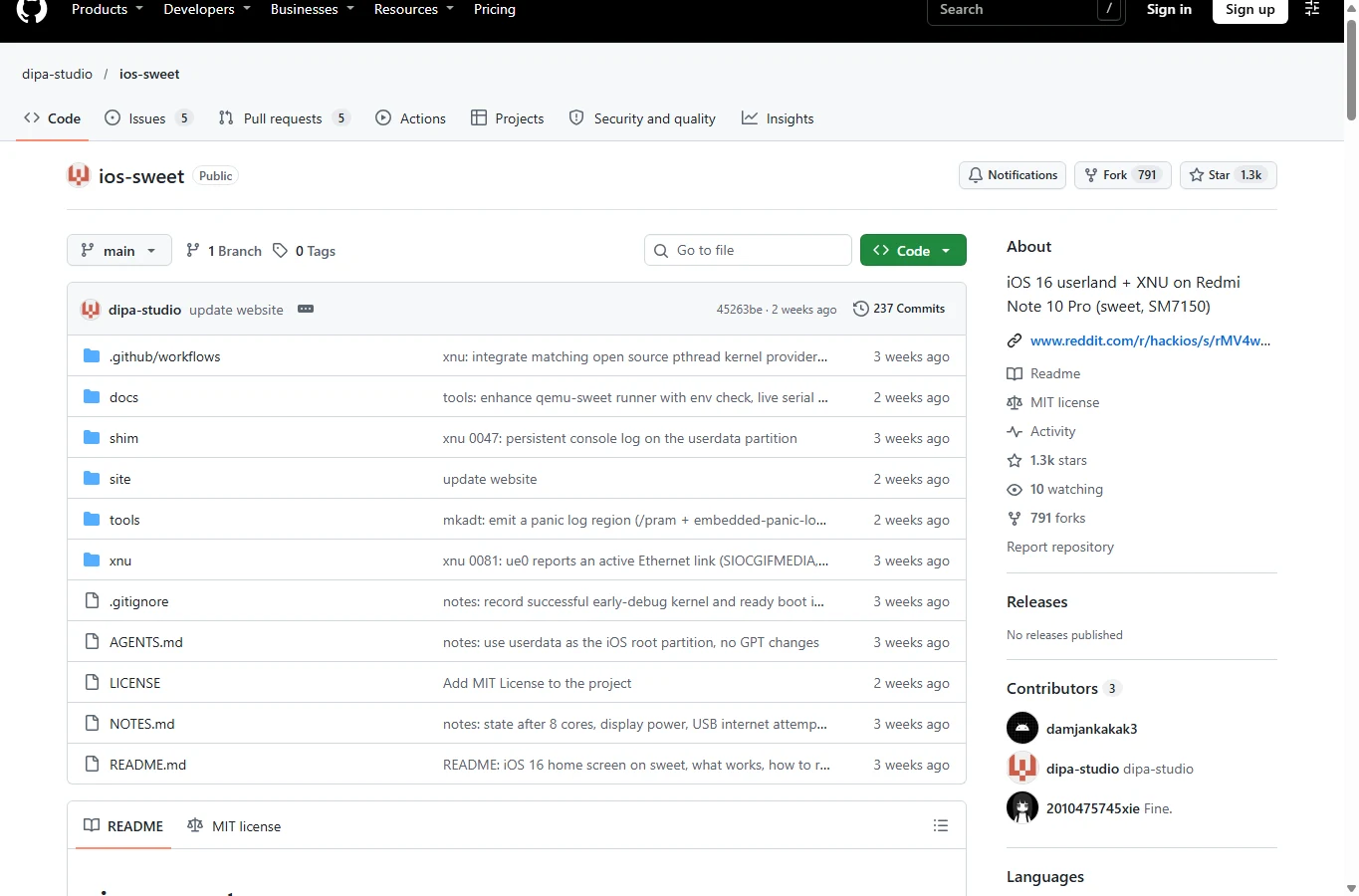
The official ios-sweet repository describes a developer build involving Linux, a macOS GitHub Actions kernel build, the phone’s stock device tree, an iPhone X restore image and HFS+ root-image preparation. Its README documents a working lock screen, Settings and touch, while listing serious missing hardware and service support. This is a separate, destructive route; do not combine its flashing commands with HakiOS’s RAM-boot steps.
What you can actually use
HakiOS’s POCO device status reports a graphical interface, touch, buttons, Adreno rendering, Wi-Fi, speakers, microphone, cameras and vibration. These are developer observations on their configuration, not proof that all functions appear after a basic checkout. Several need firmware extracted from the phone, additional libraries or generated camera tables.
- Interface: opening the lock screen, home screen and bundled apps is a reasonable experimental target. A working home screen is not equivalent to a supported app ecosystem.
- Graphics: OpenGL ES acceleration needs Mesa in the image as well as GPU firmware and the appropriate kernel argument. Metal support is partial. A 120 Hz display does not establish 120 fps, compatibility with arbitrary games or full Metal support.
- Connectivity: the modem starting and detecting a network is not successful cellular registration, mobile data or reliable calls. Bluetooth is not working in the reviewed device status.
- Apple services: the current public project says activation, Apple ID, iCloud and App Store support are outside its goals. Do not buy a handset for iMessage, banking apps or App Store games on this basis.
- Power: charging while HakiOS is running is not implemented. USB connection does not mean the battery is charging. Return to Android to charge.
The basic image-building recipe below is an initial GUI experiment. It does not promise accelerated graphics or every camera/audio/network feature. In particular, the firmware pull script can finish after reporting missing files; its camera patterns include generated hakios_* tables that a stock Android installation may not contain. Treat those gaps as missing prerequisites, not as permission to borrow another phone’s files.
Requirements, downloads and risks
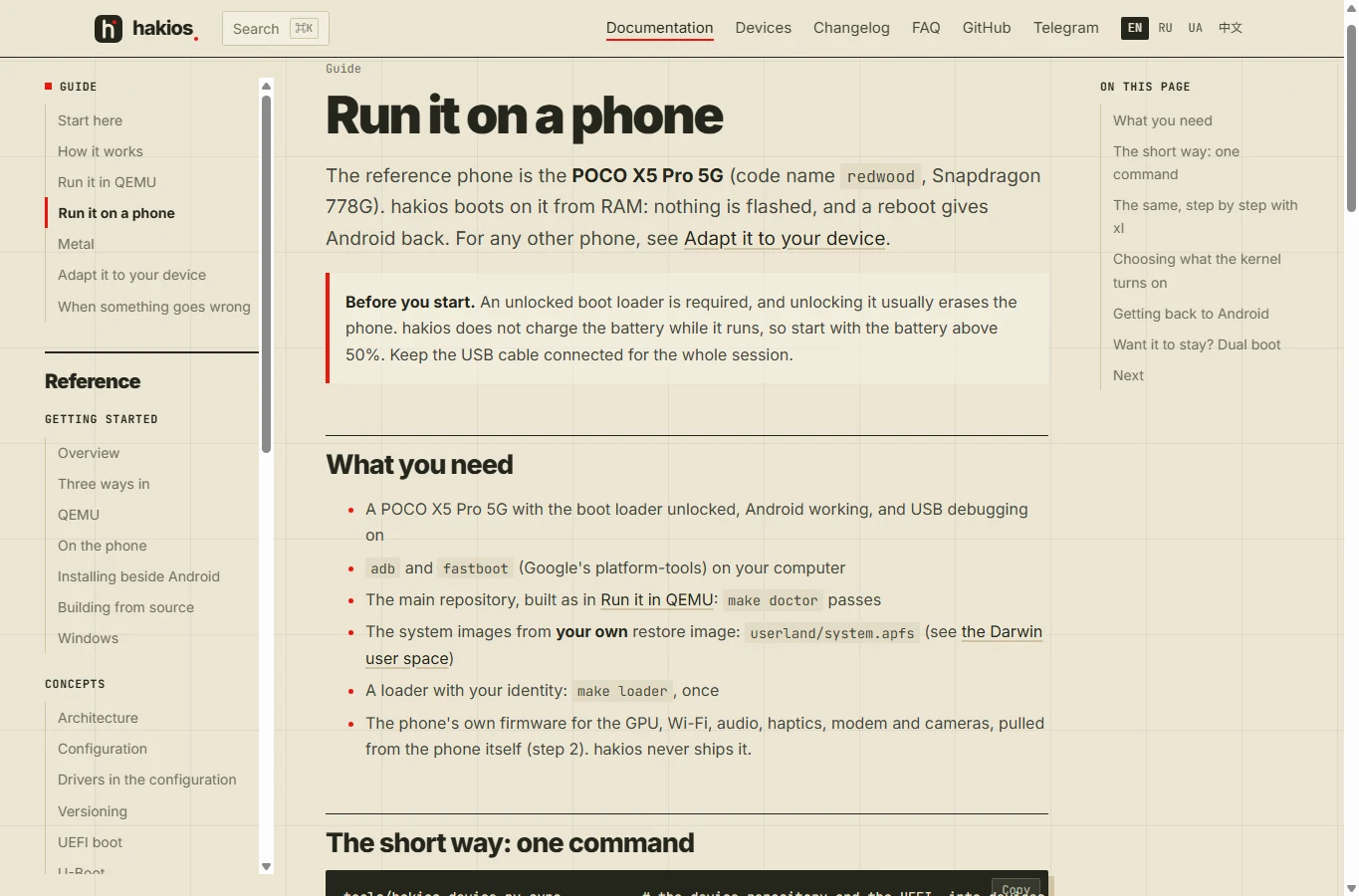
Start with a spare redwood phone that already boots Android, a reliable USB data cable and a Linux x86-64 computer. The full-user-space tools document roughly 12 GB of working disk space; reserve more for the 6.2 GB IPSW, repository and copies. The optional full QEMU test needs about 7 GB of free host RAM. These are host requirements, not a claim that every phone RAM variant has been validated.
If the bootloader is locked
Back up photos, files, authenticator recovery codes and application data off the phone before unlocking. Xiaomi’s process normally pairs a Xiaomi account with the device in Developer options → Mi Unlock status, then uses its official desktop unlock tool with the same account and the phone in fastboot mode. Enable Developer options by tapping the OS/MIUI version repeatedly, then look under Additional settings; labels vary by ROM.
Use the official Xiaomi unlock portal. Account eligibility, region, HyperOS approval and waiting periods can block unlocking. Follow the time and eligibility result shown for your account; do not assume a fixed wait or that a generic fastboot flashing unlock command bypasses Xiaomi’s policy. If the official process refuses your device, this guide has no verified alternative unlock method. After unlocking and its data wipe, set up Android again and enable USB debugging.
Files and tools
- HakiOS official source repository: includes the common port, scripts, prebuilt open components and a pinned device manifest. The steps below use revision
87bf4851, inspected on November 5. - Google SDK Platform-Tools:
adbtalks to Android;fastboottalks to the bootloader. Put the extracted tools on your PATH and check both commands run. Use one connected phone. - Apple-hosted iPhone X iOS 16.5 / 20F66 restore file: HakiOS expects
iPhone10,3,iPhone10,6_16.5_20F66_Restore.ipsw, exactly 6,165,698,198 bytes. Do not substitute ios-sweet’s 16.7.16 file. Obtain and use firmware only where you have the necessary rights.
Unlocking reduces the protection offered by a locked boot chain and can affect warranty/service, device integrity checks and sensitive apps. Experimental ports also weaken or replace parts of Apple’s security machinery. Keep personal accounts, private photographs, payment credentials and production work off the experimental system. An included Wi-Fi password can survive inside a built image: do not share that image or your fw-* folders.
HakiOS temporary-boot setup, step by step
Scope: these are Linux shell commands for the reference POCO, using the public prebuilt components and your own Apple image. They are a documented workflow, not an AirMore-tested installer. A successful session means seeing and interacting with iOS user space, collecting a log, then returning to Android. It does not permanently replace Android.
1. Prepare the computer and record the actual phone
On a recent Ubuntu/Debian system, the following installs common host tools. Package availability varies by release; 7-Zip must be version 23 or newer, because older versions cannot extract the required APFS contents. Google Platform-Tools must also be available in this terminal.
sudo apt update
sudo apt install git python3 build-essential clang lld make 7zip lz4 util-linux
adb version
fastboot --version
Connect Android, turn on USB debugging and accept this computer’s authorization prompt on the phone. These queries only read identifying information:
adb devices
adb shell getprop ro.product.device
adb shell getprop ro.product.board
adb shell getprop ro.soc.model
adb shell getprop ro.build.fingerprint
Expect the target to resolve to redwood and SM7325, with an authorized device entry. Keep the build fingerprint privately. A mismatch, unauthorized, or an unknown board is a stop point. Confirm the bootloader is actually unlocked in Developer options → Mi Unlock status; enabling OEM unlocking alone does not unlock it.
2. Get the inspected project revision
git clone https://github.com/oosexgang/hakios-xnu-kernel.git hakios
cd hakios
git checkout 87bf4851bcc9cbb24fd79997820aa3661abe4ea5
tools/hakios-device.py sync
make doctor
The manifest pins the device and UEFI repositories, so do not independently update them to unrelated revisions. make doctor checks prerequisites; warnings about an absent optional SDK or QEMU are different from a missing compiler, phone access or unusable 7-Zip. Resolve relevant failures before proceeding. These scripts are code you will execute: keep the official checkout rather than an anonymous “one-click iOS APK.”
Some Linux packages supply 7zz, while the unpacker calls 7z. If 7zz works but 7z is absent, add a local alias executable for this checkout:
mkdir -p .host-bin
ln -s "$(command -v 7zz)" .host-bin/7z
export PATH="$PWD/.host-bin:$PATH"
Only run that block in the stated case; do not replace an existing 7z. Run 7z and check its displayed version before unpacking.
3. Extract this phone’s vendor firmware
devices/redwood/pull-firmware.sh
make redwood_defconfig
make config
Keep Android running for the pull. Inspect every “not on the phone” message and the files in fw-gpu, fw-wifi, fw-audio and the other requested folders. The script’s final “done” is not an all-clear. Permission-denied firmware, missing generated camera files or a different board need resolution before enabling the affected feature.
For an optional Wi-Fi experiment, the source expects additional board data in fw-wifi/qca6750/, including bd_m20gl.elf and regdb_xiaomi.bin, from this phone’s vendor firmware tree. It reads a local fw-wifi/network file with the SSID on line one and passphrase on line two; the radio address goes in fw-wifi/mac as six colon-separated hexadecimal bytes. Use a guest network and rebuild the image after changing those files. Their presence alone does not prove networking works on your firmware.
4. Prepare your iOS system image and loader
Download the specific Apple file above into your Downloads folder. Check its size before letting the scripts unpack it:
IPSW="$HOME/Downloads/iPhone10,3,iPhone10,6_16.5_20F66_Restore.ipsw"
stat -c %s "$IPSW"
7z t "$IPSW"
sysimage/unpack.sh "$IPSW"
PREBUILT=1 REST=1 userland/build.sh
make loader
ls -lh userland/root.apfs userland/system.apfs xnuloader/loader.efi prebuilt/hakios-kernel
The expected byte count is 6165698198; an archive test checks archive integrity, not permission to use it or compatibility with another release. The unpacker creates the selected system files, and the build constructs the two APFS images. PREBUILT=1 avoids compiling the user-space tools; the loader still needs clang and lld-link and takes its iPhone identity from your supplied image. The Apple-free placeholder loader is insufficient for the full GUI.
Keep this as the baseline. The source documents separate GL=1 image builds for Mesa and further Metal development flags. Merely setting gpu=1 cannot add a graphics library missing from the image. Do not judge the developers’ accelerated-demo performance from this basic recipe.
5. Check the loader, then start a supervised session
Charge in Android first; starting above 60% provides margin over the phone guide’s 50% minimum. Keep the cable attached and do not leave the phone unattended. The reference device repository advertises prebuilt Silicium UEFI components; the default loader script prefers them when available. If they are missing, stop here: falling back to U-Boot is a different configuration with different feature limitations.
make doctor
make config
./xl state
XL_END=android make phone SECS=600
Before starting, ./xl state should report android. The last command moves Android through fastboot into the RAM loader, uploads userland/system.apfs, runs a ten-minute kernel session and requests a return to Android. The small root.apfs and the kernel travel as a separate payload. Boot and USB-upload time depend on the build and host; do not repeatedly restart just because the Apple logo remains visible.
The expected milestone is an interactive lock/home screen, followed by a controlled return to Android and a saved log. Photograph or record your own result and build revision if you want to compare later. A console banner alone establishes kernel boot, not successful iOS GUI startup.
Do not add ufs_write=1 or var_store=1, carve a darwin partition, flash a boot slot or switch active slots for this temporary experiment. The normal RAM route still writes a small loader log to logdump; “temporary” does not mean literally zero storage writes.
Troubleshooting and returning to Android
| Symptom | What to check or do |
|---|---|
| Phone absent / unauthorized | Unlock Android’s screen, accept the debugging prompt, check the data cable and adb devices. A charge-only cable is insufficient. |
| Fastboot boot refused | Check actual bootloader unlock state. Reinstalling adb cannot unlock it. |
| IPSW rejected | Check filename, 20F66 build and exact byte count. Do not bypass the image-version guard with a random newer IPSW. |
| Loader asks for an identity / GUI never starts | Confirm unpacking succeeded and make loader built your loader. A placeholder loader runs only the open kernel. Check that both APFS images exist. |
| GPU, audio, Wi-Fi or camera missing | Check this phone’s firmware, generated files, image libraries and enabled arguments. A working kernel does not manufacture missing components. |
| Second session immediately fails | The guide documents one kernel run per loader session. Reload or reboot between runs. |
| Frozen or hot phone | End the session and return to Android. Do not rely on an experimental thermal or battery guard as a proven safety system. |
From the same checkout, these commands identify the current state, request an early stop, retrieve the loader log and reboot. Run them individually as appropriate, rather than pasting all four during a healthy run:
./xl state
./xl stop
./xl log
./xl reboot
The project also saves session logs under logs/; filenames vary by runner. If software control fails, its guide says holding Power for about 15 seconds restarts the phone, while Power + Volume Down enters fastboot. For a phone left in ordinary fastboot after this RAM-only procedure, fastboot reboot requests Android again. Recheck Android boots and charges before another attempt.
A temporary boot does not undo a prior bootloader unlock or recover data erased by unlocking. It also cannot automatically repair partitions changed by a different flashing guide. Do not relock the bootloader while experimental images or an uncertain partition layout remain. A device that no longer reaches fastboot or has damaged boot-chain partitions may need model-specific servicing.
Why permanent installation needs more caution
HakiOS publishes a dual-boot description: a 20 GiB darwin partition cut from userdata, a data wipe, a boot image in slot A and Android in slot B. That is a substantially different operation from loading an image into RAM, and the published U-Boot feature table has additional audio/vibration limitations.
There is an unresolved documentation conflict. The installation page describes completed operations, but the safety-stage document still describes several storage and boot-slot stages as planned or unverified. The simple installation outline also assumes prepared system and boot artifacts; it is not a complete model-independent installer. That evidence is insufficient to present a destructive sequence as a dependable beginner recipe.
For ios-sweet, the documented userdata installation similarly needs a matching kernel, extracted stock DTB, prepared HFS+ image and compatible recovery. Writing its root image destroys Android’s user data even though the boot shim itself is started temporarily. A reboot cannot restore that data. This review therefore explains the installation architecture but does not invent a universal recovery image, partition command or guaranteed return-to-stock procedure.
If your goal specifically requires a cable-free permanent installation, the current public evidence does not support a “follow these few steps and finish safely” promise. Stay with the temporary route until the precise artifacts, board variant, partition backups and tested recovery procedure are established for your device.
Who should try it?
Suitable: an enthusiast who already owns a spare reference phone, can use Linux and read logs, accepts an unlocked device and wants to study a real kernel/driver port. The open components do not require a paid iOS activation service, but hardware, storage, downloads and recovery time are real costs.
Unsuitable: anyone trying to obtain a daily-driver iPhone, App Store access, dependable calls, secure banking or guaranteed battery management by flashing an inexpensive Android phone. Buying an arbitrary handset because a video shows “iOS on Android” is a poor bet.
The achievement is real native software execution on particular hardware. The useful first experiment is a bounded boot session with a clear exit, while retaining Android as the working phone OS. Public demonstrations, a reproducible documented workflow and a personally verified installation are different levels of evidence; only the last can establish success on your own phone.
Latest
9 Best AI Background Changers for Product Photos and Portraits

5 Best-Value LLM APIs: Fees, Subscriptions and Spending Limits
Best AI Sound Effects Generators for Videos, Games and Podcasts

6 Best Photorealistic AI Image Models for People and Photography
5 Best Online Markdown Viewers for MD Files, READMEs and Notes
5 Best Character.AI Alternatives After Its Bankruptcy Filing