

An .md attachment should be easy to read without installing a development environment. What matters is whether the viewer opens your file, gives a long document a usable outline, and handles its tables, diagrams and images as expected. A tool that is excellent for a short README may be the wrong choice for a folder of notes or a formula-heavy guide.
AirMore is a starting point for local reading with search and an outline. Markdown Live Preview suits quick side-by-side checks; MarkdownPreview.net adds richer rendering; mDocks addresses desktop folders; StackEdit fits documents you will revisit and revise. The useful differences are in the reading workflow and its limits, rather than a universal speed ranking.
On this page
Choose by the document you need to read
Start with the source of the file and the feature you cannot lose. A single local note needs less setup than a repository of linked documents. If the source contains formulas or Mermaid, check that feature before spending time adjusting fonts. Export and persistence also matter if reading turns into editing.
Checked October 29, 2026, using official information and a small public UTF-8 fixture. We observed basic preview behavior in AirMore’s Japanese/Traditional Chinese pages, Markdown Live Preview and MarkdownPreview.net. mDocks folder access and cloud integrations were not tested. This is not a large-file performance or security audit. AirMore owns the first tool; its featured placement is not an independent benchmark win. AI assisted with research and drafting.
| Viewer | Best reading task | Opening and keeping files | Important limitation |
|---|---|---|---|
| AirMore Markdown Viewer | A single note or README with search and an outline | Local UTF-8 files up to 2 MB; copy changes before leaving | Guest use may prompt a free sign-in; no math/Mermaid rendering |
| Markdown Live Preview | Quick source-versus-preview checks | Open a file or paste text; Copy and Export PDF controls | Our sample’s math and footnotes did not fully render |
| MarkdownPreview.net | Documents containing equations and diagrams | Open files, Read mode, local draft and export/share options | A share URL carries the document; treat it as disclosure |
| mDocks | Several desktop Markdown files or a folder | Browser Files mode reads local handles | Local file picking requires Chromium; repo helper is separate |
| StackEdit | Notes you revisit, review and revise | Browser workspace; optional cloud synchronization | More editor UI and settings than a one-file reader needs |
Five online viewers and their practical limits
1. AirMore Markdown Viewer — For local reading with an outline and search
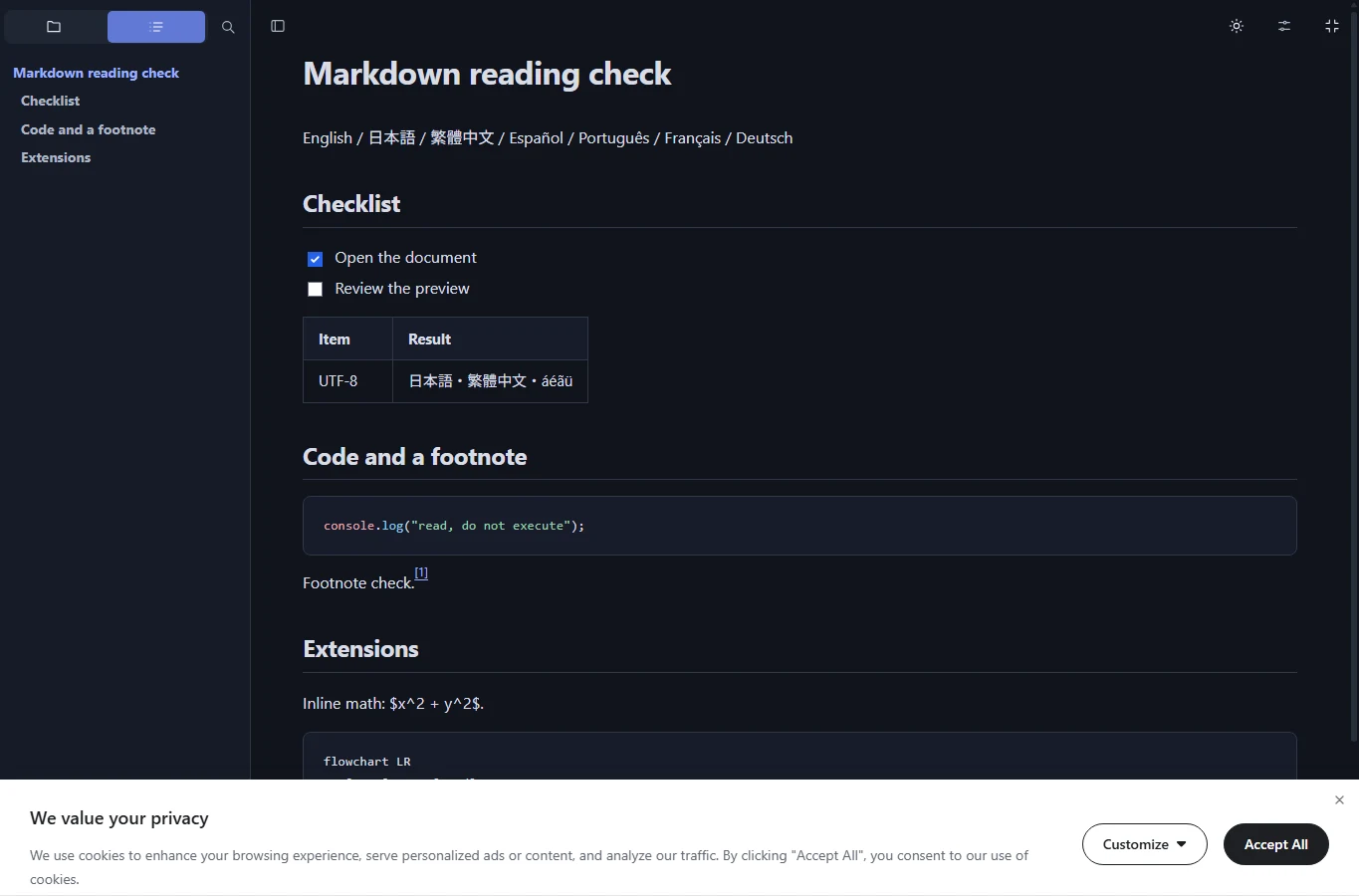
AirMore Markdown Viewer opens .md, .markdown and .txt files up to 2 MB in UTF-8, with drag-and-drop and paste options. It is free to use, but our continuous guest trial encountered a prompt to sign in for free. Do not assume the landing page’s no-sign-up wording means unlimited anonymous use; no credits were requested in that prompt.
The reader offers a heading outline, document search, font-size and theme controls, plus Preview, Split and Source modes. These are useful when you receive a long guide and need to find one heading or compare a suspicious table with its source. Local preview does not modify the original file on your device.
Its narrower rendering is a deliberate trade-off: raw HTML appears as text, external images are not loaded automatically, and math, Mermaid and MDX are not rendered. Our small sample displayed a table, task list and footnote on the Japanese and Traditional Chinese pages, while the formula and Mermaid source remained unrendered. Blocking images also avoids automatic requests to their hosts.
Keep any edits before refreshing: this reader clears the document and changes when you reload or leave. Copy the Markdown source into a file if you want to retain a correction. Choose it for reading ordinary text, tables and code rather than for permanent storage, illustrated manuals or formula-heavy documents.
2. Markdown Live Preview — For a quick side-by-side check
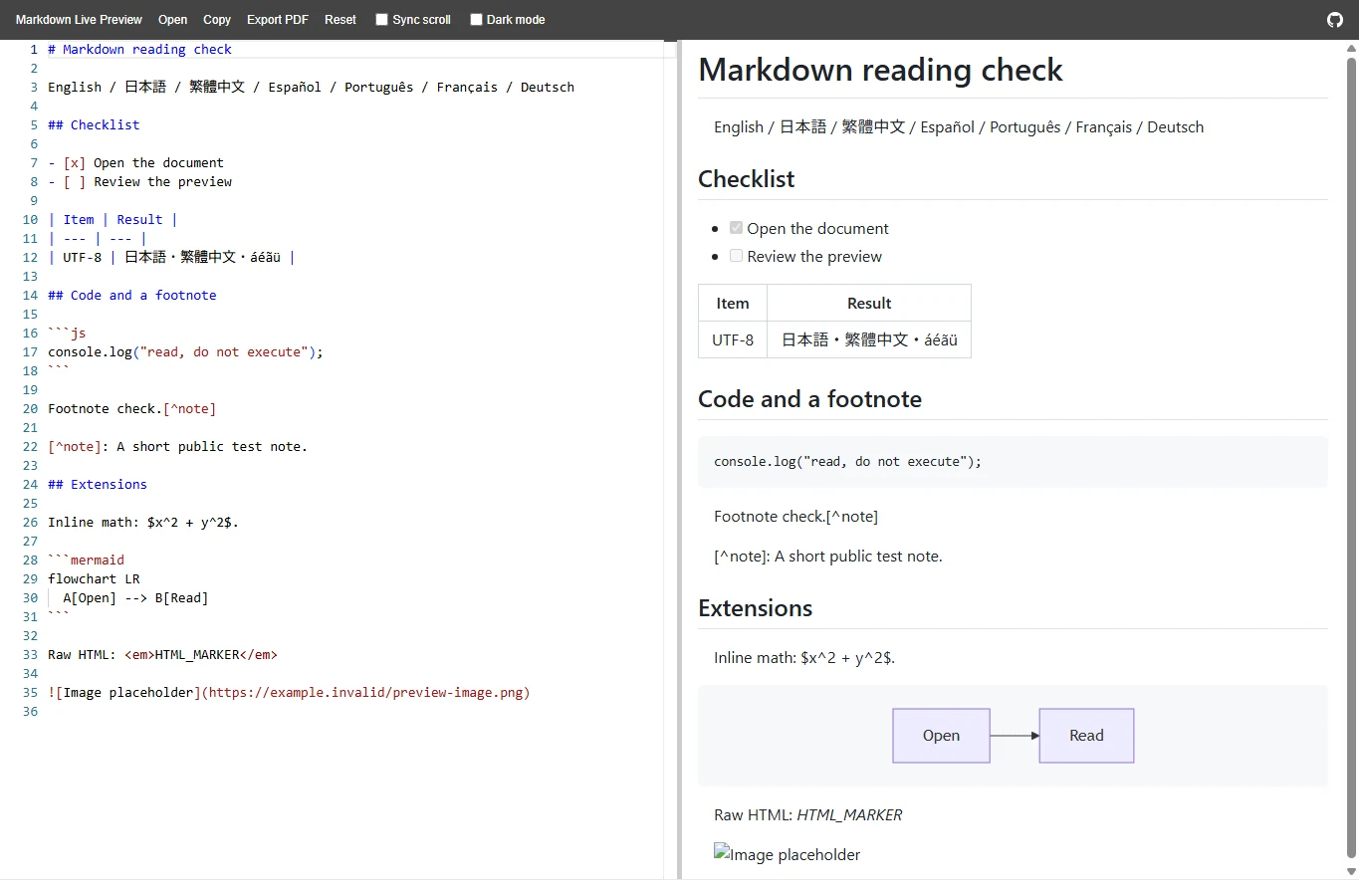
Markdown Live Preview puts source and rendered output next to each other with Open, synchronized scrolling and a dark-mode control. It is useful for checking whether a README’s list indentation or table syntax is the problem, without creating a workspace or connecting a cloud account. The interface is in English, but our UTF-8 fixture displayed Japanese, Traditional Chinese and accented Latin text.
The sample rendered headings, a table, task items and a simple Mermaid flowchart. Its inline equation stayed as dollar-delimited text and the footnote notation was not converted into a functioning note. Those are sample results, not a guarantee for every diagram type or a claim that all Markdown extensions are supported.
Copy and Export PDF controls are available, which is handy if the immediate goal is a readable handout. Check the preview before exporting, then inspect page breaks, wide tables and code wrapping in the result. A PDF conversion does not repair a missing extension or a broken image path.
This is a compact preview workspace rather than a folder reader or publishing system. Keep the original .md file, and save a copy of any source changes rather than treating an open tab as your archive. It is an efficient second opinion on ordinary Markdown, with a different choice advisable for mathematical or footnote-heavy text.
3. MarkdownPreview.net — For math, diagrams and a full-width reading view
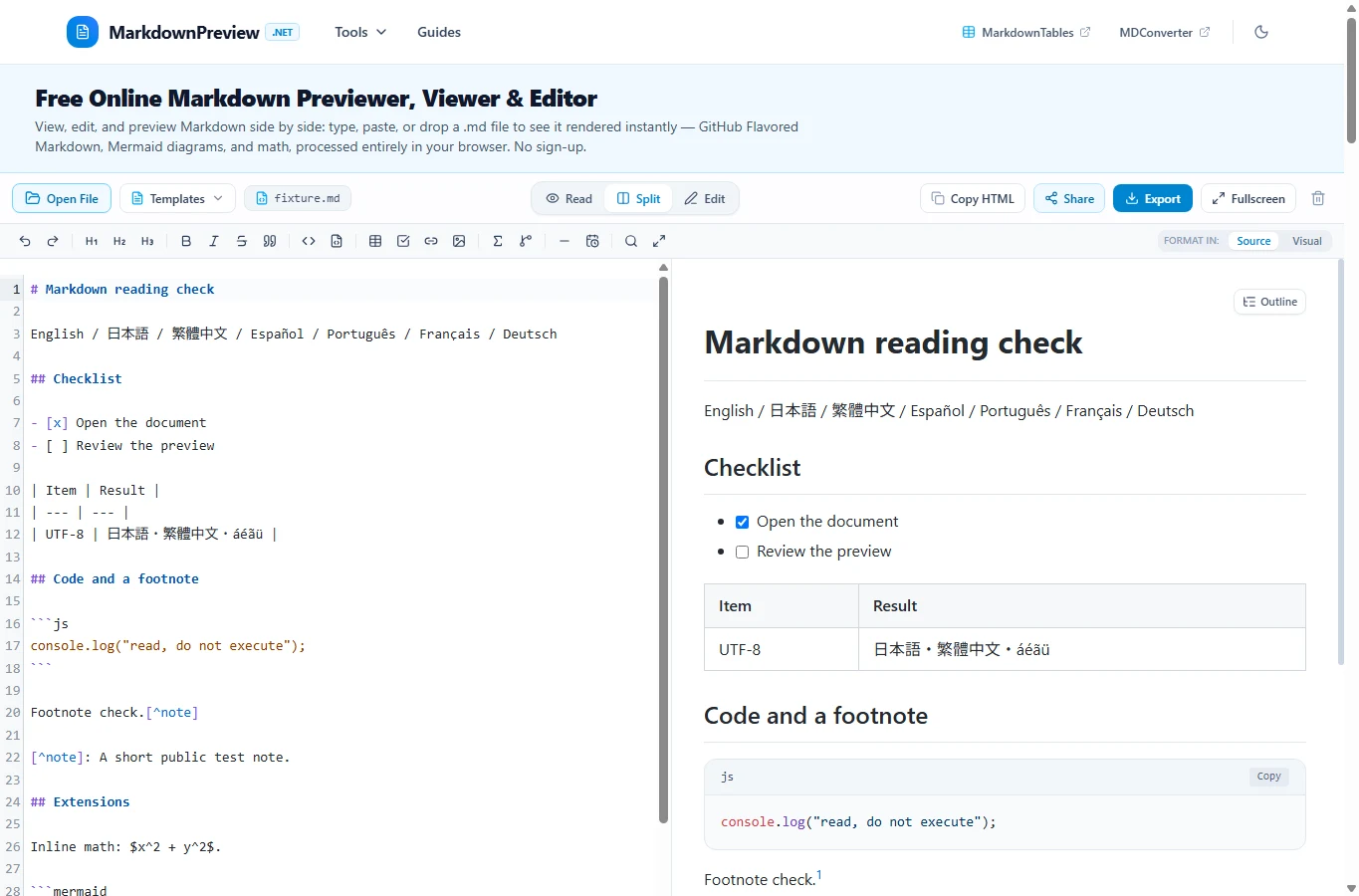
MarkdownPreview.net combines Open File and paste input with Read mode, split editing and an outline. Read mode is the useful distinction for a viewer roundup: you can devote the width to the finished document instead of constantly reading beside an editor. It is a candidate for a technical guide containing more than basic headings and lists.
The service documents GFM features, KaTeX math and Mermaid rendering. Our small fixture showed a rendered equation and flowchart. That supports a limited recommendation for those features, not pixel-identical GitHub rendering or compatibility with every Mermaid version, plugin or MDX component.
Drafts are stored in the browser, and the site offers Markdown, HTML, PDF and PNG exports. Its share feature puts document data inside a URL rather than providing a private collaboration space. Anyone who receives that URL can obtain the content, so a convenient share link is still a disclosure decision.
Use it when you need rich rendering and a route to an exported copy. For important work, keep the .md source separately from browser storage and check the chosen export format. A local autosave is not protection against cleared site data, a shared browser profile or a lost device.
4. mDocks — For navigating a desktop folder
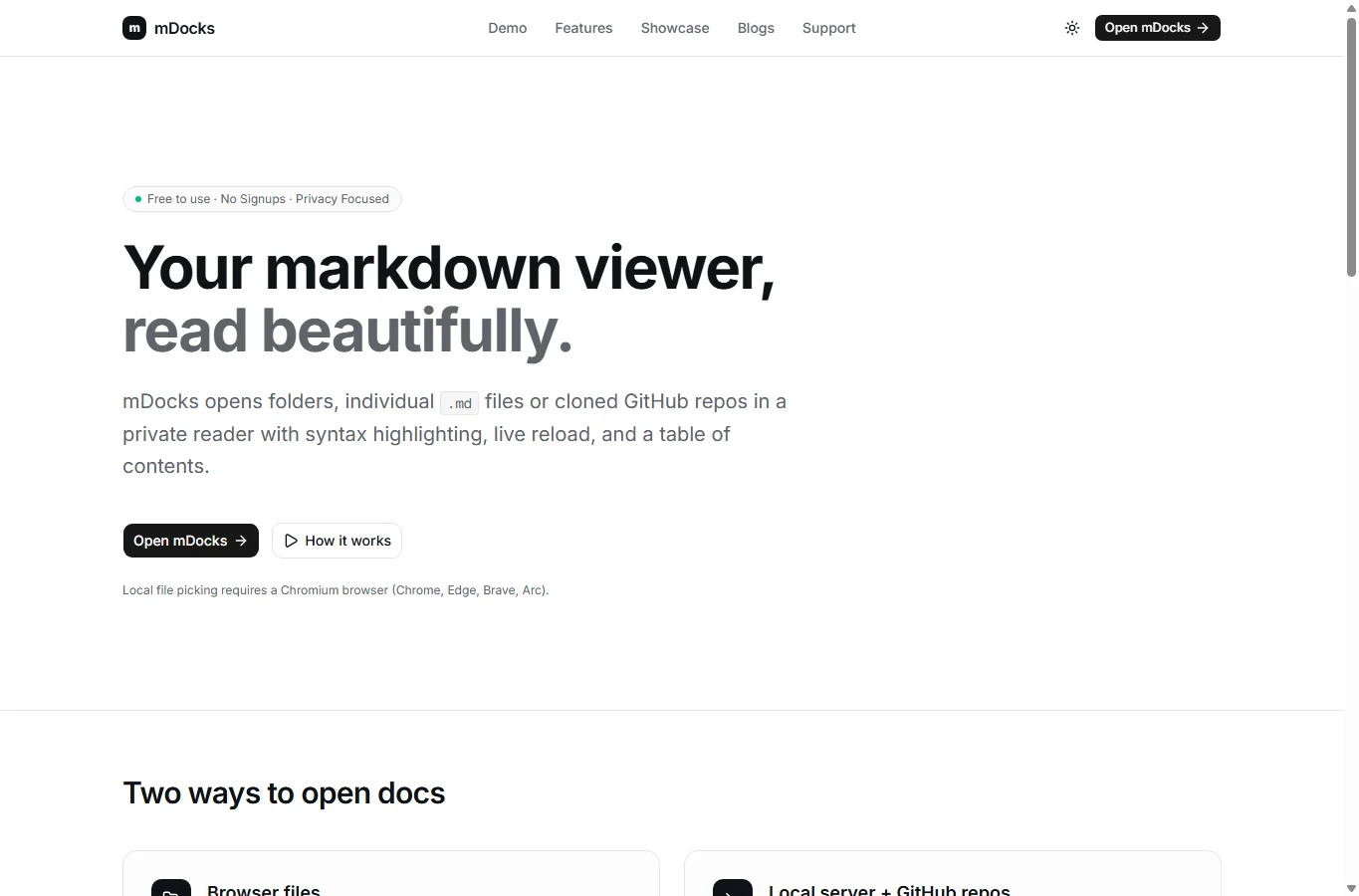
mDocks addresses a different frustration: reading several Markdown files without repeatedly uploading one file at a time. Its Browser Files workflow can open individual files or a folder into a reader with a file tree, heading navigation, code highlighting and live reload. This suits a desktop collection of project notes more than a one-off pasted answer.
The key browser restriction is explicit: local file picking requires a Chromium browser such as Chrome or Edge. Do not choose this workflow expecting the same file-picker behavior in Safari, Firefox or every phone browser. The folder-access workflow was not part of our hands-on fixture check, so consider this recommendation based on the documented design.
The product also advertises a separate local-server workflow for cloning and browsing GitHub repositories. That requires a helper and is not the same as the no-install browser-file mode. For an article about online viewers, start with Browser Files; you do not need to install a repository helper merely to read a few local notes.
Folder permission and remembered local handles make navigation convenient, but they are not a cloud backup. Grant access only to the folder you intend to browse, and retain the source files in your normal storage. If you only need one document on a mobile device, a simpler file-opening viewer is the more suitable starting point.
5. StackEdit — For revisiting and revising documents
StackEdit is a full Markdown editor that also works as a reading and review workspace. Its preview, synchronized scrolling and reader-mode control make it useful when reading is likely to turn into correcting or annotating a document. It is a broader choice than a minimal file viewer.
The official feature set includes several Markdown flavors, mathematical expressions and diagram features. Check the applicable settings when a document depends on extensions. A preview that differs from GitHub or another publishing destination may reflect different parser settings rather than a damaged .md file.
A browser workspace helps with documents you revisit, while optional cloud synchronization can connect external accounts. Those are different privacy choices: connecting a drive or repository is not merely changing the preview theme. The site supports offline work after loading, but do not rely on a first visit with no network or assume every cloud feature works offline.
Choose StackEdit for recurring notes or review-and-edit work; choose a lighter reader if you only want to open an attachment once. Keep an exported source copy in addition to browser storage, and review image paths before moving the document to another folder or service.
Why the same Markdown can look different
Equations or diagrams appear as code
They need an enabled renderer for that extension. A Mermaid code block or LaTeX expression is not universally supported Markdown. MDX additionally needs its own application environment.
Images are missing
An external URL may be blocked or unavailable; a relative path needs the accompanying asset and permission to access it. Opening one .md file does not automatically expose neighboring files on your computer.
Characters look broken or layout differs
Check UTF-8 encoding, list indentation and the target Markdown flavor. Japanese, Chinese and accented text are document content; an English toolbar does not by itself prevent rendering them.
A sensible workflow for private or important files
- Try a non-sensitive sample first, including the exact table, formula or diagram your real document needs.
- Check whether the tool uploads text, loads remote images, creates a share URL or connects a cloud account. These are separate actions.
- Before closing, export or copy any changes you need. Confirm whether refreshing clears the page or the browser keeps a draft.
- Keep the original Markdown and accompanying assets together. A rendered view or PDF is useful, but does not replace the editable source.
Which viewer should you open first?
Use AirMore for ordinary local reading with an outline, Markdown Live Preview for a quick formatting check, and MarkdownPreview.net for richer equations and diagrams. Use mDocks for a Chromium desktop folder workflow, or StackEdit when you expect to revisit and revise the document.
Related
Best AI Tools to Convert MP4 to MP3

Veo 3.1 Review: Is Google's AI Video Model Worth Using?
Best AI Email Writers for Work, Sales, and Everyday Messages
How to Use Perplexity: A Complete Beginner’s Guide to Pro Search, Files and Comet (2026)

Best AI Essay Checkers for Students and Writers
Best AI Flyer Generators for Small Businesses and Events