
The best AI health app is usually the one that fits the information you already have and the kind of support you actually want. Google Health Coach is a strong starting point for eligible Fitbit and Pixel Watch users; Oura Advisor suits existing ring owners; Wysa focuses on emotional self-help; Ada offers structured symptom assessment; and WHOOP Coach is aimed at training and recovery. These are different jobs, so a single overall winner would be misleading.
A useful app should turn a confusing chart, a vague goal or an unstructured account of how you feel into something easier to understand. It should also make its limits clear. An AI-generated explanation is not a diagnosis, and a confident answer is not proof of medical accuracy. For an urgent health concern, contact a healthcare service rather than waiting for an app conversation.
The five AI health apps at a glance
| App | Best fit | AI feature and cost | Main requirement or limitation |
|---|---|---|---|
| Google Health Coach | Broad daily wellness guidance | Premium; US store lists pricing from $9.99 | Current Coach eligibility requires Fitbit or Pixel Watch, age 18+ and a supported country |
| Oura Advisor | Understanding sleep and daily patterns | Included in Oura membership: US $5.99/month or $69.99/year, before tax | Compatible ring costs extra; Gen3 or later required |
| Wysa | Emotional self-help and reflection | Free AI conversations; broader tools and some human services cost extra | Access and languages vary between consumer and organization-provided versions |
| Ada | Organizing symptoms into an assessment | Free consumer app and symptom checker | Not a medical diagnosis; available in seven languages, excluding Japanese |
| WHOOP Coach | Training load, recovery and sleep context | Included with WHOOP membership; US One reference price $199/year | Requires WHOOP; regional offers, hardware bundles and renewal prices differ |
Pricing and availability reference date: September 14, 2026. The Google figure is the starting price displayed by the US store; check the billing period and renewal terms before subscribing. Oura’s price is for membership, not the ring. WHOOP combines membership with a device package, so its annual price should not be compared directly with an app-only monthly fee. Links to the relevant official offers appear below.
What makes an AI health app worth using?
Look for a specific input-to-output workflow. A wearable assistant reads your recorded metrics and explains trends. A symptom checker asks follow-up questions. An emotional wellbeing app helps you reflect and practise coping skills. A chatbot added to a step counter does not automatically make that app useful for every health question.
This is an editorial comparison of published features, access conditions and costs, not a hands-on clinical accuracy trial. The recommendations are based on task fit. A product’s clinical research, an individual reviewer’s experience and our selection advice are different kinds of evidence; none establishes that an AI answer is correct for a particular person.
Before paying, check whether the app can use your existing device, whether the desired AI feature works in your country and language, and whether you can review or delete the information you share. Start with one concrete goal, such as making sense of a weekly sleep summary. You can judge usefulness much more easily against that goal than against a promise to “optimize your health.”
1. Google Health Coach: broad guidance for Fitbit and Pixel Watch users
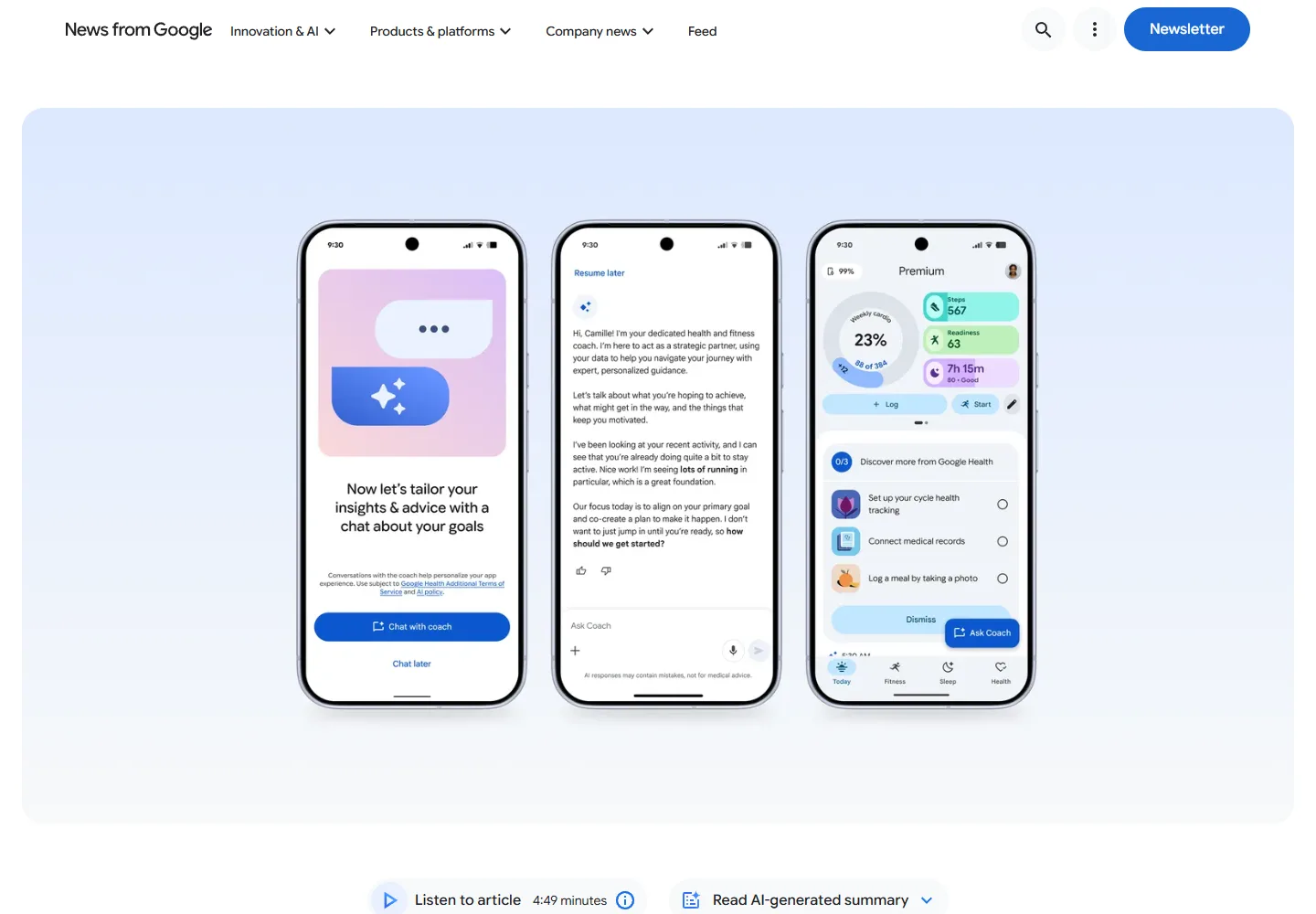
Google Health Coach brings conversational support into the Google Health app, which replaced the Fitbit app in 2026. The Gemini-powered feature can help explain activity and sleep trends, discuss goals and adapt a wellness plan. Its practical attraction is having the conversation near your records: instead of copying several charts into a separate chatbot, you can ask questions within the same ecosystem. See the official introduction and Google Health Premium offer.
It is a sensible first option if you already collect data with an eligible Fitbit or Pixel Watch. For example, ask it to summarize your recent activity and explain which records support that summary, then compare the answer with the underlying log. Keep a proposed change small enough to evaluate. A long, ambitious plan can be less useful than one realistic adjustment that fits your work schedule.
The current setup requirements matter: Coach and Premium coaching features require an eligible device, a Premium subscription, age 18+ and a supported country. Japan and the United States are listed, but not every feature is available in every language. The US store displays a starting price of $9.99; the Japanese store displays ¥1,580. These are regional offers, not currency conversions. Confirm your account’s billing terms and any existing subscription entitlement before purchasing again.
There is a real tradeoff between helpful reminders and too much AI commentary. In a May 2026 Android Central account of using the redesigned app, the editor found the coaching encouraging while also describing an overload of AI. That is a usability observation, not evidence of improved health outcomes. Choose Google if you want broad guidance within an existing Fitbit/Pixel workflow; skip the hardware purchase if you only want an occasional self-help conversation.
2. Oura Advisor: a conversational layer for existing ring data
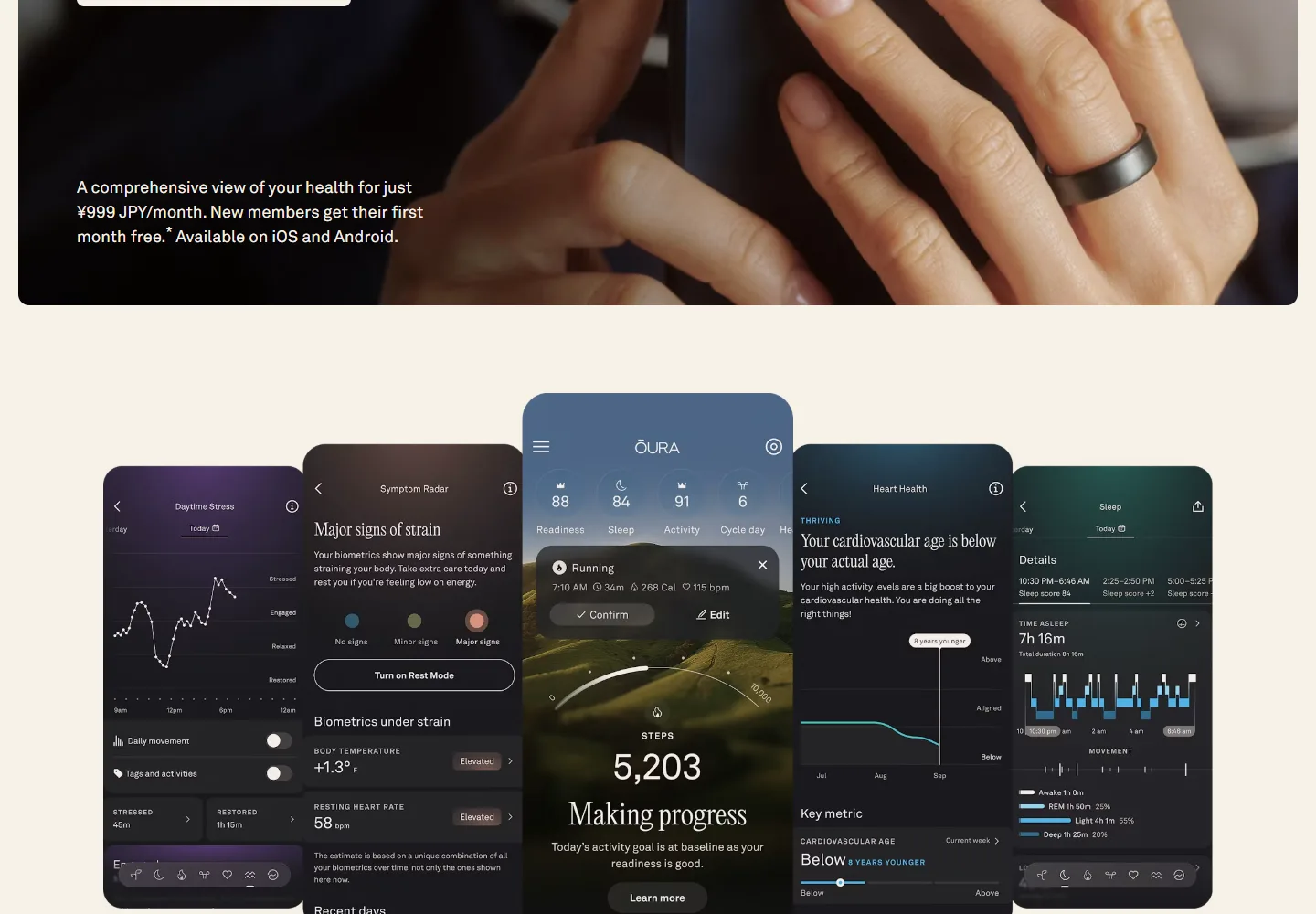
Oura Advisor is designed to make recorded sleep, activity and readiness information easier to discuss. It combines Oura’s data analysis with a language model, using information such as scores, activities, tags and your interactions. A useful starting question is “Which recorded changes stand out in my recent sleep data?” rather than “What illness do I have?” The official Advisor guide explains how to open it from the Today tab and manage its settings.
The value is strongest for someone who already wears a compatible ring consistently. You can adjust the conversational style and check-in frequency, and review or delete saved memories. However, Oura acknowledges that Advisor can produce unexpected answers or discrepancies with other app screens. Compare the explanation with the actual dates and measurements. A relationship between a late night and a lower score is not proof that one caused the other.
Oura membership costs $5.99/month or $69.99/year before tax in the US. Japan’s published rate is ¥999/month or ¥11,800/year including tax. Ring hardware is separate, and Advisor requires Gen3 or later; Gen2 is not eligible. Existing members do not need a separate Advisor subscription. Buying a ring solely to unlock a chatbot is a much larger commitment than adding AI guidance to a ring you already use.
Language support needs special attention. The current English support page lists ten Advisor languages, but Japanese is not among them, even though Oura has a Japanese website and Japanese app screens. Some integrations are also more limited outside English. For English-speaking ring owners, Advisor is a convenient way to ask follow-up questions; for someone who needs Japanese AI conversations, check feature eligibility before considering a purchase.
3. Wysa: emotional reflection without buying a wearable
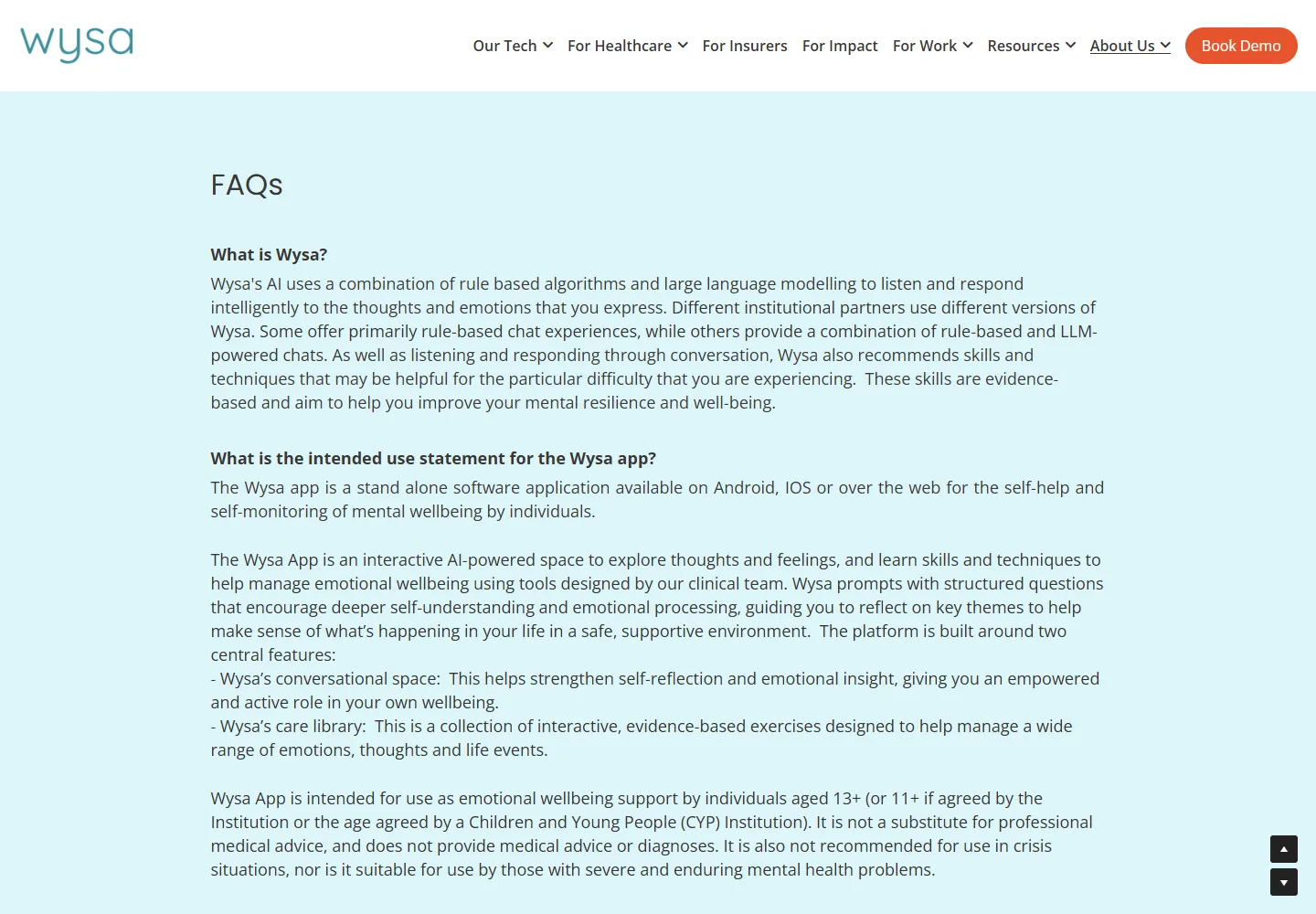
Wysa is a more focused choice for someone who wants to talk through everyday stress or build a habit of emotional reflection. Its AI conversations and self-help exercises are built around emotional wellbeing. Depending on the version, its responses use rule-based systems, language models or a combination. That makes it different from a wearable assistant: you supply the context through conversation rather than a stream of sensor readings. The official FAQ describes the available formats and intended use.
Use it as a space to put an experience into words and try a manageable exercise. For example, describe a difficult moment at work, identify what you were thinking and decide whether the suggested activity is relevant. The useful outcome is a clearer account of your feelings or a technique you can practise, not agreement from a bot that your interpretation must be right. You can stop or change direction if a conversation feels repetitive or unhelpful.
AI conversations and the tools offered within them are free. A wider tool library is paid, and human coaching can cost extra in supported locations. Organization-provided access may include additional services. There is no single universal price that applies to every store, country and employer plan, so compare the offer displayed in your own account rather than treating an old annual price as current.
Wysa’s March 2026 language update announced expanded multilingual support for organizations, including Japanese. That does not establish identical access in every consumer app. Check which version your employer, insurer or app store provides. Wysa supports self-help; it does not provide a medical diagnosis and is not a crisis service or a substitute for professional mental healthcare.
4. Ada: structured questions about symptoms
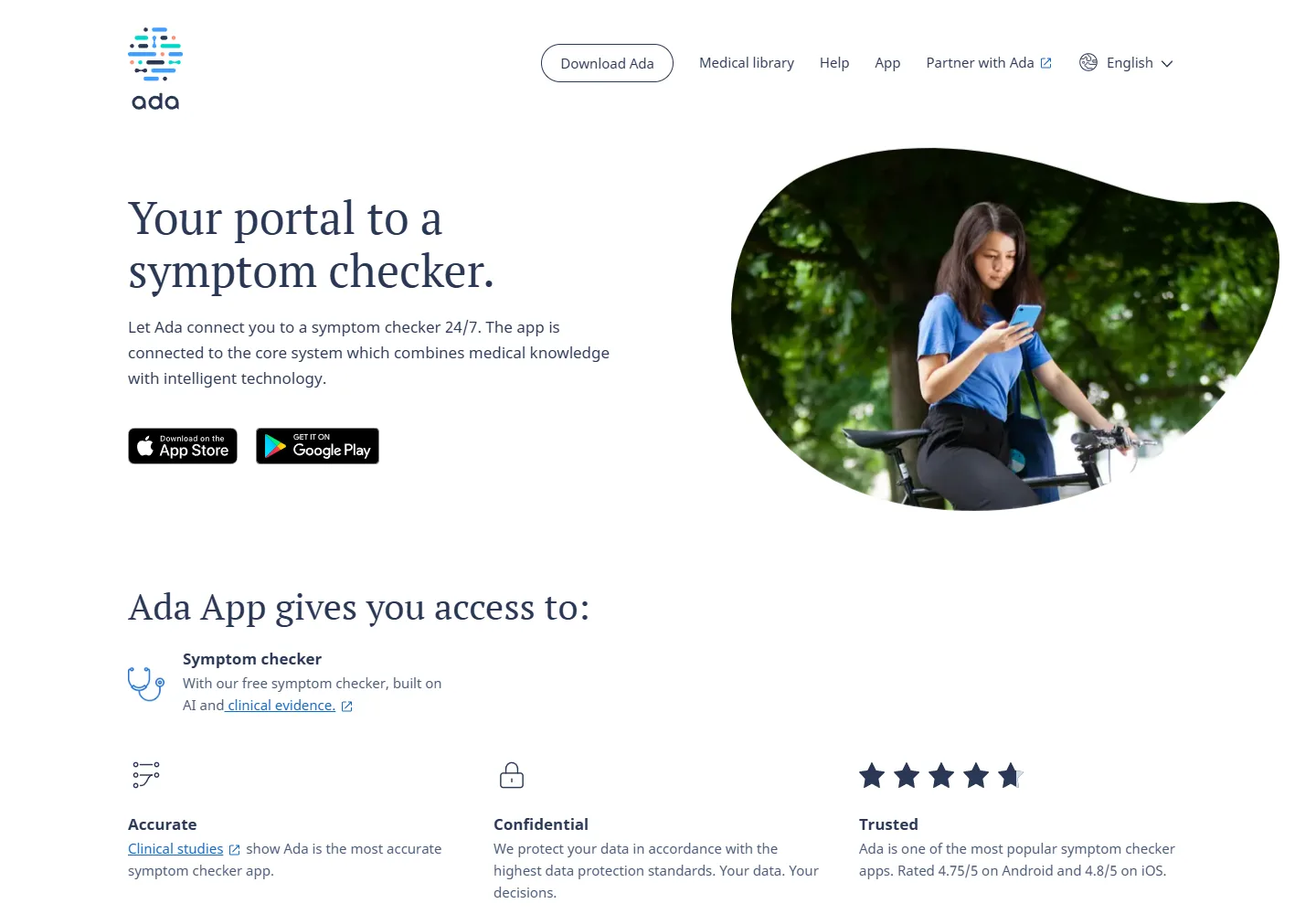
Ada is the most relevant option here when the task is organizing symptoms rather than improving a daily routine. The free Ada app connects you to an AI-powered symptom assessment that uses follow-up questions. This structure can help you record details that are easily missed in an open-ended search: when something started, what changed and which other symptoms you noticed. It is not an all-purpose fitness or lifestyle coach.
The practical use is preparation. Answer as accurately as possible and retain a clear summary to discuss with a healthcare professional. Do not select an answer just to get through the questions faster. An assessment depends on what you report; it cannot perform a physical examination or verify that the information you entered is complete. The results should not be used to decide that persistent or worsening symptoms are safe to ignore.
Ada’s consumer symptom checker is free and requires no wearable. Its June 2026 language announcement lists English, German, Spanish, French, Portuguese, Romanian and Swahili. Japanese is not listed. A localized app-store listing does not change that. If you cannot confidently understand the assessment language, an app is a poor place to guess the meaning of a symptom question.
Choose Ada for a structured symptom conversation and an organized record, not for a guaranteed answer about a condition. The boundary is particularly important because “symptom assessment” can sound more definitive than it is: the service itself states that it cannot provide a medical diagnosis.
5. WHOOP Coach: training and recovery in context
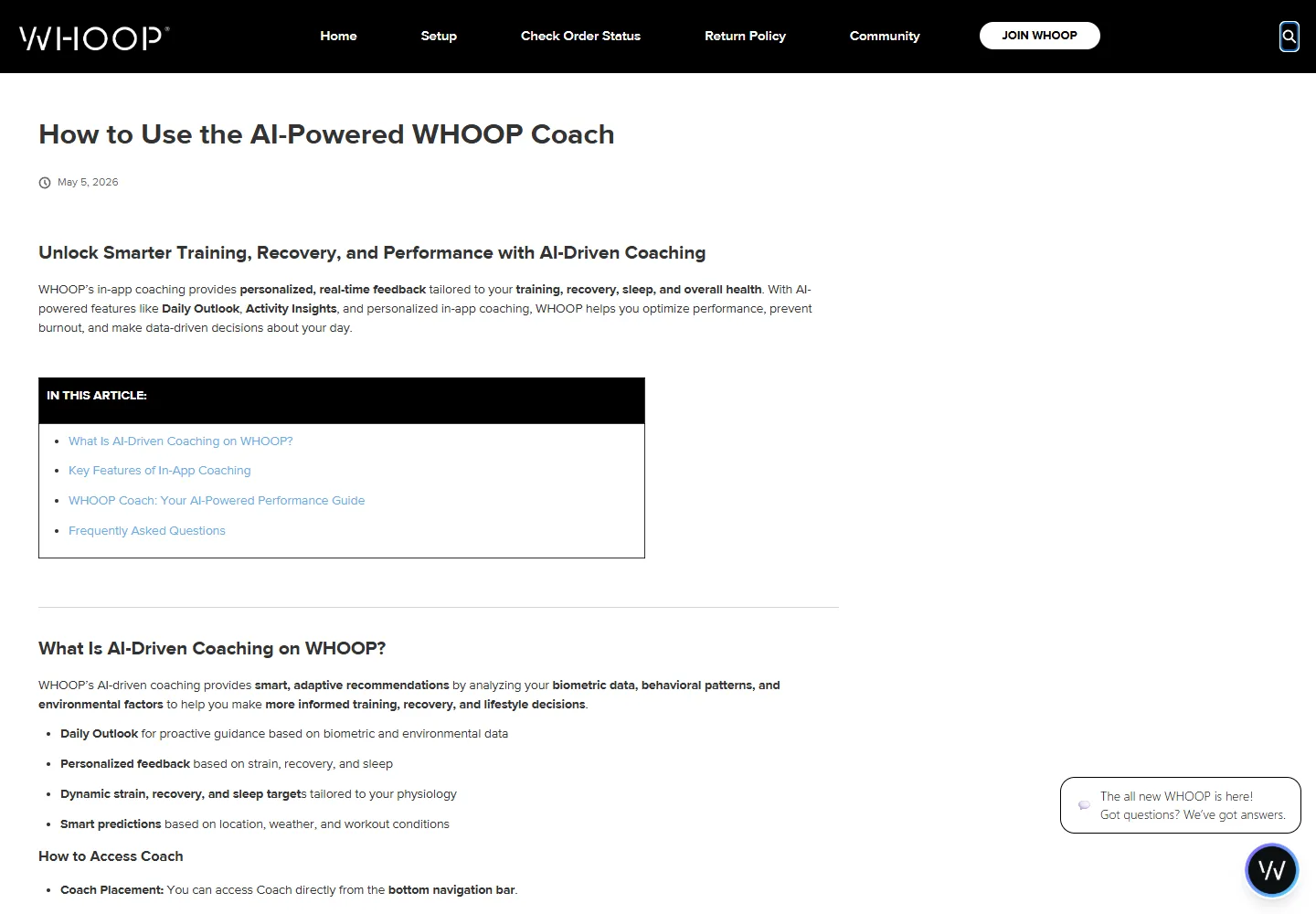
WHOOP Coach is aimed at people who already think about training load, recovery and sleep together. Its official coaching guide describes conversational explanations, morning guidance and analysis within activity details. Instead of receiving only a score, you can ask which recorded factors contributed to the assessment and add context about how a session felt. This is a better fit for a regular training routine than for an occasional general health question.
An effective workflow is to open a completed activity, inspect the recorded data and ask one specific follow-up question. If the answer does not match your experience, say so. Wearable data and subjective experience can disagree; an AI summary should not pressure you to train through pain or dismiss fatigue. The editorial advantage is convenience and context, not proof that an automatically generated training suggestion is optimal.
Coach is included within the membership ecosystem. The official pricing guide gives a US WHOOP One reference price of $199/year, with higher tiers offering additional features. Device bundles and first-year offers differ by region, and promotional prices can differ from renewal prices. Compare the actual hardware included, annual commitment and cancellation terms; a strap accessory price is not a membership price.
WHOOP is most compelling if you want ongoing data collection as well as the assistant. If you already have a device and a paid subscription elsewhere, assess the extra value before adding another. The WHOOP privacy policy also explains the use of an external language-model provider for Coach; check those data-sharing terms before sharing information beyond what is needed for your question.
Choose by the job, not by the longest feature list
For someone without a wearable, Wysa and Ada are the simplest starting points, but for very different reasons: emotional self-help versus symptom organization. Neither needs a ring or band. Try the relevant free workflow before spending money on an annual plan or new hardware.
For an existing wearable owner, start with the assistant that can already access your records: Google Health Coach for eligible Fitbit/Pixel users, Oura Advisor for supported ring owners, or WHOOP Coach for WHOOP members. Switching ecosystems involves more than a subscription price; you also change the device you wear, the data history you build and the app you must keep using.
If your main task is recognizing meals or logging calories, use a dedicated AI calorie tracking app comparison. For generating an exercise schedule, see AI workout generators. Those tools answer narrower questions than a general health assistant and may be easier to judge against a specific goal.
Accuracy and privacy: what to check before your first conversation
Ask the app to distinguish recorded facts from suggestions. Check dates, units and missing data in its answer. If it gives a confident explanation without a supporting record, treat that explanation as uncertain. A fluent paragraph is not a replacement for a measurement, and consumer wearable scores are not a complete clinical picture.
Share the minimum information needed. Before uploading a record or describing a sensitive situation, find the controls for conversation history, memory, data deletion and connected services. Deleting a chat, switching off reminders and cancelling a subscription can be different actions. Review the product’s own controls rather than assuming one button does all three.
Keep medical decisions with qualified professionals. These recommendations concern app selection and everyday support, not a treatment plan. Do not use a chatbot to change medication or to rule out a serious problem. When a product includes access to a human service, check who provides it, where they can practise and whether it has a separate fee.
Frequently asked questions
Which AI health app is best overall?
There is no useful overall winner across these different tasks. Google Health Coach covers a broad set of wellness needs for eligible device owners; Wysa needs no wearable and focuses on emotional self-help. Oura and WHOOP are most attractive when you already use their hardware. Choose the task and access conditions first.
Which options can I use for free?
Ada’s consumer symptom checker and Wysa’s basic AI conversations provide free starting points. A free app download from a wearable company does not mean its AI coaching is free. Oura and WHOOP rely on membership, while Google Coach requires Premium and an eligible device under its current help-page conditions.
Do I need a smartwatch or smart ring?
Not for Ada or Wysa. Oura Advisor requires a compatible ring, WHOOP Coach belongs to the WHOOP device ecosystem, and Google currently requires a Fitbit or Pixel Watch for Coach. Check the feature you want, not simply whether the app installs on your phone.
Can an AI health assistant diagnose a condition?
Do not treat a wellness coach or a consumer symptom assessment as a diagnosis. They cannot replace an examination or a clinician’s judgment. Use them to organize information or understand a record, then take health concerns to an appropriate professional. Urgent symptoms should not wait for an app response.
Do these apps support Japanese?
Support differs between the website, app interface and AI feature. Google has Japanese product and help pages and lists Japan as eligible. Oura’s Advisor language list excludes Japanese despite its localized app; Ada’s seven listed languages also exclude it. Wysa’s Japanese expansion is version-dependent. Confirm the actual conversation language before paying.
How should I evaluate a trial?
Pick one ordinary task and see whether the app completes it clearly: summarize a recorded week, help you reflect on a stressful event, or organize symptom details. Check the answer against your information and note the time or effort saved. Review renewal price, billing period and cancellation steps before the trial ends.
The right app should make your next step clearer
Start with the smallest useful commitment. A free self-help conversation or symptom assessment can show whether that style of interaction suits you. If you already own a supported wearable, try its existing AI feature before buying another device just for coaching. The best value often comes from making better use of information you already collect.
Pay for a tool when its guidance is understandable, its required data is acceptable to you and it helps with a repeatable task. Sleep summaries, emotional reflection and training context can each be worthwhile, but they are not interchangeable. A good health app should help you ask better questions and maintain a manageable routine while leaving medical decisions to the right people.
Related
Best AI Image Extender and Outpainting Tools

Best AI Hashtag Generators to Find Tags for Instagram, TikTok, and More

Best AI Poster Generators for Events, Marketing, and Creative Design
Best AI Research Paper Summarizers for Students and Researchers
Best AI Lesson Plan Generators for Teachers
Best AI Flyer Generators for Small Businesses and Events