Qwen 3.8 Review: Benchmarks, Local Setup, GPU Requirements and NSFW Policy
Qwen 3.8 is best understood as two related stories: a huge Max-class open-weight line for cloud-scale inference, and a 27B-class model that local LLM users…

Qwen 3.8 is best understood as two related stories: a huge Max-class open-weight line for cloud-scale inference, and a 27B-class model that local LLM users can realistically test. In practice, Qwen3.8-2.4T-A95B is the ambitious release, while Qwen3.8-27B is the more practical starting point for developers, researchers, and small teams.
The short verdict is simple: if you want the highest ceiling, look at Qwen3.8-Max and the 2.4T-A95B weights through Qwen Cloud or serious GPU infrastructure. If you want something you can actually run, benchmark, quantize, and compare against Llama, Gemma, DeepSeek, Kimi, or GLM on local hardware, start with Qwen3.8-27B.
Contents
What Is Qwen 3.8?
Qwen 3.8 is the next major step in the Qwen open-model family after the Qwen3.5 and Qwen3.6 waves. On Hugging Face, the key releases include Qwen3.8-2.4T-A95B, its FP8 variant, Qwen3.8-27B, and the 27B FP8 variant.
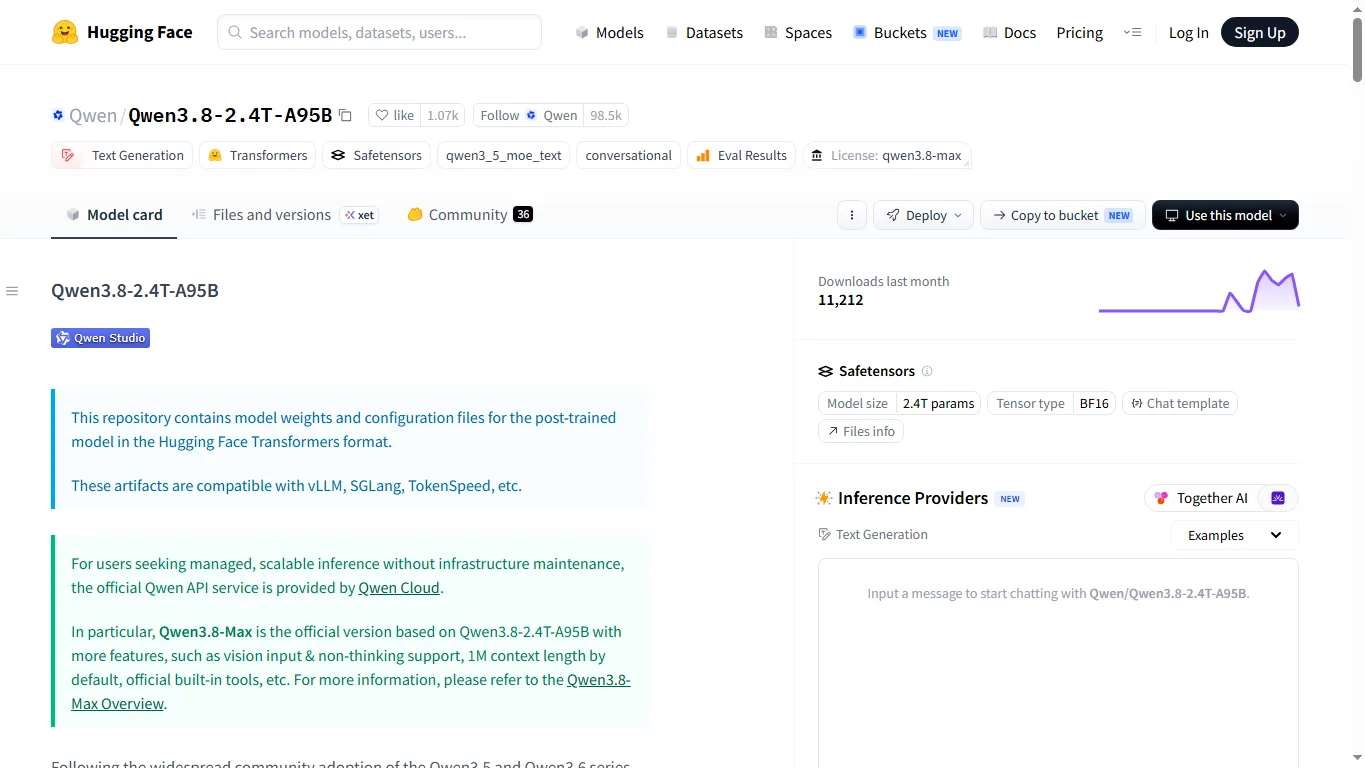
The 2.4T-A95B model card describes a post-trained model in Hugging Face Transformers format, compatible with vLLM, SGLang, TokenSpeed, and related serving stacks. It also states that Qwen3.8-Max is the official service version based on this A95B line, with additional capabilities such as vision input, non-thinking support, 1M context by default, and official built-in tools.
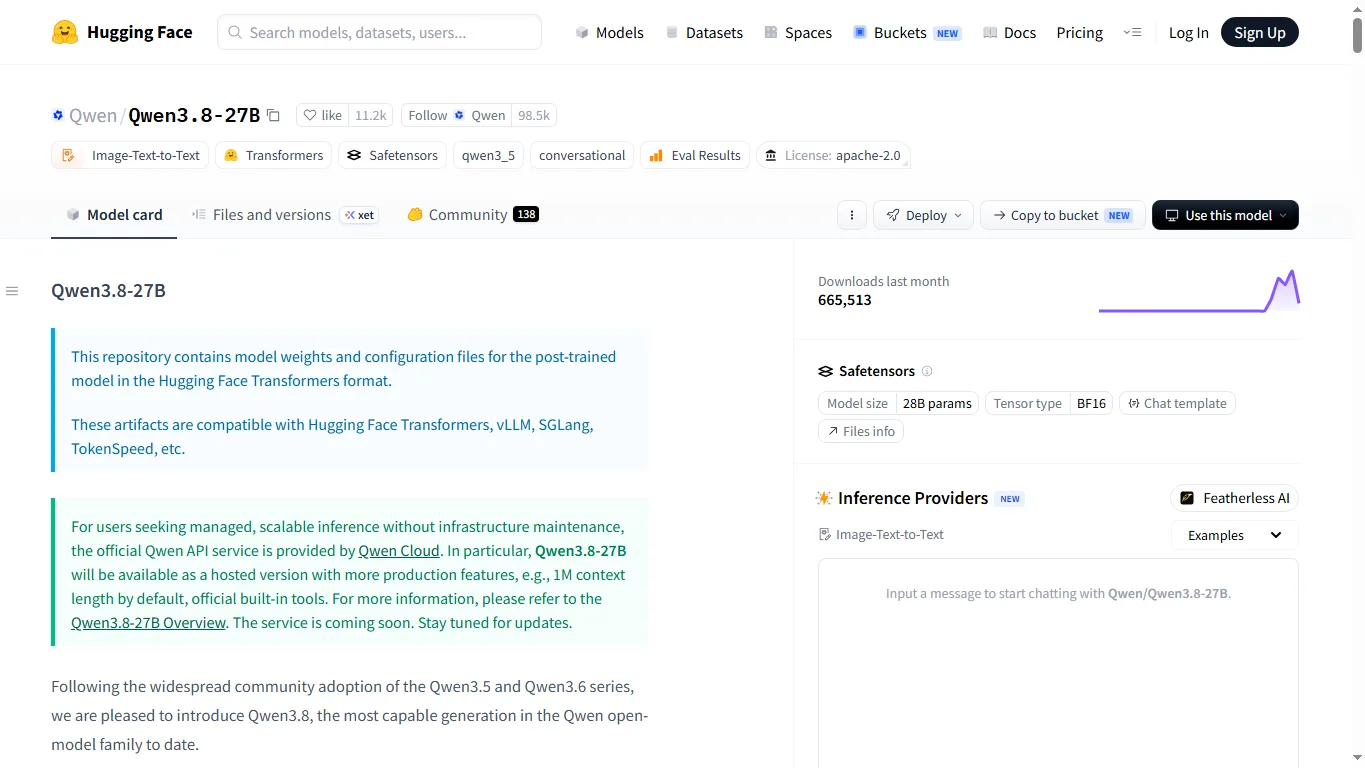
Qwen3.8-27B is a different proposition. Its model page shows a 28B-parameter BF16 model under the Apache-2.0 license. That makes it much easier to evaluate as a local LLM candidate, especially for users comparing models on RTX 4090-class GPUs, RTX 6000 Ada systems, Mac Studio-class setups, or rented cloud GPUs.
Models and Download Links
| Model | Role | License / format | Best use |
|---|---|---|---|
| Qwen3.8-2.4T-A95B | Max-class ultra-large MoE base | qwen3.8-max license / Safetensors / BF16 | Research, cloud inference, large-scale serving tests |
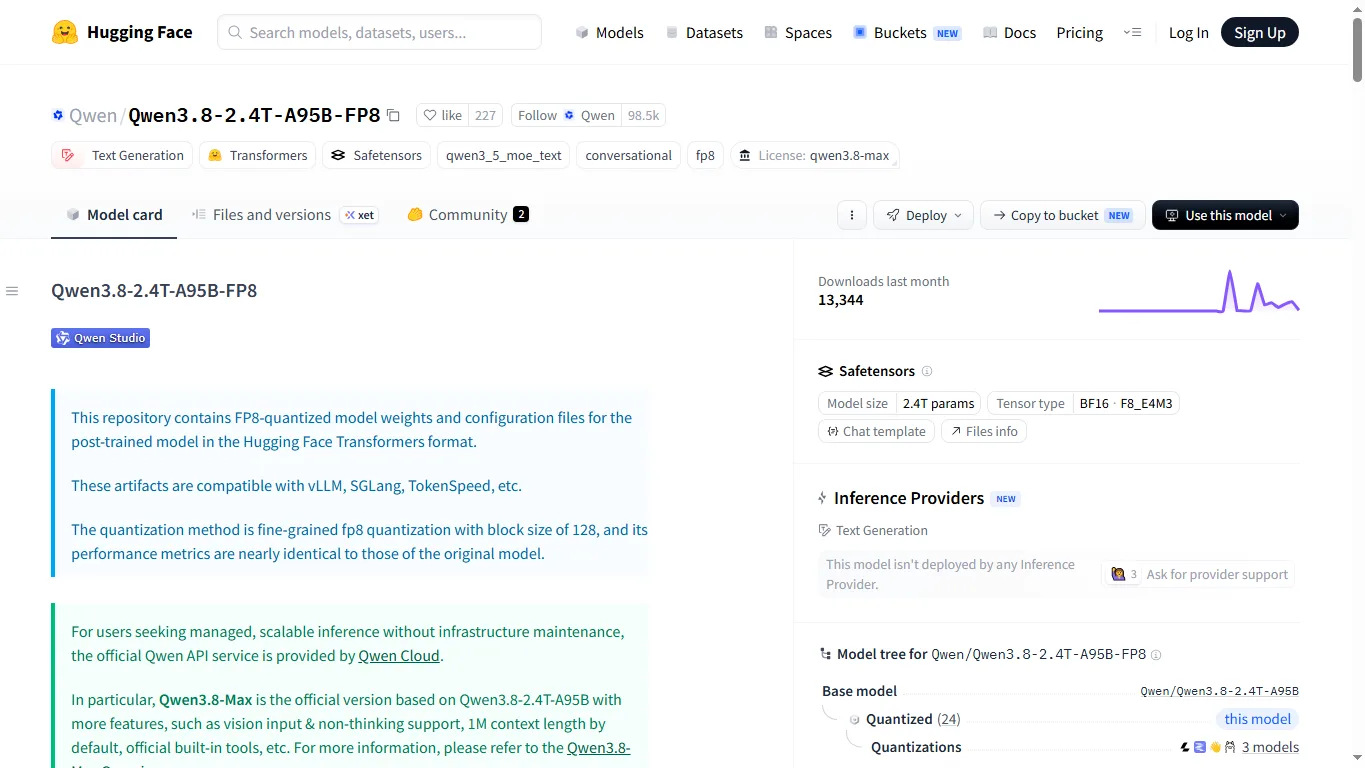
| Qwen3.8-2.4T-A95B-FP8 | Lower-memory FP8 release of the 2.4T line | qwen3.8-max license / FP8 quantized | vLLM, SGLang, TokenSpeed, distributed inference |
| Qwen3.8-27B | More practical 27B-class local model | Apache-2.0 / Safetensors / BF16 | Local LLM testing, RAG, coding assistance, private workflows |
| Qwen3.8-27B-FP8 | Lower-memory 27B variant | Apache-2.0 / FP8 quantized | GPU memory savings and serving tests |
| Qwen3.8-2.4T-A95B on ModelScope | Alternative official distribution route | Safetensors | China-based environments and ModelScope users |
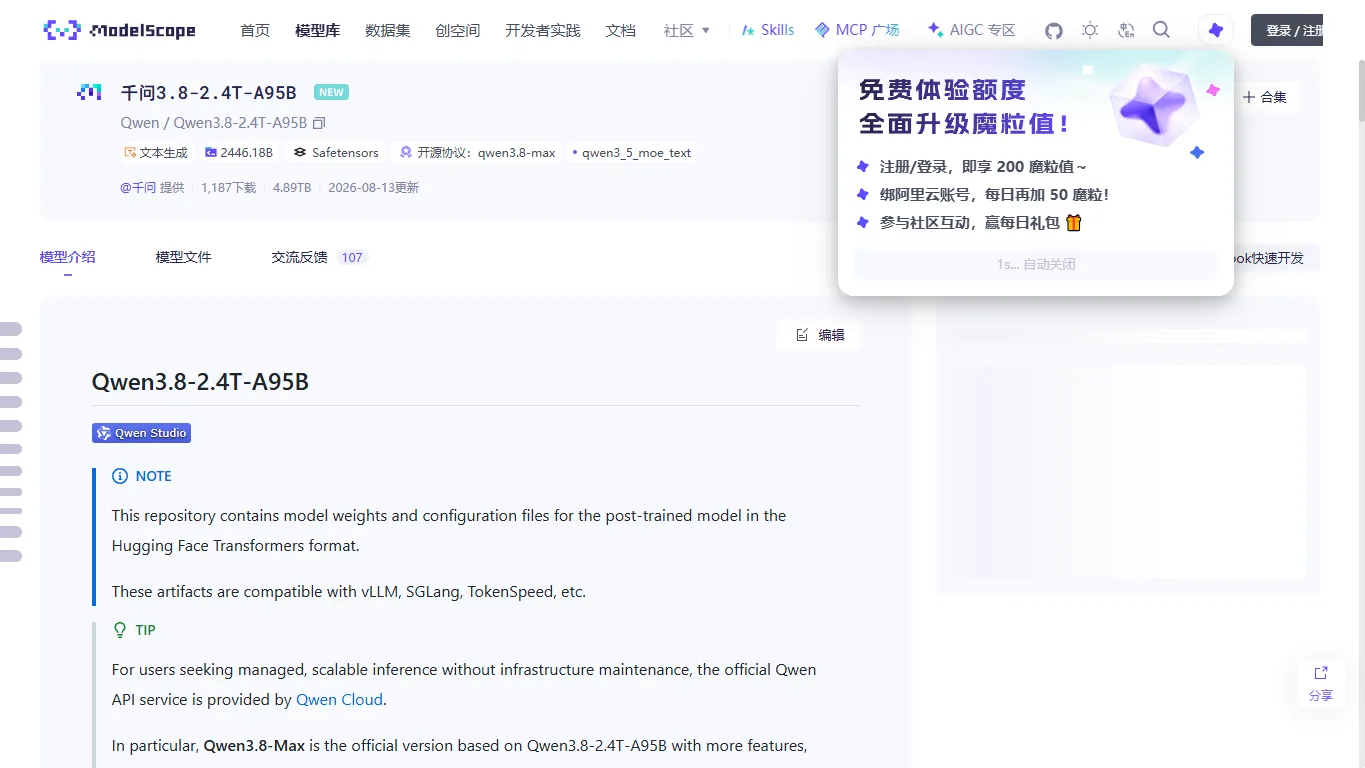
For most readers, the sensible path is to test 27B first, then move to the 2.4T line only if you have the serving budget. The 2.4T release is not a casual desktop model; it is a serious infrastructure model with storage, GPU, deployment, and cost implications.
Benchmarks and User Impressions
Official positioning frames Qwen3.8-Max as the strongest generation in the Qwen family, with improvements across reasoning, coding, long context, agentic workflows, tool use, and multilingual tasks. The model cards highlight 1M context, official tools, vision input, and compatibility with modern serving frameworks.
Community attention has centered on download counts, the viability of 27B for local use, FP8 quantization, and support in inference engines such as vLLM and SGLang. That is a good sign, but it also means practical results depend heavily on the exact build: BF16, FP8, 4-bit community quantization, context length, batch size, and serving engine can all change the experience.
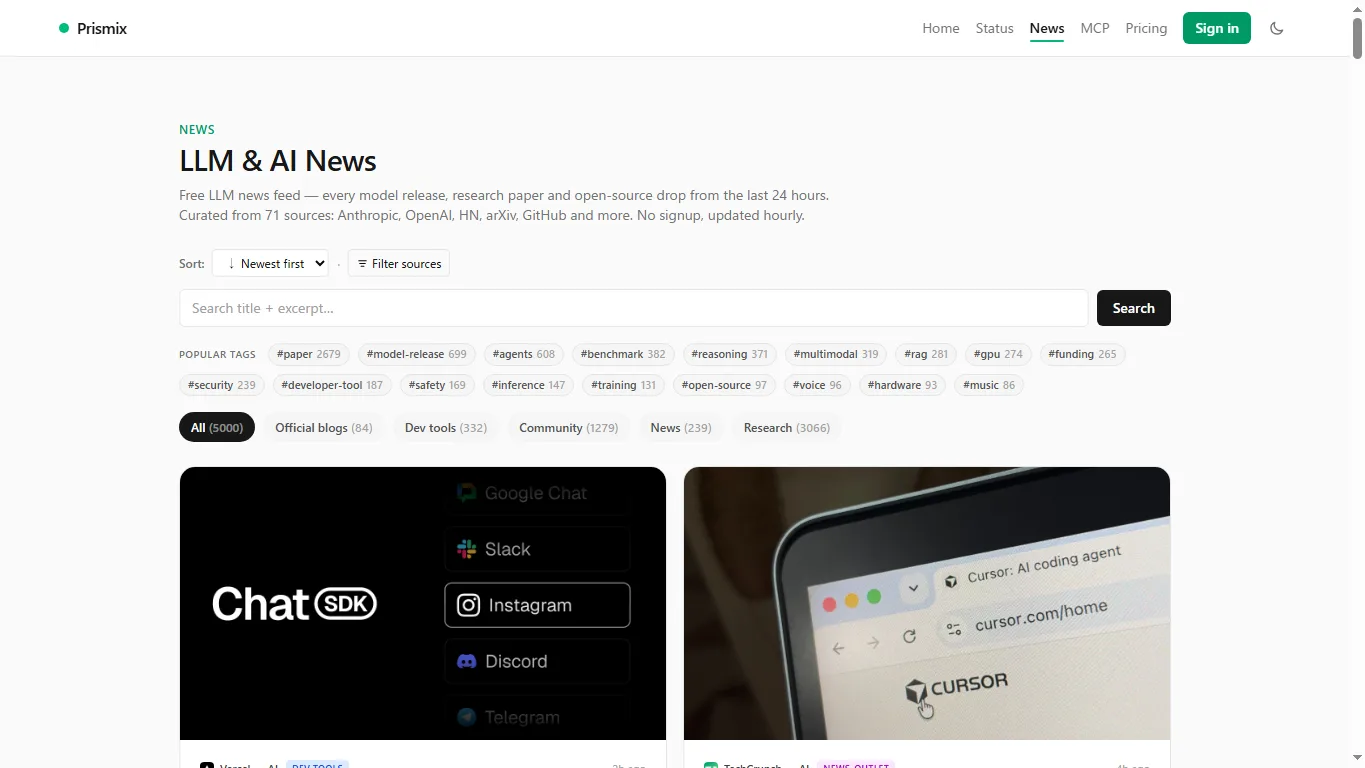
Before adopting Qwen 3.8, you should run a task-specific benchmark rather than relying only on headline scores. Test your own prompts for code repair, Japanese or multilingual writing, long-document summarization, RAG, image-text questions, and structured output. A 20- to 30-prompt evaluation against Llama, Gemma, DeepSeek, Kimi, GLM, and your current paid model is usually more useful than a generic leaderboard.
Comparison With Local LLMs
| Model | How it compares with Qwen 3.8 | Best fit |
|---|---|---|
| Qwen3.8-27B | Strong multilingual and coding profile, image-text model type, Apache-2.0 license, practical local target. | Users who mix English, Japanese, Chinese, code, and private local workflows |
| Qwen3.8-2.4T-A95B / Max | Much higher ceiling, but the hardware profile is closer to cloud infrastructure than a desktop setup. | Companies, labs, API providers, and GPU-cluster users |
| Llama 4 family | Broad English ecosystem and many derivatives. Qwen is especially compelling for Asian languages and coding-heavy tasks. | Llama for broad community tooling; Qwen for multilingual/code-heavy testing |
| Gemma 3 family | Gemma is easier on modest hardware. Qwen 3.8 is more performance-oriented. | Gemma for laptops/small GPUs; Qwen for stronger local systems |
| DeepSeek V4 family | DeepSeek is strong in reasoning, coding, and large MoE serving. Qwen offers a practical 27B path and official service integration. | DeepSeek for reasoning-heavy serving; Qwen for general local evaluation |
| Kimi / GLM models | They compete in long context and Chinese-language workflows. Qwen is easy to access through Hugging Face and ModelScope. | Users working with Chinese documents, long context, and agent workflows |
Local Setup
For local testing, use Transformers for a first run, vLLM for an OpenAI-compatible server, and SGLang or TokenSpeed for more specialized serving. The 27B model is the right place to start; the 2.4T line should be treated as a distributed inference project.
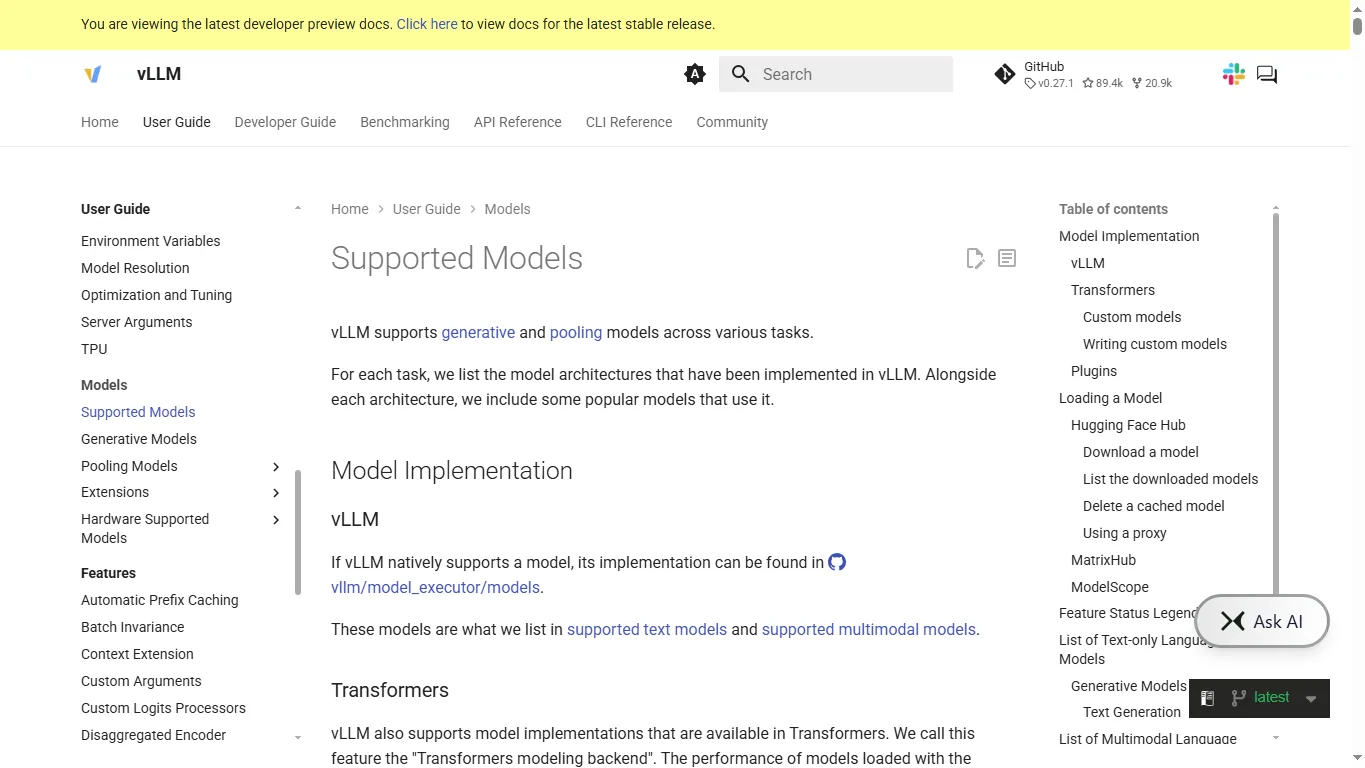
A minimal Transformers run looks like this. Use the latest Transformers, Accelerate, Torch, and Safetensors, and reduce context length or use quantized weights if memory is tight.
pip install -U transformers accelerate torch safetensors python - <<'PY' from transformers import AutoModelForCausalLM, AutoTokenizer model_id = "Qwen/Qwen3.8-27B" tok = AutoTokenizer.from_pretrained(model_id, trust_remote_code=True) model = AutoModelForCausalLM.from_pretrained( model_id, torch_dtype="auto", device_map="auto", trust_remote_code=True, ) messages = [{"role": "user", "content": "Explain Qwen 3.8 in three practical points."}] text = tok.apply_chat_template(messages, tokenize=False, add_generation_prompt=True) inputs = tok([text], return_tensors="pt").to(model.device) out = model.generate(**inputs, max_new_tokens=512) print(tok.decode(out[0], skip_special_tokens=True)) PYFor server use, vLLM is the cleaner route. Start with a conservative context window, then scale the max length only after checking memory usage and throughput.
pip install -U vllm vllm serve Qwen/Qwen3.8-27B \ --trust-remote-code \ --dtype bfloat16 \ --max-model-len 32768Hardware Requirements
Hardware requirements depend on precision, quantization, context length, batch size, and whether you use image input. The numbers below are practical estimates rather than fixed guarantees.
| Use case | VRAM estimate | Notes |
|---|---|---|
| Qwen3.8-27B BF16 | About 56GB+ plus KV cache | An 80GB GPU is comfortable. 48GB can be tight with long context. |
| Qwen3.8-27B 8-bit / FP8 | About 28-36GB+ | More realistic on 48GB GPUs or multi-GPU setups. |
| Qwen3.8-27B 4-bit quantized | About 18-24GB+ | RTX 4090-class systems may work for short to medium context, depending on the build. |
| Qwen3.8-2.4T-A95B BF16 | Several TB-class total memory / VRAM footprint | Not a desktop model. Think distributed cloud inference. |
| Qwen3.8-2.4T-A95B-FP8 | Lower than BF16 but still very large | Requires FP8-capable hardware and distributed serving expertise. |
For most users, the recommended sequence is: try Qwen Chat, test Qwen3.8-27B or a quantized 27B build, then consider cloud testing for the 2.4T line. Jumping straight into the Max-class weights without a serving plan will waste time and storage.
Online Use When Your GPU Is Not Enough
If your hardware is not enough, use Qwen Chat or the official Qwen site first. This lets you check writing quality, coding behavior, long-context handling, image-text interactions, and tool use before investing in local infrastructure.
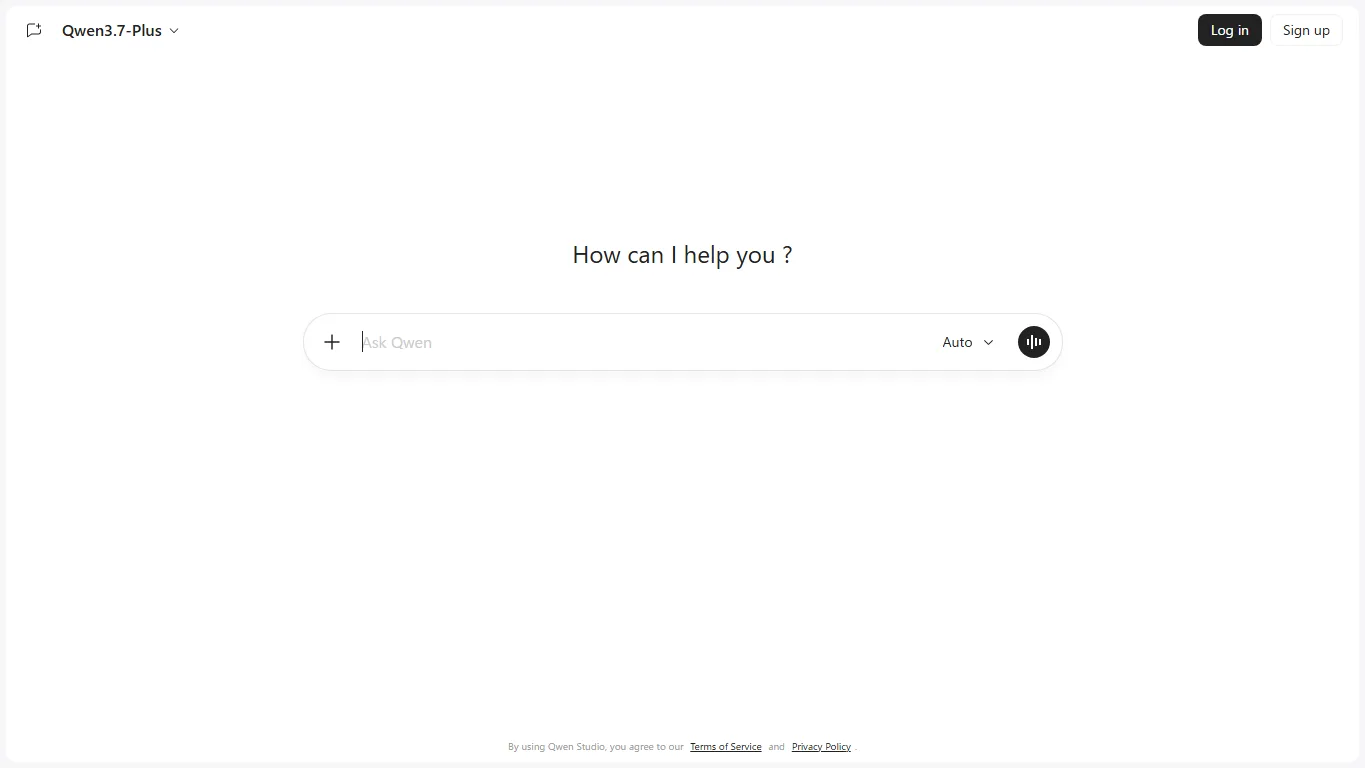
For production teams, Qwen Cloud or Alibaba Cloud APIs are also worth checking because they move the operational burden away from your own GPU stack. Local hosting gives more control and privacy, but you become responsible for updates, monitoring, reliability, and cost optimization.
Qwen 3.8-Flash-Next: the Qwen4 preview architecture
Qwen has also released Qwen3.8-Flash-Next on Hugging Face, an open-weight experimental model that previews several architectural ideas expected in Qwen4. It is a 125B-A6B MoE model with only about 6B active parameters per token, plus a separate 51B-parameter n-gram embedding table that is designed to live in system RAM and be prefetched instead of occupying GPU VRAM.
In practical terms, this is not a small desktop model. The official BF16 weights are roughly 360GB, the FP8 release is around 185GB, and Unsloth GGUF builds are already appearing in the roughly 72.5GB to 111.3GB range. It is better understood as a server/local-lab model for SGLang, vLLM, TokenSpeed, and GGUF experiments rather than a direct replacement for a 27B model on a normal gaming PC.
The reason it matters for this review is performance direction. Qwen reports results that beat Qwen3.8-27B across most language and vision-language benchmarks and even exceed Claude Opus 4.6 Max on several agentic or work benchmarks such as SWE-bench Pro, CoWorkBench, and JobBench. The main innovations are hybrid GDN + QSA attention, Gated Residual paths, RAM-prefetched n-gram embeddings, and the Muon-based training recipe.
License note: Qwen Community License 1.0 allows broad free use, including commercial use in many cases, but MaaS providers, AI coding/office-assistant products, and very large products may need extra obligations or a separate agreement.
NSFW and Jailbreak Policy
The official Qwen online services operate under safety policies and terms of use, so explicit sexual content, illegal instructions, harmful activity, and abusive use may be restricted. Treat it like other commercial AI services rather than an uncensored chat site.
Open weights behave differently from a hosted UI because you control the runtime, but that does not remove model alignment, license terms, platform rules, or local law. The practical reason to run Qwen locally is privacy, RAG, cost control, and workflow customization, not simply jailbreak or filter evasion.
Qwen3.8-27B Uncensored / Abliterated
Readers who want a less restricted local variant may also come across Huihui-Qwen3.8-27B-abliterated on Hugging Face. It is a community-made uncensored / abliterated version based on Qwen3.8-27B, not an official Qwen release. In practice, “abliterated” usually means the refusal behavior has been reduced or removed so the model is more willing to answer prompts that the official chat service or safety-aligned weights may decline.
This can be useful for local testing, alignment research, creative role-play experiments, or comparing how much behavior changes after safety tuning is weakened. At the same time, it carries more responsibility for the user: outputs may be less filtered, less cautious, and easier to steer into adult, unsafe, or legally sensitive areas. If you use this model, check the Hugging Face model card, license, platform rules, and your local laws before deployment, especially for public services or shared workstations.
For most readers, the official Qwen3.8-27B or Qwen Chat remains the safer first choice. The abliterated build is better treated as an advanced local option for users who already understand model hosting, prompt risk, and content moderation.
FAQ
Is Qwen 3.8 free to use?
The open-weight releases can be downloaded from Hugging Face or ModelScope, but hardware is the real cost. The 27B model is realistic for local users; the 2.4T line is closer to cloud infrastructure.
Is Qwen3.8-Max the same as Qwen3.8-2.4T-A95B?
Not exactly. The model card describes Qwen3.8-Max as the official version based on Qwen3.8-2.4T-A95B, with additional features such as vision input, non-thinking support, 1M context by default, and official built-in tools.
Can Qwen 3.8 handle Japanese?
Qwen models are often strong in multilingual use, especially where English, Japanese, and Chinese appear together. Still, you should test your actual Japanese prompts, tone, summaries, and specialized vocabulary before replacing a paid model.
Can I run it on an RTX 4090?
Qwen3.8-27B in a 4-bit quantized build may be possible for shorter contexts on a 24GB RTX 4090-class GPU. BF16 is not realistic on a single 24GB card, and the 2.4T line is not a single-desktop-GPU model.
Can I use it commercially?
Qwen3.8-27B is shown as Apache-2.0, which is friendly for commercial evaluation. The 2.4T-A95B line uses the qwen3.8-max license, so read the license carefully before commercial redistribution, fine-tuning, or hosted deployment.
Should I use local Qwen 3.8 or Qwen Chat?
Use Qwen Chat first if you only need to evaluate quality quickly. Use local Qwen 3.8 when privacy, private RAG, high-volume inference, or custom deployment matters enough to justify GPU management.
Verdict
Qwen 3.8 is one of the more important open-model releases because it covers both ends of the market: a massive Max-class model for high-end infrastructure and a 27B model that local LLM users can actually test. That makes it more practical than a release that only targets one audience.
For most readers, Qwen3.8-27B is the model to start with. It gives you a fair view of the new generation without requiring a GPU cluster, and it is easier to compare against Llama, Gemma, DeepSeek, Kimi, and GLM on your own tasks.
The 2.4T-A95B line is impressive, but it should be evaluated with realistic expectations. It is not a normal desktop download; it is a cloud-scale model. If you do not have the hardware, Qwen Chat and Qwen Cloud are the better first step.
References
Related Reviews
Gemma 4 Review: Local Setup, GPU Requirements and NSFW / Uncensored Models

SillyTavern Beginner’s Guide (2026): Set Up Your AI Tavern, Character Cards and World Info

MiniMax H3 Review: Open-Weight AI Video Model With Native Audio
DeepSeek V4 Review: Flash, Pro, Local Setup, Benchmarks and NSFW Policy
Qwen-Image-2.1 Review: Transparent Images, Editing, API Pricing and NSFW
MiniMax H3 Image Studio Review: ComfyUI Images, Reference Editing & Video Workflow