
A useful cross-platform downloader should tell you what you can actually save: a complete video with sound, a silent video stream, or a streaming playlist. For occasional social-video downloads, start with AirMore; for conversion and trimming outside YouTube, consider SaveTheVideo. 9xbuddy is another simple link-based option, while Dirpy suits users who need audio controls and can justify a subscription.
AirMore is this publication’s own tool and receives featured placement, not an independently measured first-place award. Download only material you own or are permitted to save, subject to the source platform’s rules. Public visibility alone is not permission.
Choose by the file you need, not the number of website logos
For a phone-ready clip, prioritize a complete MP4 with sound over a higher-resolution video-only stream. For editing, separate tracks may be acceptable. For a collection spanning several sites, try one authorized link from each important source before paying. The site lists below describe documented coverage, not successful tests of every platform or post.
Four online tools and their practical limits
AirMore — featured option for social links
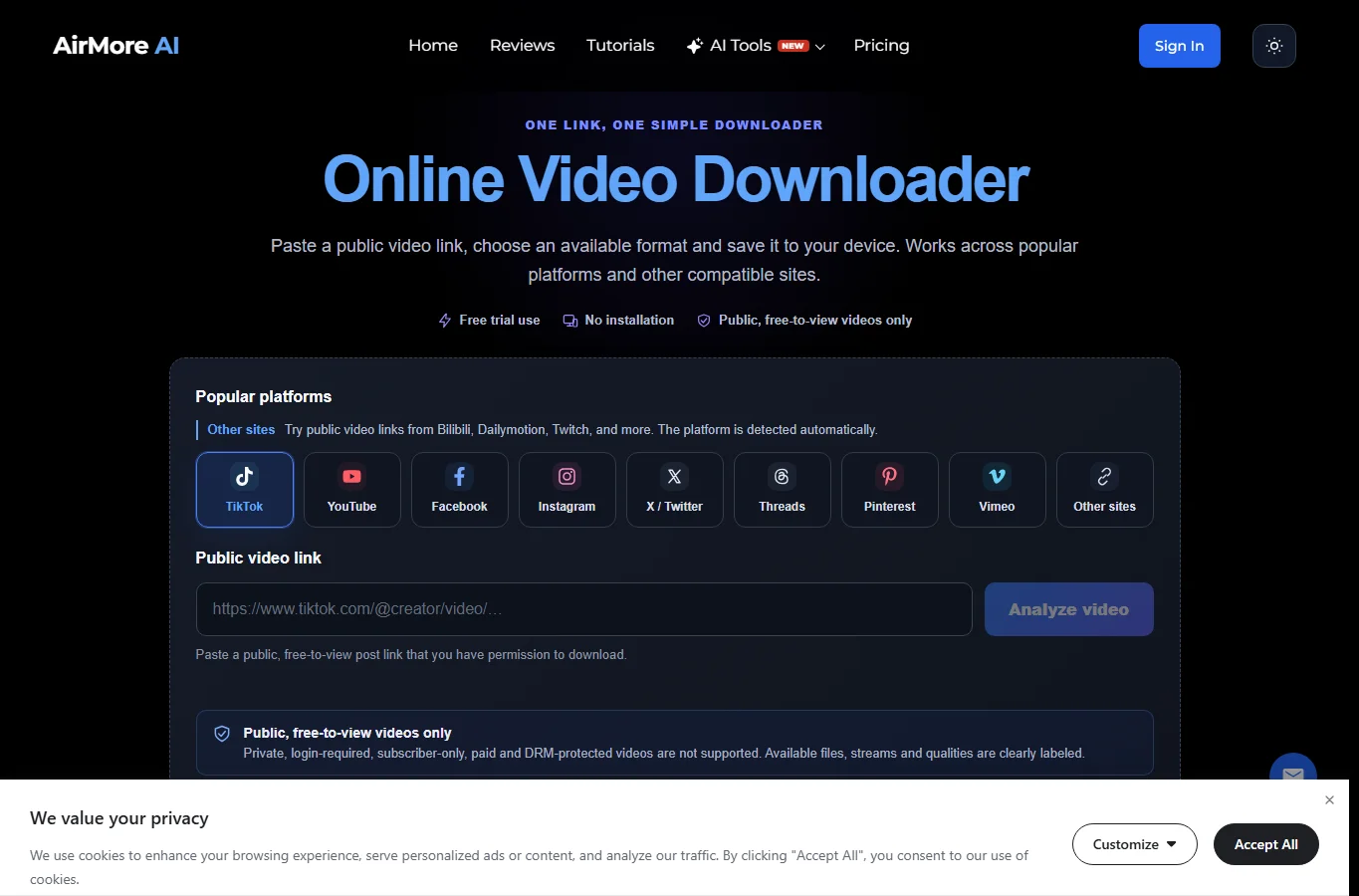
The page lists TikTok, YouTube, Facebook, Instagram, X, Threads, Pinterest and Vimeo, and invites users to try other public posts such as Bilibili and Dailymotion. Paste the individual post URL, select Analyze video, then inspect the returned file type and quality. Its broad social-site coverage is useful if you do not want a separate downloader for each network.
A complete MP4 or WebM is the simplest result. HLS/M3U8 is a playlist, not a finished offline video; separate video and audio results need both files and a compatible merging tool. AirMore does not promise a universal 1080p or 4K ceiling. Source availability determines the options, and links expire. The page advertises trial use, not unlimited free downloads; a fixed allowance or per-download price was not established in this comparison. Private, paid, login-only and DRM-protected posts are excluded.
SaveTheVideo — conversion and trimming beyond YouTube
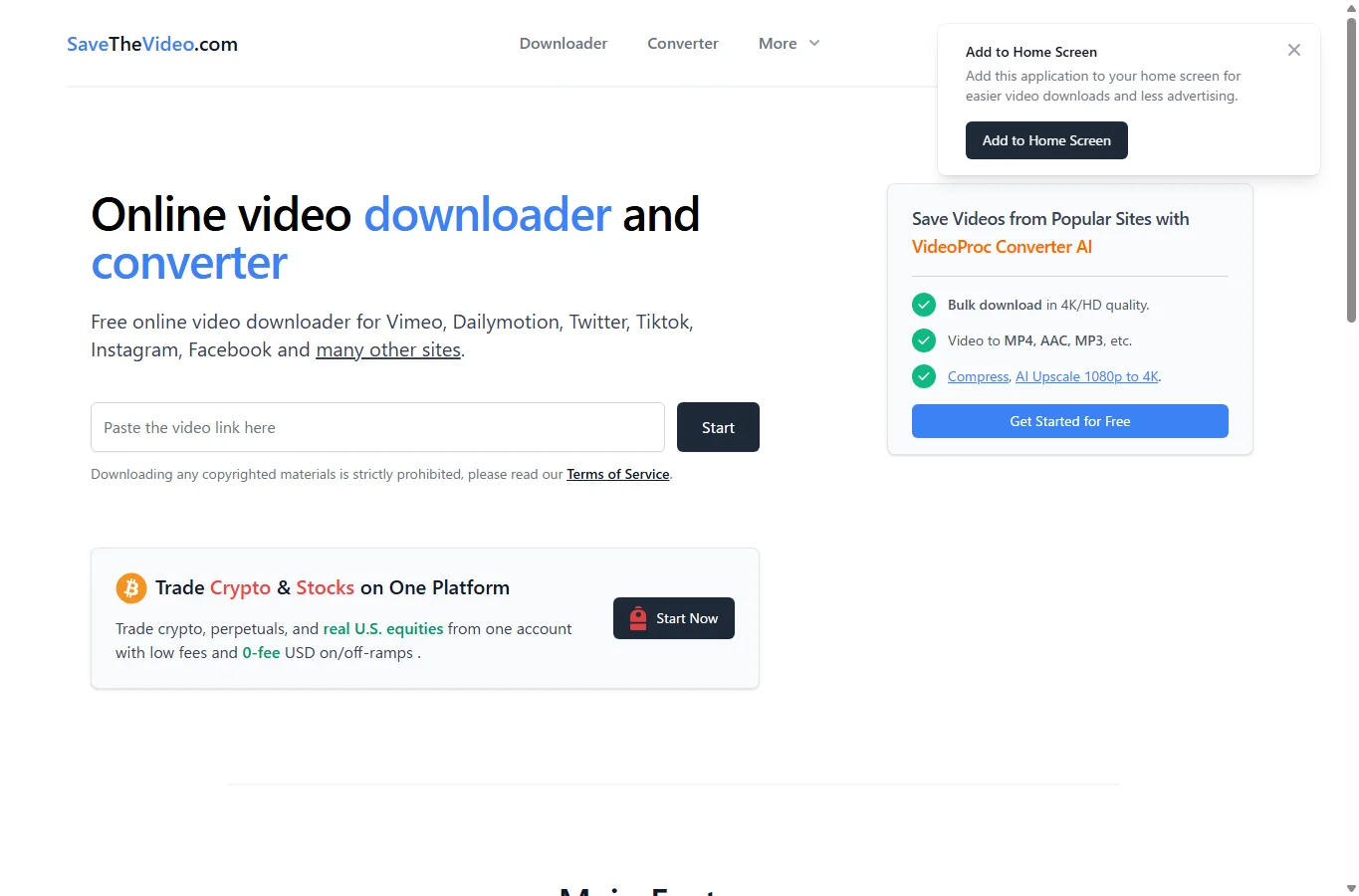
Its homepage names Vimeo, Dailymotion, X/Twitter, TikTok, Instagram and Facebook. Crucially, the official FAQ says YouTube downloading is no longer supported. Choose it for compatible non-YouTube posts when you also need an audio conversion or a shorter excerpt. Paste a link, choose the returned format, and use Cut File to set start and end times if needed.
The site advertises merging separate streams up to 1080p Full HD, conversions including MP4, MP3 and M4A, and subtitles when supplied. These are documented features, not a verified resolution for your URL. The 4K/AI-upscaling promotion on the page belongs to VideoProc desktop software and must not be attributed to this web tool. The service says it is free and advertising-funded; visible promotions mean more distraction on small screens. Its Android home-screen option is optional, not a required installer.
9xbuddy — a simple alternative for several major sites
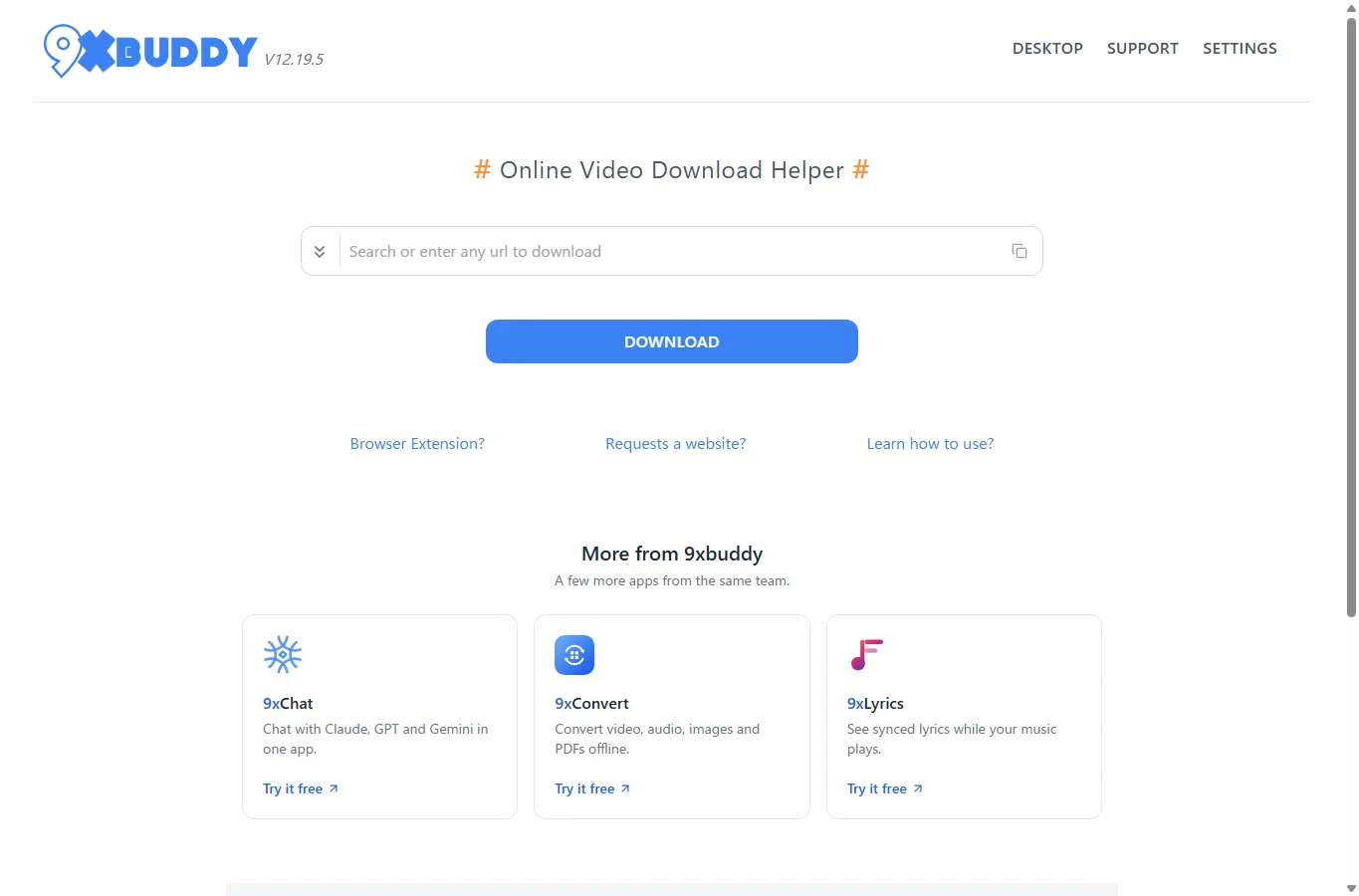
The official homepage names YouTube, X/Twitter, Facebook and Dailymotion. It is a reasonable second parser to try when the first service cannot recognize a permitted public link. Paste the exact post URL and choose Download; check that the results identify the intended title before choosing a file. No desktop application or browser extension is required for the web workflow.
The service describes itself as free and advertising-supported. Its homepage does not establish a dependable maximum resolution, a fixed audio-track allowance or a guaranteed automatic stream-merging workflow. Treat these as unknown until results for your URL show them; do not infer 4K with sound from a download button. On a phone, avoid confusing promotions for other products with the actual file controls. A second parser is a fallback, not a guarantee against source-side restrictions.
Dirpy — audio controls with explicit paid limits
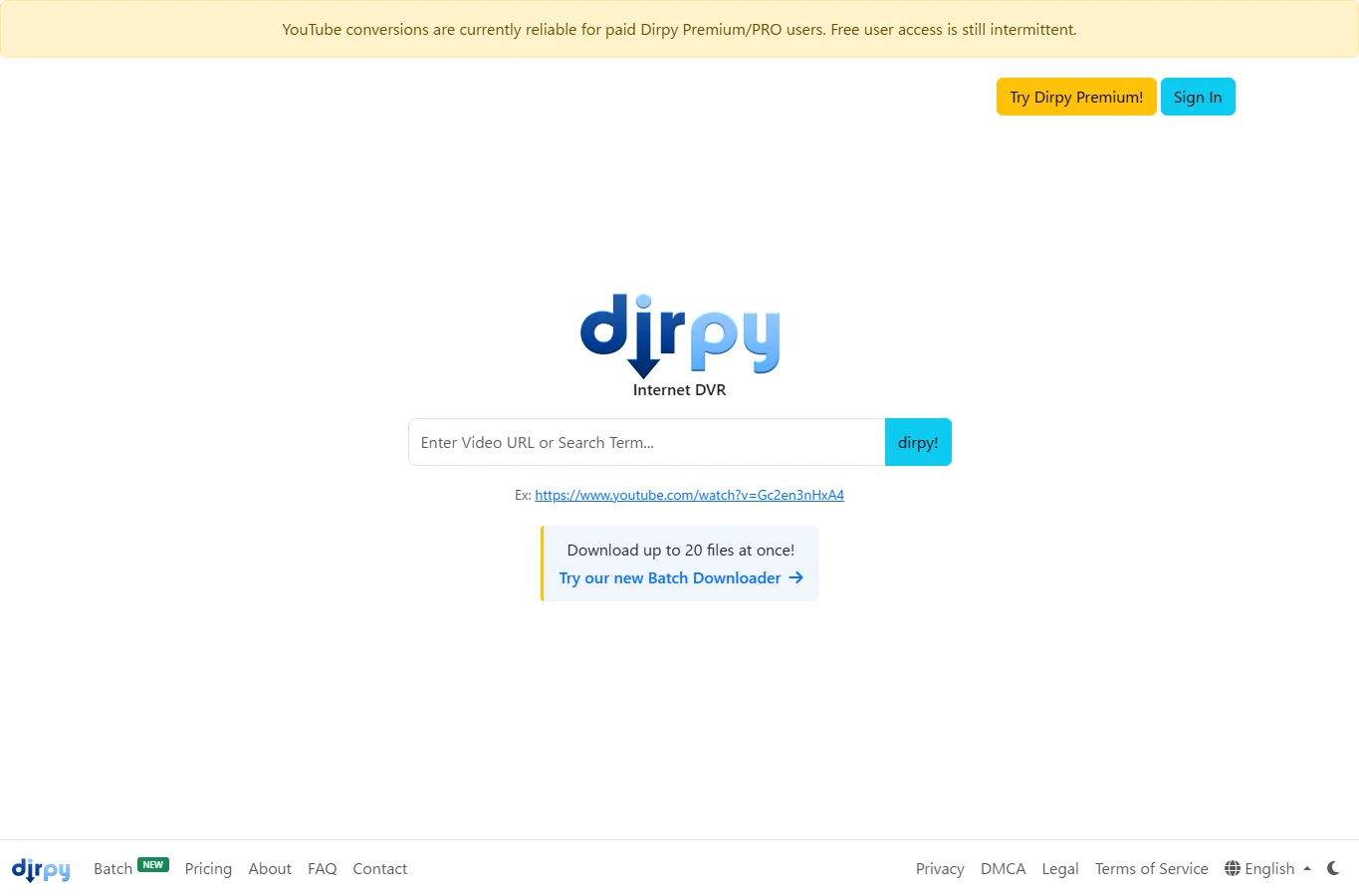
Dirpy describes support for freely available online media, but its official material is much clearer about YouTube than a current named cross-platform compatibility list. For a workflow spanning many social networks, validate your non-YouTube URLs before subscribing. Its useful distinction is audio preparation: trimming, file naming and ID3 fields can save later cleanup for an authorized spoken-word excerpt.
The pricing page lists a free tier of 10 files per 12 hours, 20-minute media, single-file MP4 and MP3; Premium is US$9.99 monthly with 100 files per 12 hours and 180-minute media. Pro is US$29.99 monthly with 300 files per 12 hours and 360-minute media. Paid plans list all available qualities/formats, subtitles, up to three audio tracks and no ads; free includes only the default audio track. “All available” is not promised 4K for every source. The homepage currently warns that free YouTube access is intermittent. Annual pricing, taxes and checkout can differ.
Resolution and sound: what a download option really means
1080p and 4K describe pixel dimensions, not whether audio is included or whether detail was preserved. A platform may publish a lower-resolution combined file and higher-resolution silent streams. Inspect the chosen result for dimensions, container, audio availability and duration; if the tool does not expose them, verify the saved file rather than assigning it an invented quality score. Upscaling cannot recover the original upload.
MP4 is a container, not a universal codec guarantee. For broad phone compatibility, an MP4 containing H.264 video and AAC audio is a practical target when offered. Merging compatible streams without re-encoding can preserve their encoded quality; converting them can change it. MP3 conversion does not improve a low-quality source, and selecting a higher bitrate alone cannot restore missing sound detail.
Phone workflow, advertising and privacy
On iPhone or iPad, copy the post link from the source app and open the downloader in Safari. Save a complete file to Files/Downloads; preview it there, then use Share → Save Video if that action is available for the file. A web preview is not proof that a permanent copy exists in Photos. On Android, use Chrome or another current browser and check Downloads or the Files app; the gallery may index the file later.
Use the service’s actual result controls rather than a promotional Download button. Decline unrelated notification, extension or installer requests. SaveTheVideo and 9xbuddy disclose advertising; Dirpy lists ad-free paid plans. This is not a pop-up-frequency or real-phone speed benchmark. All these web services receive at least the submitted URL; no-install does not mean local-only processing. Do not submit private tokens, confidential links or account cookies.
A short checklist before keeping the file
- Use one permitted public post, not a profile, feed or private page. Confirm it opens without signing in.
- Check the result title, duration, dimensions and whether sound is included. Prefer a complete file for mobile playback.
- If you receive separate tracks, save both and merge them; if you receive M3U8, use a compatible workflow rather than renaming it .mp4.
- Play the beginning, middle and end of the saved file, with sound. Check sync and that the download finished before deleting your source copy.
- If links expire, analyze again. If a post needs login, payment or DRM, use an authorized platform export/offline option rather than trying to bypass it.
Scope, 18 November 2026: this AI-assisted comparison checks official product pages, FAQ and plan information, with real page screenshots. It does not claim completed cross-platform download tests, measured speed, an advertising audit or physical iPhone/Android testing. Resolution is therefore explained as source-specific availability, not a fabricated benchmark. Choose AirMore for broad social-link triage, SaveTheVideo for non-YouTube conversion, 9xbuddy as a simple alternative, or Dirpy when its audio features and verified source fit justify the cost.
Related
Best Tools to Convert Video to MP3 Online and Offline

Best 5 PDF Watermark Remover Tools

6 Best YouTube Video Summarizer Tools in 2026
Best 10 Chrome Extensions in 2026: Practical Add-ons Worth Installing
Best AI Lesson Plan Generators for Teachers
Best AI Tattoo Generators to Create Custom Tattoo Design Ideas