invideo vs. Canva Video: Which One Actually Handles Multi-Shot Consistency?
Compare invideo vs. Canva Video for multi-shot consistency, AI video generation, editing workflows, pricing, templates, and character continuity.
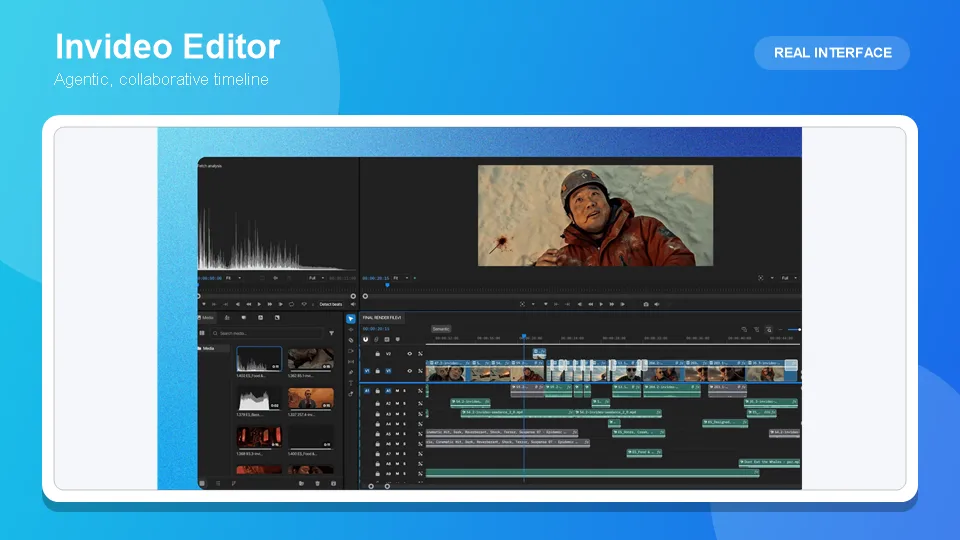

Invideo handles multi-shot consistency and Canva Video structurally doesn’t, because Canva’s AI video features generate independent short clips with no persistent project memory connecting one to the next, while invideo agent is built around a context engine specifically designed to hold characters and environments consistent across many shots. This isn’t a close call decided by feature polish, it’s a difference in what each product was actually built to do.
Table of Contents
- Quick answer
- What each tool actually is
- Feature-by-feature comparison
- Where Canva Video wins
- Where invideo wins
- Pricing side by side
- The verdict
- Frequently asked questions
Quick answer
Choose Canva Video if the deliverable is short, template-driven design-plus-video content and you already use Canva for graphics, brand kits, and social assets.
Choose invideo agent if the project needs multiple shots to hold the same character, environment, or visual identity consistently across a sequence.
Choose Invideo Editor if you want a free online video editor to assemble and finish footage on a real timeline, whether that footage came from invideo agent or elsewhere.
What each tool actually is
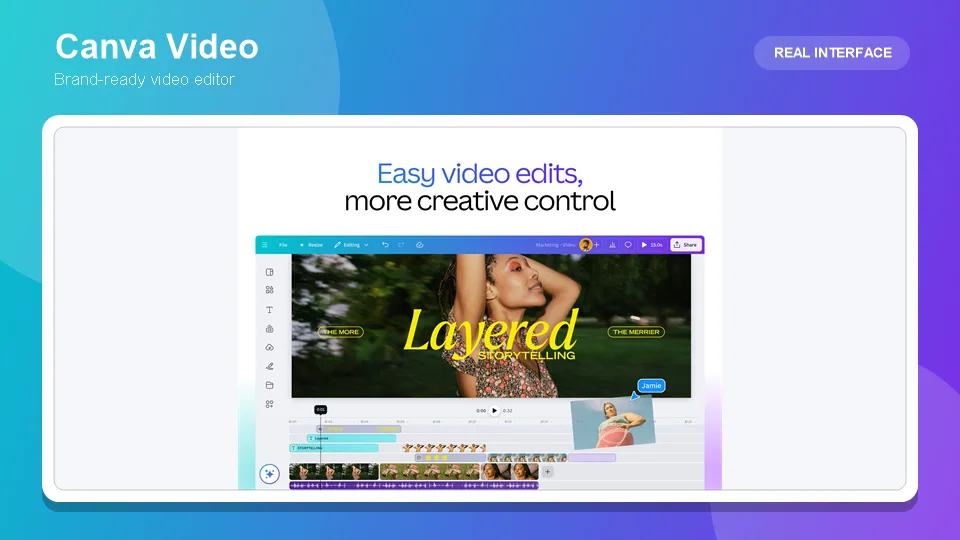
Canva Video is a feature set built into Canva’s broader design platform, and its AI video capability is genuinely four separate, distinct tools rather than one unified system: Canva AI Video, powered by Google’s Veo model, generates 8-second clips with audio on Pro-and-above plans; Magic Media video, an older and separate feature, produces 4-second silent clips, with only 5 lifetime generations on the free tier; Magic Video auto-edits existing footage a user already owns into a 60-second social cut; and Magic Switch resizes content for different formats. Every one of these generates or edits in short, independent bursts, there’s no project-level memory holding a character or environment consistent from one generated clip to the next. As one independent 2026 review put it plainly, Canva is fundamentally a design tool that added AI video generation as features, not a video generation platform with a planning layer underneath it.
invideo agent is built around the opposite premise: a director describes a shot or hands over a full script, and the agent plans a complete, multi-shot sequence, routing each shot to whichever of its 200+ integrated models fits that particular moment, including Veo 3.1, Sora 2, Kling AI, Seedance 2.5, Runway, PixVerse, Hailuo, WAN, Recraft, GPT Image 2.0, and Nano Banana 2. A persistent context engine holds a character’s locked reference sheet, an environment, a visual style, consistent across every generated shot, checking each new generation against that established context before accepting it, so a character in shot one still looks like the same character in shot twelve.
Invideo Editor covers the assembly side once footage exists: a professional timeline editor doing drag, trim, cut, and layer work while also taking agent instructions on the same timeline, with Agentic Assembly building a complete base cut from raw footage based on a plain-language description. It’s free to use.
Feature-by-feature comparison
| Category | Canva Video | invideo agent | Invideo Editor |
|---|---|---|---|
| Core approach | Independent short AI-generated clips inside a design platform | Full multi-shot sequence planned and generated from a script | Assembling and editing footage from any source |
| Persistent character/environment memory across clips | No | Yes, persistent context engine | Yes, shared project context with the agent |
| Clip length per generation | 4 seconds (Magic Media) or 8 seconds (Veo-powered) | Full shots generated to the length a scene needs | Not applicable; edits at the timeline level |
| Underlying generative models | Veo (Canva AI Video), an undisclosed model (Magic Media) | 200+ integrated models | None; edits existing or generated footage |
| Template and design library | 250,000+ templates, deep brand kit integration | Not its focus | Not its focus |
| Credit system | Shared pool across all design and video AI features | Not credit-metered | Free, no credit system |
| Free tier | Yes, but only 5 lifetime silent video clips | No | Yes, full timeline |
| Starting paid price | ~$12.99–15/month | $17/month | Free |
Where Canva Video wins
A deep, mature design ecosystem is genuinely its strength. 250,000+ templates and tight brand kit integration mean a quick, on-brand social video can be assembled fast by someone who already lives in Canva for other design work.
Bundled design-plus-video value at a low entry price. For a user who needs design and light video output together, Canva’s roughly $12.99–15/month covers both in one subscription, which is a genuinely strong bundle if multi-shot narrative consistency was never the goal.
Magic Video’s auto-edit works on footage you already own. Stitching existing clips into a 60-second social cut is a real, useful feature distinct from generating new video, and it doesn’t draw from the same limited AI credit pool as generation does.
Where invideo wins
Multi-shot consistency is the core question this comparison asks, and Canva has no real answer for it. Its AI video features generate independent clips with no persistent memory connecting one to the next, which means a character or environment simply cannot be held consistent across multiple Canva-generated shots the way invideo agent’s context engine is specifically built to do.
invideo agent plans a full sequence rather than generating isolated clips. A script becomes a planned, multi-shot project with consistency checked automatically, not a series of separate 4-to-8-second generations a user has to manually assemble and hope match.
No shared credit pool rationing video against design features. Canva’s AI credits cover design tools and video generation from the same limited monthly allowance, which can be exhausted quickly if video is the priority. invideo agent’s plans aren’t structured that way.
Invideo Editor’s Agentic Assembly has no Canva equivalent. Building a base cut from raw, unorganized footage through plain-language direction is a capability outside what Canva’s Magic Video auto-edit, built for existing clips a user already curated, is designed to do.
Pricing side by side
Canva’s free plan includes only 5 lifetime silent video clips with no access to the Veo-powered generator at all; Pro runs roughly $12.99–15/month depending on billing cycle, sharing one AI credit pool across every design and video feature, with independent analysis putting the real cost per 8-second Veo clip around $0.65 to $1.30 depending on how much of that pool goes to video versus design work. invideo agent’s plans start at $17/month with team and enterprise options, and Invideo Editor’s timeline is free to use regardless of plan.
The verdict
The title’s question has a direct answer: invideo handles multi-shot consistency, and Canva Video structurally doesn’t. Canva’s AI video tools were added to an already-massive design platform as short, independent generation features, genuinely useful for a quick social clip, but with no persistent memory holding a character or environment the same across multiple shots. invideo agent was built specifically to solve that problem, planning a sequence and checking every new shot against an established project context. For fast, template-driven design-and-video work, Canva remains a strong, affordable bundle. For anything requiring a character or setting to stay recognizably the same across more than one generated shot, it isn’t built for that job at all.
Frequently asked questions
Does Canva Video have any feature comparable to invideo agent’s persistent context engine? No. Canva’s AI video generation, both the Veo-powered Canva AI Video and the older Magic Media, produces independent short clips with no project-level memory connecting one generation to the next, which is a structurally different approach from invideo agent’s context engine holding characters and environments consistent across many shots.
Can Canva Video generate a full, multi-scene sequence the way invideo agent can? Not really. Each Canva AI video generation is capped at 4 or 8 seconds depending on the feature, and there’s no planning layer deciding how those clips should relate to each other or checking a later clip’s consistency against an earlier one.
Why would someone still choose Canva Video over invideo despite the consistency gap? If the actual need is fast, template-driven social content, especially bundled with the design work Canva already excels at, its 250,000+ templates and brand kit integration offer real, practical value that a consistency-focused planning tool isn’t optimized to provide as quickly.
Does Canva’s AI credit system affect how much video can actually be generated? Yes, meaningfully. Video generation shares one AI credit pool with Canva’s design features, and independent analysis suggests spending the entire monthly Pro allowance on video alone yields roughly 20 Veo-powered clips before running out, with real cost per clip landing around $0.65 to $1.30 depending on usage split.
Is there a way to get Canva-style design speed and invideo-style multi-shot consistency together? Not within a single platform currently. A workflow combining both would reasonably use invideo agent to generate and hold a consistent multi-shot sequence, then use Canva separately for template-driven graphics, thumbnails, or social assets built around that finished video.
Latest Reviews
5 Best AI Wallpaper Generators in 2026

Best 5 AI Meme Generators in 2026
Canva Craft Review: 2K Images, Wide Formats, Text and Editing Limits

HunyuanVideo 1.5 Review: Quality, VRAM, ComfyUI, Pricing and Limits
Generate Stained-Glass Designs from Written Ideas
MiniMax M3.1 Flash Review: Coding, API Cost, Open Weights and Limits