HunyuanVideo 1.5 Review: Quality, VRAM, ComfyUI, Pricing and Limits
Is HunyuanVideo 1.5 worth using? Compare T2V and I2V, 720p and 1080p upscaling, VRAM, distilled settings, API costs, audio, LoRA and license restrictions.

Updated October 23, 2026
HunyuanVideo 1.5 is worth shortlisting if you want downloadable video weights, control over a local workflow, and short silent clips from text or an image. It is less convenient if your priority is one-click dialogue, synchronized sound, long scenes, or a service you can use without managing models.
The 8.3B generation backbone is lighter than the original HunyuanVideo, but “lightweight” is relative. Encoders, VAE decoding, super-resolution and system-memory transfers still affect whether the workflow is practical. A video that fits in memory can remain too slow for your production schedule.
Regional licensing is a first decision gate, especially for UK and European readers. Confirm authorization before planning a deployment; a hosted service’s availability is not, by itself, proof that every region or use case is covered.
The verdict and the version you should actually evaluate
The practical appeal is ownership of the workflow: choose checkpoints, keep reference assets within an appropriately configured local system, and repeat a shot without a per-generation hosted bill. The tradeoffs are setup, memory management and the need to inspect the entire clip rather than a handsome opening frame.
HunyuanVideo 1.5 identifies the 1.5 release in November 2025. At this review date, it remains the general-purpose downloadable generation release verified here. Do not confuse Hunyuan’s language-model branding, the original HunyuanVideo, or a community fine-tune with a newer official video generation model.
A useful reader profile is a creator experimenting with short B-roll, image animation, stylized sequences or an adaptable local pipeline. For a deadline-driven campaign with sound and repeated human performances, compare the complete delivery workflow before choosing solely on weight availability.
| Item | What matters in practice |
|---|---|
| Review scope | HunyuanVideo 1.5; distinct from the original 13B release and language models |
| Inputs | Text-to-video (T2V) and image-to-video (I2V) |
| Output | 480p / 720p generation; 1080p through a separate SR stage |
| Duration | 5–10-second model workflows; a hosted endpoint can expose less |
| Audio | Main 1.5 workflow generates video, not synchronized audio |
| Hardware | Official minimum: 14GB VRAM with offloading; ComfyUI guide targets 24GB |
| Languages | Explicit Chinese/English strengths; other languages need task-level checks |
| Access | Tencent checkpoints, source code, ComfyUI / Diffusers, third-party hosting |
Visual quality: evaluate movement, not just attractive frames
The HunyuanVideo 1.5 Technical Report describes a system trained for visual quality, motion and prompt alignment. Its reported human comparisons are publisher-run, with a 2025 competitor set. They support taking the model seriously; they do not establish that it beats current paid services in every task.
The most useful inspection points are identity through head turns, fingers during contact, texture crawling on clothing, straight lines during pans, and an object remaining the same size. Pause the opening, middle and last frame, then watch the clip at normal speed. A sharp still can hide flicker and implausible interaction.
For a first creative brief, prefer one subject, one action and one camera movement. A restrained product rotation or person taking a small step is easier to diagnose than a scene with cuts, multiple actors and several simultaneous actions. This is a test strategy, not a claim that complex movement is impossible.
T2V, I2V, duration, resolution and the audio boundary
T2V constructs the scene from text; I2V animates a supplied starting image. Use I2V when appearance and framing are already approved, then describe what changes over time. It can reduce ambiguity at the start, but it does not lock a face, logo or object geometry throughout the clip.
The ComfyUI workflow separates generation from super-resolution. Treat 1080p as an enhanced output stage, not a claim that every clip is synthesized natively at 1080p. Longer clips also increase opportunities for identity drift; evaluate the useful duration rather than the file’s duration alone.
The main 1.5 generator is a silent-video workflow. HunyuanVideo-Avatar is a separate audio-driven human-animation project, not a switch that gives 1.5 native soundtrack generation. For dialogue, plan speech, timing and lip synchronization explicitly; adding a music track does not solve mouth synchronization. Yicai Global also highlighted this gap in August 2026.
VRAM, RAM and speed: what “runs locally” really means
The official minimum uses 14GB VRAM with model offloading; the ComfyUI guide is framed around a 24GB consumer GPU. These are different configurations rather than a contradiction. A 16GB card is a reason to test a small offloaded job first, not a guarantee of comfortable high-resolution generation.
8.3B describes the generation backbone, not the entire loaded pipeline. Text encoders, I2V vision encoding, VAE and optional SR add memory and disk requirements. Offloading moves some pressure to system RAM and transfer bandwidth. If RAM fills and the system swaps, a nominally compatible GPU can feel unusable.
Tencent’s accelerated 480p I2V example claims a clip within 75 seconds on an RTX 4090. That is a vendor result for the step-distilled path, not a general 720p or notebook benchmark. Time model loading, prompt expansion, sampling, VAE decoding and SR separately before identifying the bottleneck.
The reference software targets Linux and NVIDIA CUDA. Windows users can assess current ComfyUI support, but should not assume the reference installation applies unchanged. AMD and Apple setups need their own supported-runtime check; capacity alone does not establish compatibility.
Recommended starting settings—and the two kinds of distillation
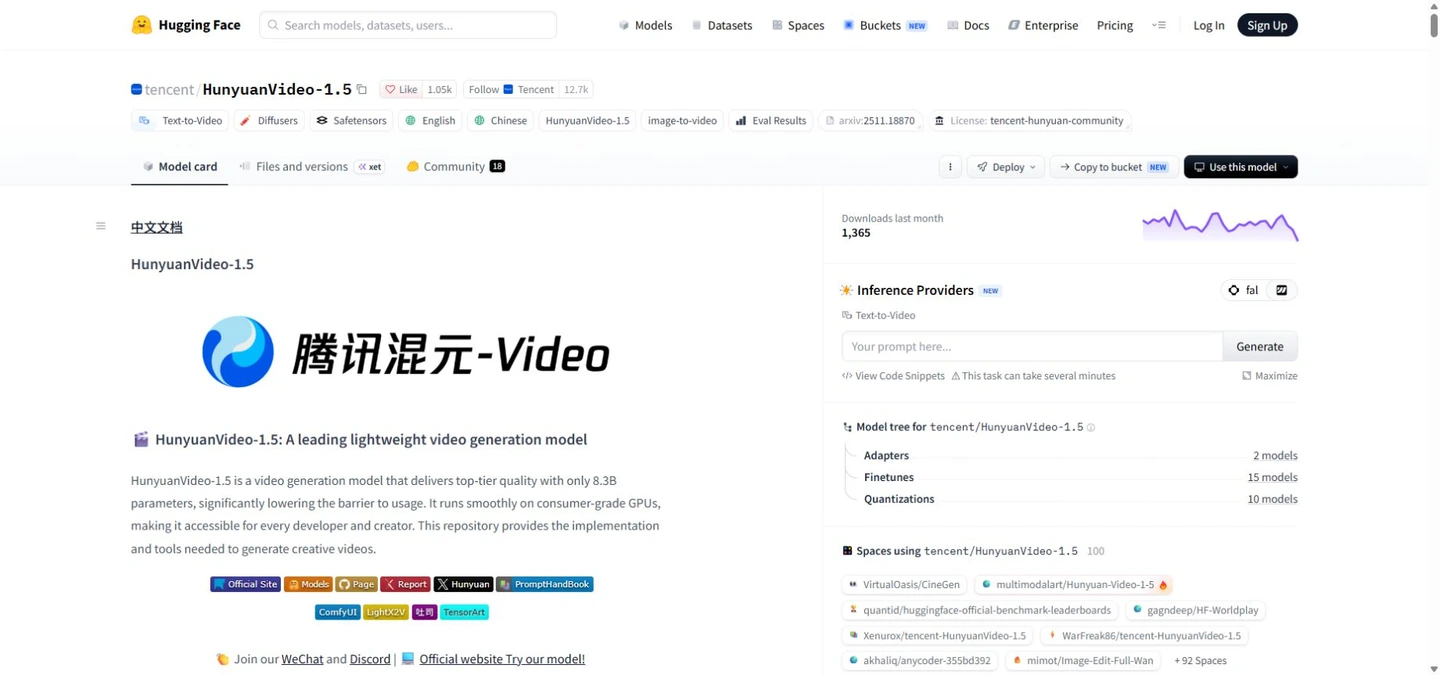
The HunyuanVideo 1.5 table is a checkpoint-specific starting point. Use settings for the exact file you downloaded, and verify an actual release link rather than assuming every configuration named in a table is available.
CFG-distilled is not the same as step-distilled. The official CFG-distilled checkpoints still require 50 steps in the reference configuration. The separate 480p I2V step-distilled model is intended for 8 or 12; four steps trades more quality for speed. Substituting the same settings everywhere is a common way to get misleading results.
Change acceleration options individually. Record checkpoint, precision, cache, frame count, dimensions, seed and runtime version. If a cached or quantized run looks worse, restore a known baseline before adding a second optimization.
| Checkpoint / stage | Steps | CFG | Flow shift |
|---|---|---|---|
| 480p T2V / I2V base | 50 | 6 | 5 |
| 720p T2V base | 50 | 6 | 9 |
| 720p I2V base | 50 | 6 | 7 |
| 480p I2V step-distilled | 8 or 12 | 1 | 7 |
| 720p → 1080p SR | 8 | 1 | 2 |
A practical ComfyUI and prompting workflow
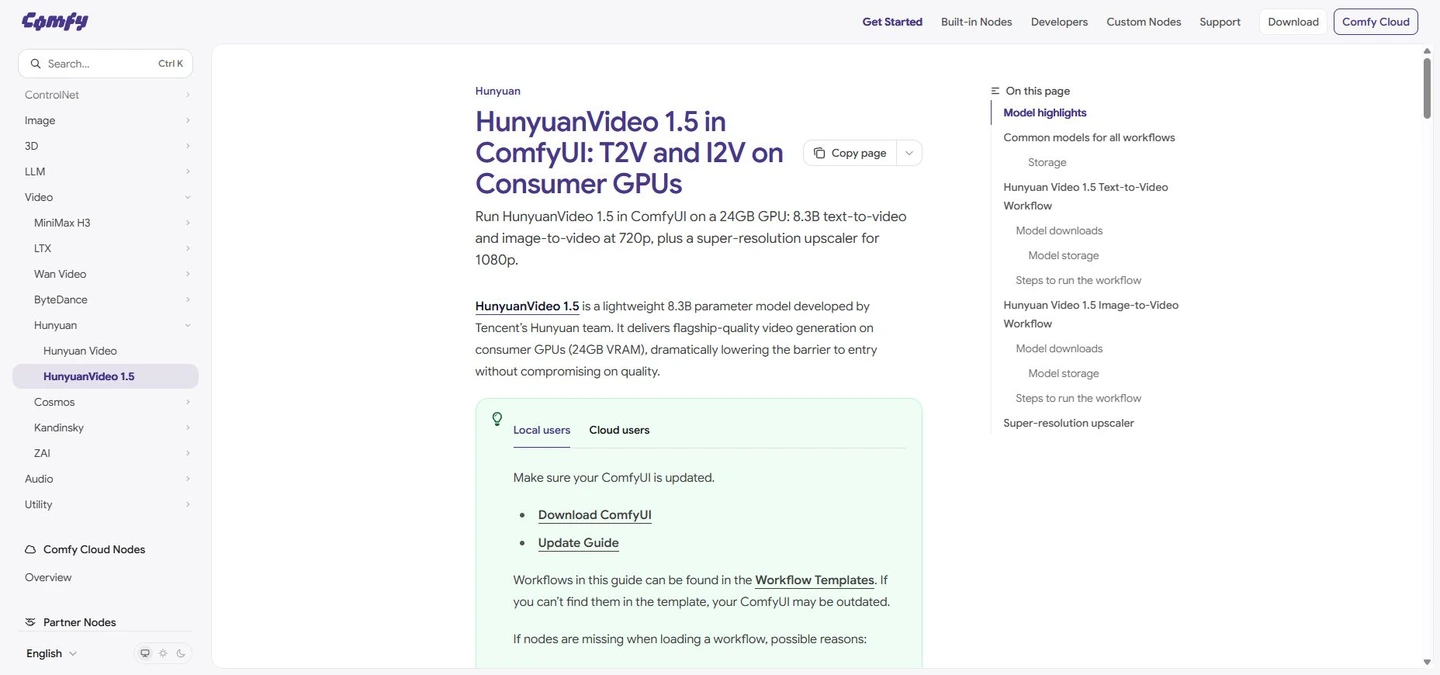
Start from the official ComfyUI template for the right mode. T2V needs its diffusion model, Qwen2.5-VL / ByT5 encoders and VAE; I2V additionally uses a vision encoder and its own checkpoint. Downloading only the denoiser is not a complete installation. Match each file to the template’s loader rather than renaming unrelated files.
For I2V, use a clean image with the intended proportions, visible hands and a simple background. Ask for one temporal change: “The adult subject turns slightly toward the window, blinks once, and keeps both hands still; the camera remains fixed.” Repeating a long description of everything already visible can obscure the actual motion request.
For T2V, specify subject, place, action, camera and lighting in that order. Example: “A red train moves slowly around a mountain lake at dusk. The camera follows from the shore in one continuous shot. Reflections remain stable and the scene has natural blue-hour light.”
Chinese and English are the explicitly documented language strengths. If another language misses the motion, compare a faithful English version. Keep subtitles or precise brand lettering in post-production. Automatic prompt expansion may improve detail, but inspect the rewritten text for invented actions and check whether an external rewrite service receives your assets.
Free weights versus paid generation: real costs
Running released weights does not impose a hosted per-clip tariff, but hardware, storage, electricity, setup and rejected takes still cost money. Rental GPUs also bill for idle loading and transfer time. Compare cost per approved shot rather than cost per successful API response.
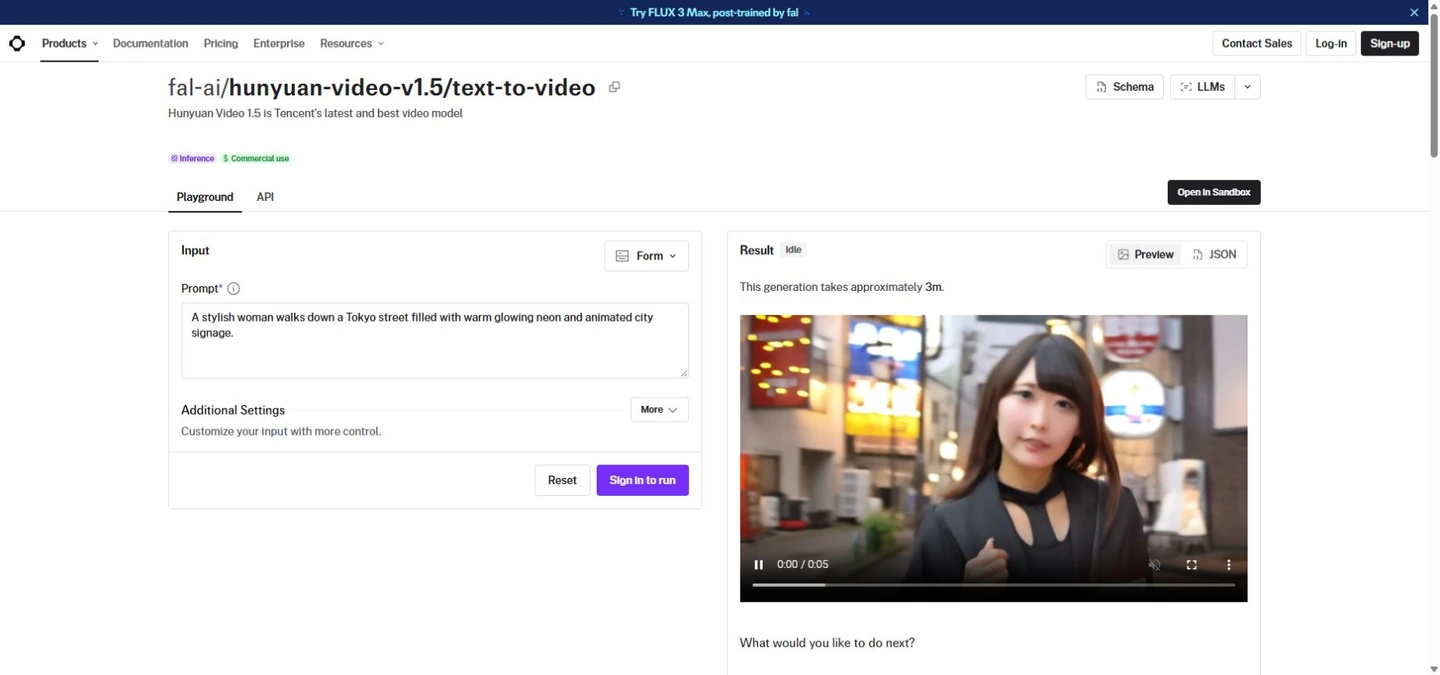
As checked on October 23, the fal T2V endpoint lists US$0.075 per output second, with its own 480p / frame-count limits. Five billable seconds would be US$0.375 before other charges. A ten-second workflow in the model family does not mean this endpoint offers ten seconds.
Ten five-second attempts would cost about US$3.75 at that unit rate; if only one is acceptable, that is the generation component of one approved shot. Hosting terms, regions and model identifiers need checking before purchase. A “commercial use” badge does not settle the separate community-license question.
Commercial use, regional access and NSFW
The Tencent Hunyuan Community License excludes the EU, UK and South Korea. Do not assume separate authorization exists for your deployment. Elsewhere, review the actual terms, output rights, references and provider contract rather than treating downloadable weights as an unrestricted license.
For NSFW, distinguish model behavior, the interface’s moderation and permitted use. Public weights are not a promise of reliable explicit generation or permission to remove safeguards. The release’s acceptable-use conditions still matter. This review does not assign an explicit-content score or treat unofficial demonstrations as product guarantees.
Use authorized faces and source images for client work, and retain the model version and permissions with the project. This matters most when an I2V clip could be mistaken for a real person’s performance.
What users report—and what the evidence cannot prove
In a Reddit thread, users praised instruction following and stylized motion, while others reported weak physical interaction, inconsistent camera control, expensive VAE decoding or a smaller adaptation ecosystem than Wan. Those are mixed experiences on different builds, not a measured consensus.
A November 2025 Reddit post explicitly corrected an initial test made with wrong settings. That makes it useful evidence of workflow sensitivity, not a valid basis for declaring a universal winner. Likewise, an old “trainer unsupported” comment should not override the official training code and later integration releases.
The sensible conclusion is conditional: test your shot with the correct checkpoint and settings, then compare acceptance rate against the alternative you already use. Do not upgrade a dated community anecdote into a current hardware guarantee.
When to keep it, and when to compare another workflow
Keep HunyuanVideo on the shortlist when local control, adaptation and silent short clips matter more than convenience. If you already have a reliable Wan pipeline with the style adaptations you need, compare the total time to an acceptable shot before migrating.
For a cloud-first comparison, the current Kling 4.0 and Seedance 2.5 are useful next reads. Compare available duration, reference control, sound, geographic access and pricing for your actual account. The older systems in the Hunyuan paper are historical baselines, not substitutes for a current comparison.
A sensible purchase test is four short briefs: restrained face motion, hand-object contact, a lateral camera move and an animated illustrated image. Evaluate the same references and final display size. Count rejections and finishing work; avoid ranking a local model against a cloud service using unrelated showcase clips.
Questions before you download or pay
Is HunyuanVideo 1.5 still worth trying?
Yes for an authorized user who needs an adaptable local silent-video workflow. Its usefulness depends on the kind of shot and your willingness to manage the stack. It is not the easiest choice for a complete spoken advertisement in one request.
Will it run on an 8GB or 12GB GPU?
Lower-memory community configurations exist, but they are not the official 14GB offloaded baseline. Verify a complete recipe with your hardware and frame count. Expect tradeoffs in resolution, transfers, waiting time or precision rather than assuming a universal minimum.
Does it generate 1080p or 4K natively?
The reviewed workflow generates at 480p or 720p and can add 1080p SR. A later resize to 4K is not proof of native 4K detail. Inspect the intermediate output to understand where quality comes from.
Can it generate dialogue and lip-sync?
The main model does not supply a synchronized soundtrack. Avatar is a distinct audio-driven project with separate setup. Choose the pipeline based on your desired performance and audio input rather than the shared family name.
Can I train a LoRA or reuse older ones?
Official training and LoRA scripts exist. A LoRA for the original model or another family is not automatically compatible with 1.5. Match architecture, task and training instructions; sampling VRAM does not establish training feasibility.
Why did lowering steps make my video worse?
You may have mixed CFG distillation with step distillation, or used an accelerator outside its intended configuration. Restore the official checkpoint-specific baseline, then change one option at a time. More random tweaks make the cause harder to isolate.
Final assessment: capable foundation, substantial workflow decisions
HunyuanVideo 1.5 is best understood as a configurable video foundation rather than a finished filmmaking service. The meaningful advantages are downloadable checkpoints, T2V and I2V paths, and room to adapt a local workflow. The practical limits are sound, physical reliability, full-stack resource use and access conditions.
Before investing in hardware or a hosted balance, clear the authorization question and produce a small controlled shot set. If the acceptance rate and finishing effort fit your work, it can earn a place in the pipeline. If setup or audio dominates the job, evaluate a more integrated service instead of buying on parameter count alone.
Evidence and source notes
This is an evidence-based editorial review of released documentation, model assets and attributed user reports, not a claim of our own GPU benchmark. Publisher quality and speed figures remain attributed. The cover is conceptual artwork, not a Hunyuan-generated test result.
Primary references: HunyuanVideo 1.5, Hugging Face, HunyuanVideo 1.5 Technical Report, ComfyUI, HunyuanVideo 1.5, Tencent Hunyuan Community License and the endpoint-specific fal. Context: Yicai Global. Community reports: Reddit and Reddit. Status and pricing were checked on October 23, 2026; live endpoint and license terms take precedence.
Related Reviews
Gemini Omni 1.1 Flash Review: Google Video AI, 4K, API, and NSFW Limits

Kling 4.0 Review: 30-Second AI Video, Pricing, Keyframes and NSFW Limits

MiniMax M3.1 Flash Review: Coding, API Cost, Open Weights and Limits
Krea 2 Edit Review: Downloads, ComfyUI Workflows and Prompt Examples
Qwen-Image-2.1 Review: Transparent Images, Editing, API Pricing and NSFW
MiniMax H3 Review: Open-Weight AI Video Model With Native Audio