MiniMax H3 Review: Open-Weight AI Video Model With Native Audio
MiniMax H3 is one of the most interesting open-weight AI video releases right now because it does not treat audio as an afterthought. It is…

MiniMax H3 is one of the most interesting open-weight AI video releases right now because it does not treat audio as an afterthought. It is designed to generate video and native stereo audio together, while also supporting text, image, video, and audio references in the broader H3 system.
The short verdict: MiniMax H3 is exciting for developers, researchers, and advanced ComfyUI users, but it is not a lightweight “download and run on any gaming PC” model. The model is large, the full 2K workflow involves hosted API components, and the community license has important territory and commercial-use conditions.
Contents
What MiniMax H3 Is
MiniMax H3 is a multimodal AI video generation model from MiniMax. On Hugging Face, it is tagged for text-to-video, image-to-video, video-to-video, text-to-audio-video, reference-to-audio-video, and related audio-video generation tasks. In practical terms, it aims to understand a scene, its references, and its sound design as one generation problem.
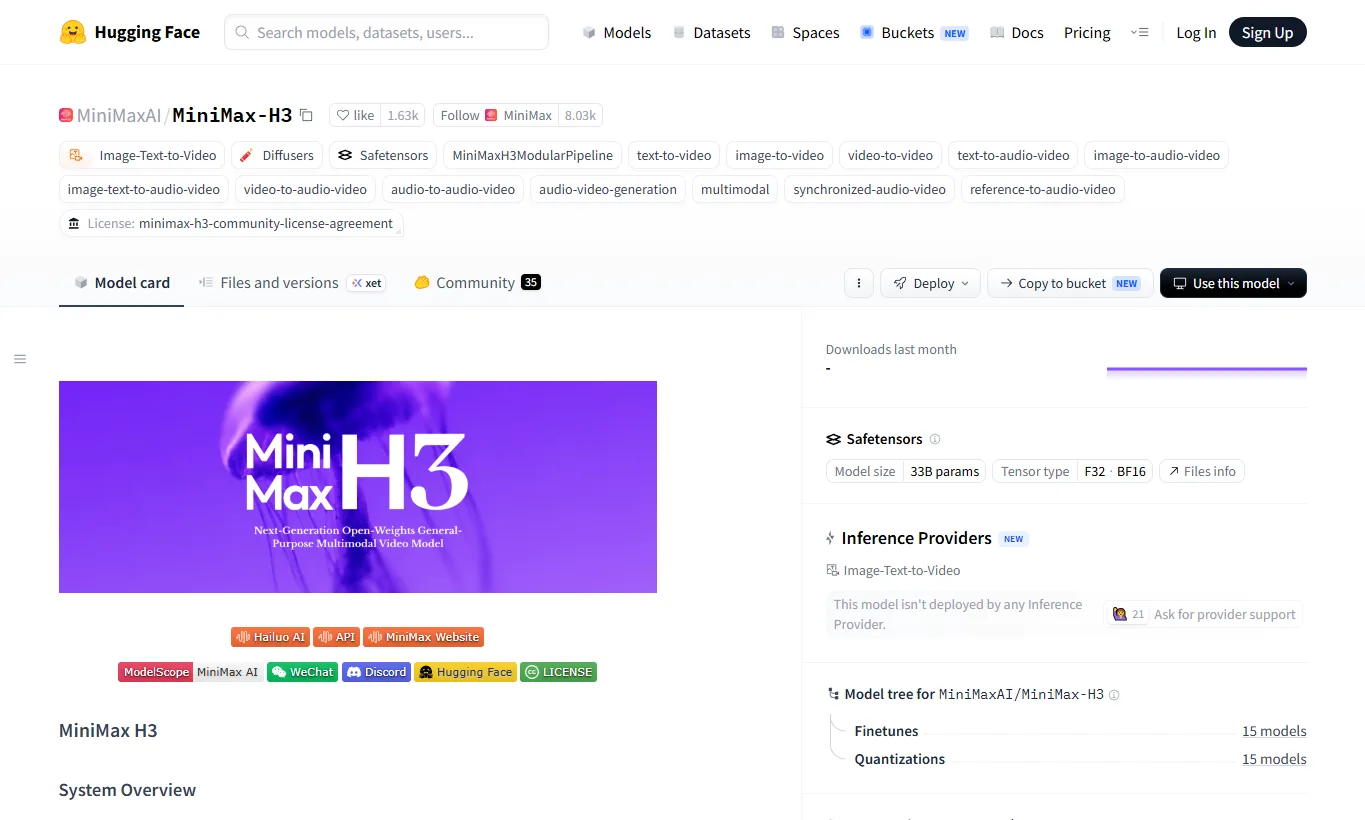
The H3 system is described as three parts: H3-Context-IR, H3-Base, and H3-Regenerate-2K. H3-Base generates 768p audio-video output, while 2K output is handled through a regeneration workflow that uses the base result together with the original context. That distinction matters: the open weights are important, but the full official workflow is not the same as a simple one-click local model.
Key Features and Specs
| Item | Details |
|---|---|
| Model type | Open-weight multimodal AI video generation model |
| Inputs | Text, images, videos, audio, and mixed references |
| Outputs | Video with 32 kHz stereo audio |
| Duration | 4 to 15 seconds |
| Frame rate | 24 fps |
| Resolution | H3-Base focuses on 768p; 2K uses H3-Regenerate-2K |
| Scale | 33B-class H3-Omni-Transformer |
| Local frameworks | SGLang, vLLM, diffusers, and ComfyUI routes are documented |
| License | MiniMax H3 Community License Agreement |
One of H3’s strongest points is native audio-video generation. Instead of producing a silent clip and leaving the user to add sound later, H3 can model dialogue, sound effects, ambient audio, and music as part of the same prompt structure.
MiniMax also released two task-oriented base checkpoints. FL2VA is for text-to-video and first/last-frame workflows. Ref2VA is for reference-driven generation, where images, videos, and audio references can be assigned roles such as identity, style, motion, camera behavior, or voice tone.
How to Use It
The easiest way to try H3-like generation is through Hailuo AI, MiniMax’s web app. This is the most realistic starting point for creators who want to evaluate the model without building a local GPU environment.
Developers can use the MiniMax video generation API. The API documentation includes endpoints for H3-Context-IR and H3-Regenerate-2K, which are important if you want to reproduce the more complete 2K workflow.
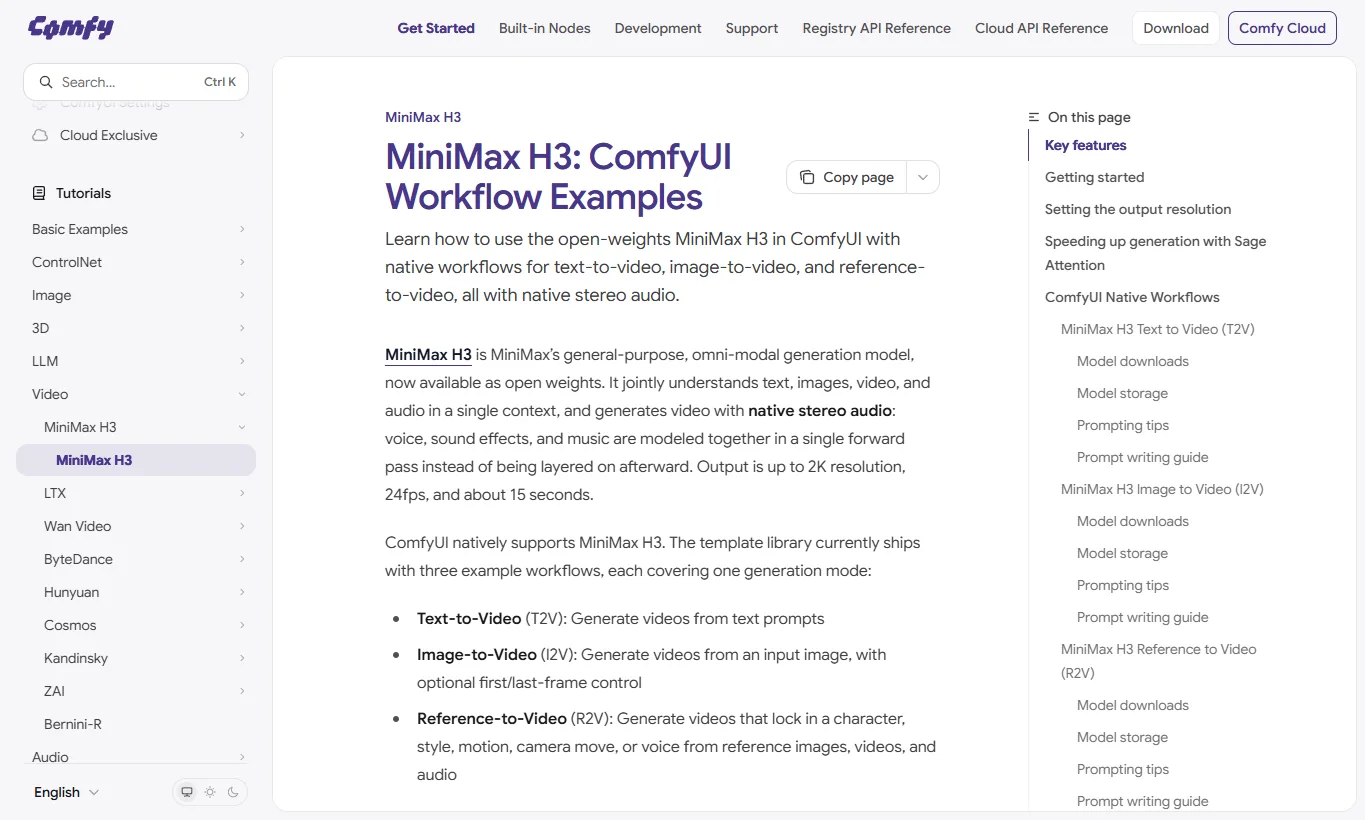
For local and node-based experimentation, ComfyUI’s MiniMax H3 documentation is the most approachable route. It includes template workflows for T2V, I2V, and R2V, plus model download locations for the diffusion model, text encoder, video VAE, and audio VAE.
Community Quantized and Accelerated Builds
The MiniMax H3 ecosystem has moved quickly after the first open-weight release. The most useful practical change is that users no longer need to think only in terms of the huge original BF16 files. The Comfy-Org MiniMax-H3 repository repackages H3 for ComfyUI with pruned INT8 ConvRot, FP8-scaled, BF16, VAE, text-encoder, and LoRA folders, making the file layout much easier to understand.
For most ComfyUI users, the current practical starter set is a pruned INT8 ConvRot diffusion model, the video VAE, the audio VAE, and the Qwen3-VL text encoder in a quantized format. The ComfyUI Wiki guide lists the pruned INT8 FL2VA/Ref2VA diffusion models at about 19.5 GB each, the full BF16 diffusion models at about 61.7 GB each, and the paired text encoder choices from roughly 14.6 GB to 48 GB.
| Build / component | What it changes | Practical note |
|---|---|---|
| Comfy-Org pruned INT8 ConvRot | Smaller ComfyUI diffusion model files | A sensible starting point for current T2V/I2V/Ref2V workflows |
| Qwen3-VL-32B NVFP4 AWQ text encoder | Reduces the text encoder from the BF16-scale footprint to roughly 14.6-15.7 GB | The most common balanced choice in ComfyUI setups |
| Qwen3-VL-32B INT8 ConvRot | Higher-quality quantized text encoder around 25 GB | Useful if RAM/VRAM budget is less tight |
| GGUF Q4/Q5 text encoders | Community low-memory text-encoder route | Useful with compatible GGUF loaders and low-VRAM workflows |
| More aggressive Q2/Q3 or recovered 8B routes | Lower memory at the cost of quality and faithfulness | Interesting for experimentation, not the default quality path |
The text encoder deserves special attention. MiniMax H3 uses a Qwen3-VL-32B-based text encoder, so prompt understanding is not a small side component. The full BF16 text encoder is roughly 48 GB, while Comfy-Org’s NVFP4 AWQ text encoder is about 15 GB and is widely used in current ComfyUI recipes. If a workflow fails before denoising starts, the missing text-encoder file is often the first thing to check.
Acceleration is another fast-moving area. LightX2V’s MiniMax H3 Turbo and Larryvrh’s MiniMax-H3 Turbo LoRA focus on 4-step to 8-step generation, while FastVideo’s FastH3 inference code and related guides explore sparse attention and step distillation. The important caveat is that these are not magic quality upgrades: fewer steps can save a lot of time, but motion detail, audio stability, and sharpness may need tuning.
For readers who want a simple rule of thumb, start with the official/Comfy-Org workflow first, then try Turbo LoRAs only after the base model runs correctly. A 4-step setup is attractive for previews, but 6-8 steps often look better when the hardware allows it. Keep the LoRA strength near the recommended default before changing multiple settings at once.
Pinokio and Wan2GP: Easier Low-VRAM Testing
MiniMax H3 is also becoming easier to test through installer-style community tools. Pinokio is a desktop app launcher that can install and run AI tools with guided scripts, and community launchers such as minimax-h3-pinokio aim to make local H3/ComfyUI setup less manual.
The more important route for low-VRAM users is WanGP / Wan2GP. Despite the name, WanGP is no longer only for Wan models; its recent model list includes MiniMax H3 alongside Wan, LTX, Hunyuan Video, Qwen Image, Flux, and other generators. It provides a web UI, memory profiles, quantized text-encoder options, model management, and post-processing paths.
WanGP’s MiniMax H3 integration separates FL2VA and Ref2VA. FL2VA is used for text-to-video/audio, first-frame, last-frame, or first-and-last-frame generation. Ref2VA is used when reference images, reference video, or reference audio should guide identity, scene, motion, or voice. That distinction is useful because H3 references are contextual guidance, not always frame-perfect constraints.
Low-VRAM claims should be treated as workflow-specific rather than universal. WanGP documentation reports very low VRAM modes for short 480p clips, and GitHub issue discussions show users testing H3 on cards such as RTX 3070 8 GB and RTX 4060/4060 Ti 16 GB. Those reports are encouraging, but generation time can still be long, especially at 720p or higher, and the CPU RAM/SSD/offload path matters a lot.
If you simply want to see whether H3 works on your machine, Pinokio or WanGP is now a more approachable starting point than assembling every file by hand. If you need reproducible production output, keep a written record of the exact model file, text encoder, VAE, LoRA, sampler, step count, resolution, and memory profile used for each test.
Local Deployment and Hardware
MiniMax H3 is open-weight, but it is not small. The official SGLang examples use multi-GPU serving commands, and Hugging Face discussions quickly filled with questions about whether 16GB PCs, dual RTX 3090 setups, or workstation GPUs can run it.
Early third-party analysis estimates that a single BF16 pipeline can be around 144GB when the text encoder, transformer, video VAE, and audio VAE are included. ComfyUI’s route uses quantized files such as int8 diffusion models and NVFP4/AWQ text encoders, so the local barrier should improve, but users should still expect a serious hardware and storage requirement.
If you are not already comfortable with large local AI models, start with Hailuo AI or API access first. If you are comfortable with ComfyUI, begin with the official T2V template before trying reference-heavy R2V workflows, because reference video and audio inputs add complexity quickly.
Quality, Audio, and Prompting
For H3, quality is not only about sharp frames. A good result needs temporal consistency, believable object motion, stable characters, clear camera movement, and audio that fits the visual event. This is why H3 prompts benefit from chronological action language.
A weak prompt says “a person runs through a city.” A stronger H3 prompt explains the motion beats, physical cause and effect, camera path, lighting, and ending frame.
A woman in a red coat walks slowly through a narrow neon-lit alley after rain. Each step touches a shallow puddle, sending small ripples across the reflected signs. The camera tracks beside her at waist height, then stops as she turns toward the lens. Ambient audio includes light rain, distant traffic, soft footsteps, and a low synth background.When audio matters, separate dialogue, sound effects, ambience, and music in your mind before writing the prompt. MiniMax states stable dialogue support for 11 languages, including English and Japanese, but real-world lip sync and speech quality still need testing across prompts, languages, clip lengths, and reference conditions.
Media and User Feedback
Early coverage has been positive about the ambition of releasing an open-weight audio-video model, but also cautious about what actually shipped. The most repeated caveats are the territory-limited community license, the 768p base output, and the size of the local pipeline.
Hugging Face community feedback shows both excitement and practical concern. Users thanked MiniMax for releasing the weights, asked for a smaller version, questioned the license restrictions, discussed ComfyUI support, and asked what GPU configurations would realistically work. The overall mood is best summarized as: impressive release, but not yet easy for casual local use.
The fast ComfyUI support is a meaningful advantage. AI video models become much more useful when creators can share workflows, adjust references, and test prompt structures visually. H3’s node-based workflows may become the main way advanced users learn its strengths and limits.
Commercial Use and License
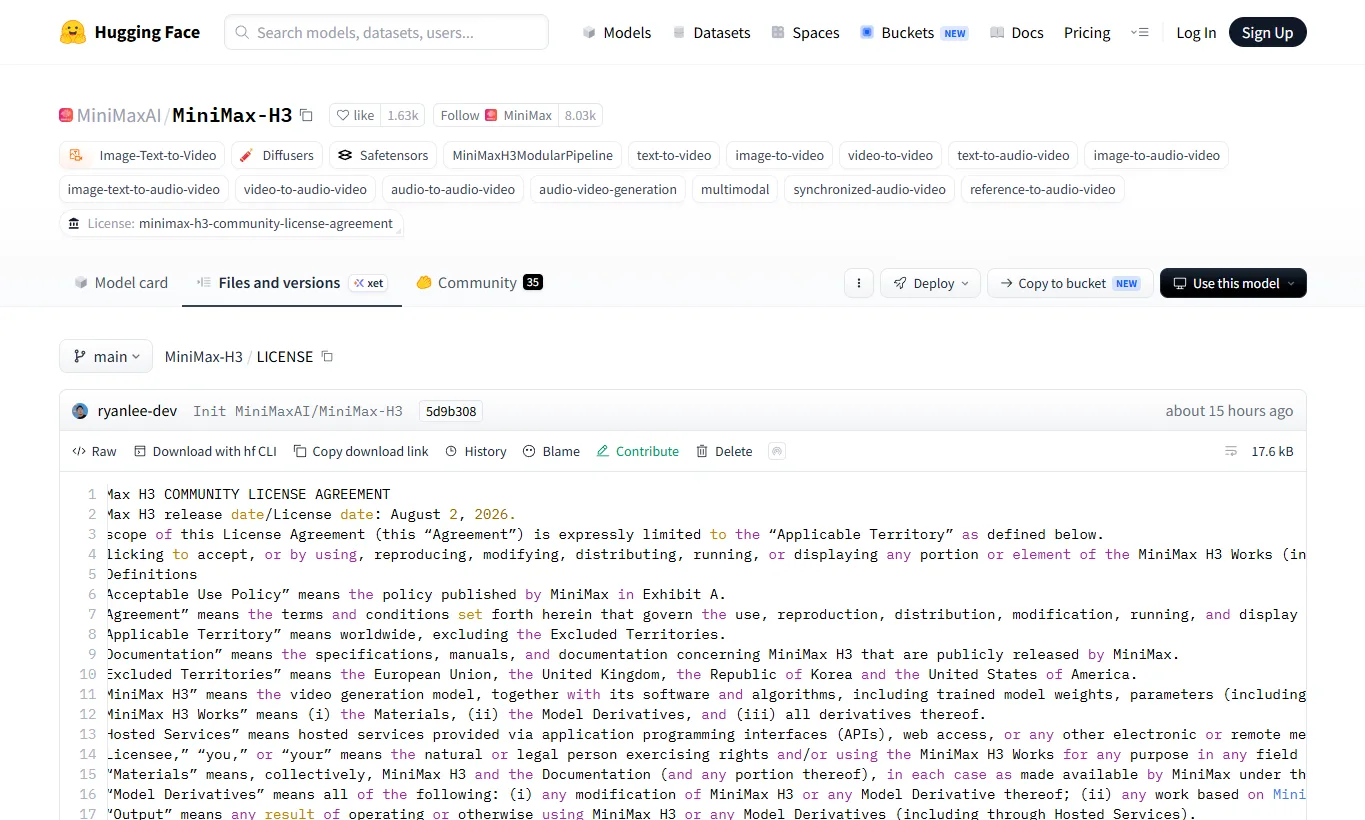
It is safer to call MiniMax H3 an open-weight model than a fully permissive open-source model. The MiniMax H3 Community License Agreement includes territory restrictions, distribution requirements, commercial terms, and use restrictions.
The most important detail is the excluded territories clause. The European Union, United Kingdom, Republic of Korea, and United States are outside the community license’s applicable territory for open-weight use. MiniMax says organizations in restricted regions may apply for a separate license, while API access follows a different model because MiniMax can enforce safeguards on hosted infrastructure.
Commercial use also requires careful reading. The license includes conditions around revenue scale, interface attribution, redistribution, safety safeguards, and use restrictions. If you plan to integrate H3 into a product, hosted service, or derivative model workflow, review the license directly before committing to it.
How It Compares
MiniMax H3 competes with online AI video tools such as Runway, Kling, Luma, Seedance, and Sora-like systems, but its positioning is different. Its appeal is not only “make a good video in the browser.” It is also an open-weight research and workflow platform for audio-video generation.
| Model or Service | Best For | Practical View |
|---|---|---|
| MiniMax H3 | Audio-video generation, reference-driven workflows, ComfyUI testing | Powerful, but large and license-sensitive |
| Runway / Luma / Kling | Fast browser-based video generation | Easier for general creators |
| Seedance-style models | High-quality short video generation | Strong online generation benchmark |
| FLUX 3 Video | Next-generation video, audio, and action-prediction direction | Worth watching as availability expands |
If you follow the broader image and video model landscape, also see our FLUX 3 review and our guide to AI image extenders and outpainting tools for related generation workflows.
FAQ
Is MiniMax H3 fully open source?
Not in the permissive Apache/MIT sense. The weights are public, but the model is governed by the MiniMax H3 Community License Agreement, which includes territory restrictions, commercial terms, and use restrictions.
Can it generate video with audio?
Yes. H3 is designed for native audio-video generation, including stereo audio. It can model dialogue, sound effects, ambience, and music as part of the generation context.
Can I run it on a normal gaming PC?
Not comfortably in the full form. The model is large, and official examples and community discussion point toward multi-GPU or heavily optimized workflows. ComfyUI quantized files may lower the barrier, but this is still an advanced setup.
Does the local model generate 2K video?
H3-Base centers on 768p output. The 2K workflow uses H3-Regenerate-2K and API components. Treat full 2K output as a more complex workflow, not a simple local toggle.
Does ComfyUI support MiniMax H3?
Yes. ComfyUI’s documentation includes native workflows for text-to-video, image-to-video, and reference-to-video, along with model file placement guidance.
Can it be used commercially?
Potentially, but only under the license terms. You need to check territory, revenue scale, attribution, redistribution, safety, and use restrictions before using H3 in a commercial project.
References
- MiniMax H3 – Hugging Face
- MiniMax H3 Community License Agreement
- Q&A About License
- MiniMax H3: ComfyUI Workflow Examples
- SGLang MiniMax-H3 deployment guide
- MiniMax H3 Open Weights Are Out — And There Are Three Catches
- Hailuo H3 Prompt Guide
- MiniMax H3 Hugging Face Discussions
Summary
MiniMax H3 is a genuinely important AI video model release because it pushes beyond silent clip generation into native audio-video generation with reference-driven workflows. It is especially interesting for people who want to experiment with ComfyUI, local model serving, and structured video prompting.
At the same time, it is not a casual local model. The hardware requirement is high, 2K output depends on a more complex workflow, and the license needs careful reading. For most creators, the best first step is to test Hailuo AI or API access, then move into ComfyUI if they want deeper control.
Related Reviews
HunyuanVideo 1.5 Review: Quality, VRAM, ComfyUI, Pricing and Limits

MiniMax M3.1 Flash Review: Coding, API Cost, Open Weights and Limits
Krea 3 Review: Editing Quality, Ultra, Real Costs and Open-Weight Status
FLUX 3 Review: Image, Klein, Local Hardware and Real Editing Limits
Krea 2 Edit Review: Downloads, ComfyUI Workflows and Prompt Examples
MOSS-Image Review: Text, Layout Control, NSFW, VRAM and ComfyUI