Gemini Omni 1.1 Flash Review: Google Video AI, 4K, API, and NSFW Limits
Gemini Omni 1.1 Flash is best understood as Google’s fast, conversational video generation and editing model for creators and developers who want to iterate with…
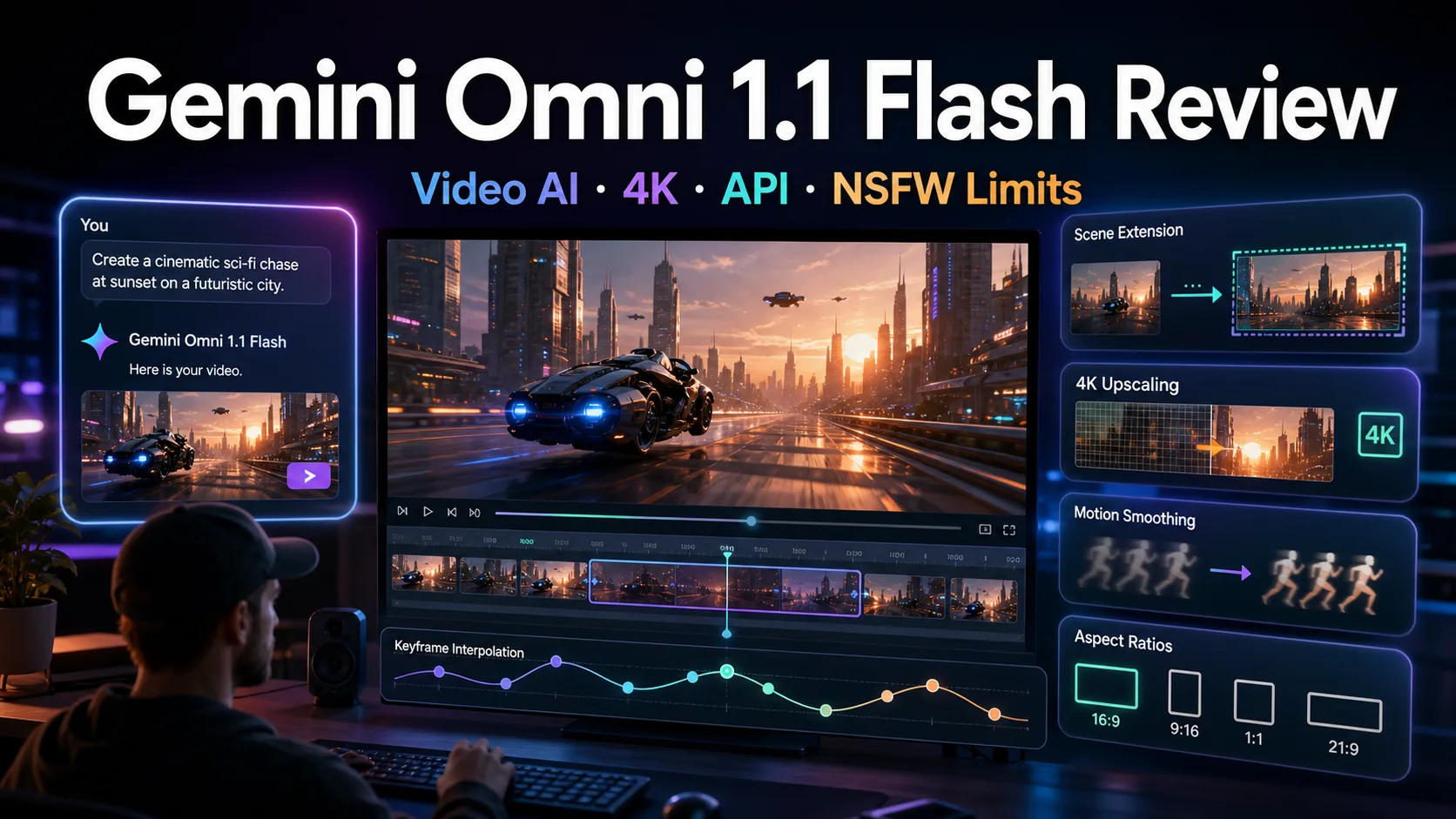

Gemini Omni 1.1 Flash is best understood as Google’s fast, conversational video generation and editing model for creators and developers who want to iterate with text, images, audio, and video context instead of treating video generation as a one-shot prompt box.
The practical verdict is this: it is not trying to replace every cinematic model. It is more useful when you need controllable drafts, multi-turn edits, character or scene consistency, API access, and a clean path from Google AI Studio or Flow into a production workflow. It is also a tightly governed Google service, so NSFW freedom is much more limited than with local uncensored video models.
One naming note is worth knowing. Google AI Developers currently presents the product page as Gemini Omni Flash, while recent release coverage refers to the August 2026 update as Gemini Omni 1.1 Flash. In this review, Gemini Omni 1.1 Flash refers to that latest Omni Flash video-generation update.
Table of Contents
Quick Verdict
| Item | Review |
|---|---|
| Best for | Fast video drafts, conversational editing, short social clips, API prototypes, scene and character iteration |
| Not best for | Unrestricted NSFW generation, fully local workflows, very long single-shot films |
| Official access | Gemini API, Google AI Studio, Gemini App, Google Flow |
| Key capability | Text/image/audio/video-aware video generation and multi-turn video editing |
| Main caution | Official docs use Gemini Omni Flash naming; 1.1 details come from the latest release coverage and updated documentation context |
If you compare it with other AI video models, read it together with our Seedance 2.5 review, Wan 3.0 review, LTX-2.5 review, and MiniMax H3 review. Gemini Omni’s strongest appeal is not only raw image quality, but the combination of Google ecosystem access and conversational editing.
What Is Gemini Omni 1.1 Flash?
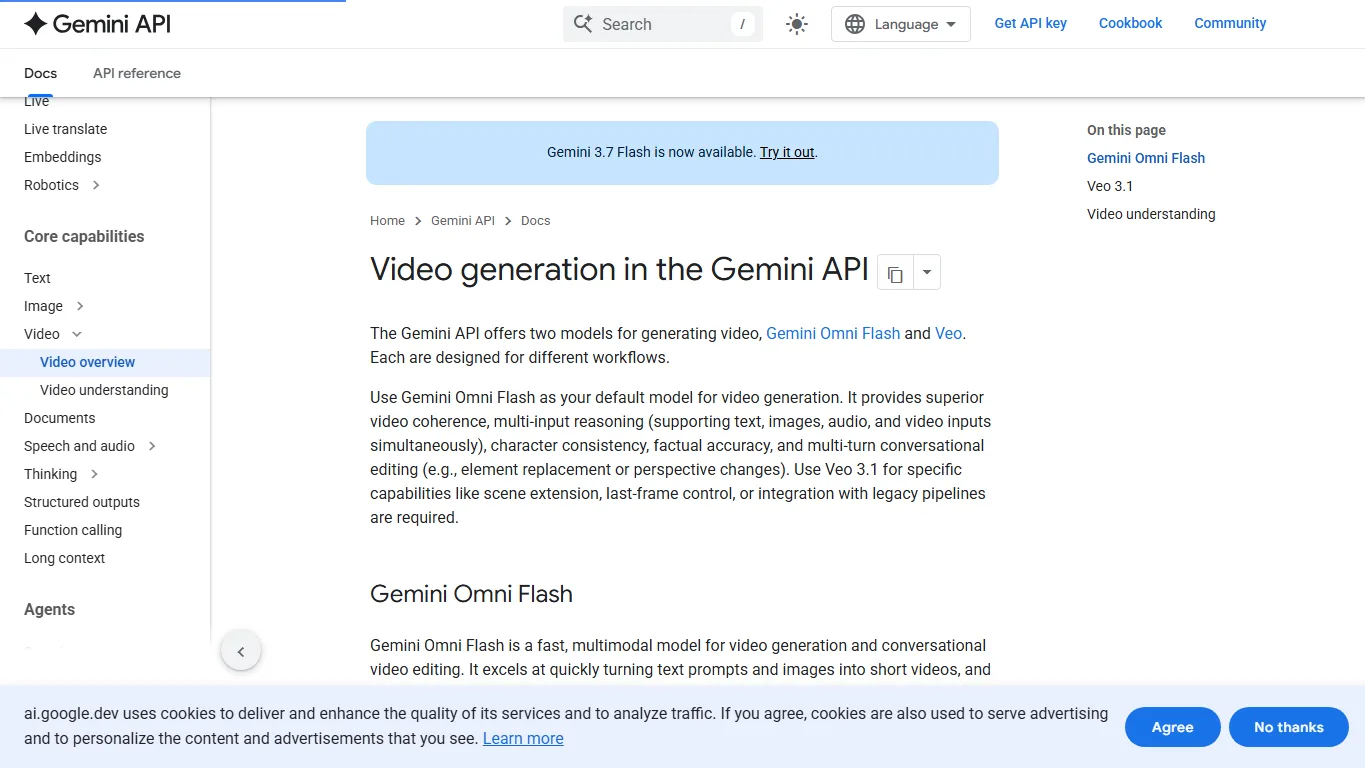
Google’s Gemini API video documentation says the API offers two video-generation model families: Gemini Omni Flash and Veo. It recommends Gemini Omni Flash as the default model for video generation, while Veo 3.1 is positioned for specific capabilities such as scene extension, last-frame control, and legacy pipeline integration.
The model is designed around fast, multimodal creation. It can take text prompts and images to generate short videos, and the Interactions API lets users refine the result over multiple turns. That changes the working style: instead of discarding a failed clip and starting again, a creator can ask for element replacement, camera changes, perspective changes, or continuity adjustments.
Official Access and API
Developers should start from Google AI Studio and the Gemini API video generation documentation. API keys are available through Google AI Studio API keys. For ordinary creators, Gemini App and Google Flow are the more natural places to try Google’s video-generation workflow.
There is no official local download or Hugging Face weight release for Gemini Omni 1.1 Flash. This is a hosted Google model. That makes onboarding simpler for developers who want an API, but it also means you cannot tune, quantize, or run it privately like an open-source video model.
Main Features
| Feature | Why it matters |
|---|---|
| Conversational editing | You can refine a clip through natural-language follow-up instructions rather than rewriting the whole prompt. |
| Multi-input reasoning | Text, images, audio, and video context can guide the generation or edit. |
| Scene and character consistency | Useful for creator workflows where the same subject needs to survive several iterations. |
| Scene extension | Recent release coverage describes longer contextual analysis for extending clips in 10-second steps. |
| Keyframe-style control | Start/end frame workflows help create smoother camera moves and looping shots. |
| Resolution options | 360p draft mode lowers iteration cost, while 720p, 1080p, and 4K-oriented output paths support more polished work. |
The most important upgrade is workflow control. Video AI models often look impressive in demos but become frustrating when you need a small change. Gemini Omni Flash is more interesting because it treats video creation as an interactive process: draft, inspect, revise, extend, and polish.
Gemini Omni 1.1 Flash vs Other AI Video Models
| Model | Strength | Where Gemini Omni 1.1 Flash differs |
|---|---|---|
| Veo 3.1 | High-fidelity cinematic output, native audio, strong Google model quality | Omni Flash is positioned as the faster default for conversational editing and multi-input iteration. |
| Seedance 2.5 | Strong online creator workflow and short-video quality | Gemini Omni has deeper Gemini API and Google ecosystem integration. |
| Wan 3.0 | Open ecosystem momentum and strong text/document-to-video attention | Gemini Omni is hosted and easier to access through Google tools, but less open. |
| Runway / Pika / Kling | Mature creator interfaces and social-video workflows | Gemini Omni is stronger when an API-first Google workflow matters. |
| LTX-2.5 / local models | Local control, workflow experimentation, more private deployment | Gemini Omni is simpler to access but not local or uncensored. |
In short, Veo is still the more cinematic name in Google’s video family, while Gemini Omni Flash is the workhorse for iterative generation. For creators, that means faster trial-and-error. For developers, it means a more programmable path for video features inside an app.
Pricing and Workflow Notes
AIbase’s release coverage reports resolution-based pricing around $0.03 per second for 360p, $0.10 for 720p, $0.15 for 1080p, and $0.30 for 4K. Treat those as early public reference numbers and check the official Gemini API pricing page before production use, because Google pricing and regional availability can change.
The practical workflow is to use 360p for storyboards, client options, prompt testing, and shot planning, then move to 720p or higher only after the motion and composition are close. That matters because video generation cost grows quickly when teams repeatedly regenerate high-resolution clips.
NSFW Limits and Safety
Gemini Omni 1.1 Flash is not an uncensored video model. It is a Google-hosted model accessed through official products and APIs, so users should expect safety filtering around explicit sexual content, real-person sexualization, non-consensual edits, minors, graphic harm, impersonation, and other high-risk content.
For general brands, agencies, education, product videos, and social content, those restrictions are usually a benefit. For users specifically looking for NSFW video generation, local or specialist models are more flexible, but they also carry higher legal, ethical, and platform-risk responsibilities.
FAQ
Can I use Gemini Omni 1.1 Flash online?
Yes. Try Google AI Studio as a developer, or use Google Flow and Gemini App where the feature is available to your account and region.
Is there an official API?
Yes. The official starting point is the Gemini API video generation documentation and the Gemini Omni Flash guide.
Can I download the model weights?
No official local weights have been released. Gemini Omni 1.1 Flash should be treated as a hosted Google model, not an open-source checkpoint.
Is it better than Veo 3.1?
It depends on the workflow. Veo 3.1 is stronger for specific high-fidelity cinematic needs, while Gemini Omni Flash is the better default for fast, multimodal, conversational editing workflows.
Does it support 4K?
Recent release coverage says the model supports a path to 4K output. For production, check the current product interface or API pricing page because resolution availability can depend on account, region, and product surface.
Can it generate NSFW videos?
Do not expect unrestricted NSFW generation. Google-hosted generative media systems have safety policies, and sensitive sexual or harmful requests are likely to be blocked.
Reference Information
- Google AI Developers: Video generation in the Gemini API
- Google AI Developers: Generate and edit videos with Gemini Omni Flash
- Google AI Studio
- Google Flow
- AIbase Gemini Omni 1.1 Flash report
Conclusion
Gemini Omni 1.1 Flash is a strong fit for creators and developers who want video generation to feel like editing, not gambling. Its strengths are fast drafts, multi-input understanding, conversational revisions, and a clear Google API path.
The tradeoff is openness. There is no local weight release, NSFW freedom is limited, and feature availability can vary by account, region, and product surface. If you want a private, hackable model, look at open video models. If you want a polished Google-hosted workflow that can move from experiment to product, Gemini Omni 1.1 Flash is worth testing early.
Related Reviews
Best Local Anime AI Image Models Compared: LoRA, VRAM and NSFW Use

6 Best Video Compressor Tools in 2026
Hy4 Preview Review: Tencent Hunyuan 770B MoE, 1M Context, API, Local Hardware, and NSFW Limits
Nucleus Image Review: 17B Sparse MoE, Local Setup, NSFW Support, and Apache 2.0 Open Weights
GPT-Image-2.5 Review (2026): Flare vs Sunburst, Pricing and NSFW Limits
How to Manage Multiple Email Accounts: Separate Inboxes, Aliases, or One App?