Best Video Editors for Solo Creators Who Do Everything Themselves
Compare the best video editors for solo creators, including Invideo Editor, Descript, DaVinci Resolve, CapCut, Canva Video, and Adobe Premiere Pro.
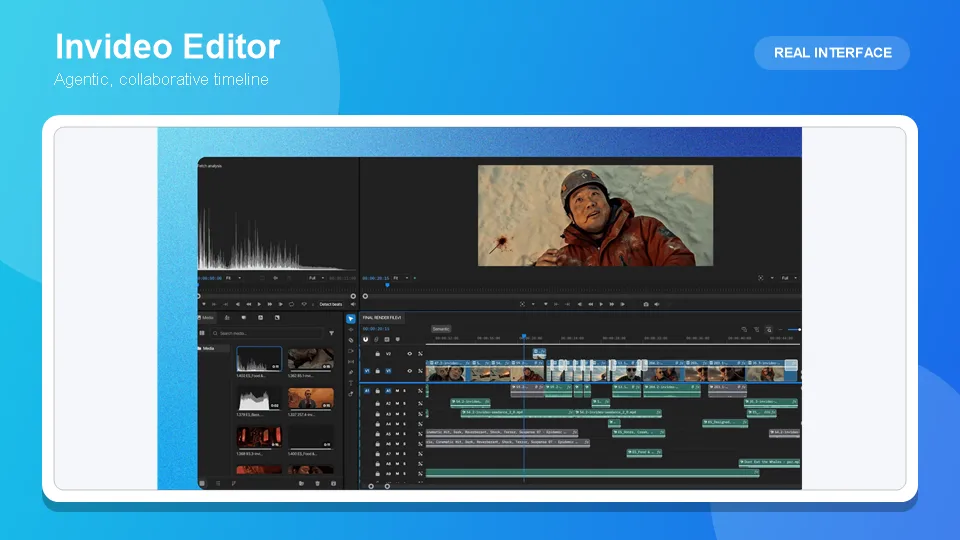

A solo creator’s editing tool has to cover a job that’s normally split across several people: reviewing raw footage, cutting it down, cleaning up audio, grading color, and getting a finished video out the door, all without a dedicated editor, colorist, or sound designer to hand any of it off to. The right tool for that situation isn’t necessarily the most powerful one, it’s the one that removes the most repetitive work from a single person’s plate without demanding a professional post-production background to operate.
Table of Contents
- Comparison table
- 1. Invideo Editor
- 2. Descript
- 3. DaVinci Resolve
- 4. CapCut
- 5. Canva Video
- 6. Adobe Premiere Pro
- Which one should you use
- Frequently asked questions
Comparison table
| Tool | Best for | What it removes from a solo workflow | Starting price |
|---|---|---|---|
| Invideo Editor | Assembling raw footage and editing with agent instructions on one free timeline | Manual take-selection and cleanup via Agentic Assembly | Free |
| Descript | Editing spoken-word content, podcasts, talking-head video, by editing its transcript | Manual timeline scrubbing for cutting a recorded conversation | Free tier; ~$12–24/month |
| DaVinci Resolve | Professional color grading and full post-production in one free app | The cost of a dedicated color tool or colorist | Free; Studio $295 one-time |
| CapCut | Fast, mobile-first editing and export for social content | A separate desktop editing step for quick social cuts | Free; ~$9.99–19.99/month |
| Canva Video | Design-plus-video output for a creator already using Canva for graphics | A separate design tool for thumbnails, graphics, and templates | Free; ~$12.99–15/month |
| Adobe Premiere Pro | Precise, professional manual control for demanding, complex edits | Nothing removed; adds capability at the cost of a learning curve | ~$22.99/month |
1. Invideo Editor
A solo creator rarely has the time to manually review hours of raw footage, pick the best take of every line, and cut out every false start before the real editing even begins. Invideo Editor Agentic Assembly does that first pass automatically: describe the cut you want in plain language, by topic, by story, by shooting order, and it reviews the footage, selects usable takes, and builds a complete, start-to-finish base cut a creator then keeps shaping. It’s a professional timeline editor underneath that, doing the same drag, trim, cut, and layer work as any other NLE, while also taking agent instructions on that same timeline, so a note like “swap this take” or “extend this shot” edits in place rather than requiring a manual search through the footage.
Because it treats shots, scenes, characters, and audio as separate objects, precise changes don’t require reworking a whole sequence, and its color and grading tools, dubbing and localization with lip sync preserved, and multicam syncing cover a meaningful share of what a solo creator would otherwise need separate specialists or separate tools for. It’s free to use.
Best for: a solo creator with raw, unorganized footage who wants the first, most time-consuming editing pass handled automatically.
Where it falls short: it isn’t a dedicated color-grading suite for the most demanding, color-critical finishing work, and a creator already deep in a different editor’s ecosystem may find switching costs real.
Pricing: free.
2. Descript
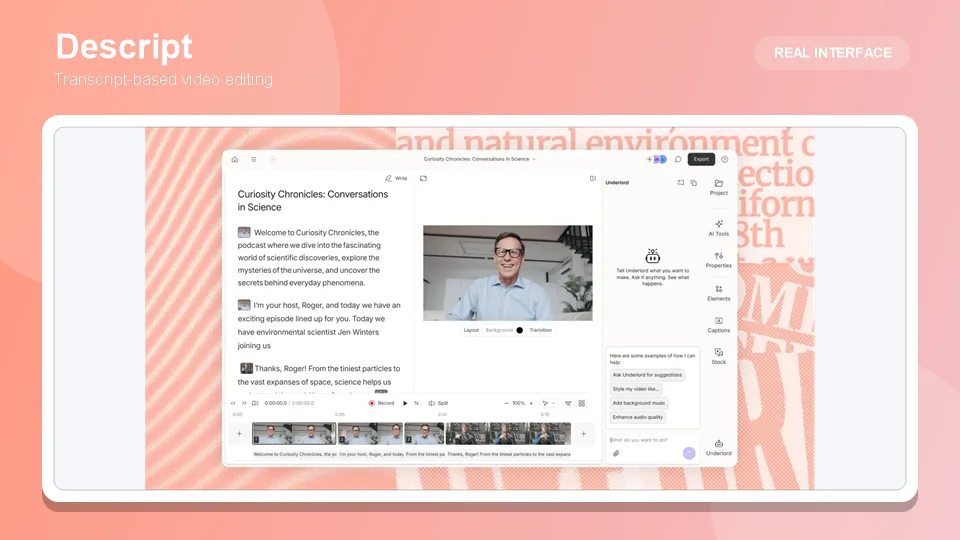
For a solo podcaster, interviewer, or talking-head creator, Descript’s transcript-based editing removes one of the most tedious parts of the job: scrubbing a timeline to find and cut a specific sentence. Delete the sentence from the transcript, and the corresponding footage disappears from the cut. Its Overdub feature can fix a single mispronounced word by typing the correction, and one-click filler word removal and Studio Sound audio cleanup handle two more repetitive tasks a solo creator would otherwise do by hand, clip by clip.
Best for: a solo creator working primarily with spoken-word content, podcasts, interviews, tutorials, who wants to edit by editing text.
Where it falls short: it edits existing recordings rather than generating anything, and its paid tiers have shifted to a credit-based model that can be harder to predict than a flat price.
Pricing: free tier available; paid plans commonly cited around $12–24/month depending on billing cycle.
3. DaVinci Resolve
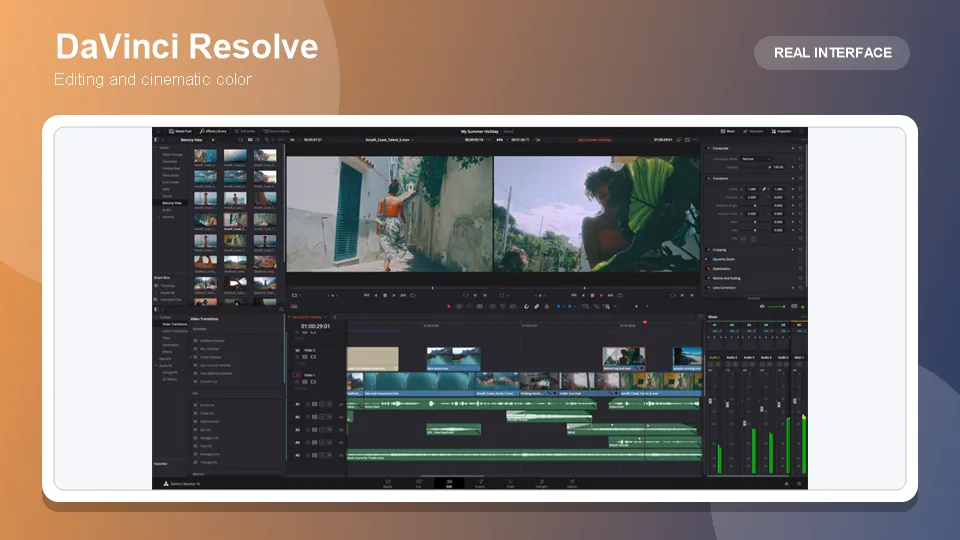
A solo creator without a colorist still needs footage to look professionally graded, and DaVinci Resolve’s free version already includes full node-based primary and secondary color correction, LUT support, and HDR metadata handling, genuinely capable of professional-grade work with no watermark or time limit. The Studio upgrade, a one-time $295 purchase rather than a subscription, adds HDR grading and AI-assisted tools like Magic Mask and Speed Warp for a creator who eventually needs them.
Best for: a solo creator who wants professional-grade color work without a colorist, and prefers a one-time purchase over a recurring subscription.
Where it falls short: its interface and node-based grading workflow carry a real learning curve compared with a template-driven or plain-language tool.
Pricing: free version fully capable; Studio $295 one-time.
4. CapCut
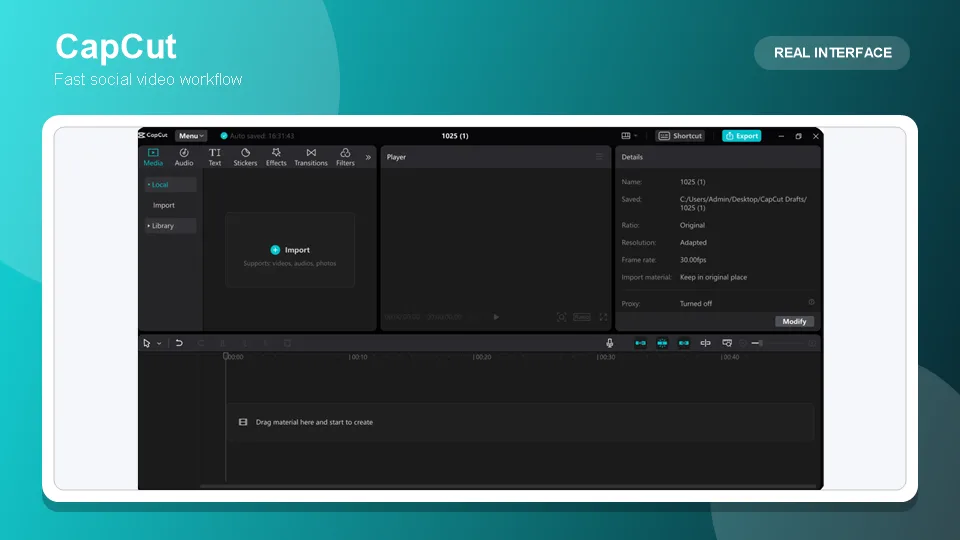
For a solo creator whose output is primarily short-form social content, CapCut’s mobile-first speed removes the step of moving footage to a desktop at all: auto-captions, auto-cut, and a large library of trend-driven templates let a whole video get shot, edited, and posted from a phone. Its Pro tier adds 4K export and a fuller AI toolkit, avatars, voice cloning, some longer video generation, though these heavier features draw from a metered monthly credit pool.
Best for: a solo creator producing frequent, fast, vertical social content entirely from a phone.
Where it falls short: it isn’t built for narrative consistency across a longer, multi-scene project, and its AI credit system can require paid top-ups under heavy use.
Pricing: free tier; Standard ~$9.99/month; Pro $19.99/month or $179.99/year.
5. Canva Video
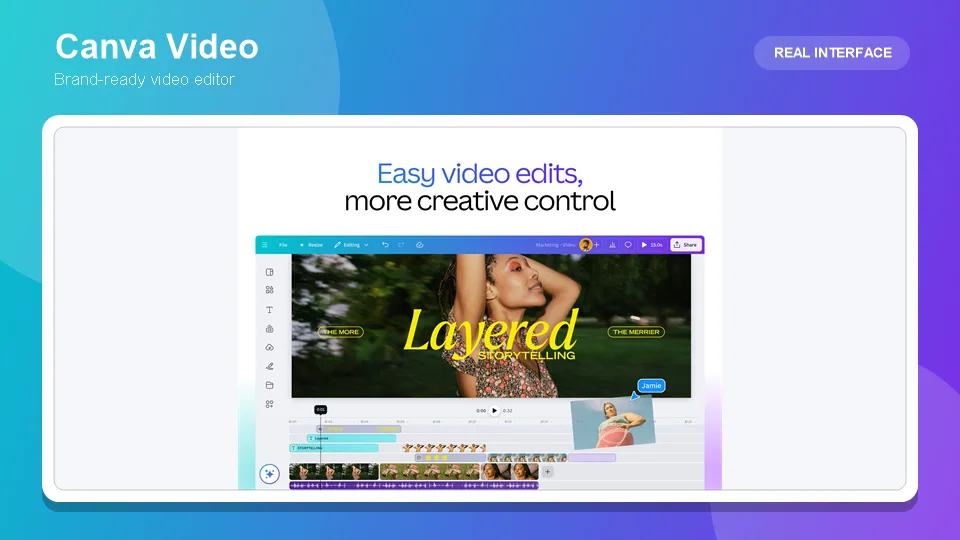
A solo creator who already uses Canva for thumbnails, social graphics, and brand assets gets real value from keeping video in the same platform: templates, a shared brand kit, and basic AI video generation all live in one subscription, avoiding a second tool entirely for lightweight, design-adjacent video work.
Best for: a solo creator whose workflow already centers on Canva for design, wanting video folded into the same subscription.
Where it falls short: its AI video generation produces short, independent clips with no persistent memory holding a character or scene consistent across multiple generations, and video and design features draw from the same shared credit pool.
Pricing: free tier (5 lifetime AI video clips); Pro ~$12.99–15/month.
6. Adobe Premiere Pro
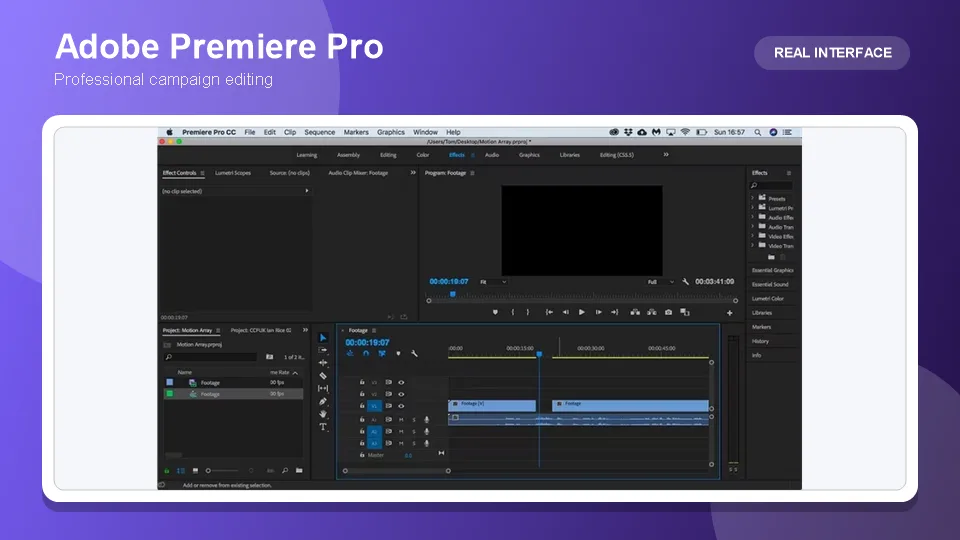
For a solo creator whose work demands the most precise, professional manual control, complex multi-layer edits, exacting color and audio work, Premiere Pro remains the industry-standard option, with 2026 additions like Generative Extend and AI-assisted object removal adding real assistive capability on top of its established manual toolkit.
Best for: a solo creator with demanding, complex editing needs and the time to learn a genuinely professional tool.
Where it falls short: no permanent free tier, a real learning curve, and its generative AI features are gated behind a metered Firefly credit allocation that varies by plan tier.
Pricing: ~$22.99/month (annual, single app); higher Creative Cloud tiers for more Firefly credits.
Which one should you use
Turning raw, unorganized footage into a base cut automatically → Invideo Editor
Editing spoken-word content by editing its transcript → Descript
Professional color grading without a colorist → DaVinci Resolve
Fast, mobile-first social content → CapCut
Video folded into an existing design workflow → Canva Video
The most precise, professional manual control → Adobe Premiere Pro
Frequently asked questions
What’s the single biggest time cost for a solo creator editing alone? Usually reviewing raw footage and selecting the best takes before real editing even starts, a task that normally falls to an assistant editor on a larger team. Tools like Invideo Editor’s Agentic Assembly are specifically built to automate that first pass.
Is a free tool actually good enough for a solo creator, or is a paid plan necessary? For a real amount of the work, yes. Invideo Editor’s core timeline is free, DaVinci Resolve’s free version is professionally capable, and most other tools on this list have a usable free tier, though the deepest AI features and highest resolution exports typically require upgrading eventually.
Which tool is best for a solo creator who does both podcasts and social video? There’s no single perfect fit, but Descript’s transcript editing suits the podcast side specifically, while Invideo Editor or CapCut better serve the video assembly and social-cut side, and a solo creator doing both often ends up using more than one tool for different parts of the workflow.
Do any of these tools help with color grading if I have no colorist? DaVinci Resolve is the strongest option here, with a free version offering genuinely professional node-based grading. Invideo Editor also includes color and grading tools suited to matching footage from different sources, though it isn’t a dedicated color-critical finishing suite.
Is it worth learning Premiere Pro as a solo creator, or is that overkill? It depends on the complexity of the work. For most solo content, a faster, more automated tool covers the need without the learning curve. Premiere Pro earns its place specifically when the editing demands, complex layering, precise manual color and audio work, genuinely exceed what a faster tool is built to handle.
Latest Reviews
5 Best AI Wallpaper Generators in 2026

Best 5 AI Meme Generators in 2026
Canva Craft Review: 2K Images, Wide Formats, Text and Editing Limits

HunyuanVideo 1.5 Review: Quality, VRAM, ComfyUI, Pricing and Limits
Generate Stained-Glass Designs from Written Ideas
MiniMax M3.1 Flash Review: Coding, API Cost, Open Weights and Limits