6 Best Invitation Card Makers in 2026
Compare six invitation card makers for weddings, birthdays, parties, printable cards, and online RSVP tracking.
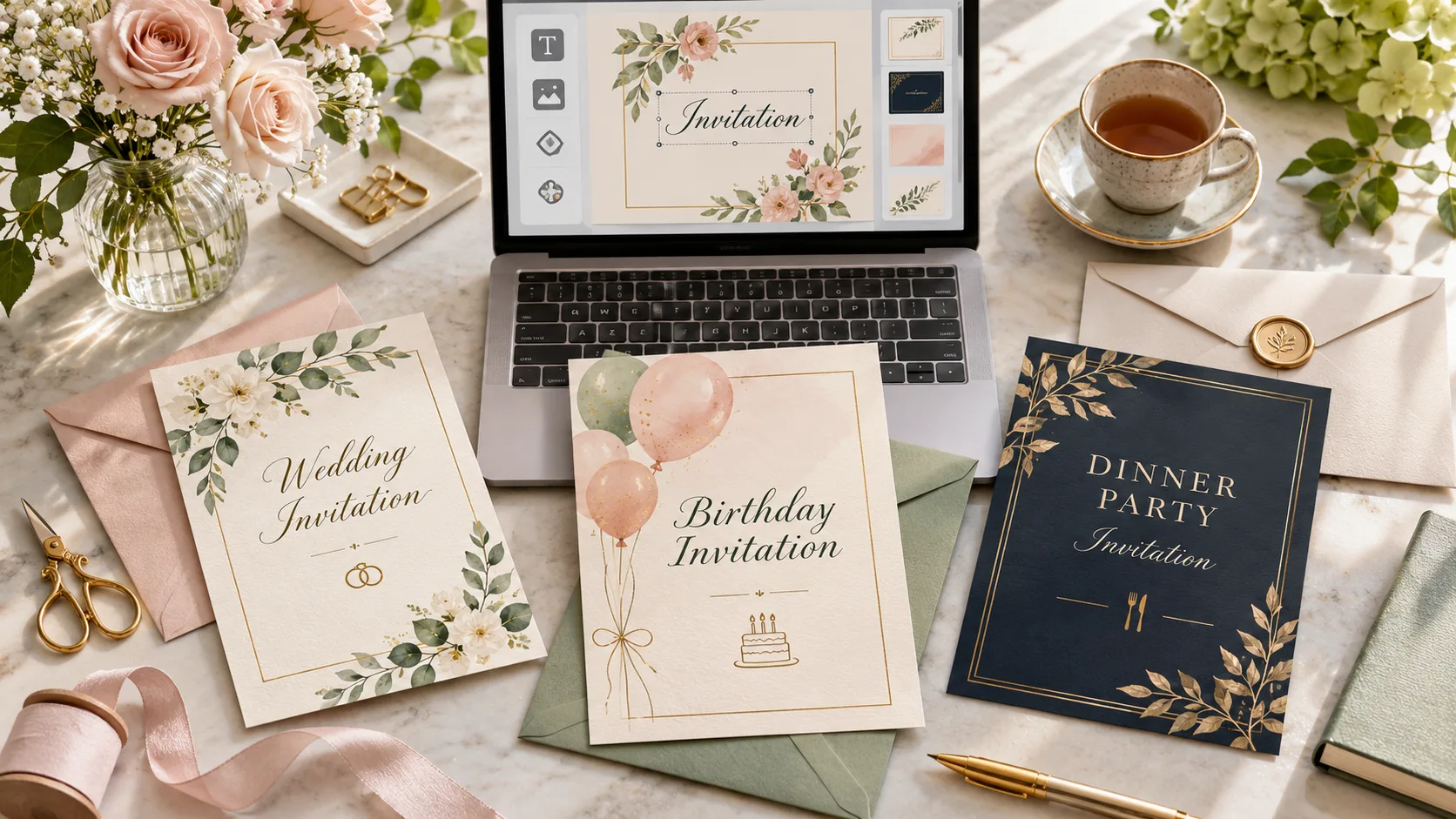

A good invitation card maker helps you create a card that feels personal. Whether you are planning a wedding, birthday, baby shower, graduation, dinner party, or business event, the right tool makes it easier to design the card, share the details, and track RSVPs.
Some invitation makers focus on creative freedom and printable files. Others are designed for digital delivery, guest lists, reminders, and event pages. Here are six options for 2026, with Adobe Express first for its balance of customization and export flexibility.
Table of Contents
- What Is an Invitation Card Maker?
- Comparison at a Glance
- Adobe Express
- Canva
- Greetings Island
- Paperless Post
- Evite
- Punchbowl
- How to Choose
- How to Make an Invitation
- FAQ
What Is an Invitation Card Maker?
An invitation card maker helps you create, personalize, download, print, or send invitations. Design tools focus on templates and editable layouts, while event platforms add RSVP tracking, reminders, guest messages, and shareable pages. Consider whether your priority is a printable card, digital delivery, or a complete guest-management workflow.
Best Invitation Card Makers at a Glance
| Tool | Best for | RSVP | Main limitation |
|---|---|---|---|
| Adobe Express | Overall design and exports | Use a separate RSVP service | Limited guest management |
| Canva | Creative control and templates | Forms can collect responses | Guest delivery and tracking require a separate workflow |
| Greetings Island | Printable cards with RSVP | Links and QR codes | Some designs and features are premium |
| Paperless Post | Premium digital invitations | Built-in tracking | Premium options can add cost |
| Evite | Casual events | Built-in tracking and reminders | Free invitations may include ads |
| Punchbowl | Family parties | Tracking and planning tools | Some features require membership |
1. Adobe Express — Best Overall Invitation Card Maker
Best for: Creating polished invitations for print, email, text, or social sharing.
Adobe Express starts with customizable invitation templates for weddings, birthdays, graduations, dinners, and business events. Replace the wording, colors, images, and typography to suit the occasion. The editor is approachable for beginners but gives experienced users room to refine a design with their own visual assets.
Export a finished invitation as a PDF, JPG, or PNG, then print it or share it digitally. It is particularly useful when you need matching designs in multiple formats. For RSVP collection and guest management, pair your card with a dedicated invitation platform.
Key Features
- Templates for personal and business events
- Editable fonts, colors, images, and layouts
- PDF, JPG, and PNG exports
- AI-assisted creative tools
- Designs for both printing and digital sharing
Pros: Professional templates; flexible editing; accessible interface; versatile export options.
Cons: Guest management requires a separate service; some advanced features may require a paid plan.
2. Canva — Best for Creative Control and Template Variety
Best for: Designing invitations and coordinated event materials.
Canva offers templates for weddings, birthdays, baby showers, graduations, and other events. Start with a design or a blank page, then use the drag-and-drop editor to adjust photos, fonts, graphics, colors, and spacing. Its library makes it easy to find a visual style that fits your event.
Canva is also helpful for matching save-the-dates, menus, place cards, thank-you notes, and social posts. You can download a finished design or use print ordering where available. Forms can collect responses, though full invitation delivery and guest tracking may require additional tools.
Key Features
- Extensive editable template collection
- Drag-and-drop editor and image uploads
- Collaboration and matching event stationery
- Digital downloads and print options
Pros: Extensive choice; strong creative control; useful for print and digital cards.
Cons: Some assets require a paid plan; many design choices can take time to explore.
3. Greetings Island — Best Printable Invitations With RSVP
Best for: Hosts who want a printable card and an easy RSVP page.
Greetings Island combines occasion-focused templates with online RSVP tools. Personalize a wedding, birthday, baby shower, or holiday invitation, then download it, print it, or share it online. You can add a map, registry link, response deadline, or guest limit.
Its RSVP page can be shared by link or QR code, making attendance easier to track. Hosts can also upload their own design from another editor and add an RSVP workflow.
Key Features
- Editable invitation templates and PDF downloads
- RSVP links, QR codes, and response tracking
- Guest limits, event details, and registry links
- Upload-your-own-design option
Pros: Useful free RSVP tools; simple interface; works for print and online sharing.
Cons: Some designs and features require payment; editing is less extensive than a full design suite.
4. Paperless Post — Best for Premium Digital Invitations
Best for: Weddings, milestone celebrations, client dinners, and formal events.
Paperless Post focuses on digital invitations with a stationery-inspired presentation. Cards can include customizable envelopes, liners, stamps, backdrops, and typography; Flyers offer a more flexible event-page format.
After customizing an invitation, hosts can send it by email, text, or a shareable link and track responses. Guest lists, updates, and messaging help manage an event after invitations are sent. It is best for a polished online experience rather than a print-only card.
Key Features
- Designer-style cards and event pages
- Customizable envelopes and backgrounds
- Digital delivery and RSVP tracking
- Guest messaging and event detail blocks
Pros: Elegant presentation; strong digital invitation and guest-management tools.
Cons: Premium designs and sending options can add cost; limited focus on printing.
5. Evite — Best for Casual Parties and Fast Planning
Best for: Birthdays, family gatherings, holidays, and casual celebrations.
Evite brings invitation design and event planning together. Choose a design, add the details, build a guest list, and share the invitation by email, text, or link. Guests can RSVP on their devices, while hosts can update details and send reminders.
Registries, wish lists, event notes, and shared photo albums make it practical for informal gatherings. Free and premium invitations are available, depending on the design and experience you want.
Key Features
- Templates for a range of events
- RSVP tracking, reminders, and guest messaging
- Email, text, and link sharing
- Registry options and shared photo albums
Pros: Fast to set up; convenient for casual hosts; useful guest tools.
Cons: Free invitations may contain advertising; less suited to highly customized printed stationery.
6. Punchbowl — Best for Family Parties and Kids’ Events
Best for: Birthdays, baby showers, holidays, and family gatherings.
Punchbowl combines online invitations with practical party-planning features. Hosts can share event details, track RSVPs, send reminders, and organize guest communications. Its themed collections are well suited to children’s birthdays and family celebrations.
You can also upload a design created elsewhere, send it by email or text, and track replies. Planning features such as potluck lists, guest questions, polls, and co-host tools can help coordinate the event; availability depends on the chosen plan.
Key Features
- Party and family invitation templates
- Upload-your-own-design option
- RSVP tracking and reminders
- Guest messaging, polls, and potluck tools
Pros: Useful for family events; practical planning features; supports custom designs.
Cons: Some features require membership; primarily focused on digital invitations.
How to Choose an Invitation Card Maker
- Best overall: Adobe Express.
- Most design flexibility: Canva.
- Printable invitations with RSVP: Greetings Island.
- Premium digital presentation: Paperless Post.
- Casual party planning: Evite.
- Family and children’s events: Punchbowl.
For a printed card, start with the design and export format. For a digital event, compare delivery, guest limits, RSVP tools, reminders, and pricing before sending.
How to Make an Invitation Card
- Choose the occasion and visual style.
- Pick a suitable template.
- Add the event name, date, time, location, host, and RSVP deadline.
- Customize the colors, images, and typography.
- Proofread names, addresses, time zones, and RSVP instructions.
- Download a print-ready file or send a digital invitation.
- Test the RSVP link or QR code before sharing.
FAQ
What is the best free invitation card maker?
Adobe Express, Canva, Greetings Island, and Evite offer free ways to create invitations. Adobe Express is a versatile design choice, while Greetings Island is useful for RSVP tracking. Premium assets and features may cost extra.
Can I make an invitation card online for free?
Yes. Many platforms offer free templates or a free starting tier. Check the price of premium designs, downloads, printing, and guest-management features before sending.
Which invitation maker is best for weddings?
Adobe Express and Canva offer flexible wedding stationery designs. Paperless Post suits elegant digital delivery, while Greetings Island combines printable cards with an RSVP page.
What should an invitation include?
Include the event name, date, start time, location, host, and RSVP details. Add dress code, parking, schedule, or registry information when relevant.
Can I add an RSVP QR code?
Yes. Greetings Island offers RSVP links and QR codes; other event links can also be converted into a QR code for a printed invitation.
Should I print or send digital invitations?
Printed cards work well as keepsakes and for formal events. Digital invitations are faster to update and easier to track. Many hosts combine a printed card with an online RSVP.
Final Thoughts
Adobe Express is a balanced choice for flexible invitation design, while Canva offers extensive creative control. Greetings Island adds convenient RSVP pages, Paperless Post specializes in premium digital presentation, Evite simplifies casual hosting, and Punchbowl supports family party planning. Choose a design that suits the occasion, keep the details clear, and give guests an easy way to respond.
Related Reviews
NovelAI V5 Review: NSFW Anime Image Model, Prompting, Pricing and Limits

Anima AI Model Review: Anime Image Model, LoRA, License and NSFW Use
Ideogram 4 Review: Censorship Bypass, NSFW Policy, Text AI and ComfyUI Workflow
5 Best AI Avatar Generators in 2026

Seedream 5.5 Review: Editing, AI Model Comparisons, Pricing and NSFW Support

Illustrious XL Review: Setup, LoRA, VRAM, Prompts and NSFW Local Use