5 Best Business Card Makers in 2026
Compare the five best business card maker tools for templates, AI design, branding, print-ready files, and professional printing in 2026.
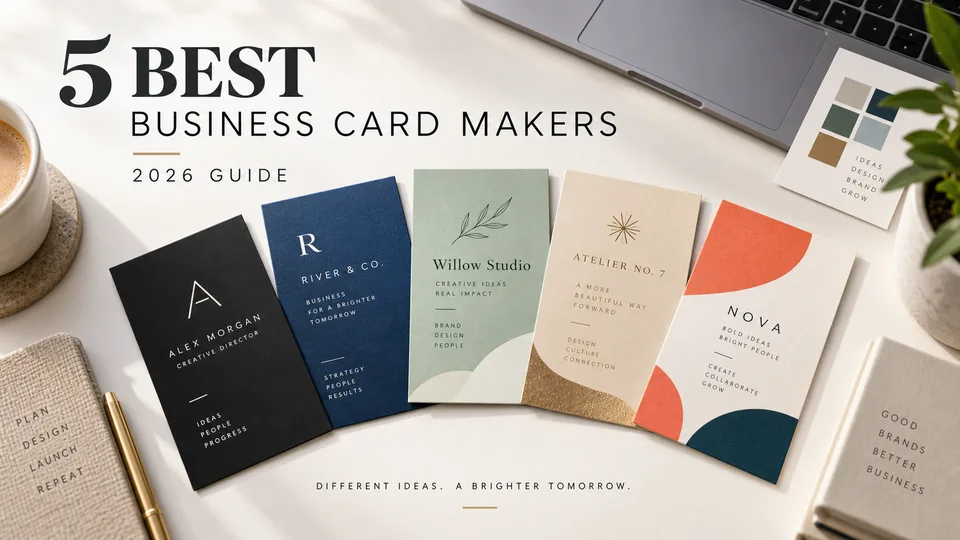

A good business card maker should do more than place your name beside a logo. It should help you build a clean visual hierarchy, keep your branding consistent, prepare the correct file for printing, and make last-minute changes without sending the design back to a professional.
We compared five leading online tools for different needs, from quick template editing to AI-assisted design and coordinated logo creation. Canva is the strongest all-round choice, but Adobe Express, VistaCreate, Fotor, and BrandCrowd each make more sense for particular workflows.
Table of Contents
- What to Look for in a Business Card Maker
- How We Chose the Best Tools
- Best Business Card Makers at a Glance
- 1. Canva — Best Overall Business Card Maker
- 2. Adobe Express — Best for Brand-Consistent Designs
- 3. VistaCreate — Best for Fast Template Customization
- 4. Fotor — Best AI Business Card Maker
- 5. BrandCrowd — Best for Logo-First Business Cards
- Which Business Card Maker Should You Choose?
- How to Make a Business Card That Prints Well
- Frequently Asked Questions
What to Look for in a Business Card Maker
The best tool is not necessarily the one with the largest template library. A business card is a small print product, so precision matters. Look for an editor that lets you control both sides of the card, align elements accurately, upload brand assets, and export a print-ready PDF.
Also consider what happens after the first design. A freelancer may need only one card, while a growing company may need matching cards for an entire team. Brand kits, reusable templates, shared folders, and collaboration controls become much more valuable in the second case.
- Templates: designs should be varied, editable, and suitable for your industry.
- Brand controls: uploading a logo is essential; saved fonts, colors, and layouts are useful for teams.
- Print preparation: the editor should support the correct dimensions and a high-quality PDF export.
- Ease of use: text, spacing, colors, images, icons, and QR codes should be easy to change.
- Output options: check whether you can download the design, order prints, or do both.
- Cost clarity: some tools are free to design with but charge for premium assets, high-quality exports, or printing.
How We Chose the Best Business Card Makers
We compared the complete design workflow rather than judging tools by their home pages. The main factors were template quality, editing flexibility, logo and brand support, front-and-back design, export formats, print readiness, AI assistance, collaboration, and the usefulness of the free version.
We also considered how quickly a new user could produce a credible card. The strongest tools make it easy to start, but still allow careful adjustments to typography, spacing, and hierarchy before export. Printing services and paid features vary by country, so users should confirm local availability before placing an order.
Best Business Card Makers at a Glance
| Tool | Best for | Free option | Print-ready export | Direct printing | Main limitation |
|---|---|---|---|---|---|
| Canva | Most users and small teams | Yes | Yes | Available in supported regions | Many popular assets require Pro |
| Adobe Express | Adobe users and consistent branding | Yes | Yes | Available in selected countries | Advanced control is lighter than desktop design software |
| VistaCreate | Fast, template-led design | Yes | Yes | Available for selected formats and regions | Best assets and productivity tools are paid |
| Fotor | AI concepts and photo-heavy cards | Yes | Yes | Primarily download and print elsewhere | AI output often needs manual text correction |
| BrandCrowd | Creating a logo and card together | Free to try | Yes | Options depend on location | Final downloads may require payment |
Features, plan limits, and printing availability can change. Review the current export and commercial-use terms before downloading a final design.
1. Canva — Best Overall Business Card Maker
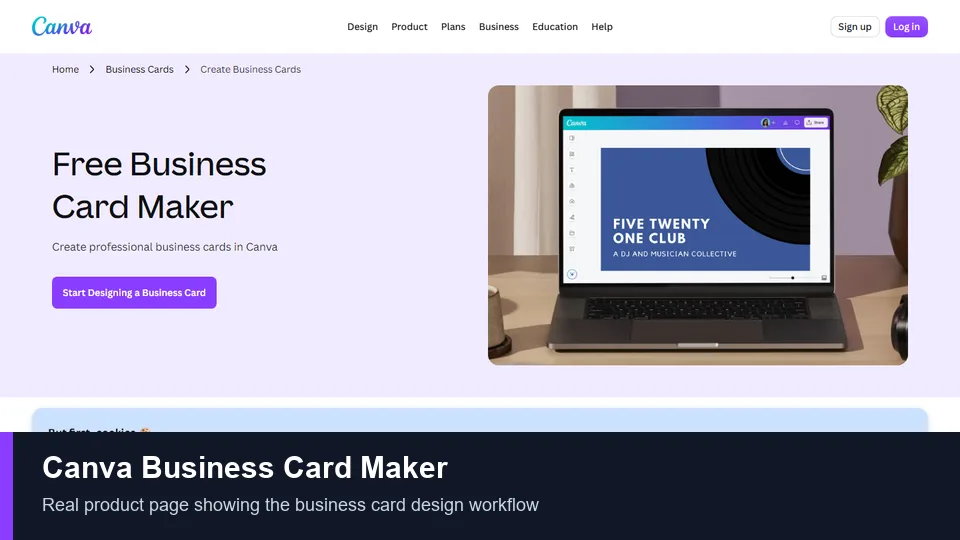
Canva is the easiest recommendation for most people because it combines a large template library with a polished drag-and-drop editor. Search by profession, style, or color, choose a layout, and replace the sample content with your own details. Starting from a blank canvas is just as straightforward.
The editor provides practical control over fonts, colors, icons, images, alignment, and element spacing. You can upload a logo, add a QR code, duplicate a design for another employee, and create a coordinated set of marketing materials without learning professional layout software. Real-time collaboration is useful when a colleague needs to check contact details or approve the design.
Canva also offers both digital downloads and printing in supported locations. PDF Print is the sensible export for a commercial printer, while PNG or JPG works better for online sharing. Its convenience is the main attraction: design, feedback, export, and optional print ordering all happen in one familiar workspace.
Key Features
- Large collection of horizontal, vertical, minimalist, creative, and industry-specific templates
- Drag-and-drop editing with grids, guides, icons, photos, and typography tools
- Logo uploads, QR codes, brand assets, and reusable team designs
- PDF, PNG, and JPG downloads
- Comments and real-time collaboration
- Optional printing and delivery in supported regions
Pros
- Very easy for beginners
- Excellent range of templates and supporting assets
- Good choice for creating a complete set of branded materials
- Useful free plan
- Simple sharing and team review
Cons
- The most attractive templates and assets are often marked Pro
- Popular templates can look generic without meaningful customization
- Some precision controls remain less powerful than professional desktop software
Price: A free plan is available. Canva Pro and Canva Business add more premium assets, brand tools, storage, and collaboration features. Printing is priced separately.
Best for: freelancers, small businesses, and teams that want the best balance of templates, simplicity, collaboration, and printing options.
2. Adobe Express — Best for Brand-Consistent Designs
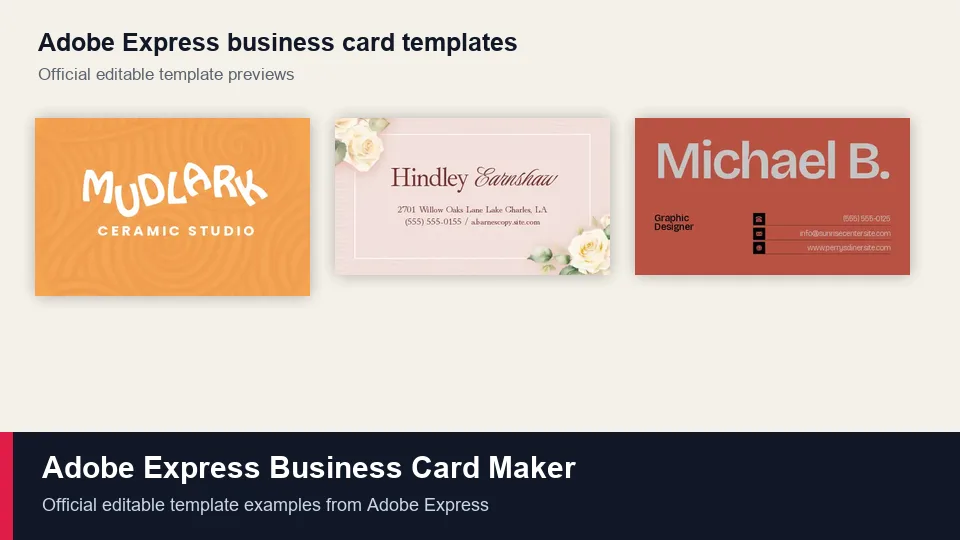
Adobe Express is a strong business card maker for people who already use Adobe tools or want a clean path from brand assets to finished marketing materials. Its templates are professionally composed, and the editor makes common changes—such as replacing text, adjusting colors, cropping images, or moving a logo—quick and approachable.
The platform is particularly useful when visual consistency matters. You can apply saved brand elements, reuse a design, and create shareable templates so that team members change names and contact details without rebuilding the layout. Adobe Stock content and built-in photo tools also help when a card uses a portrait, product image, or textured background.
Adobe Express supports standard horizontal, vertical, and square formats, plus common PDF, JPG, and PNG downloads. It can also accommodate a QR code. Direct print ordering is available only in selected countries, so many users will still export a PDF and use a local printer.
Key Features
- Professional templates for common industries and visual styles
- Brand assets, shared templates, and reusable layouts
- Adobe Stock photos and built-in image editing
- Support for QR codes and custom uploaded graphics
- PDF, JPG, and PNG export
- Print ordering in supported markets
Pros
- Well-designed templates with a professional feel
- Good fit for existing Adobe workflows
- Useful brand and template-sharing features
- Strong image editing for a browser-based design tool
Cons
- Some premium templates, assets, and brand features require an upgrade
- Direct printing is not available everywhere
- It does not replace Illustrator or InDesign for highly precise print production
Price: The free plan covers basic design and export. Premium plans unlock additional templates, Adobe Stock assets, storage, and brand features.
Best for: Adobe users, creative teams, and businesses that want repeatable, brand-controlled card designs.
3. VistaCreate — Best for Fast Template Customization
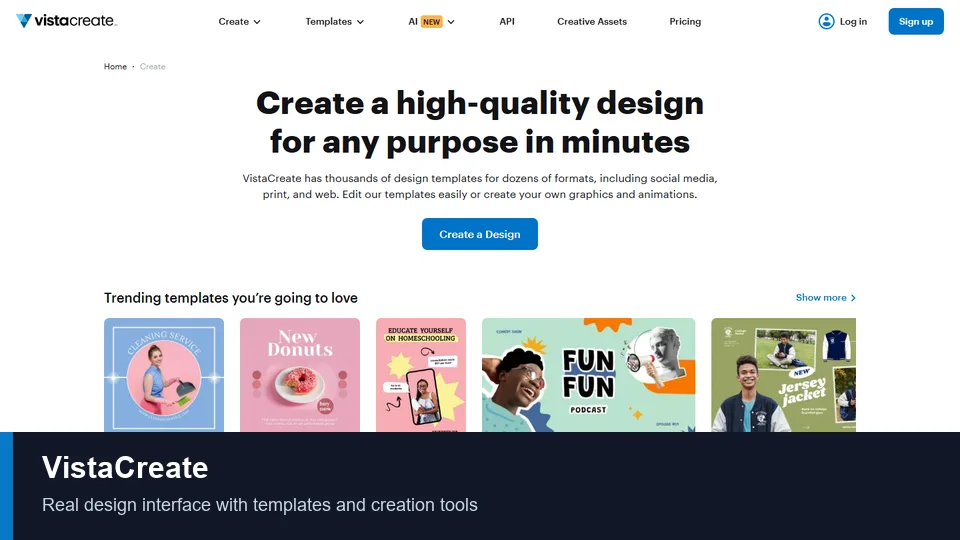
VistaCreate is designed for speed. Its template-led workflow suits a business owner who wants to select a credible design, apply brand colors, add a logo, and finish without spending an afternoon learning the editor. Business card templates are available in US and European formats, which is useful when local print standards differ.
Despite the simple workflow, VistaCreate includes the essentials: text editing, photo uploads, backgrounds, fonts, QR codes, and a Brand Kit. Finished work can be exported as JPG, PNG, PDF Standard, or PDF Print. Because VistaCreate belongs to the Vista family, selected designs can also connect to VistaPrint for ordering, although print products and delivery coverage depend on region.
The free Starter plan is more generous than many users expect, including a broad template and asset library plus one Brand Kit. Pro is most valuable for businesses producing content regularly because it adds more assets, unlimited Brand Kits, one-click resizing, background removal, version history, collaboration, and AI tools.
Key Features
- Customizable business card templates in common regional formats
- One Brand Kit on the free plan and expanded brand tools on Pro
- Logo, image, font, background, and QR-code customization
- PDF Print and standard image exports
- AI image, writing, background, and object-removal tools on eligible plans
- Connection to VistaPrint for selected print products
Pros
- Fast and easy template workflow
- Good free collection of design assets
- Useful built-in branding features
- Clear PDF Print export option
Cons
- Premium assets and the most useful productivity tools require Pro
- Less attractive for users who prefer building complex layouts from scratch
- Print integration is not equally available in every location
Price: VistaCreate Starter is free. VistaCreate Pro is a subscription and adds premium assets, multiple Brand Kits, AI tools, collaboration, and additional editing features.
Best for: solo business owners and marketers who want to turn a polished template into a finished card quickly.
4. Fotor — Best AI Business Card Maker
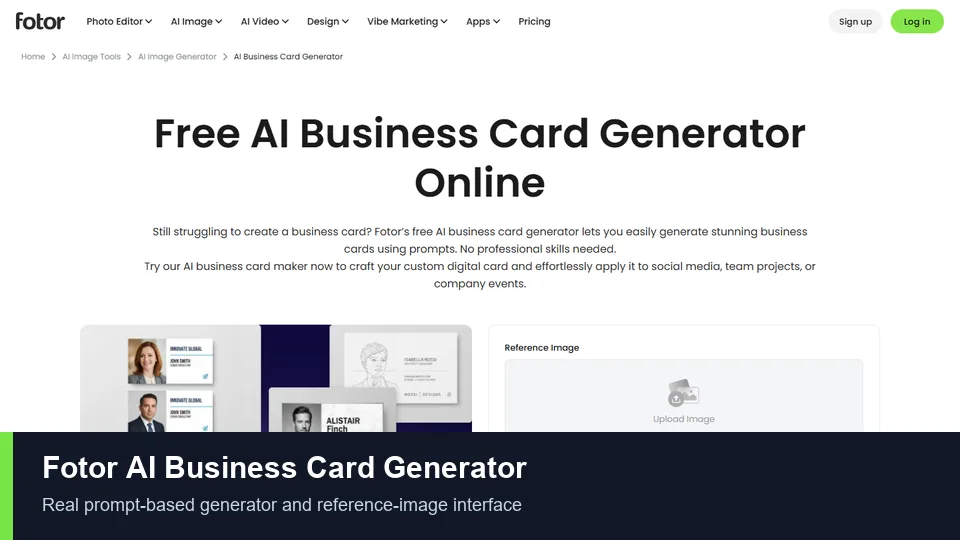
Fotor stands out for combining a conventional card editor with an AI business card generator. You can describe the profession, style, colors, layout, and desired elements in a prompt, then use the result as a visual direction. It can also generate supporting assets such as a logo concept, profile image, background, or decorative graphic.
AI is best treated as a starting point, especially when the design contains contact information. Generated lettering can be inaccurate or visually inconsistent, so names, phone numbers, URLs, and job titles should be recreated as editable text before printing. Fotor’s regular editor lets you adjust the layout, replace images, add icons, upload a logo, and refine typography after generation.
Users who do not want AI can begin with a template instead. Fotor offers editable designs for different professions and supports high-resolution JPG, PNG, and print-ready PDF downloads. Its photo-editing background makes it particularly suitable for real estate agents, photographers, consultants, and other professionals who want a portrait or image-led card.
Key Features
- Prompt-based AI business card generation
- Template-based editor for manual customization
- AI image creation and editing for logos, portraits, and backgrounds
- Logo and photo uploads, plus fonts, icons, and graphics
- High-resolution JPG, PNG, and PDF exports
- Cloud saving for continued editing
Pros
- Fast way to explore visual concepts with prompts
- Strong photo and background editing tools
- Works for both template users and AI-first users
- Supports print-ready output
Cons
- AI-generated text must be checked and often rebuilt manually
- Some AI tools, assets, and exports use credits or require a paid plan
- Less convenient than an integrated print service if you want cards delivered directly
Price: Fotor provides free design options. Premium plans and AI credits are required for some advanced features and assets.
Best for: users who want AI-generated concepts or need stronger photo editing inside their business card workflow.
5. BrandCrowd — Best for Logo-First Business Cards
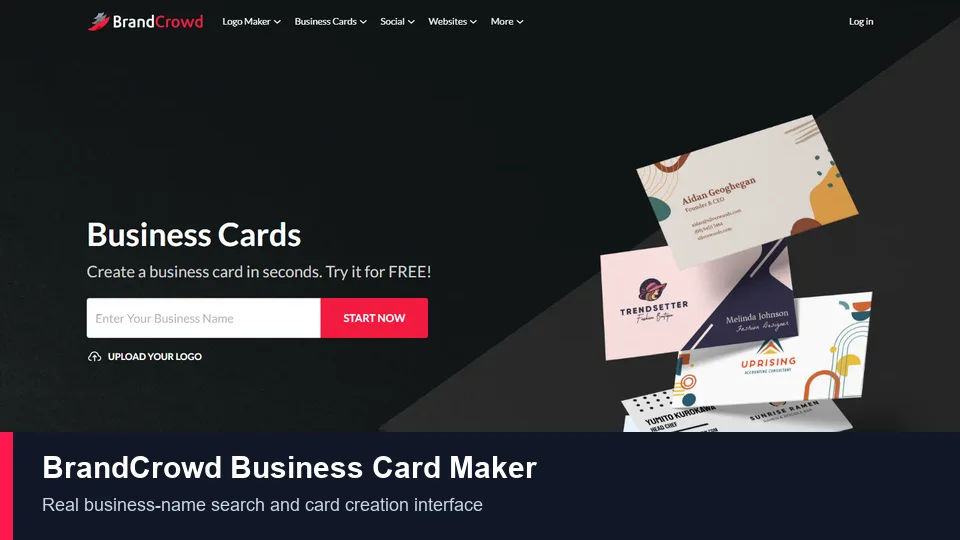
BrandCrowd approaches the task from a branding angle. Enter a business name and relevant keywords, browse designs related to the industry, and then edit the chosen concept. This is particularly convenient for a new business that needs a logo and a matching card rather than a standalone layout.
The editor lets you change colors, fonts, text, shapes, gradients, and layout details. Its library emphasizes ready-made logo and card combinations, helping users establish a recognizable identity quickly. Final packages can include high-resolution images and vector formats suitable for professional printing, depending on the product or plan purchased.
BrandCrowd is fast, but it is less flexible than a general-purpose design platform when you want a highly custom composition. It is also important to understand the difference between “free to try” and a free final download. You can explore and edit designs without paying, but particular assets, logo rights, downloads, subscriptions, or print orders may carry a fee.
Key Features
- Business-name and keyword-based design discovery
- Large library of designer-made logo and business card concepts
- Customizable colors, fonts, text, shapes, and layouts
- Coordinated logo and business card creation
- High-resolution and vector files in eligible download packages
- Digital business card options
Pros
- Excellent for creating a simple brand identity quickly
- Fast search based on business name and industry
- Many polished starting designs
- Vector output is useful for commercial printing
Cons
- Final downloads or licensing may require payment
- Less freedom than a general canvas-based editor
- Similar template-driven designs may be used by other businesses
Price: The maker is free to try, while final logo, card, asset, and subscription costs vary. Review exactly which file formats and usage rights are included before purchasing.
Best for: startups, side businesses, and independent professionals who need a logo and a matching business card at the same time.
Which Business Card Maker Should You Choose?
- Choose Canva for the best overall mix of templates, easy editing, team feedback, downloads, and optional printing.
- Choose Adobe Express if you already work with Adobe products or need reusable, brand-consistent designs.
- Choose VistaCreate if speed matters and you want a generous template-based workflow with print-ready export.
- Choose Fotor if you want AI to generate initial concepts or need stronger photo-editing tools.
- Choose BrandCrowd if your first task is creating a logo and your second is placing it on a matching card.
For most small businesses, Canva is the safest starting point. Adobe Express becomes more attractive in an Adobe-centered workflow, while VistaCreate is excellent for fast repeatable content. Fotor and BrandCrowd solve more specific creative problems and are best chosen for those strengths.
How to Make a Business Card That Prints Well
- Choose the correct finished size. A common US card is 3.5 × 2 inches, while 85 × 55 mm is widely used in Europe. Ask your printer before designing.
- Add bleed. Extend background colors and images beyond the trim line—commonly by 0.125 inch or 3 mm—so cutting does not leave white edges.
- Protect the safe area. Keep names, logos, and contact details away from the trim edge.
- Use a clear hierarchy. Make the name or company most prominent, then the role and key contact details. Do not give every line equal emphasis.
- Limit fonts and colors. One or two typefaces and a small brand palette usually look more professional than many competing styles.
- Check every detail. Test the phone number, email, website, social handles, spelling, and QR code before ordering.
- Export for print. Use PDF Print when available and supply 300-DPI images. Ask the printer whether crop marks, CMYK color, or a specific PDF standard is required.
- Print one proof. Check actual text size, color, alignment, and QR-code scanning before purchasing a large quantity.
Frequently Asked Questions
What is the best business card maker?
Canva is the best overall choice for most users because it combines an approachable editor, a broad template library, brand features, collaboration, print-ready downloads, and optional printing. The best option still depends on whether you prioritize AI, Adobe integration, logo creation, or direct print ordering.
Can I make business cards for free?
Yes. Canva, Adobe Express, VistaCreate, and Fotor all provide free design options. However, specific templates, stock assets, brand tools, AI features, and export choices may require payment. Printing and delivery are separate costs.
Can AI create a professional business card?
AI can create useful layouts and visual ideas, but it should not be trusted with final contact text. Rebuild critical information as editable text, check spacing and contrast, and verify every detail before printing.
What size should a business card be?
A standard card in the United States and Canada is commonly 3.5 × 2 inches. Many European printers use 85 × 55 mm. Standards differ by country and printer, so confirm the trim size, bleed, and safe area first.
What file format is best for printing business cards?
A print-ready PDF is usually the best choice because it preserves layout and text more reliably than a screenshot or compressed image. If a printer asks for a vector file or a particular color profile, follow its specifications.
Should a business card include a QR code?
A QR code is useful when it leads to a concise destination such as a contact card, booking page, portfolio, menu, or product demo. Keep it large enough to scan, maintain strong contrast, and test the printed proof with several phones.
What information should I put on a business card?
Include your name, role, company or brand, preferred contact method, website, and logo. Add an address, social profile, QR code, or short value statement only when it helps the recipient. Removing secondary details often improves readability.
Can I print business cards at home?
Yes, especially for a small temporary batch, but paper alignment and edge cutting can be inconsistent. A commercial printer usually provides cleaner trimming, sturdier stock, better color control, and finish options such as matte, gloss, texture, or rounded corners.
Final Verdict
Canva is the best business card maker for the widest range of users in 2026. It is fast enough for a first-time designer, flexible enough for a small brand, and practical when several people need coordinated cards. Adobe Express is the best alternative for Adobe-centered teams, while VistaCreate offers an efficient template workflow. Choose Fotor for AI-assisted concepts and photo editing, or BrandCrowd when the business still needs a logo.
Whichever tool you use, the last ten minutes matter most: simplify the layout, confirm the printer’s specifications, verify every contact detail, test the QR code, and approve a physical proof before ordering in volume.
Latest Reviews
Top 6 Vendors for Zero-Day Protection in End-of-Life Open Source

GPU Unlock Review: NVIDIA Tensor Gains, Tools and Real Limits

5 Best AI Wallpaper Generators in 2026
Best 5 AI Meme Generators in 2026
Canva Craft Review: 2K Images, Wide Formats, Text and Editing Limits
HunyuanVideo 1.5 Review: Quality, VRAM, ComfyUI, Pricing and Limits