5 Best Birthday Card Makers for Creative Designs in 2026
Compare five birthday card maker tools for templates, AI design, photo cards, printable greetings, animated eCards, and easy sharing in 2026.
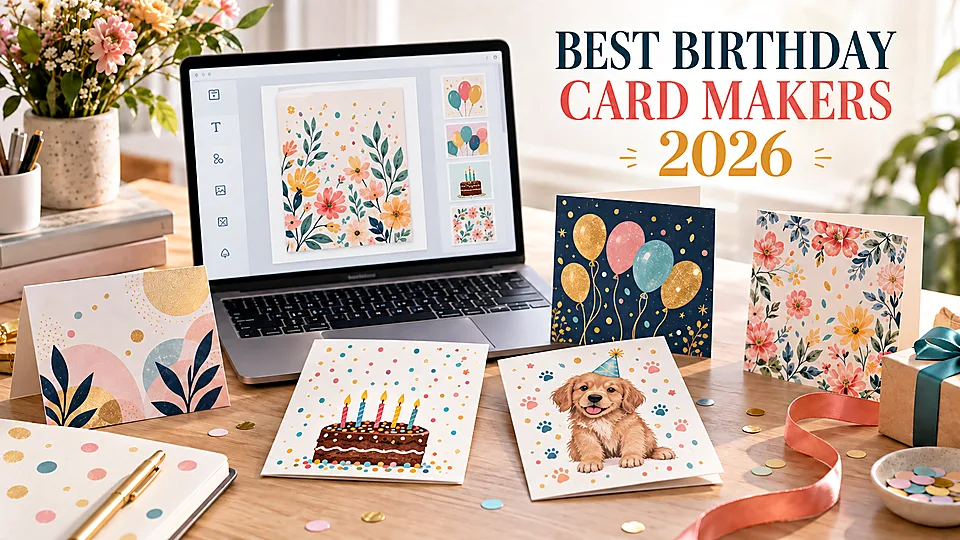

A thoughtful birthday card design can feel more personal than a quick social media message, but making one should not require professional design skills. A good birthday card maker gives you an attractive starting point, enough control to personalize it, and the right output for printing or digital delivery.
We compared five online tools for different workflows, including photo cards, folded print cards, animated greetings, AI-generated designs, and social media posts. Canva is the best all-round choice, while Adobe Express, Greetings Island, Fotor, and VistaCreate each stand out for a more specific need.
Table of Contents
- What to Look for in a Birthday Card Maker
- How We Chose the Best Tools
- Best Birthday Card Makers at a Glance
- 1. Canva — Best Overall Birthday Card Maker
- 2. Adobe Express — Best for Polished and Animated Cards
- 3. Greetings Island — Best for Printable Folded Cards
- 4. Fotor — Best AI Birthday Card Maker
- 5. VistaCreate — Best for Social and Branded Birthday Designs
- Which Birthday Card Maker Should You Choose?
- How to Create a Birthday Card That Feels Personal
- Frequently Asked Questions
What to Look for in a Birthday Card Maker
The right tool depends first on how the card will be delivered. A folded card needs printable pages, sensible margins, and a high-quality PDF. A digital greeting may benefit more from animation, music, a shareable link, or a layout sized for messaging apps and social media.
Template quantity is useful, but editing quality matters more. The best birthday card makers let you change the message, colors, fonts, photos, and decorative elements without fighting the layout. They should also make it clear which assets are free and which require a paid plan.
- Relevant templates: look for designs suited to the recipient’s age, personality, and relationship to you.
- Easy personalization: you should be able to add names, photos, a custom message, and meaningful details.
- Correct format: confirm whether the tool supports folded cards, flat cards, eCards, or social posts.
- Good exports: PDF is preferable for printing, while JPG, PNG, MP4, or a shareable link works well online.
- Useful free option: check template restrictions, premium assets, watermarks, and download limits before designing.
- Print support: if you want physical copies, look for print-ready files or integrated ordering in your region.
How We Chose the Best Tools
We compared the complete creation process: finding an appropriate template, replacing the sample content, adding a photo, arranging text, changing the visual style, and preparing the final card for print or digital delivery. We also considered template quality, editing flexibility, AI assistance, animation, export options, ease of use, and the value of the free version.
Each recommendation serves a distinct type of user. A broad design platform can be ideal for someone who wants complete creative control, while a dedicated greeting-card service is often faster for a person who simply wants to customize, print, and send a traditional card.
Best Birthday Card Makers at a Glance
| Tool | Best for | Free option | Notable strength | Output options | Main limitation |
|---|---|---|---|---|---|
| Canva | Most users | Yes | Templates, collaboration, and flexible editing | PDF, JPG, PNG, sharing, optional printing | Many premium assets require Pro |
| Adobe Express | Polished and animated cards | Yes | Professional layouts and animation | PDF, JPG, PNG, MP4, digital sharing | Some advanced assets and tools are paid |
| Greetings Island | Folded print cards and quick eCards | Yes | Purpose-built greeting-card workflow | Print, PDF, email, link, messaging apps | Less creative freedom than full design suites |
| Fotor | AI concepts and photo cards | Yes | Prompt-based generation and photo editing | JPG, PNG, print-ready PDF | AI designs may need manual refinement |
| VistaCreate | Social and branded birthday designs | Yes | Fast resizing, animation, and visual assets | Digital downloads and supported print formats | Best productivity features are in Pro |
Plans, download limits, premium assets, and regional printing services may change. Check the current terms before completing a final design.
1. Canva — Best Overall Birthday Card Maker
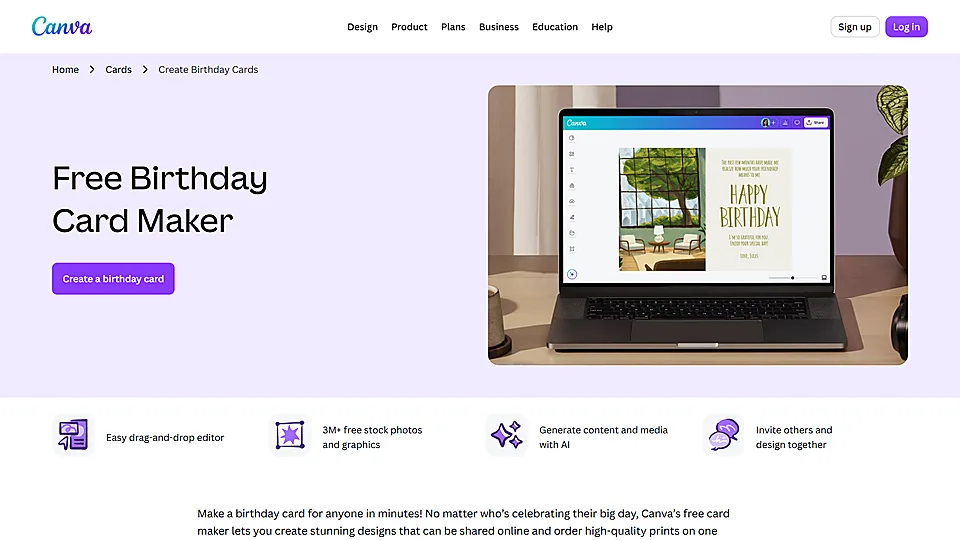
Canva is the most balanced birthday card maker for beginners, families, small teams, and anyone who wants plenty of creative options without a steep learning curve. Its template library covers children’s birthdays, milestone celebrations, photo cards, humorous greetings, elegant adult designs, and simple printable layouts.
The drag-and-drop editor makes almost every element editable. You can replace the sample message, upload personal photos, adjust colors, change typography, add illustrations, and rearrange the layout. Canva also provides stock photos and graphics, so it is easy to build a complete birthday card design even when you do not have your own images.
Canva works equally well for a printed card and a digital greeting. You can download a PDF for printing, export an image for messaging apps, share the design online, or order prints where Canva Print is available. Its collaboration features are helpful for group cards because several people can review the design and contribute ideas before it is sent.
Key Features
- Large collection of editable birthday card templates
- Simple drag-and-drop editor with photos, graphics, stickers, and text tools
- Personal photo uploads and built-in stock content
- AI-assisted image and content creation
- Comments and real-time collaboration
- PDF, JPG, and PNG downloads, plus optional print ordering
Pros
- Easy to learn and flexible enough for detailed personalization
- Excellent variety of styles for different ages and relationships
- Useful for both printed and digital cards
- Strong free plan
- Convenient for collaborative group greetings
Cons
- Many attractive templates, photos, and graphics require Canva Pro
- Popular templates can look familiar unless you customize them carefully
- The number of options may feel excessive for someone who wants a card in two minutes
Price: A free plan is available. Paid plans add more templates, premium assets, AI tools, storage, and brand features. Printing is charged separately.
Best for: anyone who wants the best combination of template choice, easy editing, collaboration, and flexible output.
2. Adobe Express — Best for Polished and Animated Cards
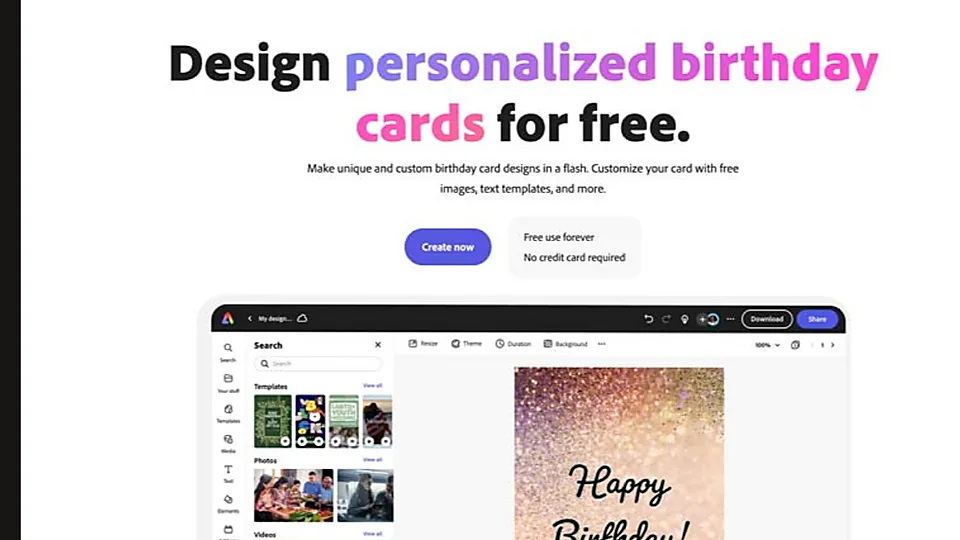
Adobe Express is a strong choice when you want a birthday card to look polished with minimal design work. Its templates tend to have clean typography and well-balanced layouts, making them suitable for elegant greetings, photo cards, milestone birthdays, and professional cards for colleagues or clients.
Editing is straightforward: replace the text, upload a photo, change the color palette, and add graphics or Adobe Stock content. You can also build a card from a text prompt with Adobe’s AI tools, then continue editing the resulting layout rather than accepting a fixed image.
Animation is the main reason to choose Adobe Express over a traditional card editor. Text and graphic effects can turn a static design into a lively digital greeting, which can be exported as a video or shared online. For print, you can create additional pages or sides and download a high-quality PDF. Direct printing is available only in supported markets.
Key Features
- Professionally designed birthday card templates
- Photo uploads, Adobe Stock content, and built-in image editing
- AI-assisted card generation from a written prompt
- Animation for text and design elements
- Multi-page editing for additional card sides
- PDF, JPG, PNG, and video export options
Pros
- Consistently polished template quality
- Excellent option for animated digital birthday greetings
- Good photo tools for a browser-based editor
- Editable AI results provide a useful starting point
- Free plan covers common card-making needs
Cons
- Some templates, stock assets, and advanced tools require Premium
- Print ordering is limited by country
- Detailed print-layout control is lighter than in professional Adobe desktop software
Price: A free plan is available. Adobe Express Premium adds more templates, stock content, brand controls, storage, and advanced features.
Best for: users who want a refined birthday card, an animated digital greeting, or an easy connection to an existing Adobe workflow.
3. Greetings Island — Best for Printable Folded Cards
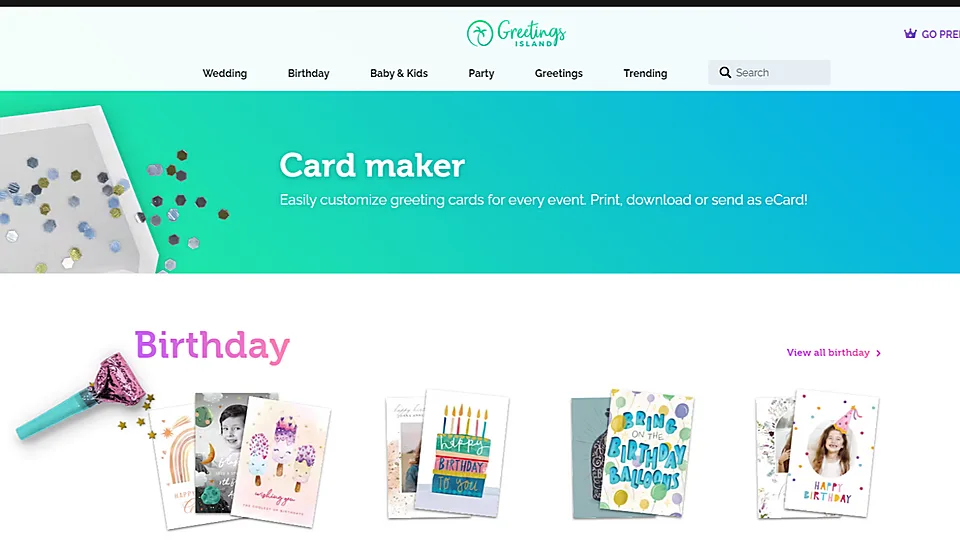
Greetings Island is designed specifically for invitations and greeting cards, so its workflow is more direct than that of a general graphic design platform. Choose a birthday design, personalize the front and inside message, add a photo or sticker if needed, and then print, download, or send it online.
The template collection is organized by useful categories such as children, family, funny, milestone, workplace, and photo cards. Filters for orientation and style make it easier to narrow the results without scrolling through unrelated social media layouts. Many cards are prepared as classic folded 5-by-7-inch greetings, which removes much of the guesswork from home printing.
Greetings Island is also practical for last-minute digital cards. A finished greeting can be delivered through email, a shareable link, WhatsApp, SMS, or social platforms. Basic creation does not require the learning time of a larger design suite, although that simplicity also means fewer options for rebuilding the layout from scratch.
Key Features
- Large birthday-specific template collection
- Categories for age, relationship, humor, milestones, children, and photo cards
- Custom text, photo, image, and sticker options
- Folded 5-by-7-inch card layouts for convenient home printing
- Browser printing and PDF downloads
- Online delivery through email, links, messaging apps, and social media
Pros
- Fastest workflow for a traditional birthday card
- Easy to find a design for a specific recipient
- Good balance of print and digital delivery options
- Free designs are available
- Little design experience is required
Cons
- Less control over layout and branding than Canva or Adobe Express
- Some designs and decorative assets require payment
- Not the best choice for complex animation or original AI artwork
Price: Free designs and basic tools are available. Premium designs and selected assets require a subscription or individual purchase.
Best for: people who want to make a printable folded birthday card or send an eCard quickly without learning a full design platform.
4. Fotor — Best AI Birthday Card Maker
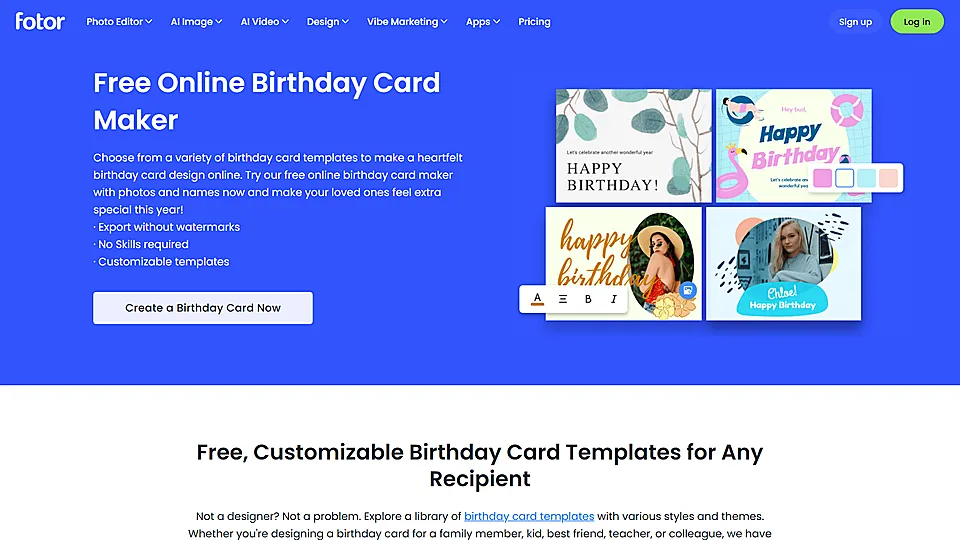
Fotor is the most useful option in this list when the birthday card design should begin with an idea rather than a template. Describe the visual style, recipient, colors, orientation, and mood, and its AI birthday card generator can produce a draft that you can continue refining.
This approach is helpful when standard templates feel too generic. You might request a watercolor garden card for a grandmother, a playful dinosaur design for a child, or a minimalist black-and-gold layout for a milestone birthday. Adding a name or photo makes the result more personal, while follow-up text instructions can adjust the overall direction.
Fotor also has stronger photo-editing tools than many dedicated card sites. You can crop and resize an image, apply filters, remove a background, improve a portrait, and add text effects or decorative graphics. However, AI-generated text and small visual details still need close inspection before the final export.
Key Features
- AI birthday card generation from text prompts
- Optional photo and name personalization
- Editable templates for faster conventional design
- Photo enhancement, filters, cropping, and background removal
- Custom sizes and portrait or landscape layouts
- JPG, PNG, and print-ready PDF downloads
Pros
- Creates original concepts without requiring a ready-made template
- Strong option for photo-heavy birthday cards
- Useful combination of AI generation and manual editing
- Good range of text effects, stickers, and visual elements
Cons
- Generated text, hands, decorations, or fine details may contain errors
- AI generation may be limited by credits or plan level
- It takes more experimentation than choosing a finished template
Price: Free design tools and templates are available. Premium assets, advanced tools, higher limits, and some AI features may require a paid plan or credits.
Best for: users who want a more original AI-generated card or need to edit and enhance personal photos before adding them to a design.
5. VistaCreate — Best for Social and Branded Birthday Designs
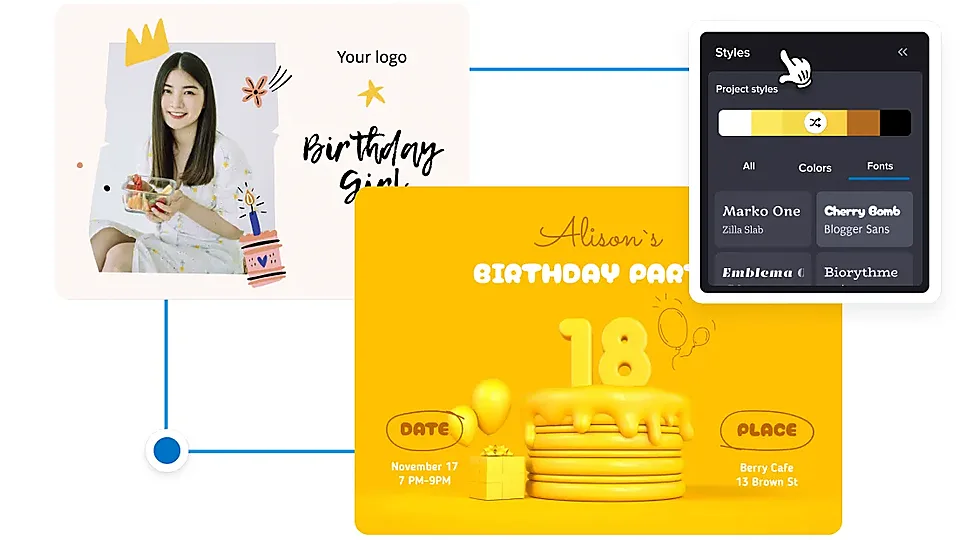
VistaCreate is a good fit for creators, community managers, and small businesses that need a birthday greeting in more than one format. Its template-led editor is easy to use, while its library covers print, web, and social layouts. That makes it practical for turning one birthday concept into a card, Instagram post, Story, or promotional graphic.
The editor includes photos, videos, vectors, fonts, backgrounds, music, and animated elements. You can start from a birthday template or a blank canvas, then change the text, visuals, and size. Built-in AI tools can generate images, refine copy, and remove unwanted objects or backgrounds, although availability depends on the plan.
VistaCreate is especially useful when an organization sends regular birthday messages to customers or staff. A Brand Kit helps keep colors, fonts, and logos consistent, and reusable designs reduce repetitive work. Supported print formats can also be ordered through VistaPrint in eligible countries.
Key Features
- Birthday templates for print and social media formats
- Drag-and-drop editing with extensive visual and audio assets
- Animation and video tools for digital greetings
- Brand Kit for reusable colors, fonts, and logos
- AI image, writing, object-removal, and background-removal tools
- Resize, download, social scheduling, and supported print ordering
Pros
- Efficient for adapting one design to several digital channels
- Strong free template and asset selection
- Useful animation tools for lively greetings
- Good choice for branded company birthday messages
- Works on the web and mobile devices
Cons
- One-click resizing and many advanced tools require Pro
- Less specialized for folded greeting cards than Greetings Island
- The large asset library can make simple projects feel busy
Price: The Starter plan is free. VistaCreate Pro adds premium templates and assets, advanced AI and editing tools, more brand features, resizing, team collaboration, and additional storage.
Best for: creators and organizations that want reusable birthday designs for social media, digital campaigns, and branded greetings.
Which Birthday Card Maker Should You Choose?
- For the best overall experience: choose Canva.
- For an elegant or animated digital card: choose Adobe Express.
- For a printable folded card: choose Greetings Island.
- For an original AI-generated design: choose Fotor.
- For social media formats or branded company greetings: choose VistaCreate.
If you are still unsure, decide how the recipient will receive the card. That single choice usually narrows the options quickly: Greetings Island is simplest for a traditional folded card, Adobe Express works well for animation, and Canva offers the most flexible middle ground.
How to Create a Birthday Card That Feels Personal
- Choose print or digital delivery first. This determines the size, page layout, animation options, and export format.
- Match the tone to the recipient. A playful card may suit a close friend, while a clean, warm design works better for a colleague or client.
- Start with the message. Write the main greeting before choosing decorative elements, so the design supports the words rather than competing with them.
- Use one meaningful photo. A strong personal image usually has more emotional impact than several small, unrelated pictures.
- Keep typography simple. One expressive display font and one readable supporting font are usually enough.
- Add a specific detail. Mention a shared memory, an achievement, or something you appreciate about the recipient.
- Check the final format. For print, review margins, folding order, image resolution, and the PDF preview. For digital cards, test the link, animation, sound, and mobile appearance.
- Proofread every name and date. A beautiful design cannot hide an incorrect age or misspelled name.
Frequently Asked Questions
What is the best birthday card maker?
Canva is the best overall choice for most people because it combines a large template library, simple editing, photo uploads, collaboration, multiple download formats, and optional printing. Greetings Island is better for a fast folded card, while Adobe Express is stronger for polished animation.
Can I make birthday cards online for free?
Yes. All five tools in this guide offer a free way to start designing. However, individual templates, stock assets, AI features, high usage limits, or advanced exports may require payment. Check for premium labels before committing to a design.
How do I make a birthday card from scratch?
Open a blank canvas in your preferred size, add a background color or image, place the main birthday message, upload a personal photo, and finish with a short inside message or decorative elements. Keep important text away from folds and edges if the card will be printed.
Can AI make a birthday card?
Yes. Fotor and Adobe Express can turn a written prompt into a birthday card concept, while Canva and VistaCreate provide AI tools for generating images or supporting content. Always review names, text, and small visual details because AI output can contain errors.
What size should a birthday card be?
A folded 5-by-7-inch card is a common choice, but there is no required size. Square, postcard, and A5-style formats also work well. Choose the envelope or printing method before finalizing custom dimensions.
How do I make a printable folded birthday card?
Use a template built specifically for folded cards, customize both the cover and inside, and download a print-ready PDF. Print a test copy at 100% scale, confirm the page orientation and fold direction, and check that no text is too close to the trim or fold.
Can I send a birthday card digitally?
Yes. Export it as a JPG or PNG for messaging, use MP4 for animation, or send a shareable eCard link. Greetings Island offers direct digital delivery options, while Canva, Adobe Express, and VistaCreate are convenient for creating graphics sized for social and messaging platforms.
What should I write in a birthday card?
Use the recipient’s name, offer a sincere birthday wish, and add one specific personal sentence. A brief shared memory, compliment, or hope for the coming year makes the message feel genuine. Close in a way that fits your relationship.
Final Verdict
The best birthday card maker is the one that matches the way you plan to send the greeting. Canva is the strongest all-round option, Adobe Express is ideal for polished animation, Greetings Island simplifies traditional folded cards, Fotor offers the most direct AI workflow, and VistaCreate works well for social and branded designs.
Whichever tool you choose, personalization matters more than visual complexity. A clear layout, a meaningful photo, and a sincere message will make the finished card feel far more memorable than a heavily decorated template with nothing personal to say.
Latest Reviews
Top 6 Vendors for Zero-Day Protection in End-of-Life Open Source

GPU Unlock Review: NVIDIA Tensor Gains, Tools and Real Limits

5 Best AI Wallpaper Generators in 2026
Best 5 AI Meme Generators in 2026
Canva Craft Review: 2K Images, Wide Formats, Text and Editing Limits
HunyuanVideo 1.5 Review: Quality, VRAM, ComfyUI, Pricing and Limits