Best 5 SEO Tools in 2026: Detailed Features, Use Cases, Pros and Cons
Compare the best SEO tool options for keyword research, technical audits, backlink analysis, content optimization, rank tracking, and Google indexing insights.
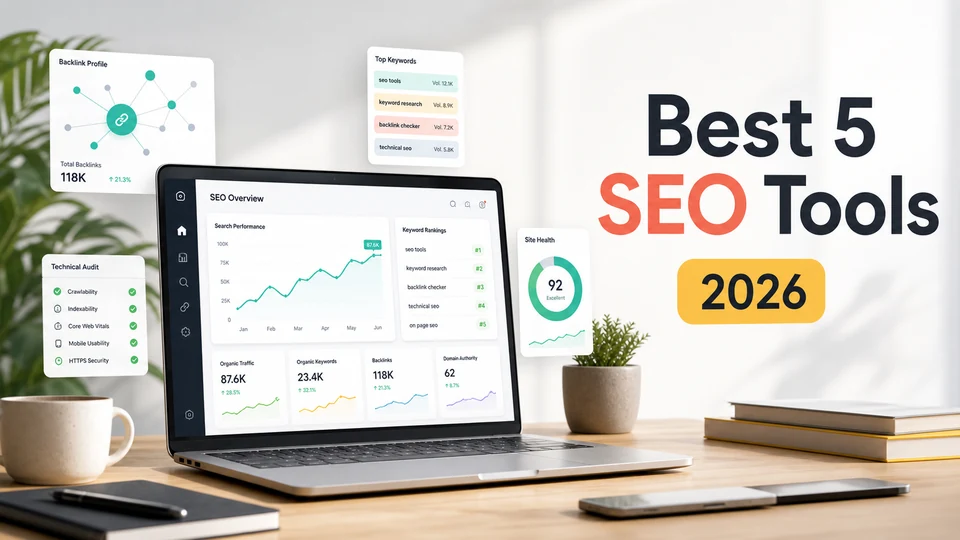

Choosing the best SEO tool is easier when you stop looking for one magic dashboard and start asking what job you need done. Some tools are built for broad competitive research. Some are better for backlinks. Some are essential for technical audits. Others help writers and content teams update pages with a clearer sense of what the search results expect.
This guide compares five of the strongest SEO tools in 2026: Semrush, Ahrefs, Google Search Console, Screaming Frog SEO Spider, and Surfer SEO. They are not interchangeable. A solo blogger may only need Google Search Console plus one content tool. An agency may need Semrush or Ahrefs for research and reporting. A technical SEO specialist will almost certainly want Screaming Frog.
Below, you will find a practical breakdown of each tool’s key features, strengths, limitations, and best-fit use cases.
Table of Contents
- Quick Comparison
- How I Chose the Best SEO Tools
- 1. Semrush
- 2. Ahrefs
- 3. Google Search Console
- 4. Screaming Frog SEO Spider
- 5. Surfer SEO
- Which SEO Tool Should You Choose?
- FAQ
- Sources Checked
Quick Comparison
| Tool | Best for | Standout features | Main limitation |
|---|---|---|---|
| Semrush | All-in-one SEO and competitive marketing research | Keyword research, competitor analysis, site audit, backlink analysis, rank tracking, local SEO, AI visibility tools | Can feel broad and expensive if you only need one specific SEO function |
| Ahrefs | Backlink research, competitor analysis, and content opportunities | Site Explorer, Keywords Explorer, Site Audit, Rank Tracker, Content Explorer, Brand Radar, AI Content Helper | Deep data can be overwhelming for beginners; many workflows depend on paid plans |
| Google Search Console | First-party Google performance and indexing data | Search performance, queries, clicks, impressions, indexing, URL inspection, sitemaps, Core Web Vitals, alerts | Only shows your own verified properties and does not replace competitor research tools |
| Screaming Frog SEO Spider | Technical SEO crawling and site audits | Broken links, metadata, canonicals, hreflang, JavaScript rendering, custom extraction, structured data, GSC/GA/PageSpeed integrations | Desktop crawler with a learning curve; free version is limited to 500 URLs per crawl |
| Surfer SEO | Content optimization and on-page improvement | Content Editor, Content Score, AI Search Score, Audit, SERP Analyzer, Topical Map, Content Audit, internal link suggestions | Strong for content, but not a full backlink or technical SEO suite |
How I Chose the Best SEO Tools
For this list, I focused on tools that solve real SEO work rather than tools that only produce attractive charts.
First, each tool had to be useful for a clear SEO workflow. Keyword research, technical auditing, backlink analysis, content optimization, rank tracking, indexing diagnostics, and reporting all matter, but not every tool needs to do all of them.
Second, I looked for reliable data sources or distinctive analysis. Google Search Console is included because it gives first-party Google data. Screaming Frog is included because a proper crawl often finds technical problems that cloud dashboards miss. Ahrefs and Semrush are included because their databases and competitive research workflows are central to many SEO teams.
Third, I considered team fit. A freelancer, in-house SEO, content team, local business, SaaS company, and agency will not choose the same stack. The best SEO tool is the one that fits your daily decisions, not the one with the longest feature list.
Finally, I checked current official product information where possible, because SEO platforms change quickly. AI visibility, content grading, and search experience tracking are now part of several major SEO tools.
1. Semrush
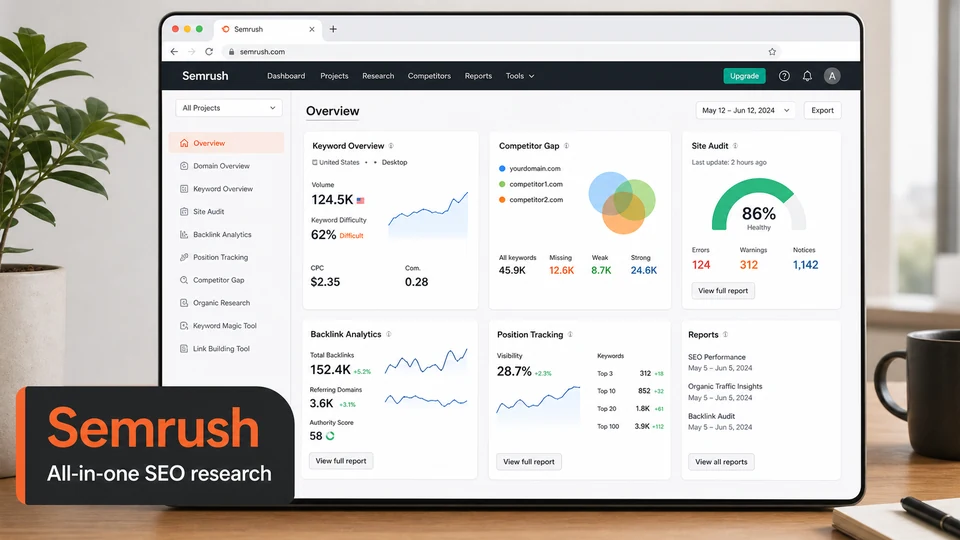
Semrush is the most complete all-in-one SEO platform on this list. It is a strong choice if you want one place for keyword research, competitor analysis, backlink analysis, site audits, rank tracking, local SEO, content planning, and reporting. It also now covers newer discovery surfaces such as AI visibility and AI brand sentiment.
The keyword research workflow is one of Semrush’s biggest strengths. You can find keyword ideas, estimate difficulty, inspect search intent, compare keyword gaps against competitors, and build clusters for content planning. For teams that publish regularly, this makes Semrush useful from the research stage through performance tracking.
Competitor analysis is another core reason to use it. Semrush helps you see which keywords competitors rank for, what pages bring them organic traffic, where their backlinks come from, and how their paid search activity looks. That makes it especially useful for agencies, SaaS marketers, ecommerce teams, and anyone entering a crowded niche.
The Site Audit tool checks technical issues such as crawlability, broken links, schema gaps, HTTPS issues, internal linking problems, duplicate content, slow pages, and other SEO health signals. It is not as flexible as Screaming Frog for advanced technical crawling, but it is easier for non-technical teams to read and prioritize.
Semrush also has strong reporting features. You can build dashboards, schedule reports, track keyword rankings across locations and devices, monitor competitors, and package results for stakeholders. For agencies, that reporting layer is often as valuable as the research data itself.
Best for: teams that want one broad SEO and competitive intelligence platform.
Key features
- Keyword research with difficulty, intent, traffic potential, and keyword ideas
- Competitor analysis for organic traffic, paid traffic, pages, and keyword gaps
- Backlink analysis and backlink gap research
- Technical site audit with SEO health and crawlability checks
- Rank tracking across devices, locations, SERP features, and competitors
- Local SEO tools for listings, maps visibility, reviews, and local rankings
- Content creation and optimization tools
- AI visibility and AI brand sentiment tracking
- Automated marketing reports and dashboards
Pros
- Very broad feature set
- Strong for competitor and market research
- Useful reporting for agencies and stakeholders
- Covers SEO, PPC, content, local, and brand visibility in one platform
- Easier for non-technical marketers than crawler-first tools
Cons
- Can be more tool than a small website needs
- Pricing can climb for teams, add-ons, and higher limits
- Technical audits are convenient but less customizable than Screaming Frog
- Beginners may need time to learn which reports matter
2. Ahrefs
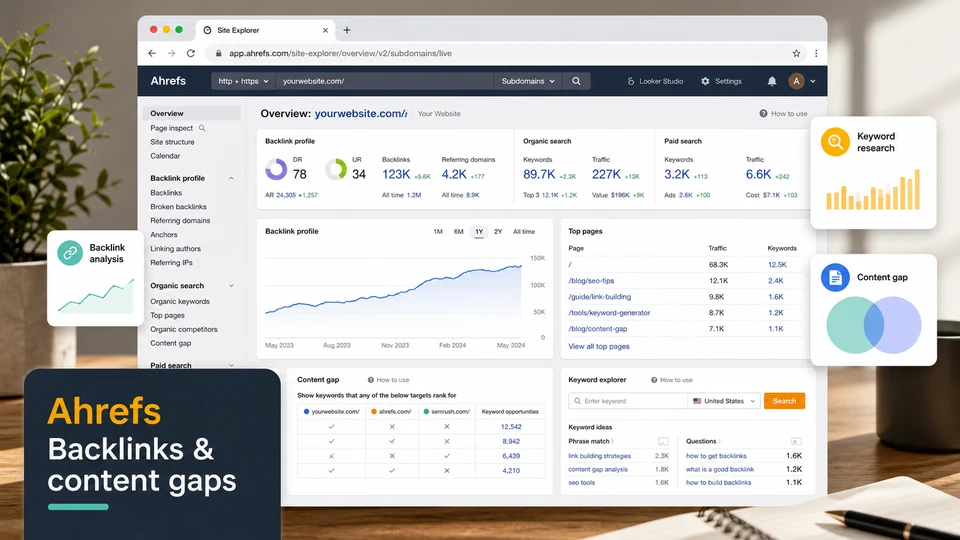
Ahrefs is one of the best SEO tools for backlink analysis, competitor research, keyword discovery, and content opportunity research. It is especially good when your SEO strategy depends on understanding why competitors rank, which pages attract links, and where your site has content gaps.
Site Explorer is the center of the Ahrefs workflow. Enter a domain or URL and you can analyze backlinks, referring domains, organic keywords, paid traffic, top pages, site structure, and competing pages. This is useful for reverse engineering a competitor’s content strategy or identifying which pages on your own site deserve updates.
Keywords Explorer is strong for finding topics, estimating difficulty, checking search volume, and analyzing traffic potential. Ahrefs has expanded its keyword database and added features around clustering, AI search, and search intent, which makes it useful for both traditional SEO and newer AI discovery workflows.
Site Audit checks technical and on-page issues across your site. It can flag broken pages, redirect problems, missing tags, performance issues, duplicate content, indexability problems, and many other crawl-based signals. It is not a replacement for every advanced Screaming Frog workflow, but it is more approachable for teams that want cloud-based monitoring.
Ahrefs also includes Rank Tracker, Content Explorer, AI Content Helper, Brand Radar, free tools, and a free account tier with limited access to tools for verified websites. That makes it useful for both professionals and site owners who want to start with a smaller commitment.
Best for: competitor research, backlink analysis, and content opportunity discovery.
Key features
- Site Explorer for organic traffic, paid traffic, backlinks, and top pages
- Keywords Explorer for keyword ideas, difficulty, search volume, and traffic potential
- Site Audit for technical and on-page SEO issues
- Rank Tracker across countries, desktop, mobile, and SERP features
- Content Explorer for finding top-performing content and link prospects
- Content Gap and Link Intersect for competitive opportunities
- AI Content Helper for content coverage and optimization guidance
- Brand Radar for AI visibility and brand mentions across AI search surfaces
- Free account options for verified websites
Pros
- Excellent backlink and competitor research
- Strong keyword and content discovery workflows
- Useful free tools and limited free account access
- Good for understanding why competitors rank
- Expanding into AI visibility and content optimization
Cons
- Can be expensive for full professional use
- Beginners may need time to interpret backlink and keyword metrics
- Some useful workflows require verified projects or paid tiers
- Technical crawling is good, but specialist audits may still need Screaming Frog
3. Google Search Console
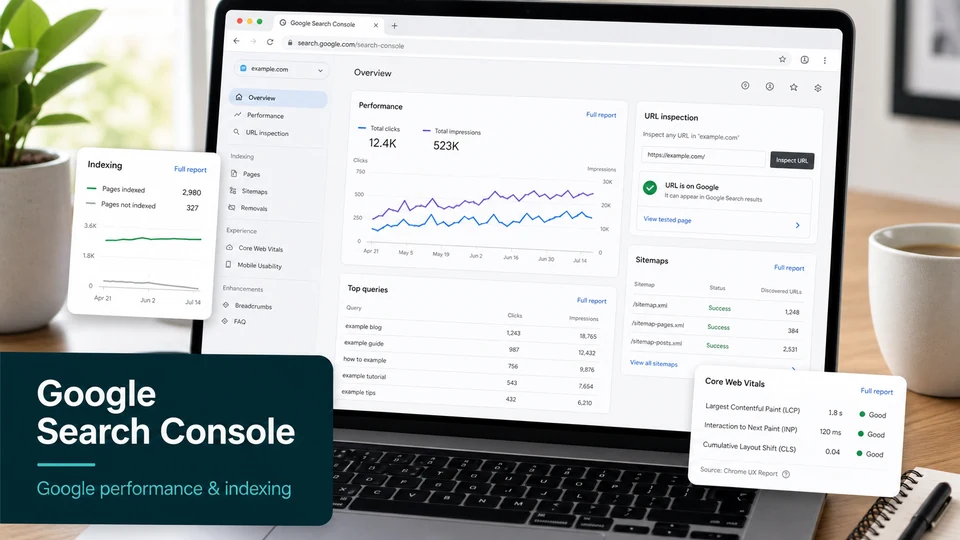
Google Search Console is not optional. Even if you pay for a premium SEO platform, Search Console should still be part of your stack because it shows how Google sees your verified site. It is the best SEO tool for first-party Google performance, indexing, and search appearance diagnostics.
The Performance report shows which queries bring users to your site, along with clicks, impressions, click-through rate, and average position. This is essential for finding pages that rank but do not get enough clicks, keywords that are close to page-one visibility, and content that is losing traction.
The indexing tools are just as important. You can submit sitemaps, inspect individual URLs, check whether Google has indexed a page, review crawl and serving information, and troubleshoot why a URL is not appearing in search. When a page is not indexed, Search Console is usually the first place to look.
Search Console also reports issues that can affect visibility, including Core Web Vitals, mobile usability signals, rich result eligibility, structured data problems, manual actions, and security issues. These alerts are not a full technical audit, but they are direct signals from Google.
The limitation is that Search Console only works for properties you can verify. It does not show competitor data, broad keyword databases, backlink opportunities, or SERP-level content recommendations. Think of it as the truth source for your own Google presence, not a complete SEO suite.
Best for: monitoring your own Google visibility, indexing, and search performance.
Key features
- Search performance data with queries, clicks, impressions, CTR, and position
- URL Inspection for crawl, index, and serving details
- Sitemap submission and indexing status
- Index coverage and page indexing reports
- Core Web Vitals reports for mobile and desktop
- Rich result and structured data reporting
- Alerts when Google detects site issues
- Removals tool for temporary URL blocking
Pros
- Free and essential
- Uses first-party Google data
- Best place to diagnose indexing issues
- Shows real query and page performance
- Helpful alerts for search-impacting problems
Cons
- No competitor research
- No full keyword discovery database
- Data can be delayed or sampled
- Requires site verification
- Not a complete technical crawler or content optimizer
4. Screaming Frog SEO Spider
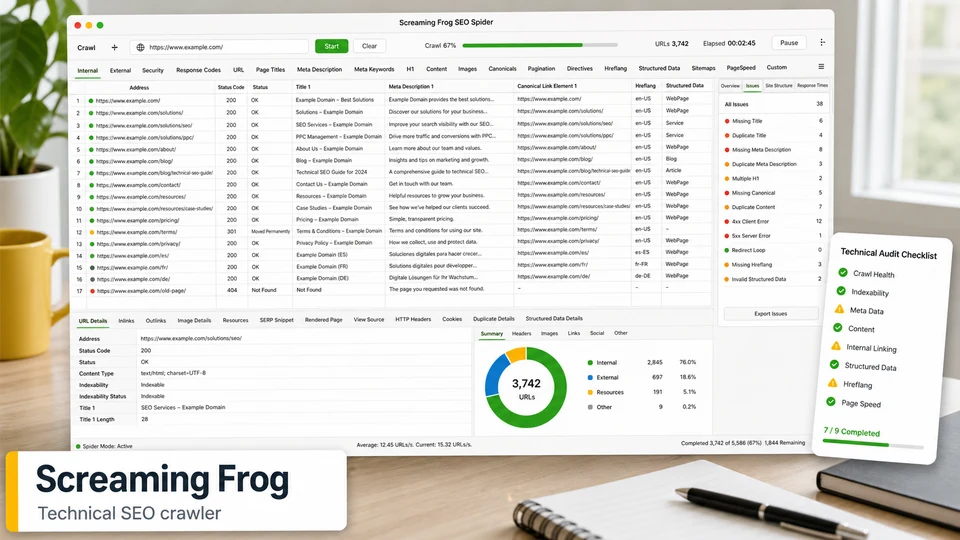
Screaming Frog SEO Spider is the best SEO tool on this list for technical crawling. It is a desktop application that crawls websites like a search engine crawler and gives you URL-level data that many cloud platforms summarize or hide.
For technical audits, it is hard to beat. Screaming Frog can find broken links, redirects, missing or duplicate page titles, long or short meta descriptions, missing H1s, canonical problems, noindex directives, hreflang issues, duplicate content, image issues, structured data problems, and much more.
Its JavaScript rendering mode is especially useful for modern sites built with React, Vue, Angular, Next.js, or other JavaScript-heavy frameworks. Instead of only looking at raw HTML, Screaming Frog can render pages with Chromium and compare what is available after JavaScript runs.
Advanced users can go much deeper with custom search, custom extraction, and custom JavaScript. You can scrape specific page elements, check whether tracking code is missing, extract schema fields, classify pages, or run custom logic at crawl time. It also integrates with Google Analytics, Google Search Console, PageSpeed Insights, and link metrics providers, so crawl data can sit next to traffic, indexation, and performance data.
The free version is useful for smaller sites because it can crawl up to 500 URLs. The paid version removes that practical limit and unlocks advanced features such as JavaScript rendering, saved crawls, scheduling, crawl comparison, custom extraction, and API integrations.
Best for: technical SEO audits, migrations, crawl diagnostics, and large site analysis.
Key features
- Crawl websites and export URL-level SEO data
- Find broken links, server errors, redirect chains, and crawl issues
- Analyze page titles, meta descriptions, H1s, H2s, canonicals, directives, and hreflang
- Detect duplicate and near-duplicate content
- Generate XML sitemaps
- JavaScript rendering with Chromium
- Custom search, custom extraction, and custom JavaScript
- Structured data, AMP, accessibility, spelling, and grammar checks
- Google Analytics, Search Console, and PageSpeed Insights integrations
- Crawl comparison and scheduling in the paid version
Pros
- Excellent for technical SEO detail
- Very flexible for advanced crawls
- Great for migrations and QA checks
- Free version is useful for small sites
- Strong integrations with Google data and performance tools
Cons
- More technical than dashboard-first SEO tools
- Desktop-based workflow may not suit every team
- Large crawls require enough local memory and storage
- Free version is limited to 500 URLs per crawl
- Not built for broad keyword or backlink research
5. Surfer SEO
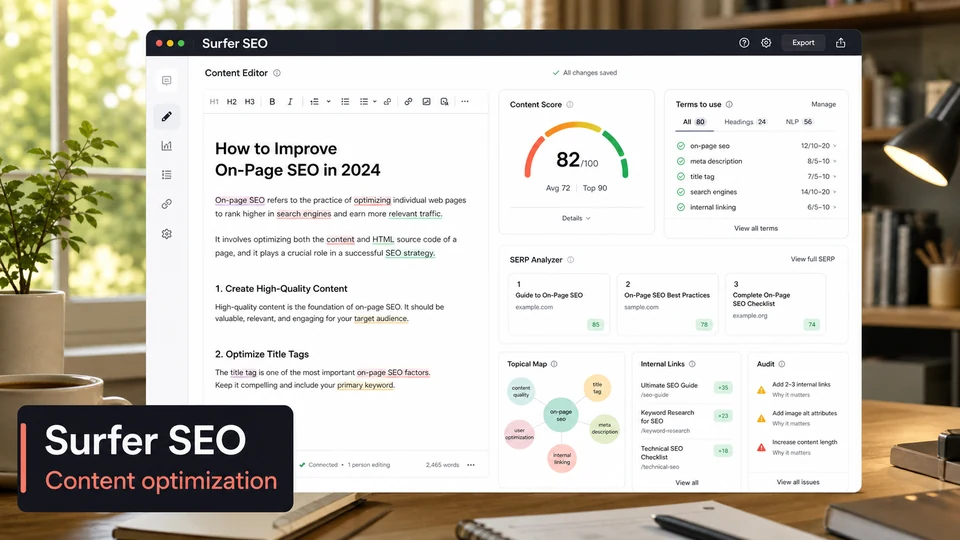
Surfer SEO is built for content optimization. If your SEO bottleneck is not finding keywords but improving pages so they better match search intent, competitor coverage, and topical depth, Surfer is one of the most useful tools to consider.
The Content Editor is the main workflow. You create a document around a target keyword, and Surfer analyzes top-ranking pages to suggest terms, structure, headings, word count ranges, and content coverage. Its Content Score gives writers and editors a measurable way to see whether a draft is underdeveloped or drifting away from the SERP.
Surfer has also added AI-focused scoring. Its Content Editor can include both an SEO Score and an AI Search Score, which is designed to evaluate how well the content covers relevant facts and answers the primary user question early. This makes Surfer relevant for teams thinking about both traditional search and AI-assisted discovery.
The Audit tool is useful for updating existing pages. It reviews a live page against current competitors and suggests improvements around content score, terms, structure, internal links, keyword usage, title and meta description length, load time, and other on-page factors.
Surfer also includes tools such as Content Audit, Topical Map, Topic Research, Keyword Research, SERP Analyzer, AI Writer, internal linking suggestions, and API options. It is best used by content teams, editors, and agencies that publish or refresh SEO content regularly.
Best for: writing, optimizing, and refreshing SEO content.
Key features
- Content Editor with SERP-based content guidelines
- Content Score, SEO Score, and AI Search Score
- Terms-to-use suggestions based on competitors
- Audit reports for existing pages
- Internal link suggestions
- SERP Analyzer for deeper page comparison
- Topical Map and Topic Research for content planning
- Keyword Research for opportunity discovery
- AI Writer and AI-assisted metadata options
- Content Audit for finding pages with optimization potential
Pros
- Excellent for content teams and writers
- Makes on-page recommendations easier to act on
- Helps refresh existing content, not just write new pages
- Useful for building topical coverage
- Good bridge between SEO strategy and editorial execution
Cons
- Not a full technical crawler
- Not a backlink research platform
- Recommendations should still be filtered through editorial judgment
- Costs can rise for high-volume content teams
- Works best when paired with Search Console and a broader SEO research tool
Which SEO Tool Should You Choose?
Choose Semrush if you want the broadest all-in-one SEO and competitive research platform. It is especially strong for agencies, marketing teams, ecommerce sites, and businesses that need keyword research, competitor tracking, reporting, and audits in one place.
Choose Ahrefs if backlinks, competitor research, and content opportunities matter most. It is one of the best choices for understanding why pages rank, which competitors are gaining traffic, and where your site has keyword or link gaps.
Choose Google Search Console no matter what else you use. It is free, first-party, and essential for performance tracking, indexing checks, sitemap submission, URL inspection, and Google-specific alerts.
Choose Screaming Frog SEO Spider if you need technical SEO detail. It is the right tool for audits, migrations, JavaScript rendering checks, crawl diagnostics, structured data validation, and large-scale URL QA.
Choose Surfer SEO if your main challenge is content quality and on-page optimization. It is particularly useful for writers, editors, and content teams that need repeatable briefs, content scoring, page refreshes, and SERP-based recommendations.
For many teams, the best stack is not one tool. A practical setup might be Google Search Console for truth data, Screaming Frog for technical audits, and either Semrush or Ahrefs for research. Add Surfer when content production or content refreshes become a major growth channel.
FAQ
What is the best SEO tool overall?
Semrush is the strongest all-around choice if you want one platform for keyword research, competitor analysis, rank tracking, backlink analysis, site audits, and reports. Ahrefs is the better choice if backlink and competitor research are your top priorities.
What is the best free SEO tool?
Google Search Console is the best free SEO tool because it gives direct Google data for your verified site. Ahrefs also offers useful free account access and free SEO tools, while Screaming Frog’s free version can crawl up to 500 URLs.
Is one SEO tool enough?
Usually not. One platform can cover most daily work, but serious SEO often needs several data sources. Google Search Console is essential for first-party data, Screaming Frog is better for technical crawls, and platforms like Semrush or Ahrefs are stronger for market and competitor research.
Which SEO tool is best for beginners?
Google Search Console is the best starting point because it is free and shows real search performance. For paid tools, Semrush is approachable because it organizes many workflows in one dashboard, while Ahrefs has a useful free account and strong educational resources.
Which SEO tool is best for technical audits?
Screaming Frog SEO Spider is the best choice for detailed technical audits. It gives URL-level crawl data, JavaScript rendering, custom extraction, structured data checks, crawl comparison, and integrations with Search Console and PageSpeed Insights.
Which SEO tool is best for content optimization?
Surfer SEO is the strongest choice here. Its Content Editor, Content Score, AI Search Score, Audit, SERP Analyzer, Topical Map, and internal link suggestions are built around writing and improving pages that can compete in search.
Which SEO tool is best for backlinks?
Ahrefs is one of the best SEO tools for backlink research. Site Explorer, Content Explorer, Link Intersect, backlink reports, and competitor analysis make it especially useful for link building and content strategy.
Related Reviews
GPT-6 Astra Review: Pricing, API Access, Strengths and Limits

6 Best AI Image Upscalers in 2026: Sharpen and Enlarge Photos

MP3 to Text: 5 Best Tools to Convert Audio to Text Accurately
Hy4 Preview Review: Tencent Hunyuan 770B MoE, 1M Context, API, Local Hardware, and NSFW Limits
Best 5 AI Image Editors in 2026
Best 5 Email Marketing Services in 2026