Fotor Video Agent Review 2026: Can It Really Create and Edit a Complete Video?
Read our Fotor Video Agent review to learn how its conversational editing, multi-track timeline, AI B-roll, captions, voiceovers, motion graphics, and credit system work.
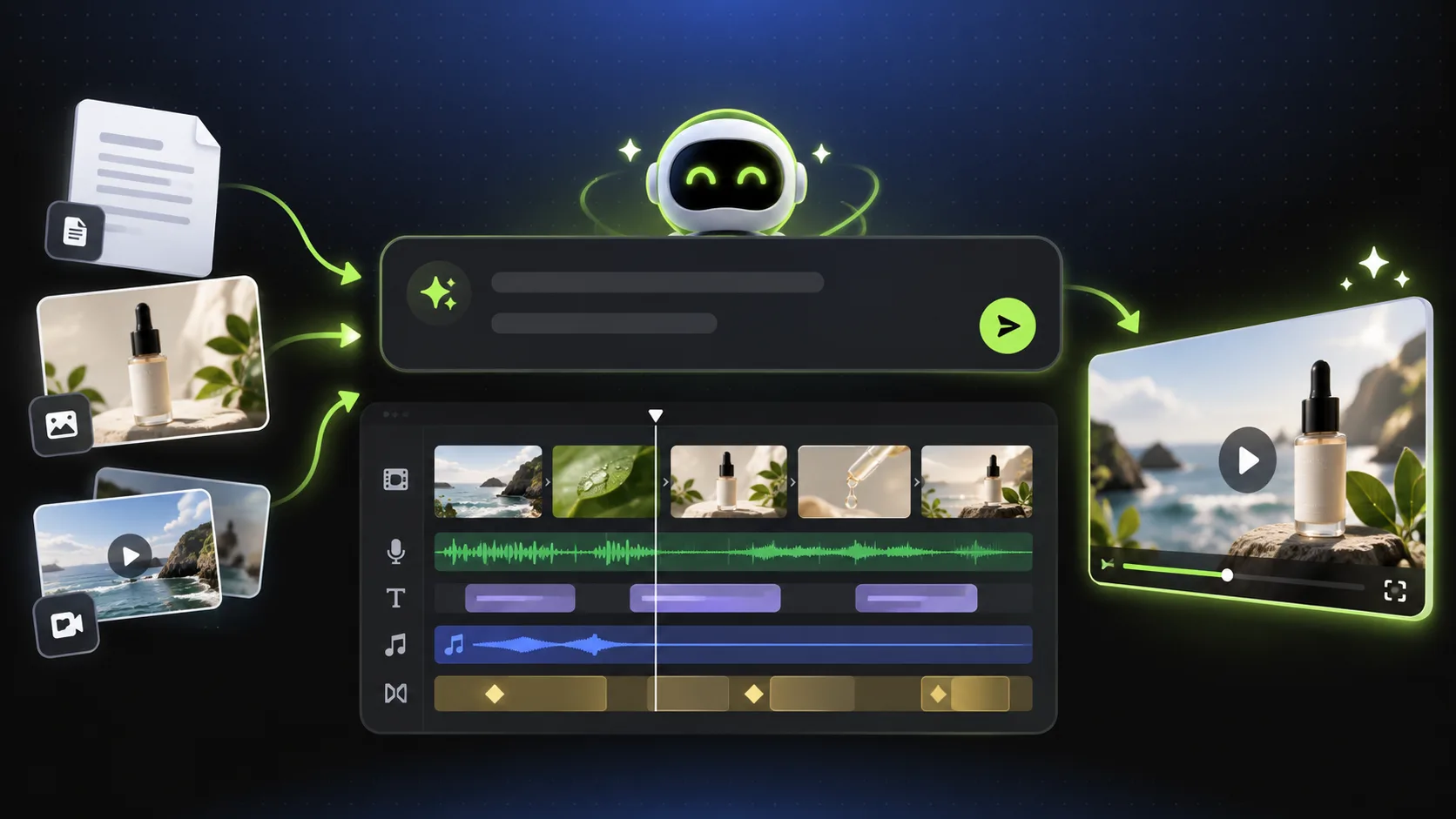

Most generative AI video tools create individual clips. Producing a complete video still requires a script, coherent scenes, B-roll, narration, captions, music, transitions, and an editing pass. Fotor Video Agent takes a broader approach: it can turn a prompt, script, document, or collection of media files into an editable video project.
The Agent helps plan scenes, generate supporting visuals, create voiceovers and captions, add music and transitions, and arrange the content on a multi-track timeline. Users can then request changes through conversation or adjust individual elements manually. In this Fotor Video Agent review, we examine how that workflow performs, where it can save time, and what users should check before relying on it.
Here’s a video generated by Fotor Video Agent.
Table of Contents
- Quick Verdict
- What Is Fotor Video Agent?
- How Fotor Video Agent Works
- Key Features
- Video Quality and Limitations
- How Much Time Can It Save?
- Pricing and Credits
- Pros and Cons
- Who Should Use It?
- Final Verdict
- Frequently Asked Questions
Quick Verdict
Fotor Video Agent is more than a basic text-to-video generator. Its main advantage is the ability to combine AI generation, automatic assembly, conversational editing, and a multi-track timeline in one browser-based workspace.
It can help prepare a script, divide it into scenes, generate or insert B-roll, create a voiceover, synchronize captions, select music, and add transitions. Users can then modify specific sections or edit the timeline manually. This makes it particularly useful for marketers, small businesses, educators, ecommerce sellers, and social creators who need complete videos but have limited editing experience.
It is not a full replacement for professional editing software. Generated scenes still require inspection, captions need proofreading, and advanced audio or color work may require another editor. Its strongest value is producing a usable first cut more quickly.
| Category | Assessment |
|---|---|
| Best for | Social videos, product ads, explainers, faceless videos, and fast first drafts |
| Main advantage | AI generation and multi-track editing in one project |
| Inputs | Prompts, scripts, documents, images, video, and audio |
| Automated tasks | Scenes, B-roll, voiceovers, captions, music, and transitions |
| Manual control | Editable multi-track timeline |
| Main limitation | AI results still require human review |
What Is Fotor Video Agent?
Fotor Video Agent is an online AI video creator and editor designed to manage more of the production workflow than tools that only generate short clips. Users can start with a written idea or upload scripts, documents, product images, raw footage, and audio. The Agent analyzes those inputs and builds a video structure around them.
Available workflows cover product launches, advertisements, motion-graphics explainers, talking presenters, UGC-style ads, faceless videos, smart montages, talking-head enhancement, and converting long recordings into social clips.
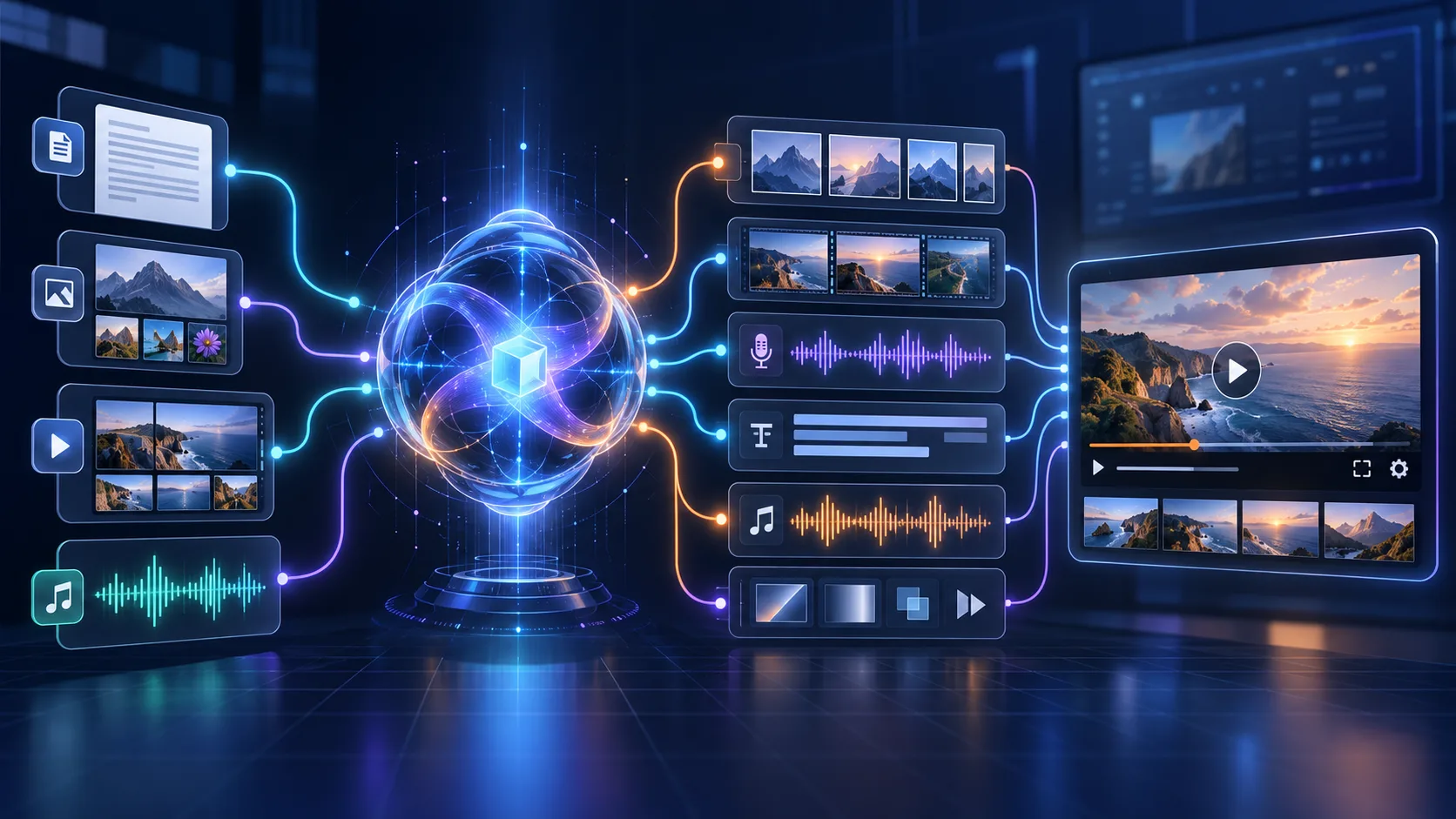
The important distinction is that the result remains editable. Video, images, narration, music, text, and captions can occupy separate tracks instead of being delivered only as a flattened file. Fotor Video Agent is therefore best viewed as an AI production assistant: it automates repetitive work while leaving final quality control to the user.
How Fotor Video Agent Works
1. Describe the Video
Begin with a topic or a detailed brief covering the purpose, audience, duration, platform, aspect ratio, visual style, narration tone, and required call to action. You can also upload existing media and documents. Supplying approved product images and accurate copy gives the Agent clearer direction.
2. Let the Agent Plan the Project
The Agent can reorganize the script, divide it into scenes, select uploaded footage, identify places for B-roll, and plan captions, music, and narration. This is useful when you have raw content but no storyboard.
3. Review the First Cut
Fotor assembles uploaded and generated elements into an initial edit. Check the opening, scene order, visual relevance, narration, captions, pacing, and call to action. Treat this version as a draft rather than a finished deliverable.
4. Revise Through Conversation
Users can request changes in natural language, such as “show the product within the first three seconds,” “replace the third scene but keep the narration,” or “make the captions larger and reduce the music volume.”
5. Fine-Tune the Timeline
When a prompt is not precise enough, users can trim or rearrange clips, remove scenes, replace images, correct captions, and adjust audio on the timeline.
Key Features
Conversational Video Creation and Editing
Fotor lets users direct much of the production process in everyday language. Clear prompts remain important: define the goal, audience, duration, output format, required elements, and anything the AI must not change. Conversational revisions are especially helpful when altering a scene, caption style, narration, or soundtrack without rebuilding the complete brief.
Multi-Track Timeline
The multi-track timeline is one of the platform’s clearest advantages over one-click generators. Video, B-roll, voiceover, captions, music, and transitions can remain separate, allowing users to replace an unwanted shot without removing its narration or change music without regenerating the visuals.
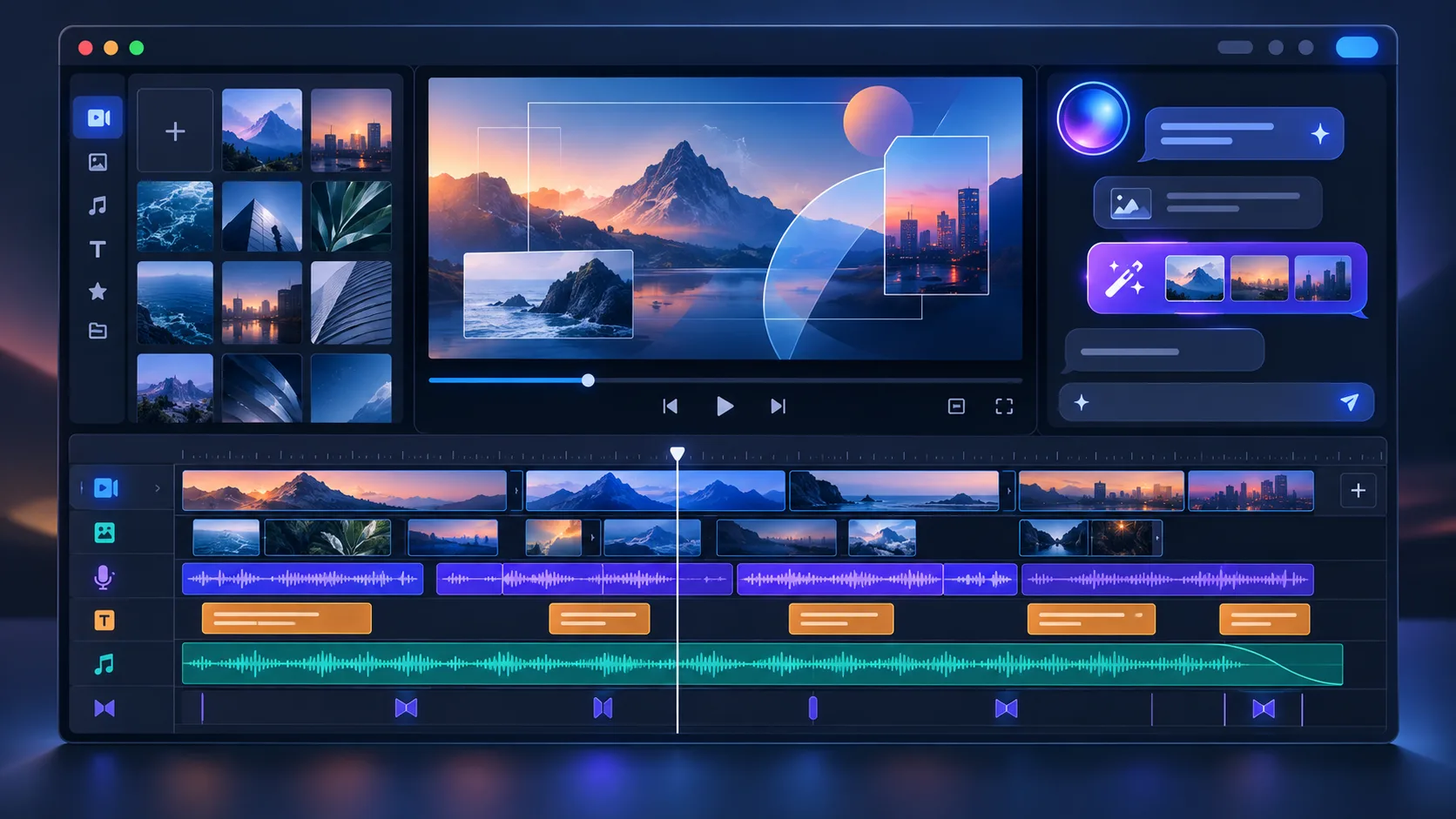
The editor may not offer the full depth of professional keyframing, masking, mixing, and color grading, but it provides considerably more control than a flattened AI-generated video.
AI Scene and B-Roll Generation
The Agent can divide a script into scenes and identify where supporting visuals are useful. Users can provide their own B-roll or ask the AI to create missing footage. This can save time for talking-head videos, tutorials, advertisements, explainers, and faceless content.
Generated B-roll still needs inspection. It may look attractive while being only loosely connected to the narration, and AI can introduce inaccurate products, inconsistent people, or unnatural movement.
Voiceovers, Captions, and Music
Fotor can generate narration, transcribe speech, synchronize captions, and add music. Users should check brand names, abbreviations, technical terms, subtitle timing, line breaks, and music volume. Important commercial projects should also confirm the current licensing terms for generated and third-party assets.
Motion Graphics and Content Repurposing
Motion-graphics workflows can create animated titles, feature callouts, explainers, captions, and transitions. Fotor can also help remove pauses from talking-head footage, insert B-roll, reframe horizontal content for vertical platforms, and extract short clips from longer recordings.
Fotor promotes 4K-related motion graphics and also provides a separate 4K upscaler. This does not necessarily mean every Video Agent project exports natively in 4K. Users who require a 4K final file should confirm the options displayed in the current editor.
Video Quality and Limitations
Video quality depends on more than resolution. A sharp export can still be unsuitable if a product changes between scenes, the captions contain mistakes, or the B-roll does not support the narration.
Before publishing, check scene and character consistency, product packaging, motion artifacts, B-roll relevance, caption spelling, voice pronunciation, music volume, pacing, transitions, logo accuracy, framing, and call-to-action visibility.
Short scenes with simple motion are generally easier for AI than complex interactions. Important wording should preferably be added as editable text rather than generated inside footage, since AI-rendered text can contain distorted letters. The Agent accelerates production but does not remove the need for human review.
How Much Time Can It Save?
Fotor states that Video Agent can reduce production time for a two-minute video from approximately three to five days to under one hour. This is a product efficiency claim, not a guaranteed result for every project.

Actual time depends on video length, scene count, source material, selected models, resolution, rendering speed, revisions, and brand-review requirements. The most realistic benefit is faster first-draft production. Even when a publication-ready project takes longer than an hour, automating storyboarding, narration, captions, music, and initial assembly can still produce a substantial efficiency gain.
Pricing and Credits
Fotor uses credits for many AI features. Consumption can vary by model, duration, resolution, and task. Before starting, check free-credit availability, credits included with each plan, the cost per scene, regeneration costs, export requirements, watermark restrictions, and credit expiration rules.
The most useful measure is cost per finished project rather than cost per generation. A 60-second video can contain several generated scenes, and repeated attempts or high-resolution processing may increase the total quickly. Create one representative project—including revisions and export—before committing to frequent use.
Pros and Cons
Pros
- Combines AI generation and video editing in one workspace
- Works with prompts, documents, and uploaded media
- Automates scenes, B-roll, narration, captions, music, and transitions
- Supports conversational revisions
- Provides a multi-track timeline
- Accessible to beginners and runs in a browser
- Can significantly accelerate first-draft production
Cons
- Generated scenes still require close review
- Credit use can rise after repeated generations
- B-roll may not always match the narration
- Captions and generated text require proofreading
- Product and character consistency can vary
- Advanced professional controls may be limited
- Final 4K availability depends on the workflow
Who Should Use It?
| Best for | Not ideal for |
|---|---|
| Social media creators | Feature-film production |
| Small businesses and ecommerce sellers | Frame-accurate professional editing |
| Marketing teams | Advanced cinematic color grading |
| YouTube and faceless channels | Complex audio mixing |
| Educators and course creators | Projects requiring perfect visual consistency |
Final Verdict: Is Fotor Video Agent Worth It?
Fotor Video Agent addresses a genuine weakness of many generative tools: producing an attractive clip is not the same as producing a complete, editable video. Its integrated workflow can plan a script, organize scenes, generate B-roll, create narration, add captions and music, and assemble everything on a timeline.
It is not a complete substitute for professional software or an experienced editor. Visual inconsistencies, caption mistakes, unsuitable B-roll, pronunciation errors, and pacing problems remain possible. Credit consumption can also increase when scenes need multiple attempts.
Overall, Fotor Video Agent is worth considering if you want to create a complete first draft quickly while retaining enough control to improve it. Its greatest value is not one-click generation, but the combination of AI automation and editable video production in the same project.
Frequently Asked Questions
What is Fotor Video Agent?
It is an online AI video creator and editor that can turn prompts, scripts, documents, images, footage, and audio into a structured project with scenes, B-roll, narration, captions, music, and transitions.
Is Fotor Video Agent free?
Fotor may provide limited free access or introductory credits. Available models, resolution, watermark rules, and export options can depend on the current plan.
Can it create a complete video?
Yes. It is designed to assemble multiple scenes and production elements rather than generate only one isolated clip. The completed draft still requires review.
Can I edit videos by chatting with AI?
Yes. Users can describe changes such as shortening a scene, replacing B-roll, changing music, enlarging captions, or reorganizing clips. Manual timeline editing is also available.
Does it generate captions and voiceovers?
Yes. Fotor can generate narration, transcribe speech, and synchronize captions. Proofread subtitles and verify pronunciation before export.
Can Fotor Video Agent export in 4K?
Fotor offers 4K-related motion graphics and separate upscaling tools, but standard project export limits can vary. Confirm the available resolution inside the current Video Agent workflow.
How long does it take to create a video?
Fotor claims a two-minute video can be produced in under one hour instead of three to five days. Actual time depends on complexity, scene count, models, resolution, and revisions.
Can it replace a professional video editor?
It can automate repetitive tasks and create a strong first cut, but advanced storytelling, color grading, sound design, compositing, and frame-level adjustments may still require professional tools.
Latest Reviews
Generate Stained-Glass Designs from Written Ideas

MiniMax M3.1 Flash Review: Coding, API Cost, Open Weights and Limits
Best Antivirus Software in 2026: 5 Reliable Choices for Malware Protection
FLUX 3 Review: Image, Klein, Local Hardware and Real Editing Limits
Best 5 Password Managers in 2026

Krea 3 Review: Editing Quality, Ultra, Real Costs and Open-Weight Status