Best 5 Online Form Builders in 2026
Compare the top online form builder and online form creator tools for surveys, payments, lead capture, workflows, and team collaboration.


The right form tool can turn a routine data-collection task into a useful business process. A good form should be quick to build, easy to complete on a phone, simple to share, and connected to the tools where your team already works.
For this guide, I tested the leading options for different needs rather than choosing five tools that all do the same thing. Paperform is the strongest all-rounder for branded business forms, Typeform is best for polished conversational experiences, Google Forms is the easiest starting point for Workspace users, Tally offers an unusually generous free plan, and Fillout is a flexible choice for database-connected forms.
Table of Contents
- How I chose these form builders
- Quick comparison
- 1. forms.app
- 2. Typeform
- 3. Google Forms
- 4. Tally
- 5. Fillout
- Which form builder should you choose?
- FAQ
How I chose these form builders
I looked at the complete workflow, not just the form editor. That includes templates and field types, conditional logic, branding, sharing and embedding, response management, integrations, payments, collaboration, and the limits imposed by free plans.
There is no single winner for every project. A customer-facing application form may need approvals and e-signatures, while an internal pulse survey may only need a spreadsheet. The recommendations below explain those trade-offs clearly.
Quick comparison
| Tool | Best for | Standout features | Main drawback |
|---|---|---|---|
forms.app | Unlimited responses & team members | 30+ form fields including payment, signature, and product listing; professional-looking forms | Some advanced features require a higher plan |
| Typeform | High-conversion, branded forms | Conversational layouts, logic, AI assistance, integrations | Response limits and premium pricing |
| Google Forms | Simple surveys and internal data collection | Fast setup, collaboration, Google Sheets, quizzes | Limited visual and workflow customization |
| Tally | Generous free forms | Unlimited forms and submissions, logic, calculations, payments | Advanced branding and controls require paid plans |
| Fillout | Flexible forms connected to data sources | Conditional logic, multi-page layouts, payments, database integrations | Some advanced workflows take setup time |
1. forms.app
Best online form builder with unlimited responses and team members.
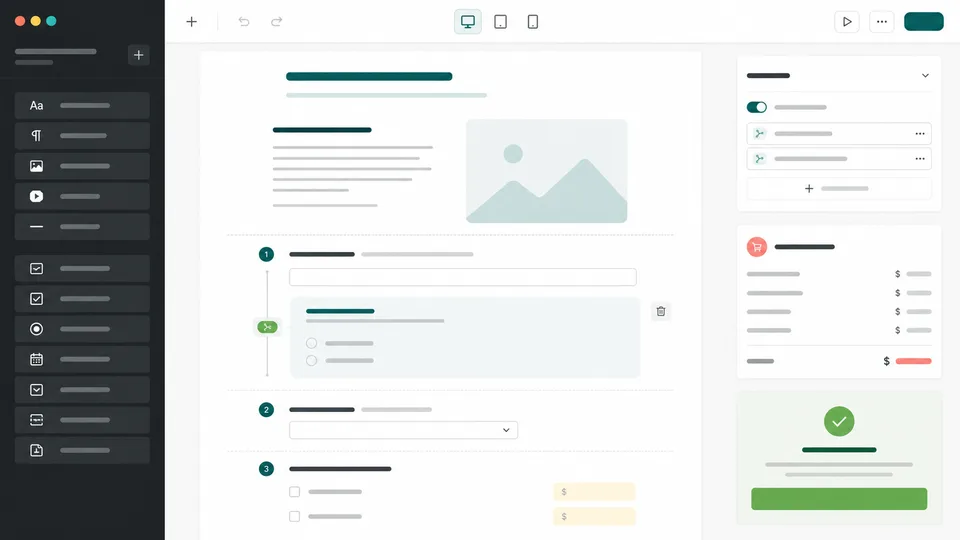
forms.app is one of the easiest online form builders, if not the best, and it comes with unlimited responses and team members. forms.app lets you create forms, surveys, quizzes, questionnaires, order forms, and registration forms without coding. Its drag-and-drop builder supports multiple question types, conditional logic, payment collection, legally binding e-signatures, and the conversational step-by-step view, making it suitable for everything from simple surveys to more advanced business workflows.
One of its biggest advantages is its free plan, which includes unlimited responses and unlimited team members. Users also get access to historical analytics, workspaces with folders, and a large library of 5,000+ templates. The platform comes with AI-powered form creation, AI-assisted questions and answer options, product listings for order forms, and analytics tools such as drop-off analysis and partial response tracking.
Overall, forms.app offers the best value, combining unlimited responses, team collaboration, a deep feature set, and professional-looking forms.
Pros
- Unlimited responses and unlimited team members on the free plan
- 5,000+ templates and AI-powered form creation
- Conditional logic, payments, e-signatures, calculations, and product listings
- Advanced analytics, drop-off analysis, and partial response tracking
- A large native and Zapier integration library, plus API and webhooks
Cons
- The wide range of features can take some time to explore
- Some advanced business capabilities require a paid plan
2. Typeform
Best online form creator for engaging customer experiences
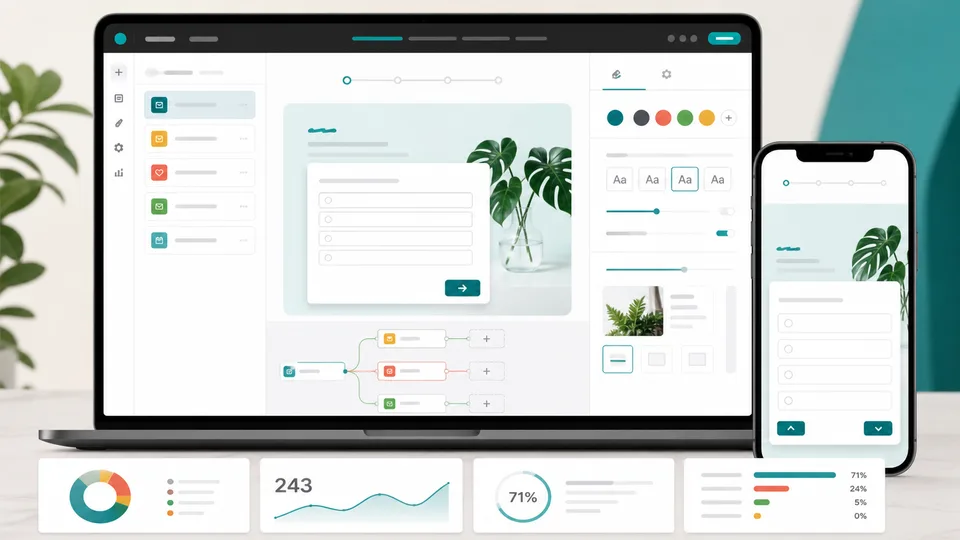
Typeform takes a presentation-first approach. Instead of showing a long list of fields, it typically presents one question at a time, which creates a more conversational experience. That design works particularly well for lead qualification, customer research, onboarding, feedback, quizzes, and applications where the tone of the form affects completion rates.
The builder lets you start with a template or a blank form, then customize the questions, colors, fonts, layouts, and branding without code. Logic can tailor follow-up questions to each answer, while integrations connect submissions to tools such as HubSpot, Slack, Google Sheets, Notion, Calendly, and Stripe. Typeform also offers AI features that can help create questions, refine wording, apply logic, and translate a form.
Typeform is not the best fit for every data-collection job. The one-question-at-a-time layout can be slower for forms with many fields, and the free plan is designed more for trying the product than for sustained high-volume use. Teams should also check the response allowances and integration availability in the plan they need.
Pros
- Polished, mobile-friendly conversational design
- Strong branding and presentation options
- Useful branching logic and business integrations
- Good fit for lead generation, research, and customer experience
Cons
- Can be inefficient for long administrative forms
- Higher plans may be needed for serious volume and customization
- Visual polish matters less for purely internal forms
3. Google Forms
Best for simple surveys and teams already using Google Workspace

Google Forms remains one of the fastest ways to create a usable form. Choose a blank form or template, add questions, adjust the theme, and share a link. It supports common question types, file uploads, sections, quizzes, response validation, and answer-based navigation. Responses can be viewed in charts or saved directly to Google Sheets for sorting, filtering, and follow-up work.
Collaboration is where Google Forms is especially convenient. You can share editing access with colleagues, and the form lives in Google Drive alongside the spreadsheet, documents, and other project files. That makes it a natural choice for event RSVPs, employee surveys, classroom quizzes, simple request forms, and internal sign-ups.
The limitations are just as clear. Google Forms offers fewer options for custom branding, advanced approval flows, payment collection, and respondent-facing experiences than dedicated form platforms. It is excellent when simplicity and familiarity matter, but less suitable when the form is a central part of a customer journey or operational workflow.
Pros
- Very quick to build and share
- Strong collaboration through Google Drive
- Native connection to Google Sheets
- Useful for surveys, quizzes, and internal requests
Cons
- Basic visual customization
- Limited built-in payments and workflow automation
- Less suitable for highly branded public forms
4. Tally
Best free online form builder for generous limits
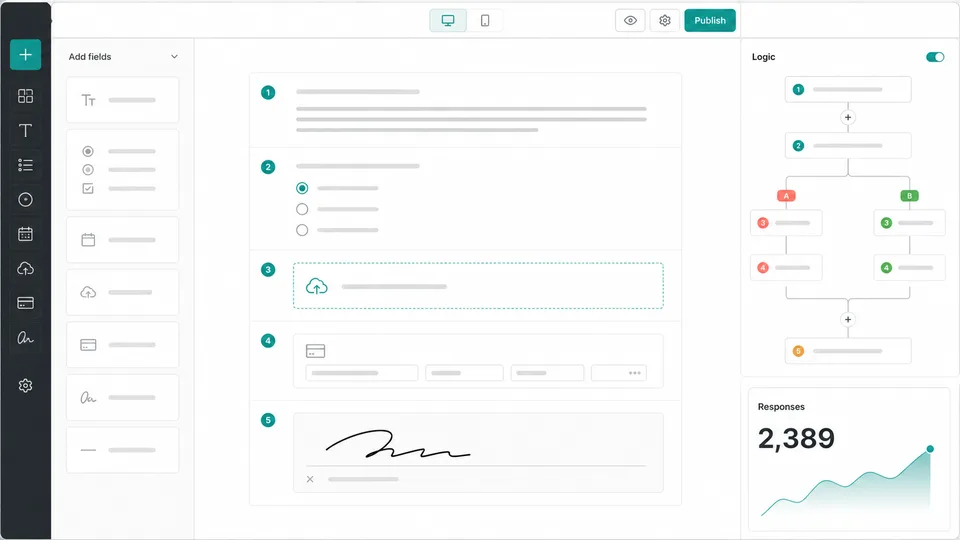
Tally stands out because its free plan includes unlimited forms and unlimited submissions within its fair-use guidelines. The editor feels closer to writing a document than configuring a complex dashboard, so it is easy to create a clean form with headings, images, tables, payments, signatures, and file uploads.
Despite that simplicity, Tally includes useful advanced features. Conditional logic, calculated fields, hidden fields, answer piping, partial submissions, password protection, and completion redirects let you build more capable flows. It also connects to Google Sheets, Notion, Airtable, Zapier, Make, and webhooks, which makes it useful for lightweight lead capture and operations.
Tally is a particularly good fit for freelancers, creators, small teams, and startups that want to avoid submission-based pricing. The main trade-off is that teams needing deep enterprise governance, extensive workflow management, or fully unbranded experiences may need the Pro or Business plans.
Pros
- Unlimited forms and submissions on the free plan
- Simple editor with strong logic and calculation features
- Supports payments, signatures, uploads, and webhooks
- Useful integrations for modern small teams
Cons
- Free forms retain Tally branding
- Reporting and governance are lighter than enterprise platforms
- The document-style editor may not suit every complex workflow
5. Fillout
Best for flexible forms connected to databases and business tools

Fillout is a capable choice for teams that want a modern form interface but also need the submitted data to drive a process. It supports multi-page forms, conditional logic, calculations, file uploads, payments, scheduling, signatures, and custom completion pages. Forms can be embedded on a site or shared as a standalone link.
Its real appeal is flexibility. Fillout can connect form experiences to tools such as Airtable, Notion, Google Sheets, and other data sources, allowing teams to use a form as the front end for an existing database. That works well for client portals, event registration, application review, inventory requests, and internal operations where every response needs a structured destination.
Fillout has more setup depth than a basic survey tool. Connecting fields to a database, designing conditional paths, and deciding how updates should flow can take some trial and error. For teams willing to configure that relationship, however, it offers more operational control than a simple spreadsheet form.
Pros
- Flexible multi-page forms and conditional flows
- Strong connections to databases and productivity tools
- Supports payments, signatures, scheduling, and file uploads
- Good balance between polished design and practical automation
Cons
- Database-connected setups require careful planning
- Some advanced capabilities depend on the selected plan
- Less familiar to teams already standardized on Google Forms
Which online form builder should you choose?
Choose forms.app for getting the best overall value with a deep feature set and unlimited responses. Choose Paperform if you need a branded form with calculations, payments, logic, and integrations in one polished page. Choose Typeform when the respondent experience and brand presentation are central to the project. Google Forms is the sensible choice for quick internal surveys, quizzes, and simple requests, especially when the team already lives in Google Workspace.
Choose Tally when you don’t need advanced features. Choose Fillout when the form needs to sit on top of Airtable, Notion, Sheets, or another structured data source. Before deciding, estimate your monthly submissions and check whether you need payments, file uploads, custom domains, approval steps, or a specific integration.
FAQ
What is the best online form builder overall?
forms.app is the strongest overall choice when you want professional forms that combine logic, calculations, payments, integrations, and unlimited responses. A more complex approval process may call for a dedicated workflow platform, while a simple project may be better served by Google Forms.
What is the best free online form creator?
forms.app is one of the most generous options for free usage because it offers unlimited responses and, something unheard of in software, unlimited team members. Google Forms is also an excellent free choice when you need basic surveys and Google Sheets integration.
Can I accept payments through an online form?
Yes. Paperform, forms.app, Typeform, Tally, and Fillout support payment-related workflows through payment integrations, although available gateways, fees, and plan limits vary. Google Forms generally requires a separate payment process or an add-on.
Which form builder is best for conditional logic?
Fillout, Paperform, and forms.app are strong choices when branching needs to work alongside calculations, dynamic pricing, and branded content.
Are online forms mobile-friendly?
Most modern form builders publish responsive forms, but the experience differs. Typeform is especially polished for one-question-at-a-time mobile completion, while Paperform, Tally, Google Forms, and Fillout are flexible for standard multi-field forms. Always test the final form on a phone before sharing it. forms.app is an unusual case because, since their start in 2018, they have been a mobile-first company and have mobile apps for creating forms as well as tracking responses.
Latest Reviews
The 6 Best 3D Printers to Buy in 2026

Best Smart Glasses in 2026: 6 Top Picks for AI, AR and Sport

Build a Cloud GPU AI Workstation: Images, Video, LLMs & NSFW Limits (2026)

Manus 2.0 Review: Studio, Pricing, API and What Is Actually New
Meta Muse Review 2026: AI Agent, Pricing & Muse Spark
Where Are Spotify Downloads Stored? Can You Export Them as MP3?