

Subtitles used to be the slow part of video editing. You had to transcribe the audio, split the text into readable lines, fix timing, and export the right subtitle file. That is still possible by hand, but most creators do not have time for it anymore.
An AI subtitle generator can turn speech into captions, place the text on a timeline, and help you edit mistakes before exporting the final video. AirMore AI Subtitle Generator is now a practical first stop if you want a simple browser tool for video or audio files, while other tools may fit translation-heavy projects, social clips, long lectures, podcasts, webinars, or training videos.
Below are the best AI subtitle generators to consider if you want faster captions without giving up control over accuracy, export options, and subtitle style.
Table of Contents
- Quick Comparison
- Best AI Subtitle Generator Tools
- How to Choose the Best AI Subtitle Generator
- What Makes a Good AI Caption Generator?
- Tips for Getting Better AI Subtitles
- Final Verdict
- FAQ
Quick Comparison
| Tool | Best For | Standout Feature |
|---|---|---|
| AirMore AI Subtitle Generator | Fast online subtitle generation | Upload video or audio, generate timed subtitles, edit text and style, then export |
| Happy Scribe | Transcription and subtitles | Accurate subtitles with editing, translation, and human-made options |
| Subtitle Nexus | Multilingual subtitles | Subtitle generation, transcription, and translation |
| VEED | General video creators | Easy online subtitles and video editing in one place |
| Kapwing | Teams and social videos | Collaborative editing with captions, resizing, and templates |
| Submagic | Short-form creators | Fast captions for Reels, Shorts, and TikTok-style videos |
| Riverside | Podcasts and interviews | Recording, transcription, and subtitle-friendly editing |
| Descript | Script-based video editing | Edit video through transcript-style workflows |
Best AI Subtitle Generator Tools
1. AirMore AI Subtitle Generator
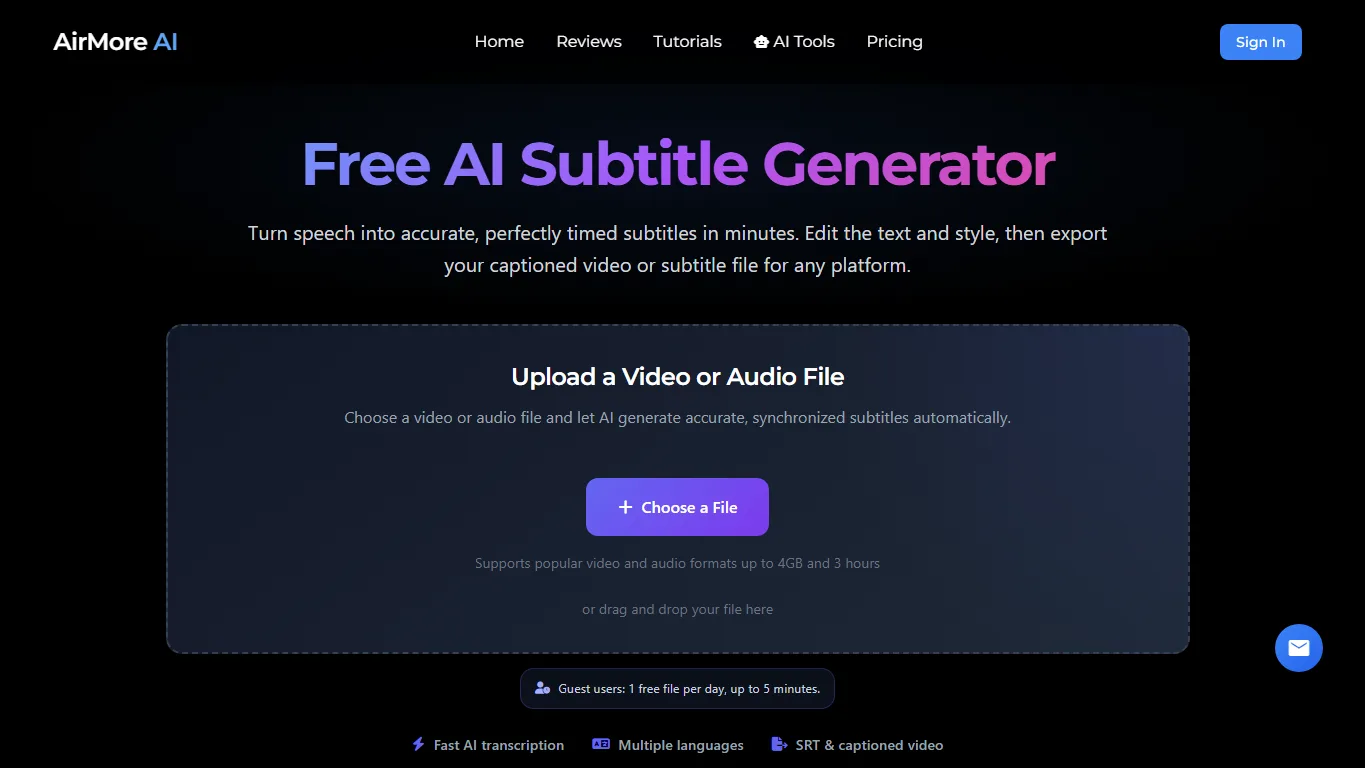
AirMore AI Subtitle Generator is a direct browser-based tool for turning video or audio into timed subtitles. It is a good first option when you want to upload a file, generate captions quickly, edit the subtitle text and style, and export a captioned video or subtitle file without moving through a complex video editor.
The tool is especially useful for creators who need captions for tutorials, short social videos, lessons, product demos, or internal training clips. Guest users can try a limited free workflow, which makes it easy to test subtitle accuracy with your own voice, accent, background noise, and video length before deciding whether it fits your regular process.
Like any AI subtitle generator, the output still needs a human review. Check names, numbers, brand terms, punctuation, line breaks, and subtitle timing before publishing, especially if the video will be used for courses, ads, or customer-facing content.
2. Happy Scribe

Happy Scribe is a good first choice when subtitle accuracy and clean file exports matter most. You can upload audio or video, generate subtitles automatically, fix the text in a browser-based editor, and export SRT or VTT files for any platform.
It is a good fit for journalists, educators, podcast teams, and anyone working with interviews or long recordings. Subtitles can also be translated for international viewers, and when accuracy is critical, you can order human-made subtitles.
Best for: accurate subtitles and export-ready subtitle files.
Why it stands out:
- Subtitles and full transcripts from the same upload
- Subtitle translation for international audiences
- SDH subtitles for deaf and hard-of-hearing viewers
- Option to order human-made subtitles when accuracy is critical
Keep in mind: it is built for transcription and subtitle files, not full video editing, so short-form creators may still want a clip editor.
3. Subtitle Nexus

Subtitle Nexus is a subtitle file generator. It doesn’t try to be a video editor. You upload a video or audio file (MP4, MOV, MKV, WebM, MP3, WAV and more), the AI transcribes and times the dialogue, and you download a ready-to-use SRT file. It supports more than 20 languages. You can also choose between several AI models, depending on whether you care more about accuracy or speed.
It’s a good fit for people who need subtitle files for long content, like films, full episodes, lectures, interviews, and course videos. If you already have subtitles in one language, you can translate them into another without re-transcribing the audio, which saves time and costs less. A free demo lets you check the output before you pay.
Best for: users who need downloadable SRT files and subtitle translation for long videos.
Why it stands out:
- Handles long files, from short clips to full-length films
- Choice of AI models for accuracy or faster drafts
- Translates existing subtitles instead of re-transcribing
- Token-based pricing and an API for regular or bulk use
Keep in mind: it outputs SRT subtitle files, not styled burned-in captions. To create animated captions for Reels or Shorts, use it with a video editor.
4. VEED

VEED is a good first choice for creators who want an AI subtitle generator inside a simple online video editor. You can upload a video, generate captions, edit the text, adjust styling, and export the result without moving between several tools.
It fits social videos, tutorials, product demos, short lessons, and marketing clips. The interface is friendly enough for non-editors, but it still gives you practical controls for text style, timing, and layout.
Best for: creators who want subtitles and video editing in one browser-based workspace.
Why it stands out:
- Easy subtitle generation for uploaded videos
- Caption styling and basic editing tools
- Useful for social clips, tutorials, and business videos
- Good option if you do not want a complicated editing suite
Keep in mind: as with any automatic subtitle generator, you should review names, acronyms, product terms, and technical words before publishing.
5. Kapwing

Kapwing is another strong online option, especially for teams that create videos for social channels. It combines subtitles with editing, resizing, trimming, templates, and collaborative workflows.
If your team posts content across YouTube, TikTok, Instagram, LinkedIn, or internal channels, Kapwing can save time because captions are part of a broader production flow. You can generate subtitles, polish the edit, resize the video, and prepare platform-ready versions.
Best for: teams and creators who need captions plus social video editing.
Why it stands out:
- Online editor with subtitle tools
- Useful for short and mid-length videos
- Collaboration-friendly for marketing and content teams
- Good for repurposing one video into several formats
Keep in mind: if your main need is only subtitle translation, a more translation-focused tool may be a better fit.
6. Submagic

Submagic is built with short-form video creators in mind. It is a good option if your work is mostly Reels, Shorts, TikTok videos, creator clips, podcast highlights, or fast social edits.
The appeal is speed. Short-form creators often need captions that are readable, visually lively, and easy to style. Submagic focuses on that workflow instead of trying to be a full traditional video editor.
Best for: short-form videos and creator-style captions.
Why it stands out:
- Designed for fast social video editing
- Useful for caption-heavy short clips
- Helps make videos easier to watch without sound
- Good fit for creators, coaches, podcasters, and social media teams
Keep in mind: if you need formal subtitle files for long courses or corporate training, compare export options before choosing it as your main tool.
7. Riverside

Riverside is best known as a recording platform, but it can also fit subtitle workflows because podcast and interview creators often need transcripts, clips, and caption-ready content after recording.
If your video starts as a remote interview, podcast, webinar, or talking-head recording, Riverside can reduce the gap between recording and post-production. It is especially relevant for creators who produce content from conversations rather than scripted videos.
Best for: podcasters, interviewers, and webinar creators.
Why it stands out:
- Useful for recording and post-production workflows
- Good fit for interviews and podcasts
- Helps creators move from recording to transcript-based editing
- Practical for teams producing regular conversation-based content
Keep in mind: if you only need to add subtitles to an existing file, a dedicated online subtitle generator may be simpler.
8. Descript

Descript is useful for people who like editing video through text. Instead of working only with a traditional timeline, you can use transcript-based editing to remove sections, clean up spoken content, and prepare captioned videos.
It can be a strong option for podcasts, tutorials, interviews, and creator videos where the spoken script drives the edit. The workflow feels different from a standard subtitle tool, but that is exactly why many creators like it.
Best for: transcript-based video editing.
Why it stands out:
- Text-driven editing workflow
- Useful for spoken videos, podcasts, and tutorials
- Good for creators who edit by script
- Helps connect transcription, editing, and captions
Keep in mind: it may be more tool than you need if you only want a quick subtitle file.
How to Choose the Best AI Subtitle Generator
The best AI subtitle generator depends on what kind of video you publish.
Choose Happy Scribe if you need strong transcription and subtitle file workflows.
Choose VEED if you want a simple all-around subtitle generator and editor.
Choose Kapwing if you work with a team and publish a lot of social videos.
Choose Subtitle Nexus if translation and multilingual subtitles matter.
Choose Submagic if most of your content is short-form social video.
Choose Riverside if you record interviews, podcasts, or webinars.
Choose Descript if you prefer editing video through a transcript.
What Makes a Good AI Caption Generator?
A good AI caption generator should do more than place words at the bottom of a screen. Look for these features before choosing a tool:
- Accurate speech recognition
- Easy text correction
- Clean subtitle timing
- Style controls for font, size, position, and color
- Subtitle file exports such as SRT or VTT when needed
- Translation support if you publish globally
- Good handling of long videos, multiple speakers, or noisy audio
- A workflow that matches your publishing platform
For social videos, style and speed may matter most. For online courses, accuracy and export options are more important. For podcasts and interviews, transcript editing can save a lot of time.
Tips for Getting Better AI Subtitles
Start with clean audio. AI subtitles are much better when speech is clear, background noise is low, and speakers do not talk over each other.
Keep subtitle lines short. Viewers should be able to read the caption without pausing the video.
Review proper nouns. Names, brands, places, and technical terms are the most common places where automatic subtitles make mistakes.
Match the subtitle style to the video. A course video needs calm, readable captions. A short-form clip may benefit from larger, more energetic captions.
Export the right format. Burned-in subtitles are useful for social media. SRT or VTT files are better when you want captions that can be turned on or off.
Final Verdict
If you want a simple browser-based AI subtitle generator, start with AirMore AI Subtitle Generator. If you need a broader online video editor, VEED or Kapwing may fit better. If your priority is translation, Subtitle Nexus is a better fit. For short-form videos, Submagic is worth a look. For long recordings, interviews, and transcript-heavy projects, Happy Scribe, Riverside, or Descript may fit better.
The right tool is the one that matches your video workflow. A creator making daily Shorts does not need the same subtitle setup as a teacher preparing a full course or a company localizing training videos.
FAQ
What is an AI subtitle generator?
An AI subtitle generator is a tool that uses speech recognition to turn spoken audio into timed subtitles or captions for a video. Many tools also let you edit the text, style the captions, translate subtitles, and export files.
What is the best AI subtitle generator?
AirMore AI Subtitle Generator is a good first choice for a simple online subtitle workflow. VEED and Kapwing are strong general video-editing options. Subtitle Nexus is better for translation. Submagic is useful for short-form content. Happy Scribe, Riverside, and Descript are good choices for transcript-heavy workflows.
Can AI subtitles be used for YouTube videos?
Yes. Many AI subtitle tools can create captions for YouTube videos. Depending on the tool, you may export a caption file such as SRT or burn the subtitles directly into the video.
Are AI-generated subtitles accurate?
They can be very helpful, but they are not perfect. Accuracy depends on audio quality, speaker clarity, accents, background noise, and specialized vocabulary. Always review subtitles before publishing important content.
Should I use burned-in subtitles or subtitle files?
Use burned-in subtitles when you want the text to always appear, especially on social media. Use SRT or VTT files when you want platform-controlled captions that viewers can turn on or off.
Related
Best Krea AI Alternatives for Image, Video, and Creative Workflows

Best AI SOP Generators to Create Standard Operating Procedures Faster
AI Product Description Generator: Best Tools to Write Ecommerce Copy Faster
Best AI Tools to Convert MP4 to MP3
Best AI Customer Service Tools for Faster Support
Top 5 Ways on How to Remove Glare from Photo